



A WordPress plugin that returns post content in Markdown format when requested with an Accept header set to text/markdown or a ?format=markdown query parameter.
| Query parameter | Accept header |
|---|---|
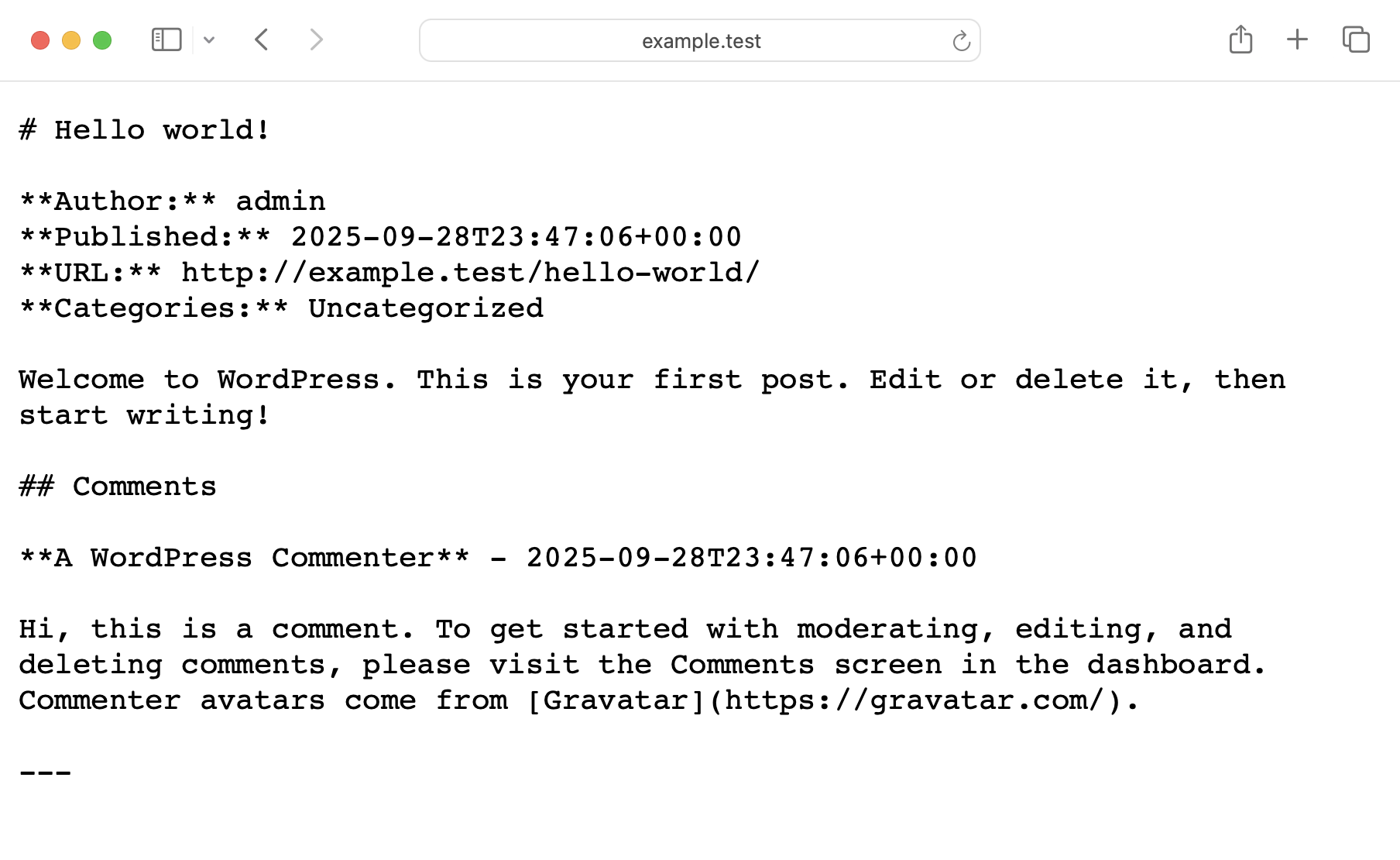 |
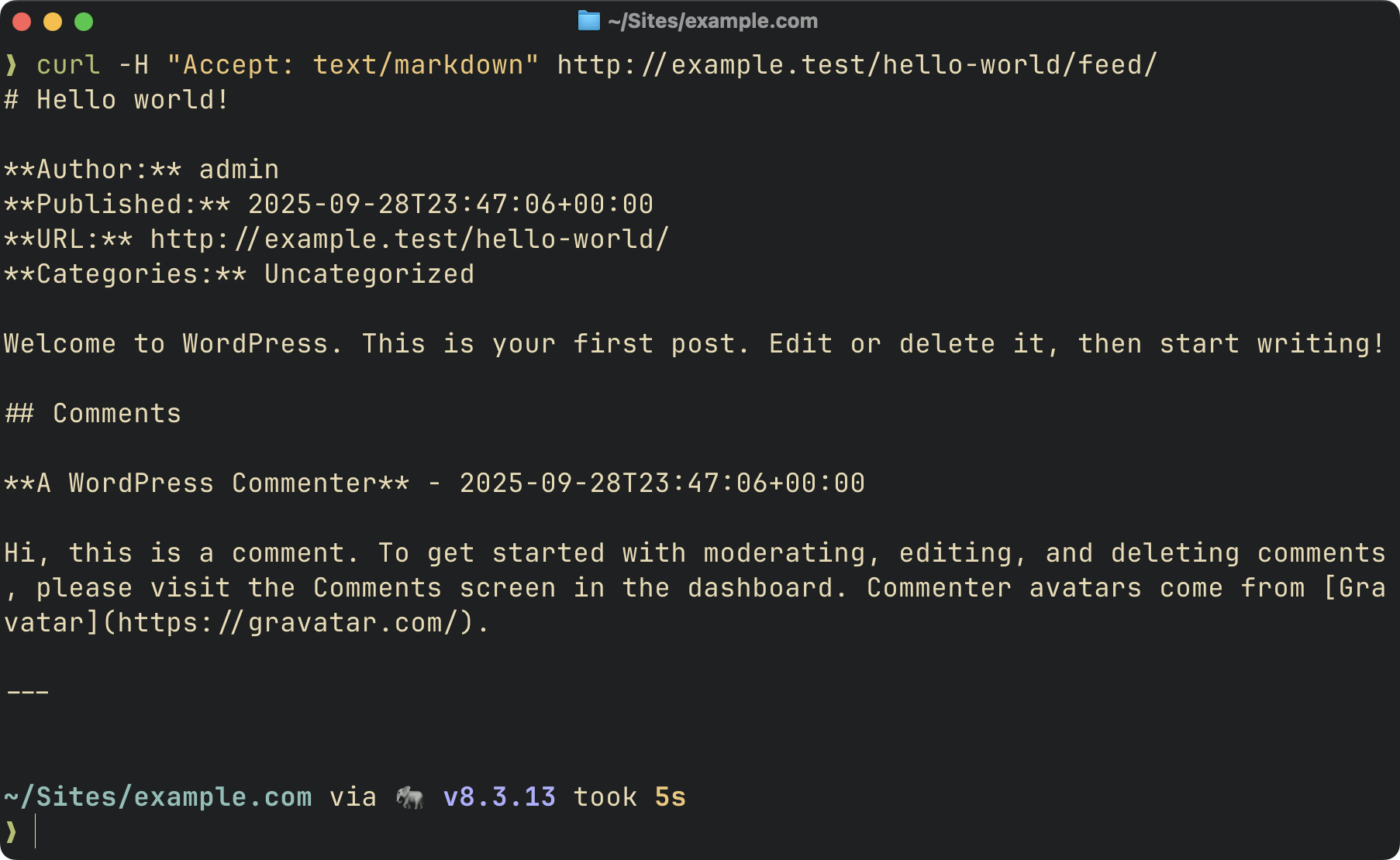 |
Roots is an independent open source org, supported only by developers like you. Your sponsorship funds WP Packages and the entire Roots ecosystem, and keeps them independent. Support us by purchasing Radicle or sponsoring us on GitHub — sponsors get access to our private Discord.
PHP 8.1+
composer require roots/post-content-to-markdown- Download the latest release
- Place in
wp-content/plugins/post-content-to-markdown/ - Activate via wp-admin or WP-CLI
Send an Accept: text/markdown header to any of these URLs:
- Single post:
https://example.com/post-slug/→ Returns post content as Markdown - Single post with comments:
https://example.com/post-slug/feed/→ Returns post + all comments - Main feed:
https://example.com/feed/→ Returns latest posts as Markdown
Examples:
# Single post
curl -H "Accept: text/markdown" https://example.com/my-awesome-post/

# Single post with comments
curl -H "Accept: text/markdown" https://example.com/my-awesome-post/feed/

# Main feed
curl -H "Accept: text/markdown" https://example.com/feed/For browsers and sharing, use the ?format=markdown query parameter:
- Single post:
https://example.com/post-slug/?format=markdown - Single post with comments:
https://example.com/post-slug/feed/?format=markdown - Main feed:
https://example.com/feed/?format=markdown
Examples:
# View in browser
https://example.com/my-awesome-post/?format=markdown

# Get post with comments
https://example.com/my-awesome-post/feed/?format=markdown

# Get main feed
https://example.com/feed/?format=markdownA dedicated Markdown feed is also available at /feed/markdown/:
curl https://example.com/feed/markdown/The feed includes:
- Feed metadata (site name, description, last updated, feed URL)
- Post title, author, publication date (ISO 8601), and permalink
- Post categories and tags
- Post content converted to Markdown
- Optional excerpt support
- Optional comment support
Example Output:
# My WordPress Site - Markdown Feed

**Description:** Just another WordPress site
**Last Updated:** 2025-10-03T19:45:00+00:00
**Feed URL:** https://example.com/feed/markdown/

---

# Hello World!

**Author:** John Doe
**Published:** 2025-10-03T12:00:00+00:00
**URL:** https://example.com/hello-world/
**Categories:** News, Updates
**Tags:** announcement, wordpress

Welcome to WordPress. This is your first post. Edit or delete it, then start writing!

---
Feed URL structure:
Markdown feeds are accessible via:
/feed/markdown/- Dedicated Markdown feed/feed/?format=markdownor/feed/withAccept: text/markdown- Main feed as Markdown/post-slug/feed/?format=markdownor/post-slug/feed/withAccept: text/markdown- Single post with comments
Note that WordPress requires pretty permalinks to be enabled (Settings → Permalinks must be set to anything other than "Plain").
Autodiscovery:
The plugin automatically adds a <atom:link> element to your site's RSS feed, allowing feed readers and LLMs to discover the Markdown version:
<atom:link href="https://example.com/feed/markdown/" rel="alternate" type="text/markdown" />The plugin provides several filters for customization:
Filter the post types that can be served as Markdown for single posts.
add_filter('post_content_to_markdown/post_types', function ($post_types) {
    // Add support for pages and custom post types
    return ['post', 'page', 'product'];
});
Default: ['post']
Filter the post types included in the Markdown feed.
add_filter('post_content_to_markdown/feed_post_types', function ($post_types) {
    return ['post', 'page'];
});
Default: ['post']
Filter the number of posts included in the Markdown feed.
add_filter('post_content_to_markdown/feed_posts_per_page', function ($count) {
    return 20;
});
Default: 10
Enable or disable comments in the Markdown feed.
add_filter('post_content_to_markdown/feed_include_comments', function () {
    return true;
});
Default: false
Enable or disable post excerpts in the Markdown feed.
add_filter('post_content_to_markdown/feed_include_excerpt', function () {
    return true;
});
Default: false
Filter the cache duration for the Markdown feed in seconds.
add_filter('post_content_to_markdown/feed_cache_duration', function ($duration) {
    return 2 * HOUR_IN_SECONDS; // Cache for 2 hours
});
Default: HOUR_IN_SECONDS (1 hour)
Filter the HTML to Markdown converter options.
add_filter('post_content_to_markdown/converter_options', function ($options) {
    return [
        'header_style' => 'setext',           // Use underline style for H1/H2
        'strip_tags' => false,                // Keep HTML tags without markdown equivalents
        'remove_nodes' => 'script style img', // Remove script, style, and img elements
        'hard_break' => false,                // Convert <br> to two spaces + newline
    ];
});
Available options:
header_style:'atx'(default) or'setext'strip_tags: Remove HTML tags without Markdown equivalents (default:true)remove_nodes: Space-separated list of DOM nodes to remove (default:'script style')hard_break: Convert<br>to newlines (default:true)
Filter the final Markdown output after conversion.
add_filter('post_content_to_markdown/markdown_output', function ($markdown, $original_html) {
    // Add a footer to all Markdown output
    return $markdown . "\n\n---\nConverted from HTML to Markdown";
}, 10, 2);
Parameters:
$markdown: The converted Markdown text$original_html: The original HTML content
The Markdown feed is cached for 1 hour by default to optimize performance. The cache is automatically cleared when:
- A post is published or updated
- A post is deleted
- Comments are added, edited, or deleted (when comments are included in feed)
You can customize the cache duration using the post_content_to_markdown/feed_cache_duration filter.
Keep track of development and community news.
- Join us on Discord by sponsoring us on GitHub
- Join us on Roots Discourse
- Follow @rootswp on Twitter
- Follow the Roots Blog
- Subscribe to the Roots Newsletter
