
Tags: kedify/cli
Tags
Add metrics explorer sub-command (#13) ## TL;DR Add the new `kedify metrics` sub-command for interactively exploring Prometheus metrics and generating autoscaling resources. ## Highlights - Discover Prometheus services from Kubernetes or connect directly using `--server`. - Support automated discovery and port-forwarding with `--disco`. - Support custom Kubernetes configuration through `--context` and `--kubeconfig`. - Discover Grafana Mimir gateways using their Kubernetes labels. - Route Mimir requests through `/prometheus`. - Include `X-Scope-OrgID: kedify-agent` with every Mimir API request. - Filter metrics interactively or prefill the filter using `--filter`. - Supply PromQL directly through `--query`. - Control visualization using `--visualize` and `--horizon`. - Visualize 6-hour, 1-day, 3-day, 1-week, and 1-month ranges with appropriate query resolutions. - Render cyan ASCII graphs and display memory metrics in MiB. ## Resource generation and safety - Generate `ScaledObject`, `MetricPredictor`, or both. - Print generated YAML by default. - Allow skipping the YAML editing prompt with `--print`. - Before creating resources: - Show the complete YAML. - Show the active Kubernetes context and target namespace. - Require an explicit confirmation that defaults to **No**. - Forward the selected context and kubeconfig to discovery, port-forwarding, and resource creation commands. ## Automation options - `--disco` - `--filter` - `--query` - `--visualize` - `--horizon` - `--print` - `--context` - `--kubeconfig` - `--namespace` - `--server` [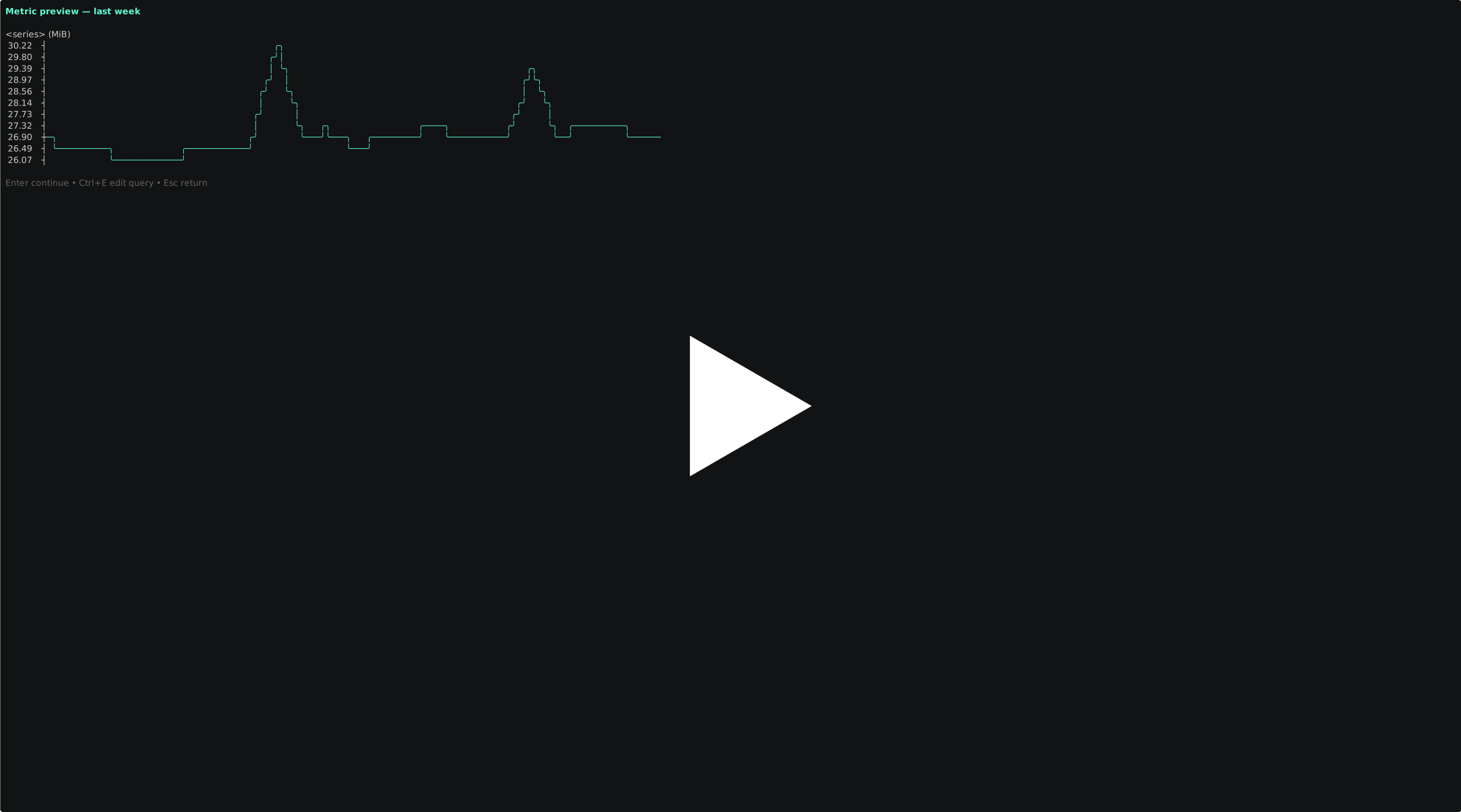](https://asciinema.org/a/1261845) --------- Signed-off-by: Jirka Kremser <jiri.kremser@gmail.com>
First attempt of `apply recommendations` (#5)

Add `kedify apply recommendations` for Helm values patching

```bash
kedify apply recommendations deployment/<NAME> \
  --namespace <NAMESPACE> \
  --chart-path <PATH> \
  --values-file <PATH> \
  --recommendations-file <PATH> \
  [--container <CONTAINER>] \
  [--resources cpu-requests,cpu-limits,memory-requests,memory-limits] \
  [--min-confidence 60] \
  [--format json|diff|override] \
  [--output-file <PATH>] \
  [--dry-run]
```

The command applies Kedify recommendations to a Helm values file for a
specific workload.

**Arguments**

- `deployment/<NAME>`
Target workload in `kind/name` form. v1 currently supports `deployment`.
- `--namespace`
  Namespace of the target workload.
- `--chart-path`
  Path to the Helm chart to render and verify against.
- `--values-file`
  Path to the Helm values file to patch.
- `--recommendations-file`
  Path to a saved recommendations JSON/YAML file.
- `--container`
Optional container filter. If omitted, the command matches all
recommendation-bearing containers in the workload.
- `--resources`
  Optional comma-separated resource list:
  `cpu-requests`, `cpu-limits`, `memory-requests`, `memory-limits`.
If omitted, all available recommendations are applied per matched
container.
- `--min-confidence`
  Inclusive confidence threshold. Defaults to `60`.
- `--format`
  Output mode:
  - `json` for machine-readable plan/result
  - `diff` for unified diff against the values file
  - `override` for a generated override values file
- `--output-file`
  Required when `--format override` is used without `--dry-run`.
- `--dry-run`
  Computes the result without writing files.

**Behavior**

- Renders the Helm chart and verifies the workload/container mapping
before patching.
- Patches only explicit values mappings.
- For multi-container workloads, patches all matched containers only if
every matched container is safely patchable.
- Fails with structured reasons like `not_found`, `ambiguous`,
`unsupported`, and `below_confidence_threshold`.


## Example

```
$ kedify apply recommendations deployment/keda-operator \
    --namespace keda \
    --chart-path ./test/chart \
    --values-file ./test/chart/values.yaml \
    --recommendations-file ./test/recommendations.json \
    --min-confidence 20 \
    --format override \
    --output-file override-values.yaml
deployments:
    kedaOperator:
        containers:
            auditSidecar:
                resources:
                    limits:
                        cpu: 50m
                        memory: 72Mi
                    requests:
                        cpu: 10m
                        memory: 24Mi
            operator:
                resources:
                    limits:
                        cpu: 100m
                        memory: 138Mi
                    requests:
                        cpu: 20m
                        memory: 46Mi
```

---------

Signed-off-by: Josef Karasek <karasek.jose@gmail.com>
Add first few commands (#2)

This PR introduces the first working version of the `kedify` CLI with a
small but solid command surface, reusable internal structure,
interactive terminal UX where it helps, and CI/release scaffolding.

The CLI now supports:
- `kedify login`
- `kedify list clusters`
- `kedify get cluster`

It uses:
- `kong` for command parsing, flags, and help text
- `bubbletea` for interactive flows
- `lipgloss` for styling
- OS keyring for credential storage when available, with file fallback

**Command Overview**

`kedify login`
- Stores the Kedify API token for later commands.
- Token can come from:
  - positional arg
  - env/flag-provided token
  - interactive prompt / stdin
- Interactive input hides the token as it is typed.
- Prompts are written to `stderr` so `stdout` stays clean for shell
usage.
- Users are instructed to generate a token at
`https://dashboard.dev.kedify.io/api-keys`.
- Credentials are stored in the OS credential store when available.
- If no system credential store is available, it falls back to
`~/.config/kedify/credentials.json`.

`kedify list clusters`
- Calls the Kedify clusters API and transparently follows pagination
until all pages are loaded.
- Supports `--output` / `-o` with:
  - `text` (default)
  - `json`
  - `yaml`
- The default text output is human-readable and kubectl-inspired.
- The text table includes key cluster fields such as:
  - name
  - id
  - agent version
  - keda version
  - statuses
  - age

`kedify get cluster [name-or-id]`
- Fetches one cluster.
- If no argument is provided, it opens an interactive cluster picker.
- If a cluster name is provided, it resolves from the cluster list.
- If a UUID is provided, it uses the dedicated cluster detail endpoint
directly.

**UUID Behavior in `get cluster`**

This PR adds explicit UUID-aware behavior to `kedify get cluster`.

How it works:
- If the argument is a valid UUID, `kedify get cluster` calls:
  - `GET /v1/clusters/<uuid>`
- If the argument is not a UUID, it treats it as a cluster name and
searches the cluster list response.
- If no argument is provided:
  - the CLI first shows an interactive picker
- once a cluster is selected, if that cluster has a valid UUID, the CLI
uses the dedicated UUID endpoint for the final fetch

That gives us:
- better API semantics
- a cleaner path for exact cluster lookup
- future flexibility if names are non-unique or mutable

**Output Behavior**

All resource commands support:
- `--output`
- `-o`

Formats:
- `text`
- `json`
- `yaml`

Design intent:
- `text` is for humans
- `json`/`yaml` are for scripts and automation
- interactive prompts and helper text go to `stderr`, keeping `stdout`
safe for piping

**Internal Structure**

The repo was organized to keep CLI concerns separated:
- command parsing and command handlers in `internal/cli`
- HTTP/API client logic in `internal/api`
- credential/config handling in `internal/config`
- renderers in `internal/output`
- interactive terminal flows in `internal/tui`
- entrypoint in `cmd/kedify`

This keeps the command layer testable and makes it easier to grow from
`kedify <verb> <noun>` over time.

**Testing**

The layout was made unit-test friendly, and tests were added around:
- command behavior
- API client behavior
- config/credential handling
- output formatting
- TUI helper behavior

**CI and Release Work**

This PR also adds supporting project automation:
- PR check workflow
- Make targets for build/test/lint
- pinned local `golangci-lint` behavior for better CI reproduction
- starter GoReleaser-based release setup
- multi-arch release targeting
- Cosign integration scaffolding

---------

Signed-off-by: Josef Karasek <karasek.jose@gmail.com>

](https://asciinema.org/a/1261845)