Key takeaways
Fill, sign, and submit DS-82 from any browser — or have AI generate a custom version in seconds. No installs, no printing, no back-and-forth.
- The U.S. Passport Renewal Application (Form DS-82) allows eligible citizens to renew a passport book or card by mail.
- To qualify, your previous passport must be undamaged, issued within the last 15 years, and after you turned 16.
- The application requires personal details, mailing information, previous passport data, an emergency contact, and a compliant color photograph.
- The applicant must sign and date the document to certify the truthfulness of all information provided in the application.
- There is no specific filing deadline, but experts suggest renewing six to nine months before your current passport expires.
- Applicants whose names have changed since their last passport issuance must submit an original or certified name change document.
- You must include the correct renewal fee payable to the U.S. Department of State via check or money order.
What is DS-82?
US Passport Renewal Application (Form DS-82) is a document used by eligible United States citizens to update their travel credentials by mail. It serves as the primary method for requesting a new passport book or card without requiring an in-person appearance. This application is specifically for individuals who can submit an undamaged previous passport issued within the last 15 years, provided they were at least 16 years old when that document was originally granted and it was issued in their current name.
The US passport renewal form gathers essential personal details, including the applicant's full name, date of birth, and social security number. It also requires specific data regarding the most recent passport, such as the document number and original issue date. Additionally, the application includes sections for mailing addresses, emergency contacts, and optional travel plans. The process concludes with a mandatory signature section where the applicant certifies that the provided information is true and correct to the best of their knowledge.
Issued by the U.S. Department of State.
Who needs the DS-82 — and who doesn't
Not everyone files DS-82. The checklist below tells you whether it applies to your situation — and points you to the right alternative if it doesn't.
You need this DS-82 if…
- you are a U.S. citizen who can submit your most recent U.S. passport in an undamaged condition.
- your most recent U.S. passport was issued when you were 16 years of age or older.
- the issue date of your most recent U.S. passport is within the last 15 years.
- your most recent passport was issued in your current name or you can document a name change with a marriage certificate or court order.
You do not need this DS-82 if…
- you are a first-time applicant or your most recent passport was issued when you were under age 16.
- your most recent U.S. passport was issued more than 15 years ago.
- your previous passport has been lost, stolen, or significantly damaged.
- you are unable to legally document a name change from the name listed on your previous passport.
Why you need the DS-82
Why people fill out DS-82, and what tends to go wrong when they don't.
-
Maintain Travel Validity Form DS-82 allows eligible citizens to renew their passport book or card by mail, ensuring continued ability to travel internationally without the need for an in-person appointment at an acceptance facility.
-
Update Official Records The application captures current personal details, mailing addresses, and emergency contact information, ensuring the U.S. Department of State has accurate, up-to-date records linked to your newly issued passport document.
-
Fulfill Legal Requirements Submitting a signed and dated Part 6 is essential for a valid renewal, as it certifies the truthfulness of your information under penalty of law as required for federal document issuance.
-
Prepare Documents Digitally You can fill and edit this application using pdfFiller’s online platform to ensure all fields are accurate. The service provides secure, encrypted storage for your completed PDF and sensitive personal data.
DS-82 vs. similar documents
DS-82 gets mixed up with similar documents more than most. Here's how to tell them apart, and what filing the wrong one actually costs.
| Comparison criteria | US Passport Renewal Application | Form DS-11, Application For A U.S. Passport |
|---|---|---|
| Purpose | Renew passport using this us passport renewal pdf. | Apply for a new U.S. passport. |
| When to use | Submit this us passport renewal template if eligible. | First-time applicants or if previous passport lost. |
| Signatures required | Applicant must sign and date. | Not specified in provided source. |
| Filing | Submit the application by mail. | Requires an in-person application. |
| Governing reference | 22 U.S.C. 211a et seq. | Not specified in provided source. |
What each section of DS-82 means
Every section explained — what it's asking, the records you'll need on hand, and the mistakes that most often cause a rejection or follow-up request.
| Applicant Personal Information | Enter your full legal name, date and place of birth, sex, and Social Security number to establish your identity for the passport renewal process. |
|---|---|
| Mailing Address Details | Provide a current mailing address where you can receive your new passport and contact phone numbers for any necessary communication regarding your application. |
| Recent Passport Data | Submit details from your most recent U.S. passport, including the document number, issue date, and any legal name changes since its issuance. |
| Optional Travel Plans | Share upcoming travel details such as your destination, departure date, and length of trip if you wish to provide context for your renewal request. |
| Emergency Contact Information | List the name, address, and telephone number of a person who should be contacted in the event of an emergency during your travels. |
| Applicant Legal Signature | Sign and date the application to certify that all provided information is true and correct, acknowledging the legal penalties for making false statements. |
How to fill out DS-82 using pdfFiller
A walkthrough from the first field to the signature line. With your records in front of you, most people finish in under ten minutes.
-
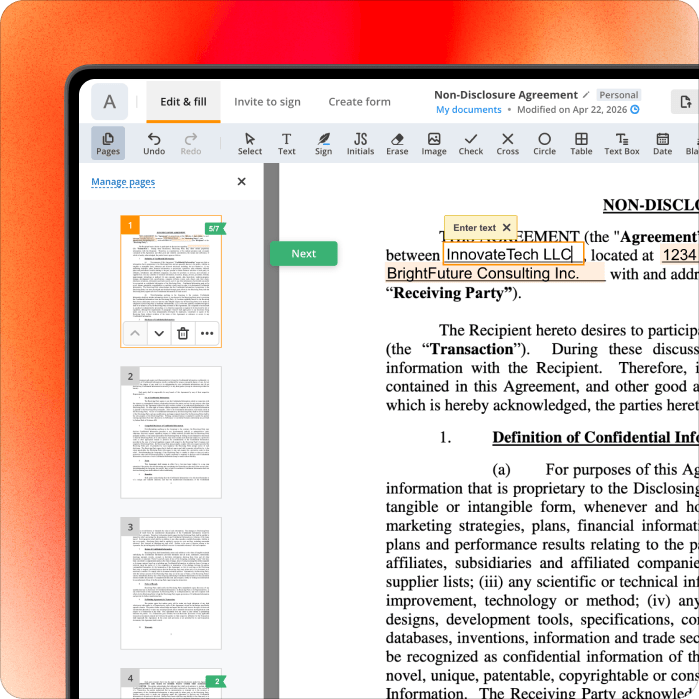
Open the Form Click Get Form to open U.S. Passport Renewal Application in the pdfFiller editor to begin the digital renewal process for your U.S. passport book or card.
-
Provide Applicant Information Use the text tool to enter your full name, date of birth, and Social Security number in Part 1, ensuring all personal details match your legal identification documents.
-
Add Mailing Details Fill out Part 2 by typing your current mailing address and contact phone numbers into the provided fields to ensure the U.S. Department of State can reach you.
-
Enter Passport History Complete Part 3 of the form ds-82 by inputting your most recent passport number and issue date, referencing your physical passport to ensure the data is perfectly accurate.
-
List Emergency Contacts Navigate to Part 5 to provide contact information for an emergency representative and optionally fill in your upcoming travel dates and destinations in the Part 4 section.
-
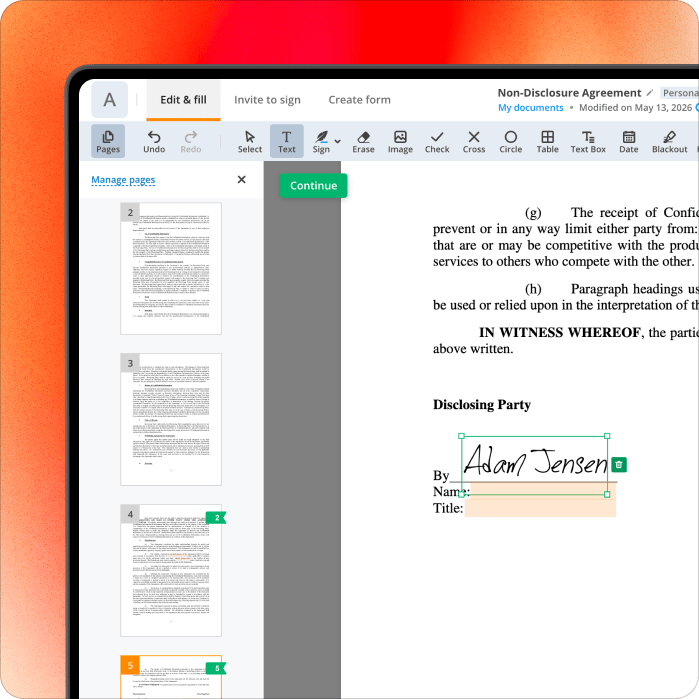
Sign and Date Follow the us passport renewal instructions to add a legally binding e-signature in Part 6, which certifies the truthfulness of your application before submitting your renewal package.
-
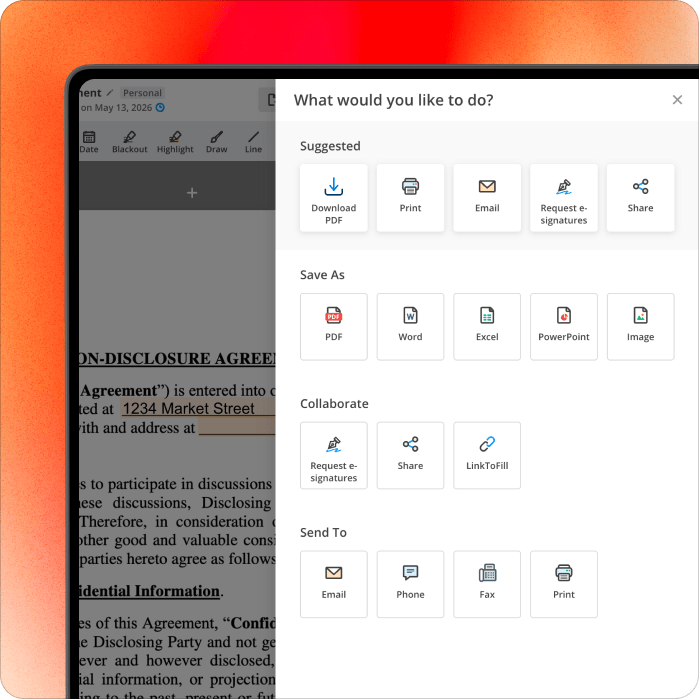
Save or Share Once finished, click Done to save your progress; you can then download the PDF, send it via email, or print it directly from the secure pdfFiller platform.
Required disclosures & attachments
The fields DS-82 won't be accepted without — and the disclosures filers most often miss.
Deadlines, key dates & penalties for DS-82
When DS-82 is due, what late filing actually costs, and how to request more time if you need it.
| Filing Deadline | There is no specific deadline to file Form DS-82, but a U.S. passport is generally valid for 10 years for adults. It is recommended to submit the renewal application approximately 6-9 months before your current passport expires, as many countries require at least six months of validity beyond your planned date of entry. |
|---|---|
| Penalties for False Statements | Knowingly and willfully making false statements in a passport application or in supporting documents is punishable by fines and/or imprisonment. Relevant federal statutes include 18 U.S.C. 1001, 18 U.S.C. 1542, and 18 U.S.C. 1621. |
Recent changes to DS-82
The U.S. Passport Renewal Application (Form DS-82) is currently maintained by the U.S. Department of State under the revision status Rev. 01-2023. This version is designed for eligible U.S. citizens to renew their passport books or passport cards by mail, provided they meet specific criteria regarding their previous passport's issuance and condition.
The January 2023 revision includes six primary sections that collect personal data, mailing details, information about the applicant's most recent passport, and optional travel plans. It also features a dedicated certification section in Part 6, where the applicant must provide a signature and date to verify the truthfulness of the information submitted.
Pointer: Verify that your document is the Rev. 01-2023 version before you begin the application process.
Related content
The forms, guides, and worksheets most filers reach for alongside DS-82.
Key terms used in DS-82
A one-sentence glossary of the DS-82 terms and concepts you'll see throughout this guide.
- Passport Book
- A travel document issued by the U.S. government for international travel by air, land, or sea.
- Passport Card
- A wallet-sized document valid only for land and sea entry into the U.S. from specific nearby countries.
- Certified Name Change Document
- An official record, such as a marriage certificate or court order, documenting a legal change of name.
- Issuing Authority
- The U.S. Department of State, which is the official government body responsible for processing and granting passport renewals.
- Emergency Contact
- An individual identified by the applicant to be notified by authorities in the event of an urgent situation.
Frequently asked questions about DS-82
Quick answers to the questions we hear most often about completing the DS-82.
You can renew your US passport by submitting Form DS-82 along with your most recent passport, a new photo, and the required fees by mail. You can use pdfFiller to fill out the application, add a compliant digital signature, and print the document for mailing. This platform simplifies the process by ensuring all required fields are addressed before you send your application.
Form DS-82 is the application used by eligible U.S. citizens to renew their passport book or passport card by mail. It is specifically designed for individuals who have an undamaged passport issued within the last 15 years. Using pdfFiller, you can easily complete this form online, edit your information, and save the document. This helps ensure your application is legible and complete before mailing.
You can find the US passport renewal form, also known as Form DS-82, on the official U.S. Department of State website or through online platforms like pdfFiller. pdfFiller allows you to access, edit, and fill out the form directly in your web browser without downloading extra software. This makes it convenient to prepare your renewal application accurately and efficiently from any device.
To renew your passport, you must provide your most recent U.S. passport, a compliant color photograph, the renewal fee, and any legal name change documents if applicable. Once you have these, you can use pdfFiller to complete the DS-82 form and sign it electronically. The platform provides tools for managing your documents, making it easy to store your progress online during the application process.
Yes, you can renew your US passport by mail using Form DS-82 if you meet specific eligibility criteria, such as having your most recent passport in your possession. You can fill out the necessary fields and sign the application using pdfFiller before printing it for submission. This method is the standard way to renew a passport for adults whose previous document is recently expired.
Eligibility for passport renewal requires that your most recent passport was issued when you were 16 or older and within the last 15 years. Additionally, the document must be undamaged and reflect your current name or be accompanied by legal name change documentation. pdfFiller can help you verify your entries as you fill out the form, ensuring your application meets the necessary standards for submission.