<?xml version="1.0" encoding="utf-8"?>
<feed xmlns="http://www.w3.org/2005/Atom">
    <id>https://wasp.sh/blog</id>
    <title>Wasp Blog</title>
    <updated>2026-03-29T00:00:00.000Z</updated>
    <generator>https://github.com/jpmonette/feed</generator>
    <link rel="alternate" href="https://wasp.sh/blog"/>
    <subtitle>Wasp Blog</subtitle>
    <icon>https://wasp.sh/img/favicon.ico</icon>
    <entry>
        <title type="html"><![CDATA[From 10 Failed Stacks to Production: How a Data Scientist Built a Job Board with Wasp, a Full-stack Framework for the Agentic Era]]></title>
        <id>https://wasp.sh/blog/2026/03/29/hireveld-from-10-stacks-to-production-with-wasp</id>
        <link href="https://wasp.sh/blog/2026/03/29/hireveld-from-10-stacks-to-production-with-wasp"/>
        <updated>2026-03-29T00:00:00.000Z</updated>
        <summary type="html"><![CDATA[Hireveld is currently down while Marcel works on a major refactor - but it's real, we swear! It'll be back up soon.]]></summary>
        <content type="html"><![CDATA[<div class="theme-admonition theme-admonition-note admonition_xJq3 alert alert--secondary"><div class="admonitionHeading_Gvgb"><span class="admonitionIcon_Rf37"><svg viewBox="0 0 14 16"><path fill-rule="evenodd" d="M6.3 5.69a.942.942 0 0 1-.28-.7c0-.28.09-.52.28-.7.19-.18.42-.28.7-.28.28 0 .52.09.7.28.18.19.28.42.28.7 0 .28-.09.52-.28.7a1 1 0 0 1-.7.3c-.28 0-.52-.11-.7-.3zM8 7.99c-.02-.25-.11-.48-.31-.69-.2-.19-.42-.3-.69-.31H6c-.27.02-.48.13-.69.31-.2.2-.3.44-.31.69h1v3c.02.27.11.5.31.69.2.2.42.31.69.31h1c.27 0 .48-.11.69-.31.2-.19.3-.42.31-.69H8V7.98v.01zM7 2.3c-3.14 0-5.7 2.54-5.7 5.68 0 3.14 2.56 5.7 5.7 5.7s5.7-2.55 5.7-5.7c0-3.15-2.56-5.69-5.7-5.69v.01zM7 .98c3.86 0 7 3.14 7 7s-3.14 7-7 7-7-3.12-7-7 3.14-7 7-7z"></path></svg></span>note</div><div class="admonitionContent_BuS1"><p>Hireveld is currently down while Marcel works on a major refactor - but it's real, we swear! It'll be back up soon.</p></div></div>
<p><em>Marcel Coetzee is a data scientist and AI consultant based in South Africa. With a background in actuarial science and data science, he runs his own consultancy. He also builds SaaS products on the side. His latest project, <a href="https://hireveld.co.za/" target="_blank" rel="noopener noreferrer">Hireveld</a>, is a job board tackling South Africa's broken hiring market. He built it entirely with Wasp after trying nearly every other stack out there.</em></p>
<!-- -->
<h2 class="anchor anchorWithStickyNavbar_LWe7" id="tell-us-about-yourself-how-did-you-end-up-building-web-apps-as-a-python-developer">Tell us about yourself. How did you end up building web apps as a Python developer?<a href="https://wasp.sh/blog/2026/03/29/hireveld-from-10-stacks-to-production-with-wasp#tell-us-about-yourself-how-did-you-end-up-building-web-apps-as-a-python-developer" class="hash-link" aria-label="Direct link to Tell us about yourself. How did you end up building web apps as a Python developer?" title="Direct link to Tell us about yourself. How did you end up building web apps as a Python developer?">​</a></h2>
<p>My path has been a bit unconventional. I started in actuarial science, which involves insurance, mathematical statistics and risk modeling. From there I moved into data science, then data engineering, and eventually into building products. Python has been my main language through all of that.</p>
<p>Today I run my own consultancy doing data engineering and AI work. But I've always wanted to build my own things too, so I started learning the JavaScript ecosystem and working on SaaS products on the side. I'm not a JS native by any means, but with the rise of agentic coding tools, I realized I could finally turn my ideas into real full-stack applications without spending years mastering every corner of Node and React.</p>
<h2 class="anchor anchorWithStickyNavbar_LWe7" id="whats-hireveld-and-what-problem-are-you-solving">What's Hireveld, and what problem are you solving?<a href="https://wasp.sh/blog/2026/03/29/hireveld-from-10-stacks-to-production-with-wasp#whats-hireveld-and-what-problem-are-you-solving" class="hash-link" aria-label="Direct link to What's Hireveld, and what problem are you solving?" title="Direct link to What's Hireveld, and what problem are you solving?">​</a></h2>
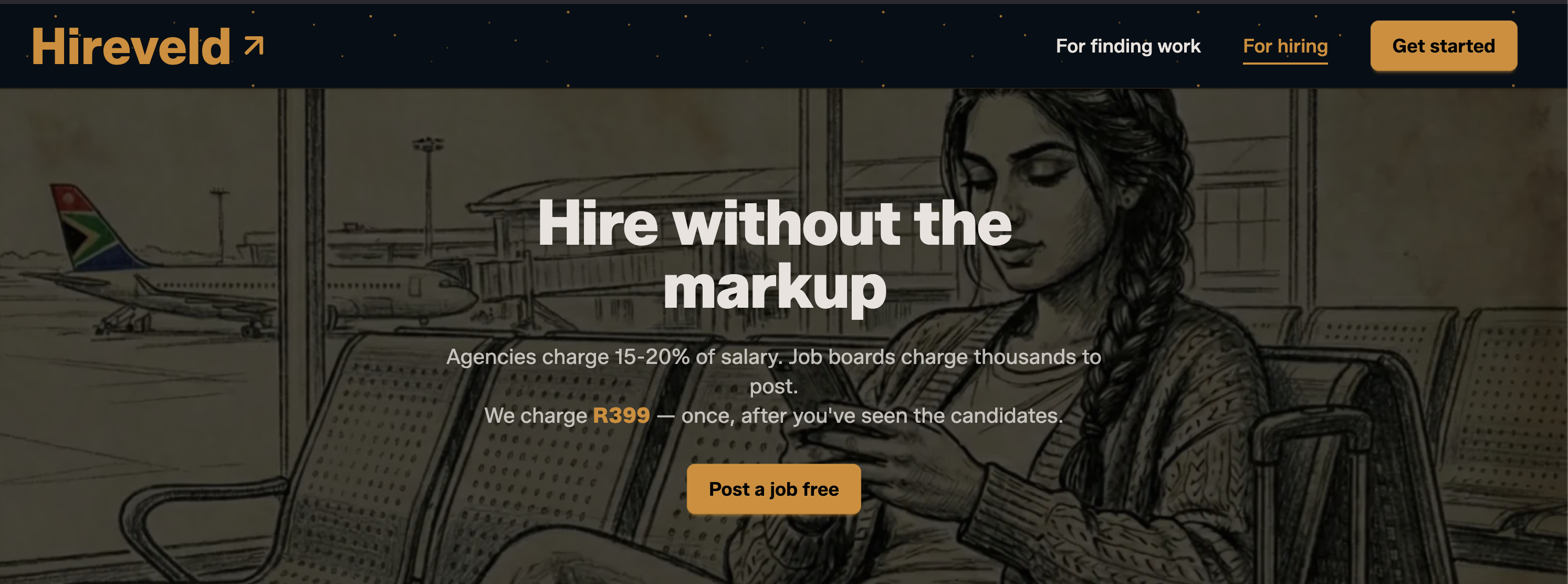
<div style="display:flex;justify-content:center"><figure><img alt="Hireveld homepage showing 'Hire without the markup' headline" src="https://wasp.sh/img/hireveld/hireveld-hero.png"><figcaption class="image-caption" style="font-style:italic;opacity:0.6;font-size:0.9rem">Hireveld's landing page - hire without the markup</figcaption></figure></div>
<p>Hiring in South Africa is expensive and opaque. Recruitment agencies take a massive cut of annual salary. The established job boards charge thousands of rands just to post a single listing. And too many roles still get filled through personal connections rather than merit.</p>
<p>I built <a href="https://hireveld.co.za/" target="_blank" rel="noopener noreferrer"><strong>Hireveld</strong></a> to change that. Employers post for free, applicants get ranked anonymously, and employers pay a flat fee to reveal candidates. It's simple, it's cheap, and it puts merit first. The whole thing runs on Wasp - auth, background jobs for expiring old listings, transactional email, payment integration, the works.</p>
<h2 class="anchor anchorWithStickyNavbar_LWe7" id="you-mentioned-trying-about-10-different-stacks-before-landing-on-wasp-what-happened">You mentioned trying about 10 different stacks before landing on Wasp. What happened?<a href="https://wasp.sh/blog/2026/03/29/hireveld-from-10-stacks-to-production-with-wasp#you-mentioned-trying-about-10-different-stacks-before-landing-on-wasp-what-happened" class="hash-link" aria-label="Direct link to You mentioned trying about 10 different stacks before landing on Wasp. What happened?" title="Direct link to You mentioned trying about 10 different stacks before landing on Wasp. What happened?">​</a></h2>
<p>Yeah, I went through quite the journey. I started with PocketBase because I liked the idea of owning my code and not being locked into a cloud platform. It's a solid tool, but I quickly realized I needed PostgreSQL for search, background jobs, and a frontend that wasn't stitched together by hand. It just didn't scale to what I was building.</p>
<p>Then I tried Next.js, Nuxt, Svelte - they're decent, but those codebases can grow extremely quickly. As someone who's still relatively new to the JS ecosystem, I'd hit the limits of my knowledge fast. I even tried Django, thinking I'd stick with Python, but it's accumulated so much over the years. Too much magic, too much stuff.</p>
<p>My philosophy is: the projects that succeed expose as few abstractions as possible to the user. I try to keep myself at the highest level of abstraction I can. When I found Wasp on GitHub, the config file clicked for me immediately. You declare what you want - auth, database, jobs, email - and it all works together. I was writing actual product code on day one instead of gluing infrastructure together.</p>
<blockquote>
<p><em>Don't prioritize the important over the urgent. With other stacks I was spending time on infrastructure decisions that felt important but weren't getting me closer to a product. Wasp let me focus on the urgent thing: shipping.</em></p>
</blockquote>
<h2 class="anchor anchorWithStickyNavbar_LWe7" id="youre-a-big-advocate-for-agentic-coding-how-does-wasp-fit-into-that-workflow">You're a big advocate for agentic coding. How does Wasp fit into that workflow?<a href="https://wasp.sh/blog/2026/03/29/hireveld-from-10-stacks-to-production-with-wasp#youre-a-big-advocate-for-agentic-coding-how-does-wasp-fit-into-that-workflow" class="hash-link" aria-label="Direct link to You're a big advocate for agentic coding. How does Wasp fit into that workflow?" title="Direct link to You're a big advocate for agentic coding. How does Wasp fit into that workflow?">​</a></h2>
<p>This is where Wasp really shines, and honestly I think more people need to know about it. I've been building Hireveld almost entirely through agentic coding - Claude Code in the terminal - and after trying 10 different things, Wasp is by far the best experience for AI-assisted development.</p>
<p>Here's why: context is the precious commodity. Every line of code in your project takes a chunk of the model's context window. Wasp keeps the codebase tight and small.</p>
<p>The .wasp config file means the AI can understand your entire app's architecture at a glance - your routes, your auth setup, your jobs, your entities. Instead of the agent crawling through hundreds of files trying to figure out how things connect, it's all declared in one place. And because Wasp is opinionated and constrained, the agent doesn't try to do 50 different things. When something is wrong, the compiler screams. That tight feedback loop is exactly what agentic coding needs.</p>
<blockquote>
<p><em>Wasp respects the model's context length. It keeps things tidy. The constraint is the feature - it's what <strong>keeps both you and the AI from spiraling into a 20,000-line mess</strong>.</em></p>
</blockquote>
<p>I should say - I'm not blindly vibe coding. I know where my files are, I know my routes, I hand-edit the main.wasp file when I need to. I take testing seriously, both e2e and unit tests. QA is the layer where you, the human, decide what you actually want to build. But Wasp gives me the structure to stay at a high level and be productive, even as someone whose main language is Python. Also bring my data science background to bear by simulating data to gauge how the system would react to real traffic.</p>
<h2 class="anchor anchorWithStickyNavbar_LWe7" id="you-also-contributed-back-to-wasp---tell-us-about-the-microsoft-auth-integration">You also contributed back to Wasp - tell us about the Microsoft Auth integration.<a href="https://wasp.sh/blog/2026/03/29/hireveld-from-10-stacks-to-production-with-wasp#you-also-contributed-back-to-wasp---tell-us-about-the-microsoft-auth-integration" class="hash-link" aria-label="Direct link to You also contributed back to Wasp - tell us about the Microsoft Auth integration." title="Direct link to You also contributed back to Wasp - tell us about the Microsoft Auth integration.">​</a></h2>
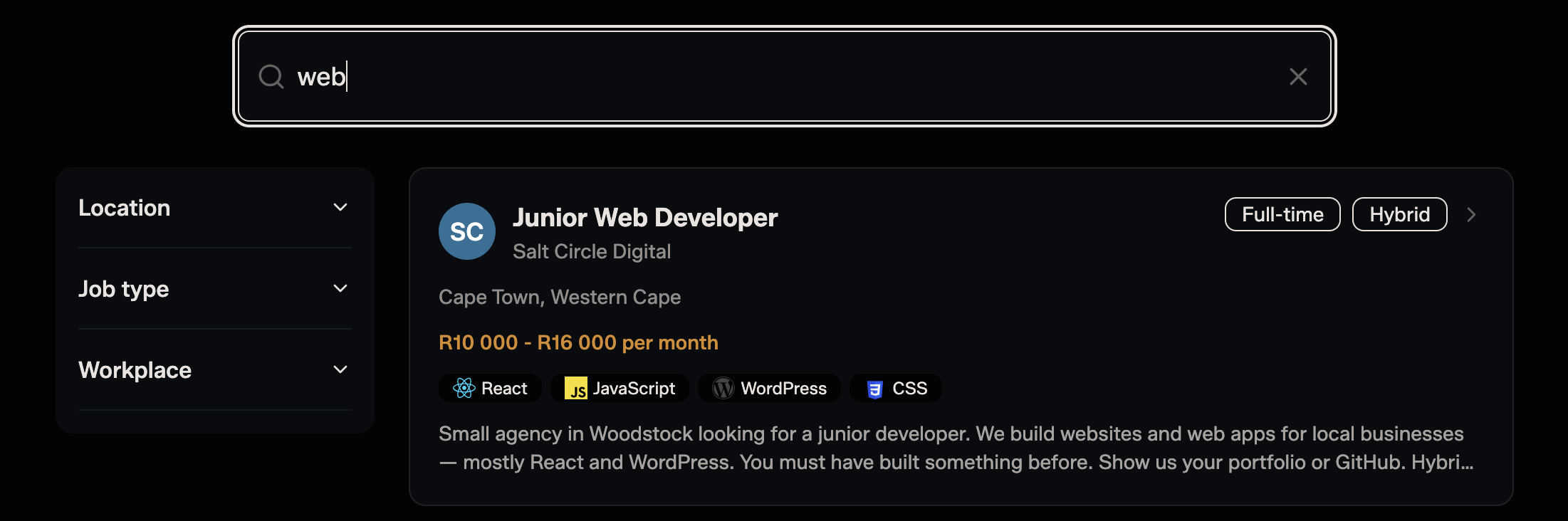
<div style="display:flex;justify-content:center"><figure><img alt="Hireveld job search showing filters and a Junior Web Developer listing" src="https://wasp.sh/img/hireveld/hireveld-search.png"><figcaption class="image-caption" style="font-style:italic;opacity:0.6;font-size:0.9rem">Hireveld's job search interface</figcaption></figure></div>
<p>Hireveld targets the South African enterprise market, and enterprises run on Microsoft. They need Entra ID (Azure AD) for single sign-on - it's non-negotiable. When I started building, Wasp didn't have a Microsoft OAuth provider. With most frameworks, that would mean either paying a fortune for a third-party service or building a fragile custom integration that becomes tech debt.</p>
<p>But Wasp's codebase is approachable enough that I could build the provider myself and contribute it back. The PR process was great - Carlos and the team were welcoming and helpful. That's the sweet spot I was looking for: a framework that's batteries-included enough that I'm not rebuilding auth from scratch, but open enough that when I need something custom, I can add it without fighting the framework.</p>
<p>The community in general has been one of the best parts. The developers are genuinely friendly, my contributions felt valued, and I can tell the team takes agentic coding seriously - they maintain a Claude Code skill, they keep their prompts updated, they engage with the tooling ecosystem. That's an unusual level of involvement for a framework team.</p>
<h2 class="anchor anchorWithStickyNavbar_LWe7" id="what-would-you-say-to-a-developer-considering-wasp-for-their-next-project">What would you say to a developer considering Wasp for their next project?<a href="https://wasp.sh/blog/2026/03/29/hireveld-from-10-stacks-to-production-with-wasp#what-would-you-say-to-a-developer-considering-wasp-for-their-next-project" class="hash-link" aria-label="Direct link to What would you say to a developer considering Wasp for their next project?" title="Direct link to What would you say to a developer considering Wasp for their next project?">​</a></h2>
<p>If you're building a full-stack web app in 2026 and you're using AI tools to code - which you should be - try Wasp. Seriously. I went through PocketBase, Next.js, Nuxt, Svelte, Django, and more. Wasp is the only one where I felt like I was building my product from day one instead of fighting my tools.</p>
<p>It gave me auth, type-safe full-stack operations, background jobs, and transactional email - all wired together from a single config file. Everything else - the ranking algorithm, payments, file storage - I built on top of what Wasp provided. That separation is what made it possible to ship as a solo developer.</p>
<p>And if you're coming from Python or another ecosystem and you're intimidated by the JavaScript world - don't be. Wasp abstracts away enough of the complexity that you can stay at a high level and be productive. I'm proof of that.</p>
<blockquote>
<p><em>Wasp is the full-stack framework for the agentic era. It's the one that lets you focus on what you're building, not how you're building it.</em></p>
</blockquote>
<hr>
<p><em>Marcel Coetzee is a data scientist, AI consultant, and SaaS builder based in South Africa. You can find him on <a href="https://github.com/Marcel-Coetzee" target="_blank" rel="noopener noreferrer">GitHub</a> and reach out to him on <a href="mailto:coetzee.marcel2@gmail.com" target="_blank" rel="noopener noreferrer">coetzee.marcel2@gmail.com</a></em></p>]]></content>
        <author>
            <name>Matija Sosic</name>
            <email>matija@wasp-lang.dev</email>
            <uri>https://github.com/matijasos</uri>
        </author>
        <category label="wasp" term="wasp"/>
        <category label="ai" term="ai"/>
        <category label="user-interview" term="user-interview"/>
        <category label="fullstack" term="fullstack"/>
    </entry>
    <entry>
        <title type="html"><![CDATA[Next.js vs Wasp: 40% Less Tokens for the Same App]]></title>
        <id>https://wasp.sh/blog/2026/03/26/nextjs-vs-wasp-40-percent-less-tokens-same-app</id>
        <link href="https://wasp.sh/blog/2026/03/26/nextjs-vs-wasp-40-percent-less-tokens-same-app"/>
        <updated>2026-03-26T00:00:00.000Z</updated>
        <summary type="html"><![CDATA[We gave Claude Code the same feature prompt for two identical SaaS apps: one built with Next.js, one with Wasp. The Wasp version cost 44% less and used 38% fewer tokens.]]></summary>
        <content type="html"><![CDATA[<img src="https://wasp.sh/img/nextjs-wasp-tokens/nextjs-vs-wasp-tokens.webp">
<h2 class="anchor anchorWithStickyNavbar_LWe7" id="tldr">TL;DR<a href="https://wasp.sh/blog/2026/03/26/nextjs-vs-wasp-40-percent-less-tokens-same-app#tldr" class="hash-link" aria-label="Direct link to TL;DR" title="Direct link to TL;DR">​</a></h2>
<p>We gave Claude Code the exact same feature prompt for two identical apps - one built with Next.js, the other built with Wasp - and measured everything that Claude Code did to implement the feature.</p>
<table><thead><tr><th>Metric</th><th>Wasp</th><th>Next.js</th><th>Wasp's Advantage</th></tr></thead><tbody><tr><td><strong>Total cost</strong></td><td>$2.87</td><td>$5.17</td><td>44% cheaper</td></tr><tr><td><strong>Total input &amp; output tokens</strong></td><td>2.5M</td><td>4.0M</td><td>38% fewer</td></tr><tr><td><strong>API calls</strong></td><td>66</td><td>96</td><td>31% fewer</td></tr><tr><td><strong>Tool uses</strong></td><td>52</td><td>66</td><td>21% fewer</td></tr><tr><td><strong>Files read</strong></td><td>12</td><td>15</td><td>Smaller blast radius</td></tr><tr><td>Output tokens (code written)</td><td>5,416</td><td>5,395</td><td>~same</td></tr></tbody></table>
<p>Not surprisingly, the savings were proportional to the amount of actual total code/tokens the Wasp framework abstracts away, which we also measured by running a static token count across both codebases. In this case, the Wasp version reduced total code/tokens by ~40%.</p>
<p><strong>Because the framework allows Claude Code to get the same work done in fewer tokens, it delivers a ~70% higher token efficiency (output per token).</strong></p>
<p>So, if you're using AI coding tools daily, your framework choice might be your single biggest lever for improving your AI's ability to generate accurate, complex code, quickly and cheaply.</p>
<div style="display:flex;justify-content:flex-start"><figure style="margin:0 0 1rem 0"><img style="width:650px" alt="Wasp vs Next.js token efficiency" src="https://wasp.sh/img/nextjs-wasp-tokens/saas-wasp.webp"><figcaption class="image-caption" style="font-style:italic;opacity:0.6;font-size:0.9rem">We compared the two frameworks on the same feature prompt in the same app: Vercel's SaaS Starter.</figcaption></figure></div>
<!-- -->
<h2 class="anchor anchorWithStickyNavbar_LWe7" id="what-wasp-actually-is">What Wasp Actually Is<a href="https://wasp.sh/blog/2026/03/26/nextjs-vs-wasp-40-percent-less-tokens-same-app#what-wasp-actually-is" class="hash-link" aria-label="Direct link to What Wasp Actually Is" title="Direct link to What Wasp Actually Is">​</a></h2>
<p><a href="https://wasp.sh/" target="_blank" rel="noopener noreferrer">Wasp</a> is a full-stack framework for React, Node.js, and Prisma with batteries-included. Think Rails or Laravel-like productivity for the JS ecosystem but where authentication, routing, operations, database, and cron jobs are defined declaratively as config.</p>
<p>You write business logic and Wasp handles the boilerplate and glue code for you.</p>
<p>Here's a simple example of a Wasp app's config file:</p>
<div class="code-snippet"><div class="code-snippet__header"><div class="code-snippet__dots"><span></span><span></span><span></span></div><span class="code-snippet__title">main.wasp.ts</span><div class="code-snippet__dots" style="visibility:hidden"><span></span><span></span><span></span></div></div><div class="code-snippet__body"><div class="language-ts codeBlockContainer_Ckt0 theme-code-block" style="--prism-color:#393A34;--prism-background-color:#f6f8fa"><div class="codeBlockContent_biex"><pre tabindex="0" class="prism-code language-ts codeBlock_bY9V thin-scrollbar" style="color:#393A34;background-color:#f6f8fa"><code class="codeBlockLines_e6Vv"><span class="token-line" style="color:#393A34"><span class="token keyword" style="color:#00009f">import</span><span class="token plain"> </span><span class="token punctuation" style="color:#393A34">{</span><span class="token plain"> App </span><span class="token punctuation" style="color:#393A34">}</span><span class="token plain"> </span><span class="token keyword" style="color:#00009f">from</span><span class="token plain"> </span><span class="token string" style="color:#e3116c">'wasp-config'</span><span class="token plain"></span><br></span><span class="token-line" style="color:#393A34"><span class="token plain" style="display:inline-block"></span><br></span><span class="token-line" style="color:#393A34"><span class="token plain"></span><span class="token keyword" style="color:#00009f">const</span><span class="token plain"> app </span><span class="token operator" style="color:#393A34">=</span><span class="token plain"> </span><span class="token keyword" style="color:#00009f">new</span><span class="token plain"> </span><span class="token class-name">App</span><span class="token punctuation" style="color:#393A34">(</span><span class="token string" style="color:#e3116c">'todoApp'</span><span class="token punctuation" style="color:#393A34">,</span><span class="token plain"> </span><span class="token punctuation" style="color:#393A34">{</span><span class="token plain"></span><br></span><span class="token-line" style="color:#393A34"><span class="token plain">  title</span><span class="token operator" style="color:#393A34">:</span><span class="token plain"> </span><span class="token string" style="color:#e3116c">'ToDo App'</span><span class="token punctuation" style="color:#393A34">,</span><span class="token plain"></span><br></span><span class="token-line" style="color:#393A34"><span class="token plain">  wasp</span><span class="token operator" style="color:#393A34">:</span><span class="token plain"> </span><span class="token punctuation" style="color:#393A34">{</span><span class="token plain"> version</span><span class="token operator" style="color:#393A34">:</span><span class="token plain"> </span><span class="token string" style="color:#e3116c">'^0.21'</span><span class="token plain"> </span><span class="token punctuation" style="color:#393A34">}</span><span class="token punctuation" style="color:#393A34">,</span><span class="token plain"></span><br></span><span class="token-line" style="color:#393A34"><span class="token plain">  </span><span class="token comment" style="color:#999988;font-style:italic">// head: []</span><span class="token plain"></span><br></span><span class="token-line" style="color:#393A34"><span class="token plain"></span><span class="token punctuation" style="color:#393A34">}</span><span class="token punctuation" style="color:#393A34">)</span><span class="token punctuation" style="color:#393A34">;</span><span class="token plain"></span><br></span><span class="token-line" style="color:#393A34"><span class="token plain" style="display:inline-block"></span><br></span><span class="token-line" style="color:#393A34"><span class="token plain">app</span><span class="token punctuation" style="color:#393A34">.</span><span class="token function" style="color:#d73a49">auth</span><span class="token punctuation" style="color:#393A34">(</span><span class="token punctuation" style="color:#393A34">{</span><span class="token plain"></span><br></span><span class="token-line" style="color:#393A34"><span class="token plain">  userEntity</span><span class="token operator" style="color:#393A34">:</span><span class="token plain"> User</span><span class="token punctuation" style="color:#393A34">,</span><span class="token plain"></span><br></span><span class="token-line" style="color:#393A34"><span class="token plain">  methods</span><span class="token operator" style="color:#393A34">:</span><span class="token plain"> </span><span class="token punctuation" style="color:#393A34">{</span><span class="token plain"></span><br></span><span class="token-line" style="color:#393A34"><span class="token plain">    google</span><span class="token operator" style="color:#393A34">:</span><span class="token plain"> </span><span class="token punctuation" style="color:#393A34">{</span><span class="token punctuation" style="color:#393A34">}</span><span class="token punctuation" style="color:#393A34">,</span><span class="token plain"></span><br></span><span class="token-line" style="color:#393A34"><span class="token plain">    email</span><span class="token operator" style="color:#393A34">:</span><span class="token plain"> </span><span class="token punctuation" style="color:#393A34">{</span><span class="token operator" style="color:#393A34">...</span><span class="token punctuation" style="color:#393A34">}</span><span class="token plain"></span><br></span><span class="token-line" style="color:#393A34"><span class="token plain">  </span><span class="token punctuation" style="color:#393A34">}</span><span class="token plain"></span><br></span><span class="token-line" style="color:#393A34"><span class="token plain"></span><span class="token punctuation" style="color:#393A34">}</span><span class="token punctuation" style="color:#393A34">)</span><span class="token punctuation" style="color:#393A34">;</span><span class="token plain"></span><br></span><span class="token-line" style="color:#393A34"><span class="token plain" style="display:inline-block"></span><br></span><span class="token-line" style="color:#393A34"><span class="token plain"></span><span class="token keyword" style="color:#00009f">const</span><span class="token plain"> mainPage </span><span class="token operator" style="color:#393A34">=</span><span class="token plain"> app</span><span class="token punctuation" style="color:#393A34">.</span><span class="token function" style="color:#d73a49">page</span><span class="token punctuation" style="color:#393A34">(</span><span class="token string" style="color:#e3116c">'MainPage'</span><span class="token punctuation" style="color:#393A34">,</span><span class="token plain"> </span><span class="token punctuation" style="color:#393A34">{</span><span class="token plain"></span><br></span><span class="token-line" style="color:#393A34"><span class="token plain">  component</span><span class="token operator" style="color:#393A34">:</span><span class="token plain"> </span><span class="token punctuation" style="color:#393A34">{</span><span class="token plain"> importDefault</span><span class="token operator" style="color:#393A34">:</span><span class="token plain"> </span><span class="token string" style="color:#e3116c">'Main'</span><span class="token punctuation" style="color:#393A34">,</span><span class="token plain"> from</span><span class="token operator" style="color:#393A34">:</span><span class="token plain"> </span><span class="token string" style="color:#e3116c">'@src/pages/MainPage'</span><span class="token plain"> </span><span class="token punctuation" style="color:#393A34">}</span><span class="token plain"></span><br></span><span class="token-line" style="color:#393A34"><span class="token plain"></span><span class="token punctuation" style="color:#393A34">}</span><span class="token punctuation" style="color:#393A34">)</span><span class="token punctuation" style="color:#393A34">;</span><span class="token plain"></span><br></span><span class="token-line" style="color:#393A34"><span class="token plain">app</span><span class="token punctuation" style="color:#393A34">.</span><span class="token function" style="color:#d73a49">route</span><span class="token punctuation" style="color:#393A34">(</span><span class="token string" style="color:#e3116c">'RootRoute'</span><span class="token punctuation" style="color:#393A34">,</span><span class="token plain"> </span><span class="token punctuation" style="color:#393A34">{</span><span class="token plain"> path</span><span class="token operator" style="color:#393A34">:</span><span class="token plain"> </span><span class="token string" style="color:#e3116c">'/'</span><span class="token punctuation" style="color:#393A34">,</span><span class="token plain"> to</span><span class="token operator" style="color:#393A34">:</span><span class="token plain"> mainPage </span><span class="token punctuation" style="color:#393A34">}</span><span class="token punctuation" style="color:#393A34">)</span><span class="token punctuation" style="color:#393A34">;</span><span class="token plain"></span><br></span><span class="token-line" style="color:#393A34"><span class="token plain" style="display:inline-block"></span><br></span><span class="token-line" style="color:#393A34"><span class="token plain">app</span><span class="token punctuation" style="color:#393A34">.</span><span class="token function" style="color:#d73a49">query</span><span class="token punctuation" style="color:#393A34">(</span><span class="token string" style="color:#e3116c">'getTasks'</span><span class="token punctuation" style="color:#393A34">,</span><span class="token plain"> </span><span class="token punctuation" style="color:#393A34">{</span><span class="token plain"></span><br></span><span class="token-line" style="color:#393A34"><span class="token plain">  fn</span><span class="token operator" style="color:#393A34">:</span><span class="token plain"> </span><span class="token punctuation" style="color:#393A34">{</span><span class="token plain"> </span><span class="token keyword" style="color:#00009f">import</span><span class="token operator" style="color:#393A34">:</span><span class="token plain"> </span><span class="token string" style="color:#e3116c">'getTasks'</span><span class="token punctuation" style="color:#393A34">,</span><span class="token plain"> from</span><span class="token operator" style="color:#393A34">:</span><span class="token plain"> </span><span class="token string" style="color:#e3116c">'@src/queries'</span><span class="token plain"> </span><span class="token punctuation" style="color:#393A34">}</span><span class="token punctuation" style="color:#393A34">,</span><span class="token plain"></span><br></span><span class="token-line" style="color:#393A34"><span class="token plain">  entities</span><span class="token operator" style="color:#393A34">:</span><span class="token plain"> </span><span class="token punctuation" style="color:#393A34">[</span><span class="token string" style="color:#e3116c">'Task'</span><span class="token punctuation" style="color:#393A34">]</span><span class="token plain"></span><br></span><span class="token-line" style="color:#393A34"><span class="token plain"></span><span class="token punctuation" style="color:#393A34">}</span><span class="token punctuation" style="color:#393A34">)</span><span class="token punctuation" style="color:#393A34">;</span><span class="token plain"></span><br></span><span class="token-line" style="color:#393A34"><span class="token plain" style="display:inline-block"></span><br></span><span class="token-line" style="color:#393A34"><span class="token plain">app</span><span class="token punctuation" style="color:#393A34">.</span><span class="token function" style="color:#d73a49">job</span><span class="token punctuation" style="color:#393A34">(</span><span class="token string" style="color:#e3116c">'taskReminderJob'</span><span class="token punctuation" style="color:#393A34">,</span><span class="token plain"> </span><span class="token punctuation" style="color:#393A34">{</span><span class="token plain"></span><br></span><span class="token-line" style="color:#393A34"><span class="token plain">  executor</span><span class="token operator" style="color:#393A34">:</span><span class="token plain"> </span><span class="token string" style="color:#e3116c">'PgBoss'</span><span class="token punctuation" style="color:#393A34">,</span><span class="token plain"></span><br></span><span class="token-line" style="color:#393A34"><span class="token plain">  perform</span><span class="token operator" style="color:#393A34">:</span><span class="token plain"> </span><span class="token punctuation" style="color:#393A34">{</span><span class="token plain"></span><br></span><span class="token-line" style="color:#393A34"><span class="token plain">    fn</span><span class="token operator" style="color:#393A34">:</span><span class="token plain"> </span><span class="token punctuation" style="color:#393A34">{</span><span class="token plain"> </span><span class="token keyword" style="color:#00009f">import</span><span class="token operator" style="color:#393A34">:</span><span class="token plain"> </span><span class="token string" style="color:#e3116c">'sendTaskReminder'</span><span class="token punctuation" style="color:#393A34">,</span><span class="token plain"> from</span><span class="token operator" style="color:#393A34">:</span><span class="token plain"> </span><span class="token string" style="color:#e3116c">'@src/workers/taskReminder'</span><span class="token plain"> </span><span class="token punctuation" style="color:#393A34">}</span><span class="token plain"></span><br></span><span class="token-line" style="color:#393A34"><span class="token plain">  </span><span class="token punctuation" style="color:#393A34">}</span><span class="token punctuation" style="color:#393A34">,</span><span class="token plain"></span><br></span><span class="token-line" style="color:#393A34"><span class="token plain">  schedule</span><span class="token operator" style="color:#393A34">:</span><span class="token plain"> </span><span class="token punctuation" style="color:#393A34">{</span><span class="token plain"> cron</span><span class="token operator" style="color:#393A34">:</span><span class="token plain"> </span><span class="token string" style="color:#e3116c">"*/5 * * * *"</span><span class="token plain"> </span><span class="token punctuation" style="color:#393A34">}</span><span class="token punctuation" style="color:#393A34">,</span><span class="token plain"></span><br></span><span class="token-line" style="color:#393A34"><span class="token plain">  entities</span><span class="token operator" style="color:#393A34">:</span><span class="token plain"> </span><span class="token punctuation" style="color:#393A34">[</span><span class="token string" style="color:#e3116c">'Task'</span><span class="token punctuation" style="color:#393A34">]</span><span class="token plain"></span><br></span><span class="token-line" style="color:#393A34"><span class="token plain"></span><span class="token punctuation" style="color:#393A34">}</span><span class="token punctuation" style="color:#393A34">)</span><span class="token punctuation" style="color:#393A34">;</span><span class="token plain"></span><br></span><span class="token-line" style="color:#393A34"><span class="token plain" style="display:inline-block"></span><br></span><span class="token-line" style="color:#393A34"><span class="token plain"></span><span class="token keyword" style="color:#00009f">export</span><span class="token plain"> </span><span class="token keyword" style="color:#00009f">default</span><span class="token plain"> app</span><span class="token punctuation" style="color:#393A34">;</span><br></span></code></pre><div class="buttonGroup__atx"><button type="button" aria-label="Copy code to clipboard" title="Copy" class="clean-btn"><span class="copyButtonIcons_eSgA" aria-hidden="true"><svg viewBox="0 0 24 24" class="copyButtonIcon_y97N"><path fill="currentColor" d="M19,21H8V7H19M19,5H8A2,2 0 0,0 6,7V21A2,2 0 0,0 8,23H19A2,2 0 0,0 21,21V7A2,2 0 0,0 19,5M16,1H4A2,2 0 0,0 2,3V17H4V3H16V1Z"></path></svg><svg viewBox="0 0 24 24" class="copyButtonSuccessIcon_LjdS"><path fill="currentColor" d="M21,7L9,19L3.5,13.5L4.91,12.09L9,16.17L19.59,5.59L21,7Z"></path></svg></span></button></div></div></div></div></div>
<p>Wasp's opinionated approach via its config gives AI tools (and developers) a big advantage: it acts as a large "specification" that both you and your AI coding agents already understand and agree on.</p>
<p>This gives AI one common pattern to follow, fewer decisions to make, less boilerplate to write, and fewer tools to stitch together, making the entire development process more reliable.</p>
<h2 class="anchor anchorWithStickyNavbar_LWe7" id="show-dont-tell">Show, Don't Tell<a href="https://wasp.sh/blog/2026/03/26/nextjs-vs-wasp-40-percent-less-tokens-same-app#show-dont-tell" class="hash-link" aria-label="Direct link to Show, Don't Tell" title="Direct link to Show, Don't Tell">​</a></h2>
<p>Before the numbers mean anything, here's how Wasp's "declarative config" compares to Next.js's equivalent.</p>
<p>In this example, we're comparing the fundamental auth setup from the <a href="https://github.com/vincanger/token-compare-nextjs-wasp" target="_blank" rel="noopener noreferrer">actual test apps</a>. The first tab shows Wasp, and the second tab shows Next.js. Click between the tabs to see the difference.</p>
<div class="code-sbs"><div class="code-sbs__tabs"><button class="code-sbs__tab code-sbs__tab--active">Wasp</button><button class="code-sbs__tab">Next.js</button></div><div class="code-sbs__grid"><div class="code-sbs__cell code-sbs__cell--active"><div class="code-snippet code-snippet--panel"><div class="code-snippet__header"><div class="code-snippet__dots"><span></span><span></span><span></span></div><span class="code-snippet__title">main.wasp.ts</span><div class="code-snippet__dots" style="visibility:hidden"><span></span><span></span><span></span></div></div><div class="code-snippet__body"><div class="language-ts codeBlockContainer_Ckt0 theme-code-block" style="--prism-color:#393A34;--prism-background-color:#f6f8fa"><div class="codeBlockContent_biex"><pre tabindex="0" class="prism-code language-ts codeBlock_bY9V thin-scrollbar" style="color:#393A34;background-color:#f6f8fa"><code class="codeBlockLines_e6Vv"><span class="token-line" style="color:#393A34"><span class="token plain">app</span><span class="token punctuation" style="color:#393A34">.</span><span class="token function" style="color:#d73a49">auth</span><span class="token punctuation" style="color:#393A34">(</span><span class="token punctuation" style="color:#393A34">{</span><span class="token plain"></span><br></span><span class="token-line" style="color:#393A34"><span class="token plain">  userEntity</span><span class="token operator" style="color:#393A34">:</span><span class="token plain"> </span><span class="token string" style="color:#e3116c">'User'</span><span class="token punctuation" style="color:#393A34">,</span><span class="token plain"></span><br></span><span class="token-line" style="color:#393A34"><span class="token plain">  methods</span><span class="token operator" style="color:#393A34">:</span><span class="token plain"> </span><span class="token punctuation" style="color:#393A34">{</span><span class="token plain"></span><br></span><span class="token-line" style="color:#393A34"><span class="token plain">    email</span><span class="token operator" style="color:#393A34">:</span><span class="token plain"> </span><span class="token punctuation" style="color:#393A34">{</span><span class="token plain"></span><br></span><span class="token-line" style="color:#393A34"><span class="token plain">      fromField</span><span class="token operator" style="color:#393A34">:</span><span class="token plain"> </span><span class="token punctuation" style="color:#393A34">{</span><span class="token plain"></span><br></span><span class="token-line" style="color:#393A34"><span class="token plain">        name</span><span class="token operator" style="color:#393A34">:</span><span class="token plain"> </span><span class="token string" style="color:#e3116c">'SaaS App'</span><span class="token punctuation" style="color:#393A34">,</span><span class="token plain"></span><br></span><span class="token-line" style="color:#393A34"><span class="token plain">        email</span><span class="token operator" style="color:#393A34">:</span><span class="token plain"> </span><span class="token string" style="color:#e3116c">'hello@example.com'</span><span class="token plain"></span><br></span><span class="token-line" style="color:#393A34"><span class="token plain">      </span><span class="token punctuation" style="color:#393A34">}</span><span class="token punctuation" style="color:#393A34">,</span><span class="token plain"></span><br></span><span class="token-line" style="color:#393A34"><span class="token plain">      emailVerification</span><span class="token operator" style="color:#393A34">:</span><span class="token plain"> </span><span class="token punctuation" style="color:#393A34">{</span><span class="token plain"></span><br></span><span class="token-line" style="color:#393A34"><span class="token plain">        clientRoute</span><span class="token operator" style="color:#393A34">:</span><span class="token plain"> </span><span class="token string" style="color:#e3116c">'EmailVerificationRoute'</span><span class="token plain"></span><br></span><span class="token-line" style="color:#393A34"><span class="token plain">      </span><span class="token punctuation" style="color:#393A34">}</span><span class="token punctuation" style="color:#393A34">,</span><span class="token plain"></span><br></span><span class="token-line" style="color:#393A34"><span class="token plain">      passwordReset</span><span class="token operator" style="color:#393A34">:</span><span class="token plain"> </span><span class="token punctuation" style="color:#393A34">{</span><span class="token plain"></span><br></span><span class="token-line" style="color:#393A34"><span class="token plain">        clientRoute</span><span class="token operator" style="color:#393A34">:</span><span class="token plain"> </span><span class="token string" style="color:#e3116c">'PasswordResetRoute'</span><span class="token plain"></span><br></span><span class="token-line" style="color:#393A34"><span class="token plain">      </span><span class="token punctuation" style="color:#393A34">}</span><span class="token punctuation" style="color:#393A34">,</span><span class="token plain"></span><br></span><span class="token-line" style="color:#393A34"><span class="token plain">    </span><span class="token punctuation" style="color:#393A34">}</span><span class="token punctuation" style="color:#393A34">,</span><span class="token plain"></span><br></span><span class="token-line" style="color:#393A34"><span class="token plain">  </span><span class="token punctuation" style="color:#393A34">}</span><span class="token punctuation" style="color:#393A34">,</span><span class="token plain"></span><br></span><span class="token-line" style="color:#393A34"><span class="token plain">  onAfterSignup</span><span class="token operator" style="color:#393A34">:</span><span class="token plain"> </span><span class="token punctuation" style="color:#393A34">{</span><span class="token plain"> </span><span class="token keyword" style="color:#00009f">import</span><span class="token operator" style="color:#393A34">:</span><span class="token plain"> </span><span class="token string" style="color:#e3116c">'onAfterSignup'</span><span class="token punctuation" style="color:#393A34">,</span><span class="token plain"> from</span><span class="token operator" style="color:#393A34">:</span><span class="token plain"> </span><span class="token string" style="color:#e3116c">'@src/auth/hooks'</span><span class="token plain"> </span><span class="token punctuation" style="color:#393A34">}</span><span class="token punctuation" style="color:#393A34">,</span><span class="token plain"></span><br></span><span class="token-line" style="color:#393A34"><span class="token plain">  onAuthFailedRedirectTo</span><span class="token operator" style="color:#393A34">:</span><span class="token plain"> </span><span class="token string" style="color:#e3116c">'/login'</span><span class="token punctuation" style="color:#393A34">,</span><span class="token plain"></span><br></span><span class="token-line" style="color:#393A34"><span class="token plain">  onAuthSucceededRedirectTo</span><span class="token operator" style="color:#393A34">:</span><span class="token plain"> </span><span class="token string" style="color:#e3116c">'/dashboard'</span><span class="token punctuation" style="color:#393A34">,</span><span class="token plain"></span><br></span><span class="token-line" style="color:#393A34"><span class="token plain"></span><span class="token punctuation" style="color:#393A34">}</span><span class="token punctuation" style="color:#393A34">)</span><span class="token punctuation" style="color:#393A34">;</span><br></span></code></pre><div class="buttonGroup__atx"><button type="button" aria-label="Copy code to clipboard" title="Copy" class="clean-btn"><span class="copyButtonIcons_eSgA" aria-hidden="true"><svg viewBox="0 0 24 24" class="copyButtonIcon_y97N"><path fill="currentColor" d="M19,21H8V7H19M19,5H8A2,2 0 0,0 6,7V21A2,2 0 0,0 8,23H19A2,2 0 0,0 21,21V7A2,2 0 0,0 19,5M16,1H4A2,2 0 0,0 2,3V17H4V3H16V1Z"></path></svg><svg viewBox="0 0 24 24" class="copyButtonSuccessIcon_LjdS"><path fill="currentColor" d="M21,7L9,19L3.5,13.5L4.91,12.09L9,16.17L19.59,5.59L21,7Z"></path></svg></span></button></div></div></div></div></div></div><div class="code-sbs__cell"><div class="code-snippet code-snippet--panel"><div class="code-snippet__header"><div class="code-snippet__dots"><span></span><span></span><span></span></div><span class="code-snippet__title">lib/auth/session.ts + middleware.ts</span><div class="code-snippet__dots" style="visibility:hidden"><span></span><span></span><span></span></div></div><div class="code-snippet__body"><div class="language-typescript codeBlockContainer_Ckt0 theme-code-block" style="--prism-color:#393A34;--prism-background-color:#f6f8fa"><div class="codeBlockContent_biex"><pre tabindex="0" class="prism-code language-typescript codeBlock_bY9V thin-scrollbar" style="color:#393A34;background-color:#f6f8fa"><code class="codeBlockLines_e6Vv"><span class="token-line" style="color:#393A34"><span class="token comment" style="color:#999988;font-style:italic">// lib/auth/session.ts</span><span class="token plain"></span><br></span><span class="token-line" style="color:#393A34"><span class="token plain"></span><span class="token keyword" style="color:#00009f">import</span><span class="token plain"> </span><span class="token punctuation" style="color:#393A34">{</span><span class="token plain"> SignJWT</span><span class="token punctuation" style="color:#393A34">,</span><span class="token plain"> jwtVerify </span><span class="token punctuation" style="color:#393A34">}</span><span class="token plain"> </span><span class="token keyword" style="color:#00009f">from</span><span class="token plain"> </span><span class="token string" style="color:#e3116c">'jose'</span><span class="token punctuation" style="color:#393A34">;</span><span class="token plain"></span><br></span><span class="token-line" style="color:#393A34"><span class="token plain"></span><span class="token keyword" style="color:#00009f">import</span><span class="token plain"> </span><span class="token punctuation" style="color:#393A34">{</span><span class="token plain"> cookies </span><span class="token punctuation" style="color:#393A34">}</span><span class="token plain"> </span><span class="token keyword" style="color:#00009f">from</span><span class="token plain"> </span><span class="token string" style="color:#e3116c">'next/headers'</span><span class="token punctuation" style="color:#393A34">;</span><span class="token plain"></span><br></span><span class="token-line" style="color:#393A34"><span class="token plain" style="display:inline-block"></span><br></span><span class="token-line" style="color:#393A34"><span class="token plain"></span><span class="token keyword" style="color:#00009f">const</span><span class="token plain"> key </span><span class="token operator" style="color:#393A34">=</span><span class="token plain"> </span><span class="token keyword" style="color:#00009f">new</span><span class="token plain"> </span><span class="token class-name">TextEncoder</span><span class="token punctuation" style="color:#393A34">(</span><span class="token punctuation" style="color:#393A34">)</span><span class="token punctuation" style="color:#393A34">.</span><span class="token function" style="color:#d73a49">encode</span><span class="token punctuation" style="color:#393A34">(</span><span class="token plain">process</span><span class="token punctuation" style="color:#393A34">.</span><span class="token plain">env</span><span class="token punctuation" style="color:#393A34">.</span><span class="token constant" style="color:#36acaa">AUTH_SECRET</span><span class="token punctuation" style="color:#393A34">)</span><span class="token punctuation" style="color:#393A34">;</span><span class="token plain"></span><br></span><span class="token-line" style="color:#393A34"><span class="token plain" style="display:inline-block"></span><br></span><span class="token-line" style="color:#393A34"><span class="token plain"></span><span class="token keyword" style="color:#00009f">type</span><span class="token plain"> </span><span class="token class-name">SessionData</span><span class="token plain"> </span><span class="token operator" style="color:#393A34">=</span><span class="token plain"> </span><span class="token punctuation" style="color:#393A34">{</span><span class="token plain"></span><br></span><span class="token-line" style="color:#393A34"><span class="token plain">  user</span><span class="token operator" style="color:#393A34">:</span><span class="token plain"> </span><span class="token punctuation" style="color:#393A34">{</span><span class="token plain"> id</span><span class="token operator" style="color:#393A34">:</span><span class="token plain"> </span><span class="token builtin">number</span><span class="token plain"> </span><span class="token punctuation" style="color:#393A34">}</span><span class="token punctuation" style="color:#393A34">;</span><span class="token plain"></span><br></span><span class="token-line" style="color:#393A34"><span class="token plain">  expires</span><span class="token operator" style="color:#393A34">:</span><span class="token plain"> </span><span class="token builtin">string</span><span class="token punctuation" style="color:#393A34">;</span><span class="token plain"></span><br></span><span class="token-line" style="color:#393A34"><span class="token plain"></span><span class="token punctuation" style="color:#393A34">}</span><span class="token punctuation" style="color:#393A34">;</span><span class="token plain"></span><br></span><span class="token-line" style="color:#393A34"><span class="token plain" style="display:inline-block"></span><br></span><span class="token-line" style="color:#393A34"><span class="token plain"></span><span class="token keyword" style="color:#00009f">export</span><span class="token plain"> </span><span class="token keyword" style="color:#00009f">async</span><span class="token plain"> </span><span class="token keyword" style="color:#00009f">function</span><span class="token plain"> </span><span class="token function" style="color:#d73a49">signToken</span><span class="token punctuation" style="color:#393A34">(</span><span class="token plain">payload</span><span class="token operator" style="color:#393A34">:</span><span class="token plain"> SessionData</span><span class="token punctuation" style="color:#393A34">)</span><span class="token plain"> </span><span class="token punctuation" style="color:#393A34">{</span><span class="token plain"></span><br></span><span class="token-line" style="color:#393A34"><span class="token plain">  </span><span class="token keyword" style="color:#00009f">return</span><span class="token plain"> </span><span class="token keyword" style="color:#00009f">await</span><span class="token plain"> </span><span class="token keyword" style="color:#00009f">new</span><span class="token plain"> </span><span class="token class-name">SignJWT</span><span class="token punctuation" style="color:#393A34">(</span><span class="token plain">payload</span><span class="token punctuation" style="color:#393A34">)</span><span class="token plain"></span><br></span><span class="token-line" style="color:#393A34"><span class="token plain">    </span><span class="token punctuation" style="color:#393A34">.</span><span class="token function" style="color:#d73a49">setProtectedHeader</span><span class="token punctuation" style="color:#393A34">(</span><span class="token punctuation" style="color:#393A34">{</span><span class="token plain"> alg</span><span class="token operator" style="color:#393A34">:</span><span class="token plain"> </span><span class="token string" style="color:#e3116c">'HS256'</span><span class="token plain"> </span><span class="token punctuation" style="color:#393A34">}</span><span class="token punctuation" style="color:#393A34">)</span><span class="token plain"></span><br></span><span class="token-line" style="color:#393A34"><span class="token plain">    </span><span class="token punctuation" style="color:#393A34">.</span><span class="token function" style="color:#d73a49">setIssuedAt</span><span class="token punctuation" style="color:#393A34">(</span><span class="token punctuation" style="color:#393A34">)</span><span class="token plain"></span><br></span><span class="token-line" style="color:#393A34"><span class="token plain">    </span><span class="token punctuation" style="color:#393A34">.</span><span class="token function" style="color:#d73a49">setExpirationTime</span><span class="token punctuation" style="color:#393A34">(</span><span class="token string" style="color:#e3116c">'1 day from now'</span><span class="token punctuation" style="color:#393A34">)</span><span class="token plain"></span><br></span><span class="token-line" style="color:#393A34"><span class="token plain">    </span><span class="token punctuation" style="color:#393A34">.</span><span class="token function" style="color:#d73a49">sign</span><span class="token punctuation" style="color:#393A34">(</span><span class="token plain">key</span><span class="token punctuation" style="color:#393A34">)</span><span class="token punctuation" style="color:#393A34">;</span><span class="token plain"></span><br></span><span class="token-line" style="color:#393A34"><span class="token plain"></span><span class="token punctuation" style="color:#393A34">}</span><span class="token plain"></span><br></span><span class="token-line" style="color:#393A34"><span class="token plain" style="display:inline-block"></span><br></span><span class="token-line" style="color:#393A34"><span class="token plain"></span><span class="token keyword" style="color:#00009f">export</span><span class="token plain"> </span><span class="token keyword" style="color:#00009f">async</span><span class="token plain"> </span><span class="token keyword" style="color:#00009f">function</span><span class="token plain"> </span><span class="token function" style="color:#d73a49">verifyToken</span><span class="token punctuation" style="color:#393A34">(</span><span class="token plain">input</span><span class="token operator" style="color:#393A34">:</span><span class="token plain"> </span><span class="token builtin">string</span><span class="token punctuation" style="color:#393A34">)</span><span class="token plain"> </span><span class="token punctuation" style="color:#393A34">{</span><span class="token plain"></span><br></span><span class="token-line" style="color:#393A34"><span class="token plain">  </span><span class="token keyword" style="color:#00009f">const</span><span class="token plain"> </span><span class="token punctuation" style="color:#393A34">{</span><span class="token plain"> payload </span><span class="token punctuation" style="color:#393A34">}</span><span class="token plain"> </span><span class="token operator" style="color:#393A34">=</span><span class="token plain"> </span><span class="token keyword" style="color:#00009f">await</span><span class="token plain"> </span><span class="token function" style="color:#d73a49">jwtVerify</span><span class="token punctuation" style="color:#393A34">(</span><span class="token plain">input</span><span class="token punctuation" style="color:#393A34">,</span><span class="token plain"> key</span><span class="token punctuation" style="color:#393A34">,</span><span class="token plain"> </span><span class="token punctuation" style="color:#393A34">{</span><span class="token plain"> algorithms</span><span class="token operator" style="color:#393A34">:</span><span class="token plain"> </span><span class="token punctuation" style="color:#393A34">[</span><span class="token string" style="color:#e3116c">'HS256'</span><span class="token punctuation" style="color:#393A34">]</span><span class="token plain"> </span><span class="token punctuation" style="color:#393A34">}</span><span class="token punctuation" style="color:#393A34">)</span><span class="token punctuation" style="color:#393A34">;</span><span class="token plain"></span><br></span><span class="token-line" style="color:#393A34"><span class="token plain">  </span><span class="token keyword" style="color:#00009f">return</span><span class="token plain"> payload </span><span class="token keyword" style="color:#00009f">as</span><span class="token plain"> SessionData</span><span class="token punctuation" style="color:#393A34">;</span><span class="token plain"></span><br></span><span class="token-line" style="color:#393A34"><span class="token plain"></span><span class="token punctuation" style="color:#393A34">}</span><span class="token plain"></span><br></span><span class="token-line" style="color:#393A34"><span class="token plain" style="display:inline-block"></span><br></span><span class="token-line" style="color:#393A34"><span class="token plain"></span><span class="token keyword" style="color:#00009f">export</span><span class="token plain"> </span><span class="token keyword" style="color:#00009f">async</span><span class="token plain"> </span><span class="token keyword" style="color:#00009f">function</span><span class="token plain"> </span><span class="token function" style="color:#d73a49">setSession</span><span class="token punctuation" style="color:#393A34">(</span><span class="token plain">user</span><span class="token operator" style="color:#393A34">:</span><span class="token plain"> NewUser</span><span class="token punctuation" style="color:#393A34">)</span><span class="token plain"> </span><span class="token punctuation" style="color:#393A34">{</span><span class="token plain"></span><br></span><span class="token-line" style="color:#393A34"><span class="token plain">  </span><span class="token keyword" style="color:#00009f">const</span><span class="token plain"> expiresInOneDay </span><span class="token operator" style="color:#393A34">=</span><span class="token plain"> </span><span class="token keyword" style="color:#00009f">new</span><span class="token plain"> </span><span class="token class-name">Date</span><span class="token punctuation" style="color:#393A34">(</span><span class="token plain">Date</span><span class="token punctuation" style="color:#393A34">.</span><span class="token function" style="color:#d73a49">now</span><span class="token punctuation" style="color:#393A34">(</span><span class="token punctuation" style="color:#393A34">)</span><span class="token plain"> </span><span class="token operator" style="color:#393A34">+</span><span class="token plain"> </span><span class="token number" style="color:#36acaa">24</span><span class="token plain"> </span><span class="token operator" style="color:#393A34">*</span><span class="token plain"> </span><span class="token number" style="color:#36acaa">60</span><span class="token plain"> </span><span class="token operator" style="color:#393A34">*</span><span class="token plain"> </span><span class="token number" style="color:#36acaa">60</span><span class="token plain"> </span><span class="token operator" style="color:#393A34">*</span><span class="token plain"> </span><span class="token number" style="color:#36acaa">1000</span><span class="token punctuation" style="color:#393A34">)</span><span class="token punctuation" style="color:#393A34">;</span><span class="token plain"></span><br></span><span class="token-line" style="color:#393A34"><span class="token plain">  </span><span class="token keyword" style="color:#00009f">const</span><span class="token plain"> session</span><span class="token operator" style="color:#393A34">:</span><span class="token plain"> SessionData </span><span class="token operator" style="color:#393A34">=</span><span class="token plain"> </span><span class="token punctuation" style="color:#393A34">{</span><span class="token plain"></span><br></span><span class="token-line" style="color:#393A34"><span class="token plain">    user</span><span class="token operator" style="color:#393A34">:</span><span class="token plain"> </span><span class="token punctuation" style="color:#393A34">{</span><span class="token plain"> id</span><span class="token operator" style="color:#393A34">:</span><span class="token plain"> user</span><span class="token punctuation" style="color:#393A34">.</span><span class="token plain">id</span><span class="token operator" style="color:#393A34">!</span><span class="token plain"> </span><span class="token punctuation" style="color:#393A34">}</span><span class="token punctuation" style="color:#393A34">,</span><span class="token plain"></span><br></span><span class="token-line" style="color:#393A34"><span class="token plain">    expires</span><span class="token operator" style="color:#393A34">:</span><span class="token plain"> expiresInOneDay</span><span class="token punctuation" style="color:#393A34">.</span><span class="token function" style="color:#d73a49">toISOString</span><span class="token punctuation" style="color:#393A34">(</span><span class="token punctuation" style="color:#393A34">)</span><span class="token punctuation" style="color:#393A34">,</span><span class="token plain"></span><br></span><span class="token-line" style="color:#393A34"><span class="token plain">  </span><span class="token punctuation" style="color:#393A34">}</span><span class="token punctuation" style="color:#393A34">;</span><span class="token plain"></span><br></span><span class="token-line" style="color:#393A34"><span class="token plain">  </span><span class="token keyword" style="color:#00009f">const</span><span class="token plain"> encryptedSession </span><span class="token operator" style="color:#393A34">=</span><span class="token plain"> </span><span class="token keyword" style="color:#00009f">await</span><span class="token plain"> </span><span class="token function" style="color:#d73a49">signToken</span><span class="token punctuation" style="color:#393A34">(</span><span class="token plain">session</span><span class="token punctuation" style="color:#393A34">)</span><span class="token punctuation" style="color:#393A34">;</span><span class="token plain"></span><br></span><span class="token-line" style="color:#393A34"><span class="token plain">  </span><span class="token punctuation" style="color:#393A34">(</span><span class="token keyword" style="color:#00009f">await</span><span class="token plain"> </span><span class="token function" style="color:#d73a49">cookies</span><span class="token punctuation" style="color:#393A34">(</span><span class="token punctuation" style="color:#393A34">)</span><span class="token punctuation" style="color:#393A34">)</span><span class="token punctuation" style="color:#393A34">.</span><span class="token function" style="color:#d73a49">set</span><span class="token punctuation" style="color:#393A34">(</span><span class="token string" style="color:#e3116c">'session'</span><span class="token punctuation" style="color:#393A34">,</span><span class="token plain"> encryptedSession</span><span class="token punctuation" style="color:#393A34">,</span><span class="token plain"> </span><span class="token punctuation" style="color:#393A34">{</span><span class="token plain"></span><br></span><span class="token-line" style="color:#393A34"><span class="token plain">    expires</span><span class="token operator" style="color:#393A34">:</span><span class="token plain"> expiresInOneDay</span><span class="token punctuation" style="color:#393A34">,</span><span class="token plain"></span><br></span><span class="token-line" style="color:#393A34"><span class="token plain">    httpOnly</span><span class="token operator" style="color:#393A34">:</span><span class="token plain"> </span><span class="token boolean" style="color:#36acaa">true</span><span class="token punctuation" style="color:#393A34">,</span><span class="token plain"> secure</span><span class="token operator" style="color:#393A34">:</span><span class="token plain"> </span><span class="token boolean" style="color:#36acaa">true</span><span class="token punctuation" style="color:#393A34">,</span><span class="token plain"> sameSite</span><span class="token operator" style="color:#393A34">:</span><span class="token plain"> </span><span class="token string" style="color:#e3116c">'lax'</span><span class="token punctuation" style="color:#393A34">,</span><span class="token plain"></span><br></span><span class="token-line" style="color:#393A34"><span class="token plain">  </span><span class="token punctuation" style="color:#393A34">}</span><span class="token punctuation" style="color:#393A34">)</span><span class="token punctuation" style="color:#393A34">;</span><span class="token plain"></span><br></span><span class="token-line" style="color:#393A34"><span class="token plain"></span><span class="token punctuation" style="color:#393A34">}</span><span class="token plain"></span><br></span><span class="token-line" style="color:#393A34"><span class="token plain" style="display:inline-block"></span><br></span><span class="token-line" style="color:#393A34"><span class="token plain"></span><span class="token keyword" style="color:#00009f">export</span><span class="token plain"> </span><span class="token keyword" style="color:#00009f">async</span><span class="token plain"> </span><span class="token keyword" style="color:#00009f">function</span><span class="token plain"> </span><span class="token function" style="color:#d73a49">getSession</span><span class="token punctuation" style="color:#393A34">(</span><span class="token punctuation" style="color:#393A34">)</span><span class="token plain"> </span><span class="token punctuation" style="color:#393A34">{</span><span class="token plain"></span><br></span><span class="token-line" style="color:#393A34"><span class="token plain">  </span><span class="token keyword" style="color:#00009f">const</span><span class="token plain"> session </span><span class="token operator" style="color:#393A34">=</span><span class="token plain"> </span><span class="token punctuation" style="color:#393A34">(</span><span class="token keyword" style="color:#00009f">await</span><span class="token plain"> </span><span class="token function" style="color:#d73a49">cookies</span><span class="token punctuation" style="color:#393A34">(</span><span class="token punctuation" style="color:#393A34">)</span><span class="token punctuation" style="color:#393A34">)</span><span class="token punctuation" style="color:#393A34">.</span><span class="token function" style="color:#d73a49">get</span><span class="token punctuation" style="color:#393A34">(</span><span class="token string" style="color:#e3116c">'session'</span><span class="token punctuation" style="color:#393A34">)</span><span class="token operator" style="color:#393A34">?.</span><span class="token plain">value</span><span class="token punctuation" style="color:#393A34">;</span><span class="token plain"></span><br></span><span class="token-line" style="color:#393A34"><span class="token plain">  </span><span class="token keyword" style="color:#00009f">if</span><span class="token plain"> </span><span class="token punctuation" style="color:#393A34">(</span><span class="token operator" style="color:#393A34">!</span><span class="token plain">session</span><span class="token punctuation" style="color:#393A34">)</span><span class="token plain"> </span><span class="token keyword" style="color:#00009f">return</span><span class="token plain"> </span><span class="token keyword" style="color:#00009f">null</span><span class="token punctuation" style="color:#393A34">;</span><span class="token plain"></span><br></span><span class="token-line" style="color:#393A34"><span class="token plain">  </span><span class="token keyword" style="color:#00009f">return</span><span class="token plain"> </span><span class="token keyword" style="color:#00009f">await</span><span class="token plain"> </span><span class="token function" style="color:#d73a49">verifyToken</span><span class="token punctuation" style="color:#393A34">(</span><span class="token plain">session</span><span class="token punctuation" style="color:#393A34">)</span><span class="token punctuation" style="color:#393A34">;</span><span class="token plain"></span><br></span><span class="token-line" style="color:#393A34"><span class="token plain"></span><span class="token punctuation" style="color:#393A34">}</span><span class="token plain"></span><br></span><span class="token-line" style="color:#393A34"><span class="token plain" style="display:inline-block"></span><br></span><span class="token-line" style="color:#393A34"><span class="token plain"></span><span class="token keyword" style="color:#00009f">export</span><span class="token plain"> </span><span class="token keyword" style="color:#00009f">async</span><span class="token plain"> </span><span class="token keyword" style="color:#00009f">function</span><span class="token plain"> </span><span class="token function" style="color:#d73a49">hashPassword</span><span class="token punctuation" style="color:#393A34">(</span><span class="token plain">password</span><span class="token operator" style="color:#393A34">:</span><span class="token plain"> </span><span class="token builtin">string</span><span class="token punctuation" style="color:#393A34">)</span><span class="token plain"> </span><span class="token punctuation" style="color:#393A34">{</span><span class="token plain"></span><br></span><span class="token-line" style="color:#393A34"><span class="token plain">  </span><span class="token keyword" style="color:#00009f">return</span><span class="token plain"> </span><span class="token function" style="color:#d73a49">hash</span><span class="token punctuation" style="color:#393A34">(</span><span class="token plain">password</span><span class="token punctuation" style="color:#393A34">,</span><span class="token plain"> </span><span class="token constant" style="color:#36acaa">SALT_ROUNDS</span><span class="token punctuation" style="color:#393A34">)</span><span class="token punctuation" style="color:#393A34">;</span><span class="token plain"></span><br></span><span class="token-line" style="color:#393A34"><span class="token plain"></span><span class="token punctuation" style="color:#393A34">}</span><span class="token plain"></span><br></span><span class="token-line" style="color:#393A34"><span class="token plain" style="display:inline-block"></span><br></span><span class="token-line" style="color:#393A34"><span class="token plain"></span><span class="token keyword" style="color:#00009f">export</span><span class="token plain"> </span><span class="token keyword" style="color:#00009f">async</span><span class="token plain"> </span><span class="token keyword" style="color:#00009f">function</span><span class="token plain"> </span><span class="token function" style="color:#d73a49">comparePasswords</span><span class="token punctuation" style="color:#393A34">(</span><span class="token plain">plainText</span><span class="token operator" style="color:#393A34">:</span><span class="token plain"> </span><span class="token builtin">string</span><span class="token punctuation" style="color:#393A34">,</span><span class="token plain"> hashed</span><span class="token operator" style="color:#393A34">:</span><span class="token plain"> </span><span class="token builtin">string</span><span class="token punctuation" style="color:#393A34">)</span><span class="token plain"> </span><span class="token punctuation" style="color:#393A34">{</span><span class="token plain"></span><br></span><span class="token-line" style="color:#393A34"><span class="token plain">  </span><span class="token keyword" style="color:#00009f">return</span><span class="token plain"> </span><span class="token function" style="color:#d73a49">compare</span><span class="token punctuation" style="color:#393A34">(</span><span class="token plain">plainText</span><span class="token punctuation" style="color:#393A34">,</span><span class="token plain"> hashed</span><span class="token punctuation" style="color:#393A34">)</span><span class="token punctuation" style="color:#393A34">;</span><span class="token plain"></span><br></span><span class="token-line" style="color:#393A34"><span class="token plain"></span><span class="token punctuation" style="color:#393A34">}</span><span class="token plain"></span><br></span><span class="token-line" style="color:#393A34"><span class="token plain" style="display:inline-block"></span><br></span><span class="token-line" style="color:#393A34"><span class="token plain"></span><span class="token comment" style="color:#999988;font-style:italic">// middleware.ts — route protection + token refresh</span><span class="token plain"></span><br></span><span class="token-line" style="color:#393A34"><span class="token plain"></span><span class="token keyword" style="color:#00009f">import</span><span class="token plain"> </span><span class="token punctuation" style="color:#393A34">{</span><span class="token plain"> signToken</span><span class="token punctuation" style="color:#393A34">,</span><span class="token plain"> verifyToken </span><span class="token punctuation" style="color:#393A34">}</span><span class="token plain"> </span><span class="token keyword" style="color:#00009f">from</span><span class="token plain"> </span><span class="token string" style="color:#e3116c">'@/lib/auth/session'</span><span class="token punctuation" style="color:#393A34">;</span><span class="token plain"></span><br></span><span class="token-line" style="color:#393A34"><span class="token plain" style="display:inline-block"></span><br></span><span class="token-line" style="color:#393A34"><span class="token plain"></span><span class="token keyword" style="color:#00009f">const</span><span class="token plain"> protectedRoutes </span><span class="token operator" style="color:#393A34">=</span><span class="token plain"> </span><span class="token string" style="color:#e3116c">'/dashboard'</span><span class="token punctuation" style="color:#393A34">;</span><span class="token plain"></span><br></span><span class="token-line" style="color:#393A34"><span class="token plain" style="display:inline-block"></span><br></span><span class="token-line" style="color:#393A34"><span class="token plain"></span><span class="token keyword" style="color:#00009f">export</span><span class="token plain"> </span><span class="token keyword" style="color:#00009f">async</span><span class="token plain"> </span><span class="token keyword" style="color:#00009f">function</span><span class="token plain"> </span><span class="token function" style="color:#d73a49">middleware</span><span class="token punctuation" style="color:#393A34">(</span><span class="token plain">request</span><span class="token operator" style="color:#393A34">:</span><span class="token plain"> NextRequest</span><span class="token punctuation" style="color:#393A34">)</span><span class="token plain"> </span><span class="token punctuation" style="color:#393A34">{</span><span class="token plain"></span><br></span><span class="token-line" style="color:#393A34"><span class="token plain">  </span><span class="token keyword" style="color:#00009f">const</span><span class="token plain"> </span><span class="token punctuation" style="color:#393A34">{</span><span class="token plain"> pathname </span><span class="token punctuation" style="color:#393A34">}</span><span class="token plain"> </span><span class="token operator" style="color:#393A34">=</span><span class="token plain"> request</span><span class="token punctuation" style="color:#393A34">.</span><span class="token plain">nextUrl</span><span class="token punctuation" style="color:#393A34">;</span><span class="token plain"></span><br></span><span class="token-line" style="color:#393A34"><span class="token plain">  </span><span class="token keyword" style="color:#00009f">const</span><span class="token plain"> sessionCookie </span><span class="token operator" style="color:#393A34">=</span><span class="token plain"> request</span><span class="token punctuation" style="color:#393A34">.</span><span class="token plain">cookies</span><span class="token punctuation" style="color:#393A34">.</span><span class="token function" style="color:#d73a49">get</span><span class="token punctuation" style="color:#393A34">(</span><span class="token string" style="color:#e3116c">'session'</span><span class="token punctuation" style="color:#393A34">)</span><span class="token punctuation" style="color:#393A34">;</span><span class="token plain"></span><br></span><span class="token-line" style="color:#393A34"><span class="token plain">  </span><span class="token keyword" style="color:#00009f">const</span><span class="token plain"> isProtectedRoute </span><span class="token operator" style="color:#393A34">=</span><span class="token plain"> pathname</span><span class="token punctuation" style="color:#393A34">.</span><span class="token function" style="color:#d73a49">startsWith</span><span class="token punctuation" style="color:#393A34">(</span><span class="token plain">protectedRoutes</span><span class="token punctuation" style="color:#393A34">)</span><span class="token punctuation" style="color:#393A34">;</span><span class="token plain"></span><br></span><span class="token-line" style="color:#393A34"><span class="token plain" style="display:inline-block"></span><br></span><span class="token-line" style="color:#393A34"><span class="token plain">  </span><span class="token keyword" style="color:#00009f">if</span><span class="token plain"> </span><span class="token punctuation" style="color:#393A34">(</span><span class="token plain">isProtectedRoute </span><span class="token operator" style="color:#393A34">&amp;&amp;</span><span class="token plain"> </span><span class="token operator" style="color:#393A34">!</span><span class="token plain">sessionCookie</span><span class="token punctuation" style="color:#393A34">)</span><span class="token plain"> </span><span class="token punctuation" style="color:#393A34">{</span><span class="token plain"></span><br></span><span class="token-line" style="color:#393A34"><span class="token plain">    </span><span class="token keyword" style="color:#00009f">return</span><span class="token plain"> NextResponse</span><span class="token punctuation" style="color:#393A34">.</span><span class="token function" style="color:#d73a49">redirect</span><span class="token punctuation" style="color:#393A34">(</span><span class="token keyword" style="color:#00009f">new</span><span class="token plain"> </span><span class="token class-name constant" style="color:#36acaa">URL</span><span class="token punctuation" style="color:#393A34">(</span><span class="token string" style="color:#e3116c">'/sign-in'</span><span class="token punctuation" style="color:#393A34">,</span><span class="token plain"> request</span><span class="token punctuation" style="color:#393A34">.</span><span class="token plain">url</span><span class="token punctuation" style="color:#393A34">)</span><span class="token punctuation" style="color:#393A34">)</span><span class="token punctuation" style="color:#393A34">;</span><span class="token plain"></span><br></span><span class="token-line" style="color:#393A34"><span class="token plain">  </span><span class="token punctuation" style="color:#393A34">}</span><span class="token plain"></span><br></span><span class="token-line" style="color:#393A34"><span class="token plain" style="display:inline-block"></span><br></span><span class="token-line" style="color:#393A34"><span class="token plain">  </span><span class="token keyword" style="color:#00009f">let</span><span class="token plain"> res </span><span class="token operator" style="color:#393A34">=</span><span class="token plain"> NextResponse</span><span class="token punctuation" style="color:#393A34">.</span><span class="token function" style="color:#d73a49">next</span><span class="token punctuation" style="color:#393A34">(</span><span class="token punctuation" style="color:#393A34">)</span><span class="token punctuation" style="color:#393A34">;</span><span class="token plain"></span><br></span><span class="token-line" style="color:#393A34"><span class="token plain" style="display:inline-block"></span><br></span><span class="token-line" style="color:#393A34"><span class="token plain">  </span><span class="token keyword" style="color:#00009f">if</span><span class="token plain"> </span><span class="token punctuation" style="color:#393A34">(</span><span class="token plain">sessionCookie </span><span class="token operator" style="color:#393A34">&amp;&amp;</span><span class="token plain"> request</span><span class="token punctuation" style="color:#393A34">.</span><span class="token plain">method </span><span class="token operator" style="color:#393A34">===</span><span class="token plain"> </span><span class="token string" style="color:#e3116c">'GET'</span><span class="token punctuation" style="color:#393A34">)</span><span class="token plain"> </span><span class="token punctuation" style="color:#393A34">{</span><span class="token plain"></span><br></span><span class="token-line" style="color:#393A34"><span class="token plain">    </span><span class="token keyword" style="color:#00009f">try</span><span class="token plain"> </span><span class="token punctuation" style="color:#393A34">{</span><span class="token plain"></span><br></span><span class="token-line" style="color:#393A34"><span class="token plain">      </span><span class="token keyword" style="color:#00009f">const</span><span class="token plain"> parsed </span><span class="token operator" style="color:#393A34">=</span><span class="token plain"> </span><span class="token keyword" style="color:#00009f">await</span><span class="token plain"> </span><span class="token function" style="color:#d73a49">verifyToken</span><span class="token punctuation" style="color:#393A34">(</span><span class="token plain">sessionCookie</span><span class="token punctuation" style="color:#393A34">.</span><span class="token plain">value</span><span class="token punctuation" style="color:#393A34">)</span><span class="token punctuation" style="color:#393A34">;</span><span class="token plain"></span><br></span><span class="token-line" style="color:#393A34"><span class="token plain">      </span><span class="token keyword" style="color:#00009f">const</span><span class="token plain"> expiresInOneDay </span><span class="token operator" style="color:#393A34">=</span><span class="token plain"> </span><span class="token keyword" style="color:#00009f">new</span><span class="token plain"> </span><span class="token class-name">Date</span><span class="token punctuation" style="color:#393A34">(</span><span class="token plain">Date</span><span class="token punctuation" style="color:#393A34">.</span><span class="token function" style="color:#d73a49">now</span><span class="token punctuation" style="color:#393A34">(</span><span class="token punctuation" style="color:#393A34">)</span><span class="token plain"> </span><span class="token operator" style="color:#393A34">+</span><span class="token plain"> </span><span class="token number" style="color:#36acaa">24</span><span class="token plain"> </span><span class="token operator" style="color:#393A34">*</span><span class="token plain"> </span><span class="token number" style="color:#36acaa">60</span><span class="token plain"> </span><span class="token operator" style="color:#393A34">*</span><span class="token plain"> </span><span class="token number" style="color:#36acaa">60</span><span class="token plain"> </span><span class="token operator" style="color:#393A34">*</span><span class="token plain"> </span><span class="token number" style="color:#36acaa">1000</span><span class="token punctuation" style="color:#393A34">)</span><span class="token punctuation" style="color:#393A34">;</span><span class="token plain"></span><br></span><span class="token-line" style="color:#393A34"><span class="token plain">      res</span><span class="token punctuation" style="color:#393A34">.</span><span class="token plain">cookies</span><span class="token punctuation" style="color:#393A34">.</span><span class="token function" style="color:#d73a49">set</span><span class="token punctuation" style="color:#393A34">(</span><span class="token punctuation" style="color:#393A34">{</span><span class="token plain"></span><br></span><span class="token-line" style="color:#393A34"><span class="token plain">        name</span><span class="token operator" style="color:#393A34">:</span><span class="token plain"> </span><span class="token string" style="color:#e3116c">'session'</span><span class="token punctuation" style="color:#393A34">,</span><span class="token plain"></span><br></span><span class="token-line" style="color:#393A34"><span class="token plain">        value</span><span class="token operator" style="color:#393A34">:</span><span class="token plain"> </span><span class="token keyword" style="color:#00009f">await</span><span class="token plain"> </span><span class="token function" style="color:#d73a49">signToken</span><span class="token punctuation" style="color:#393A34">(</span><span class="token punctuation" style="color:#393A34">{</span><span class="token plain"></span><br></span><span class="token-line" style="color:#393A34"><span class="token plain">          </span><span class="token operator" style="color:#393A34">...</span><span class="token plain">parsed</span><span class="token punctuation" style="color:#393A34">,</span><span class="token plain"></span><br></span><span class="token-line" style="color:#393A34"><span class="token plain">          expires</span><span class="token operator" style="color:#393A34">:</span><span class="token plain"> expiresInOneDay</span><span class="token punctuation" style="color:#393A34">.</span><span class="token function" style="color:#d73a49">toISOString</span><span class="token punctuation" style="color:#393A34">(</span><span class="token punctuation" style="color:#393A34">)</span><span class="token punctuation" style="color:#393A34">,</span><span class="token plain"></span><br></span><span class="token-line" style="color:#393A34"><span class="token plain">        </span><span class="token punctuation" style="color:#393A34">}</span><span class="token punctuation" style="color:#393A34">)</span><span class="token punctuation" style="color:#393A34">,</span><span class="token plain"></span><br></span><span class="token-line" style="color:#393A34"><span class="token plain">        httpOnly</span><span class="token operator" style="color:#393A34">:</span><span class="token plain"> </span><span class="token boolean" style="color:#36acaa">true</span><span class="token punctuation" style="color:#393A34">,</span><span class="token plain"> secure</span><span class="token operator" style="color:#393A34">:</span><span class="token plain"> </span><span class="token boolean" style="color:#36acaa">true</span><span class="token punctuation" style="color:#393A34">,</span><span class="token plain"> sameSite</span><span class="token operator" style="color:#393A34">:</span><span class="token plain"> </span><span class="token string" style="color:#e3116c">'lax'</span><span class="token punctuation" style="color:#393A34">,</span><span class="token plain"></span><br></span><span class="token-line" style="color:#393A34"><span class="token plain">        expires</span><span class="token operator" style="color:#393A34">:</span><span class="token plain"> expiresInOneDay</span><span class="token punctuation" style="color:#393A34">,</span><span class="token plain"></span><br></span><span class="token-line" style="color:#393A34"><span class="token plain">      </span><span class="token punctuation" style="color:#393A34">}</span><span class="token punctuation" style="color:#393A34">)</span><span class="token punctuation" style="color:#393A34">;</span><span class="token plain"></span><br></span><span class="token-line" style="color:#393A34"><span class="token plain">    </span><span class="token punctuation" style="color:#393A34">}</span><span class="token plain"> </span><span class="token keyword" style="color:#00009f">catch</span><span class="token plain"> </span><span class="token punctuation" style="color:#393A34">(</span><span class="token plain">error</span><span class="token punctuation" style="color:#393A34">)</span><span class="token plain"> </span><span class="token punctuation" style="color:#393A34">{</span><span class="token plain"></span><br></span><span class="token-line" style="color:#393A34"><span class="token plain">      res</span><span class="token punctuation" style="color:#393A34">.</span><span class="token plain">cookies</span><span class="token punctuation" style="color:#393A34">.</span><span class="token function" style="color:#d73a49">delete</span><span class="token punctuation" style="color:#393A34">(</span><span class="token string" style="color:#e3116c">'session'</span><span class="token punctuation" style="color:#393A34">)</span><span class="token punctuation" style="color:#393A34">;</span><span class="token plain"></span><br></span><span class="token-line" style="color:#393A34"><span class="token plain">      </span><span class="token keyword" style="color:#00009f">if</span><span class="token plain"> </span><span class="token punctuation" style="color:#393A34">(</span><span class="token plain">isProtectedRoute</span><span class="token punctuation" style="color:#393A34">)</span><span class="token plain"> </span><span class="token punctuation" style="color:#393A34">{</span><span class="token plain"></span><br></span><span class="token-line" style="color:#393A34"><span class="token plain">        </span><span class="token keyword" style="color:#00009f">return</span><span class="token plain"> NextResponse</span><span class="token punctuation" style="color:#393A34">.</span><span class="token function" style="color:#d73a49">redirect</span><span class="token punctuation" style="color:#393A34">(</span><span class="token keyword" style="color:#00009f">new</span><span class="token plain"> </span><span class="token class-name constant" style="color:#36acaa">URL</span><span class="token punctuation" style="color:#393A34">(</span><span class="token string" style="color:#e3116c">'/sign-in'</span><span class="token punctuation" style="color:#393A34">,</span><span class="token plain"> request</span><span class="token punctuation" style="color:#393A34">.</span><span class="token plain">url</span><span class="token punctuation" style="color:#393A34">)</span><span class="token punctuation" style="color:#393A34">)</span><span class="token punctuation" style="color:#393A34">;</span><span class="token plain"></span><br></span><span class="token-line" style="color:#393A34"><span class="token plain">      </span><span class="token punctuation" style="color:#393A34">}</span><span class="token plain"></span><br></span><span class="token-line" style="color:#393A34"><span class="token plain">    </span><span class="token punctuation" style="color:#393A34">}</span><span class="token plain"></span><br></span><span class="token-line" style="color:#393A34"><span class="token plain">  </span><span class="token punctuation" style="color:#393A34">}</span><span class="token plain"></span><br></span><span class="token-line" style="color:#393A34"><span class="token plain">  </span><span class="token keyword" style="color:#00009f">return</span><span class="token plain"> res</span><span class="token punctuation" style="color:#393A34">;</span><span class="token plain"></span><br></span><span class="token-line" style="color:#393A34"><span class="token plain"></span><span class="token punctuation" style="color:#393A34">}</span><br></span></code></pre><div class="buttonGroup__atx"><button type="button" aria-label="Copy code to clipboard" title="Copy" class="clean-btn"><span class="copyButtonIcons_eSgA" aria-hidden="true"><svg viewBox="0 0 24 24" class="copyButtonIcon_y97N"><path fill="currentColor" d="M19,21H8V7H19M19,5H8A2,2 0 0,0 6,7V21A2,2 0 0,0 8,23H19A2,2 0 0,0 21,21V7A2,2 0 0,0 19,5M16,1H4A2,2 0 0,0 2,3V17H4V3H16V1Z"></path></svg><svg viewBox="0 0 24 24" class="copyButtonSuccessIcon_LjdS"><path fill="currentColor" d="M21,7L9,19L3.5,13.5L4.91,12.09L9,16.17L19.59,5.59L21,7Z"></path></svg></span></button></div></div></div></div></div></div></div></div>
<p>As you can see, Wasp's config is much more concise and readable than Next.js's.</p>
<h2 class="anchor anchorWithStickyNavbar_LWe7" id="why-this-matters-for-ai">Why This Matters for AI<a href="https://wasp.sh/blog/2026/03/26/nextjs-vs-wasp-40-percent-less-tokens-same-app#why-this-matters-for-ai" class="hash-link" aria-label="Direct link to Why This Matters for AI" title="Direct link to Why This Matters for AI">​</a></h2>
<p>Now that you can see the abstraction gap, here's why it compounds for AI:</p>
<ol>
<li>
<p><strong>Performance degrades as context window fills up</strong></p>
<p>AI tools are stateless and have a finite context window and <a href="https://www.trychroma.com/research/context-rot" target="_blank" rel="noopener noreferrer">performance degrades long before it's completely full</a>. A larger codebase fills it faster, which means earlier message compression, less room for reasoning, and degraded output. Developers also have to maintain detailed memory and skill files to help AI understand the app structure and implementation expectations.</p>
</li>
<li>
<p><strong>Signal-to-noise ratio</strong></p>
<p>More tokens isn't just more expensive, it's more noise. Wasp's config is pure signal for AI, acting like a spec and concise map of the app the AI can follow. Next.js's equivalent is spread across route files, API handlers, middleware, and config. Higher noise = higher chance of mistakes.</p>
</li>
<li>
<p><strong>Every LLM call to the API re-reads the codebase</strong></p>
<p>AI tools don't remember between turns. Each turn re-reads the session conversation and codebase context from scratch. A bigger codebase means every single turn costs more. In our test, cache reads alone cost $1.71 with Next.js vs. $1.09 for Wasp.</p>
</li>
<li>
<p><strong>It compounds over a project's lifetime</strong></p>
<p>This test only measured one full-stack feature (db model, server operation, client page), and the differences were already significant (2.5M tokens vs. 4.0M tokens). In larger codebases, these differences quickly compound.</p>
</li>
</ol>
<h2 class="anchor anchorWithStickyNavbar_LWe7" id="the-full-results">The Full Results<a href="https://wasp.sh/blog/2026/03/26/nextjs-vs-wasp-40-percent-less-tokens-same-app#the-full-results" class="hash-link" aria-label="Direct link to The Full Results" title="Direct link to The Full Results">​</a></h2>
<h3 class="anchor anchorWithStickyNavbar_LWe7" id="combined-planning--implementation-phases">Combined: Planning + Implementation Phases<a href="https://wasp.sh/blog/2026/03/26/nextjs-vs-wasp-40-percent-less-tokens-same-app#combined-planning--implementation-phases" class="hash-link" aria-label="Direct link to Combined: Planning + Implementation Phases" title="Direct link to Combined: Planning + Implementation Phases">​</a></h3>
<table><thead><tr><th></th><th>Wasp</th><th>Next.js</th><th>Delta</th></tr></thead><tbody><tr><td>Total cost</td><td>$2.87</td><td>$5.17</td><td>Next.js 80% more expensive</td></tr><tr><td>Total duration</td><td>14.9m</td><td>15.0m</td><td>Nearly identical</td></tr><tr><td>Total API calls</td><td>66</td><td>96</td><td>Next.js 45% more</td></tr><tr><td>Total tokens</td><td>2,505,796</td><td>4,049,413</td><td>Next.js 62% more</td></tr><tr><td>Total tool uses</td><td>52</td><td>66</td><td>Next.js 27% more</td></tr><tr><td>Subagents spawned</td><td>3</td><td>3</td><td>Same</td></tr><tr><td>Unique files read</td><td>12</td><td>15</td><td></td></tr><tr><td>Files edited</td><td>6</td><td>6</td><td>Same</td></tr><tr><td>Files created</td><td>2</td><td>3</td><td></td></tr><tr><td><strong>Token cost by category</strong></td><td></td><td></td><td></td></tr><tr><td>Input</td><td>$0.0005</td><td>$0.0801</td><td></td></tr><tr><td>Output</td><td>$0.2099</td><td>$0.2135</td><td>Nearly identical</td></tr><tr><td>Cache read</td><td>$1.0861</td><td>$1.7073</td><td>Next.js 57% more</td></tr><tr><td>Cache creation</td><td>$1.3230</td><td>$2.8184</td><td>Next.js 113% more</td></tr><tr><td>Subagent</td><td>$0.25</td><td>$0.35</td><td></td></tr></tbody></table>
<p><strong>Here are the main takeaways:</strong></p>
<ul>
<li><strong>Output tokens</strong> (what the AI wrote): nearly identical — $0.21 vs $0.21</li>
<li><strong>Cache creation</strong> (what the AI first loaded): Next.js 113% more — $2.82 vs $1.32</li>
<li><strong>Cache read</strong> (what the AI re-read each turn): Next.js 57% more — $1.71 vs $1.09</li>
</ul>
<p><strong>Cache creation cost.</strong> By <a href="https://platform.claude.com/docs/en/build-with-claude/prompt-caching" target="_blank" rel="noopener noreferrer">caching your prompts</a>, Claude optimizes your API usage by reusing prompts. But while reading from cache is cheap, creating new cache entries is still expensive. Next.js had 2.2x more cache creation tokens (343K vs 155K), at $6.25/M that's $2.15 vs $0.97. The bigger codebase means more new content being loaded into cache.</p>
<p><strong>Cache read cost.</strong> Each LLM call to the API re-reads the growing context. The Next.js codebase is bigger so each read costs more: $1.14 vs $0.67. Output tokens were nearly identical (~5,400), meaning the AI wrote roughly the same amount of code but had to read far more to do it.</p>
<p>The main differences comes from the Next.js codebase being bigger, meaning more tokens to load and re-read across every single API call to get the same output.</p>
<h2 class="anchor anchorWithStickyNavbar_LWe7" id="context-efficiency-a-new-evaluation-metric">Context Efficiency: a New Evaluation Metric<a href="https://wasp.sh/blog/2026/03/26/nextjs-vs-wasp-40-percent-less-tokens-same-app#context-efficiency-a-new-evaluation-metric" class="hash-link" aria-label="Direct link to Context Efficiency: a New Evaluation Metric" title="Direct link to Context Efficiency: a New Evaluation Metric">​</a></h2>
<p>The savings mirror what Wasp abstracts: authentication, routing, database management, operations, and jobs are defined in the config, so AI doesn't need to read, navigate, or generate layers of glue code.</p>
<p>And while this is a new approach in the framework space, Wasp is just following a general principle here: <strong>tools that make coding easier for humans make it easier for AI, too.</strong> They offload structural work and let the AI focus on business logic, giving a clearer path to generating complex code more accurately.</p>
<p>Think of it as a new evaluation metric for any framework: <strong>"context efficiency"</strong>, or how much of an AI's context window goes to signal vs. boilerplate. Add it alongside DX, performance, and ecosystem when choosing your stack in the AI-assisted coding era.</p>
<h2 class="anchor anchorWithStickyNavbar_LWe7" id="methodology">Methodology<a href="https://wasp.sh/blog/2026/03/26/nextjs-vs-wasp-40-percent-less-tokens-same-app#methodology" class="hash-link" aria-label="Direct link to Methodology" title="Direct link to Methodology">​</a></h2>
<p>First, we took Vercel's official SaaS starter app in Next.js and converted it to a Wasp (React, Node.js, Prisma) app.</p>
<p>Then, we made sure to use the same models (Opus for planning and implementation, Haiku for exploring), same framework-agnostic prompt, and same plan-then-implement flow, outlined in the <a href="https://github.com/vincanger/token-compare-nextjs-wasp/blob/main/code-generation-test.md" target="_blank" rel="noopener noreferrer">test protocol</a>.</p>
<p>Finally, we created measurement scripts to pull metrics from Claude Code's detailed JSONL session transcripts.</p>
<p>We used <a href="https://www.anthropic.com/pricing" target="_blank" rel="noopener noreferrer">Anthropic's API pricing</a> as of March 2026 (per 1M tokens), e.g.:</p>
<table><thead><tr><th></th><th>Input</th><th>Output</th><th>Cache Read</th><th>Cache Create</th></tr></thead><tbody><tr><td><strong>Opus 4.6</strong></td><td>$5.00</td><td>$25.00</td><td>$0.50</td><td>$6.25</td></tr></tbody></table>
<p><strong>Fairness caveats:</strong> Claude has seen far more Next.js training data (advantage: Next.js). Wasp's codebase is ~40% smaller, but that's the point. And this is a single feature test, not a comprehensive benchmark.</p>
<p><strong>Explore the comparison yourself:</strong> both apps, the test protocol, and measurement scripts are in the <a href="https://github.com/vincanger/token-compare-nextjs-wasp" target="_blank" rel="noopener noreferrer">comparison repo</a>.</p>
<h2 class="anchor anchorWithStickyNavbar_LWe7" id="try-wasp">Try Wasp<a href="https://wasp.sh/blog/2026/03/26/nextjs-vs-wasp-40-percent-less-tokens-same-app#try-wasp" class="hash-link" aria-label="Direct link to Try Wasp" title="Direct link to Try Wasp">​</a></h2>
<p><strong>Want to try Wasp?</strong> Get started with:</p>
<div class="language-bash codeBlockContainer_Ckt0 theme-code-block" style="--prism-color:#393A34;--prism-background-color:#f6f8fa"><div class="codeBlockContent_biex"><pre tabindex="0" class="prism-code language-bash codeBlock_bY9V thin-scrollbar" style="color:#393A34;background-color:#f6f8fa"><code class="codeBlockLines_e6Vv"><span class="token-line" style="color:#393A34"><span class="token function" style="color:#d73a49">npm</span><span class="token plain"> i </span><span class="token parameter variable" style="color:#36acaa">-g</span><span class="token plain"> @wasp.sh/wasp-cli@latest</span><br></span></code></pre><div class="buttonGroup__atx"><button type="button" aria-label="Copy code to clipboard" title="Copy" class="clean-btn"><span class="copyButtonIcons_eSgA" aria-hidden="true"><svg viewBox="0 0 24 24" class="copyButtonIcon_y97N"><path fill="currentColor" d="M19,21H8V7H19M19,5H8A2,2 0 0,0 6,7V21A2,2 0 0,0 8,23H19A2,2 0 0,0 21,21V7A2,2 0 0,0 19,5M16,1H4A2,2 0 0,0 2,3V17H4V3H16V1Z"></path></svg><svg viewBox="0 0 24 24" class="copyButtonSuccessIcon_LjdS"><path fill="currentColor" d="M21,7L9,19L3.5,13.5L4.91,12.09L9,16.17L19.59,5.59L21,7Z"></path></svg></span></button></div></div></div>
<p>Then start a new Wasp app:</p>
<div class="language-bash codeBlockContainer_Ckt0 theme-code-block" style="--prism-color:#393A34;--prism-background-color:#f6f8fa"><div class="codeBlockContent_biex"><pre tabindex="0" class="prism-code language-bash codeBlock_bY9V thin-scrollbar" style="color:#393A34;background-color:#f6f8fa"><code class="codeBlockLines_e6Vv"><span class="token-line" style="color:#393A34"><span class="token plain">wasp new my-app</span><br></span><span class="token-line" style="color:#393A34"><span class="token plain">wasp start</span><br></span></code></pre><div class="buttonGroup__atx"><button type="button" aria-label="Copy code to clipboard" title="Copy" class="clean-btn"><span class="copyButtonIcons_eSgA" aria-hidden="true"><svg viewBox="0 0 24 24" class="copyButtonIcon_y97N"><path fill="currentColor" d="M19,21H8V7H19M19,5H8A2,2 0 0,0 6,7V21A2,2 0 0,0 8,23H19A2,2 0 0,0 21,21V7A2,2 0 0,0 19,5M16,1H4A2,2 0 0,0 2,3V17H4V3H16V1Z"></path></svg><svg viewBox="0 0 24 24" class="copyButtonSuccessIcon_LjdS"><path fill="currentColor" d="M21,7L9,19L3.5,13.5L4.91,12.09L9,16.17L19.59,5.59L21,7Z"></path></svg></span></button></div></div></div>
<p>And don't forget to <a href="https://github.com/wasp-lang/wasp-agent-plugins/tree/main/plugins/wasp" target="_blank" rel="noopener noreferrer">add the Wasp Agent Plugin / Skills</a> to turn your agent into a Wasp framework expert!</p>]]></content>
        <author>
            <name>Vince Canger</name>
            <email>vince@wasp-lang.dev</email>
            <uri>https://vincanger.github.io</uri>
        </author>
        <category label="wasp" term="wasp"/>
        <category label="ai" term="ai"/>
        <category label="vibe-coding" term="vibe-coding"/>
        <category label="fullstack" term="fullstack"/>
        <category label="nextjs" term="nextjs"/>
    </entry>
    <entry>
        <title type="html"><![CDATA[A gentle intro to npm workspaces, with visuals]]></title>
        <id>https://wasp.sh/blog/2026/03/25/gentle-intro-npm-workspaces</id>
        <link href="https://wasp.sh/blog/2026/03/25/gentle-intro-npm-workspaces"/>
        <updated>2026-03-25T00:00:00.000Z</updated>
        <summary type="html"><![CDATA[A deep dive into how npm workspaces work under the hood: how package managers resolve shared dependencies across packages, how Node.js finds imports via symlinks, and when to use workspaces in your JavaScript projects.
]]></summary>
        <content type="html"><![CDATA[<p>I am a founding engineer at <a href="https://wasp.sh/">Wasp</a> - a full-stack TypeScript framework based on React, Node.js, and Prisma. Like Rails, but for JavaScript. A Wasp app is built as a multi-package setup - frontend, backend and shared code all live in a single repo as separate packages managed by npm workspaces.</p>
<p>Getting this right was harder than expected, and this post is what we learned. We'll dig into how npm workspaces actually work: how dependencies get resolved and hoisted, how Node.js finds modules at runtime, and help you build intuition/mental model that will come in useful when debugging this setup.</p>
<hr>
<p>Your side project started as a single folder with a hundred lines of code. Now it's a full-stack app with a React frontend, an Express backend, and a shared library of types and helpers that both sides need. You might be copy-pasting files between folders like it's 2005, and the cracks are showing: a type definition got updated in one place but not the other, and now your API responses don't match what the frontend expects. Something has to change.</p>
<!-- -->
<p>The first step would probably be splitting your code into multiple packages. But without the right tools, you'll quickly find yourself drowning in running npm install in five different folders, or fighting runtime errors because React is installed three times.To fix this, modern package managers introduced <strong>workspaces</strong>. Intended to allow you to manage multiple packages within a single repository without the dependency headaches, workspaces are widely used in many projects, but their inner workings are often misunderstood.</p>
<p>In this post, we'll dig into the magic that makes them tick: how package managers resolve shared dependencies across packages, and how Node.js finds them at runtime.</p>
<h2 class="anchor anchorWithStickyNavbar_LWe7" id="definition">Enter workspaces<a href="https://wasp.sh/blog/2026/03/25/gentle-intro-npm-workspaces#definition" class="hash-link" aria-label="Direct link to Enter workspaces" title="Direct link to Enter workspaces">​</a></h2>
<p>Workspaces are a feature in npm, Yarn, pnpm, and others that let you organize multiple JavaScript packages in a single project. And while each package acts as its own encapsulated unit, they can still depend on one another with no extra ceremony.</p>
<div style="float:right;max-width:50%"><p><img decoding="async" loading="lazy" alt="Diagram comparing dependency management with and without workspaces. Without workspaces two separate projects each install their own copy of their dependencies, and are isolated from one another. With workspaces the same two projects share their common dependencies, can call each other." src="https://wasp.sh/assets/images/intro-62ed0375f6ce1b4b8ca12905b2a65cdb.png" width="1526" height="1448" class="img_ev3q"></p></div>
<p>Two main behaviors make this work: shared dependencies (if two packages depend on <code>react</code>, they both use the same installed version) and cross-package imports (a <code>pkg-a</code> can just import <code>pkg-b</code> by name).</p>
<p>The building blocks are interesting and require a dive into how package managers and Node.js work. The feature also comes after a long evolution of tooling and JS development practices, so let's start with some history.</p>
<h2 class="anchor anchorWithStickyNavbar_LWe7" id="a-brief-history">A brief history<a href="https://wasp.sh/blog/2026/03/25/gentle-intro-npm-workspaces#a-brief-history" class="hash-link" aria-label="Direct link to A brief history" title="Direct link to A brief history">​</a></h2>
<p>It seems like the second half of the 2010s was when the professionalization of JS development started to trickle down to the average developer. The rise of <a href="https://babeljs.io/" target="_blank" rel="noopener noreferrer">Babel</a> and <a href="https://webpack.js.org/" target="_blank" rel="noopener noreferrer">Webpack</a> gave us a modern development experience, one that more closely resembled what other languages had enjoyed for years. We finally had a proper module system, and the ability to target newer language versions, while still supporting older runtimes.</p>
<p><img decoding="async" loading="lazy" src="https://wasp.sh/assets/images/timeline-1df44e79015fc28405342ed769263f3b.png" width="2179" height="617" class="img_ev3q"></p>
<p>Our history of workspaces starts in 2015, when the 6to5 project <a href="https://babeljs.io/blog/2015/02/15/not-born-to-die" target="_blank" rel="noopener noreferrer">realized</a> they didn't want to work only on ES6 code, but also on everything that came after it. They renamed themselves to Babel and started working on <a href="https://babeljs.io/blog/2015/10/29/6.0.0#modularization" target="_blank" rel="noopener noreferrer">modularizing the codebase</a>, knowing they'd need well-separated concerns to keep up with the ever-evolving language.</p>
<p>Babel maintainers wanted to distribute the new version as a collection of plugins you could pick and choose, but couldn't afford to manage each one independently. So when they split all their code into different packages, they did so in the shape of <a href="https://github.com/babel/babel/blob/main/doc/design/monorepo.md" target="_blank" rel="noopener noreferrer">a monorepo</a>. That decision kickstarted the development of what would eventually be called workspaces.</p>
<p>Their internal tooling was soon released as <a href="https://github.com/lerna/lerna/blob/v1.0.0/README.md" target="_blank" rel="noopener noreferrer">Lerna</a>. Lerna's main job was to allow packages in a monorepo to seamlessly <code>require()</code> one another as if they were already published, instead of having to edit, publish, and reinstall each one independently.</p>
<p>A few months later in 2017, <a href="https://classic.yarnpkg.com/blog/2016/10/11/introducing-yarn/" target="_blank" rel="noopener noreferrer">Yarn</a> came along. Yarn was created to solve some problematic behaviors of npm at the time, and dramatically improved performance and reliability. Alongside features like reproducible lockfiles and heavy caching, Yarn also introduced <a href="https://classic.yarnpkg.com/blog/2017/08/02/introducing-workspaces/" target="_blank" rel="noopener noreferrer">workspaces as a first-class citizen</a>. This was no surprise, as Yarn was created by some of the same people who had worked on Babel and Lerna.</p>
<p>Soon, Yarn exploded in popularity, and in time, other package managers followed suit. pnpm added workspaces support in 2018, and npm followed in 2020. Nowadays, after a long evolution, workspaces are supported in all the mainstream package managers and widely used in both open and closed source projects.</p>
<h2 class="anchor anchorWithStickyNavbar_LWe7" id="problems-and-solutions">Problems and solutions<a href="https://wasp.sh/blog/2026/03/25/gentle-intro-npm-workspaces#problems-and-solutions" class="hash-link" aria-label="Direct link to Problems and solutions" title="Direct link to Problems and solutions">​</a></h2>
<p>The exact definition of what a workspace is depends on the package manager you're using. <a href="https://wasp.sh/blog/2026/03/25/gentle-intro-npm-workspaces#definition">The definition I gave above</a> is more of an observation of what the main package managers have in common than a prescriptive specification. There isn't a common "workspaces spec". Each package manager has its own take, with different configuration formats, commands, and even different ways to declare dependencies.</p>
<p>That said, there's a core of functionality you can expect across package managers: you declare a root folder that contains multiple sub-packages. Each sub-package is called a <em>workspace</em>, and the whole set is a <em>project</em><sup><a href="https://wasp.sh/blog/2026/03/25/gentle-intro-npm-workspaces#user-content-fn-yarn-glossary-f1ae0a" id="user-content-fnref-yarn-glossary-f1ae0a" data-footnote-ref="true" aria-describedby="footnote-label">1</a></sup>. From there, three features usually become available:</p>
<ul>
<li>
<p><strong>Each workspace is its own full package</strong>, as if it were an independent project. Each workspace has its own <code>package.json</code>, where it declares dependencies, configuration, and scripts without worrying about the insides of other packages.</p>
</li>
<li>
<p><strong>All dependencies are resolved together</strong> across the project, as if it were a single package. If two workspaces depend on the same package, it gets installed once and shared (assuming compatible version ranges).</p>
</li>
<li>
<p><strong>Workspaces can depend on each other by name</strong>, as if they were regular dependencies. In a project with many workspaces, <code>pkg-a</code> can import <code>pkg-b</code> and everything works.</p>
</li>
</ul>
<p>Workspaces give us the best of both worlds: the encapsulation of small packages with the convenience of shared dependencies.</p>
<p>The first feature is just the natural way of working with multiple packages, so it doesn't require much explanation. Let's look at the other two: why they're useful and how they're implemented. The exact implementation details depend on the package manager, so we'll use npm as a reference here, since it's the most widely used. The general concepts apply across the board.</p>
<h3 class="anchor anchorWithStickyNavbar_LWe7" id="the-dependencies-of-the-whole-project-are-resolved-together">The dependencies of the whole project are resolved together<a href="https://wasp.sh/blog/2026/03/25/gentle-intro-npm-workspaces#the-dependencies-of-the-whole-project-are-resolved-together" class="hash-link" aria-label="Direct link to The dependencies of the whole project are resolved together" title="Direct link to The dependencies of the whole project are resolved together">​</a></h3>
<h4 class="anchor anchorWithStickyNavbar_LWe7" id="the-problem">The problem<a href="https://wasp.sh/blog/2026/03/25/gentle-intro-npm-workspaces#the-problem" class="hash-link" aria-label="Direct link to The problem" title="Direct link to The problem">​</a></h4>
<p>Imagine testing a project with many interconnected packages ...say, <a href="https://github.com/babel/babel/tree/main/packages" target="_blank" rel="noopener noreferrer">157 of them</a>. You'd have to find out which packages depend on which others, run <code>npm install</code> in each folder, and deal with the ongoing headache of keeping dependency versions in sync. Worse: if each package had its own <code>node_modules</code>, you'd end up with tons of copies of the same dependencies installed in different places.</p>
<p>Multiple copies aren't just a waste of disk space, they can cause bugs. In JavaScript, the same class defined in two different files is considered <em>different</em>, even if the code is identical<sup><a href="https://wasp.sh/blog/2026/03/25/gentle-intro-npm-workspaces#user-content-fn-react-aside-f1ae0a" id="user-content-fnref-react-aside-f1ae0a" data-footnote-ref="true" aria-describedby="footnote-label">2</a></sup>:</p>
<div class="language-js codeBlockContainer_Ckt0 theme-code-block" style="--prism-color:#393A34;--prism-background-color:#f6f8fa"><div class="codeBlockTitle_Ktv7">foo/my-class.js</div><div class="codeBlockContent_biex"><pre tabindex="0" class="prism-code language-js codeBlock_bY9V thin-scrollbar" style="color:#393A34;background-color:#f6f8fa"><code class="codeBlockLines_e6Vv"><span class="token-line" style="color:#393A34"><span class="token keyword module" style="color:#00009f">export</span><span class="token plain"> </span><span class="token keyword" style="color:#00009f">class</span><span class="token plain"> </span><span class="token maybe-class-name">MyClass</span><span class="token plain"> </span><span class="token punctuation" style="color:#393A34">{</span><span class="token punctuation" style="color:#393A34">}</span><br></span></code></pre><div class="buttonGroup__atx"><button type="button" aria-label="Copy code to clipboard" title="Copy" class="clean-btn"><span class="copyButtonIcons_eSgA" aria-hidden="true"><svg viewBox="0 0 24 24" class="copyButtonIcon_y97N"><path fill="currentColor" d="M19,21H8V7H19M19,5H8A2,2 0 0,0 6,7V21A2,2 0 0,0 8,23H19A2,2 0 0,0 21,21V7A2,2 0 0,0 19,5M16,1H4A2,2 0 0,0 2,3V17H4V3H16V1Z"></path></svg><svg viewBox="0 0 24 24" class="copyButtonSuccessIcon_LjdS"><path fill="currentColor" d="M21,7L9,19L3.5,13.5L4.91,12.09L9,16.17L19.59,5.59L21,7Z"></path></svg></span></button></div></div></div>
<div class="language-js codeBlockContainer_Ckt0 theme-code-block" style="--prism-color:#393A34;--prism-background-color:#f6f8fa"><div class="codeBlockTitle_Ktv7">bar/my-class.js</div><div class="codeBlockContent_biex"><pre tabindex="0" class="prism-code language-js codeBlock_bY9V thin-scrollbar" style="color:#393A34;background-color:#f6f8fa"><code class="codeBlockLines_e6Vv"><span class="token-line" style="color:#393A34"><span class="token keyword module" style="color:#00009f">export</span><span class="token plain"> </span><span class="token keyword" style="color:#00009f">class</span><span class="token plain"> </span><span class="token maybe-class-name">MyClass</span><span class="token plain"> </span><span class="token punctuation" style="color:#393A34">{</span><span class="token punctuation" style="color:#393A34">}</span><br></span></code></pre><div class="buttonGroup__atx"><button type="button" aria-label="Copy code to clipboard" title="Copy" class="clean-btn"><span class="copyButtonIcons_eSgA" aria-hidden="true"><svg viewBox="0 0 24 24" class="copyButtonIcon_y97N"><path fill="currentColor" d="M19,21H8V7H19M19,5H8A2,2 0 0,0 6,7V21A2,2 0 0,0 8,23H19A2,2 0 0,0 21,21V7A2,2 0 0,0 19,5M16,1H4A2,2 0 0,0 2,3V17H4V3H16V1Z"></path></svg><svg viewBox="0 0 24 24" class="copyButtonSuccessIcon_LjdS"><path fill="currentColor" d="M21,7L9,19L3.5,13.5L4.91,12.09L9,16.17L19.59,5.59L21,7Z"></path></svg></span></button></div></div></div>
<div class="language-js codeBlockContainer_Ckt0 theme-code-block" style="--prism-color:#393A34;--prism-background-color:#f6f8fa"><div class="codeBlockTitle_Ktv7">main.js</div><div class="codeBlockContent_biex"><pre tabindex="0" class="prism-code language-js codeBlock_bY9V thin-scrollbar" style="color:#393A34;background-color:#f6f8fa"><code class="codeBlockLines_e6Vv"><span class="token-line" style="color:#393A34"><span class="token keyword module" style="color:#00009f">import</span><span class="token plain"> </span><span class="token imports operator" style="color:#393A34">*</span><span class="token imports"> </span><span class="token imports keyword module" style="color:#00009f">as</span><span class="token imports"> foo</span><span class="token plain"> </span><span class="token keyword module" style="color:#00009f">from</span><span class="token plain"> </span><span class="token string" style="color:#e3116c">"./foo/my-class"</span><span class="token punctuation" style="color:#393A34">;</span><span class="token plain"></span><br></span><span class="token-line" style="color:#393A34"><span class="token plain"></span><span class="token keyword module" style="color:#00009f">import</span><span class="token plain"> </span><span class="token imports operator" style="color:#393A34">*</span><span class="token imports"> </span><span class="token imports keyword module" style="color:#00009f">as</span><span class="token imports"> bar</span><span class="token plain"> </span><span class="token keyword module" style="color:#00009f">from</span><span class="token plain"> </span><span class="token string" style="color:#e3116c">"./bar/my-class"</span><span class="token punctuation" style="color:#393A34">;</span><span class="token plain"></span><br></span><span class="token-line" style="color:#393A34"><span class="token plain" style="display:inline-block"></span><br></span><span class="token-line" style="color:#393A34"><span class="token plain"></span><span class="token keyword" style="color:#00009f">new</span><span class="token plain"> foo</span><span class="token punctuation" style="color:#393A34">.</span><span class="token method function property-access maybe-class-name" style="color:#d73a49">MyClass</span><span class="token punctuation" style="color:#393A34">(</span><span class="token punctuation" style="color:#393A34">)</span><span class="token plain"> </span><span class="token keyword" style="color:#00009f">instanceof</span><span class="token plain"> foo</span><span class="token punctuation" style="color:#393A34">.</span><span class="token property-access maybe-class-name">MyClass</span><span class="token punctuation" style="color:#393A34">;</span><span class="token plain"> </span><span class="token comment" style="color:#999988;font-style:italic">// true</span><span class="token plain"></span><br></span><span class="token-line theme-code-block-highlighted-line" style="color:#393A34"><span class="token plain"></span><span class="token keyword" style="color:#00009f">new</span><span class="token plain"> foo</span><span class="token punctuation" style="color:#393A34">.</span><span class="token method function property-access maybe-class-name" style="color:#d73a49">MyClass</span><span class="token punctuation" style="color:#393A34">(</span><span class="token punctuation" style="color:#393A34">)</span><span class="token plain"> </span><span class="token keyword" style="color:#00009f">instanceof</span><span class="token plain"> bar</span><span class="token punctuation" style="color:#393A34">.</span><span class="token property-access maybe-class-name">MyClass</span><span class="token punctuation" style="color:#393A34">;</span><span class="token plain"> </span><span class="token comment" style="color:#999988;font-style:italic">// false!</span><br></span></code></pre><div class="buttonGroup__atx"><button type="button" aria-label="Copy code to clipboard" title="Copy" class="clean-btn"><span class="copyButtonIcons_eSgA" aria-hidden="true"><svg viewBox="0 0 24 24" class="copyButtonIcon_y97N"><path fill="currentColor" d="M19,21H8V7H19M19,5H8A2,2 0 0,0 6,7V21A2,2 0 0,0 8,23H19A2,2 0 0,0 21,21V7A2,2 0 0,0 19,5M16,1H4A2,2 0 0,0 2,3V17H4V3H16V1Z"></path></svg><svg viewBox="0 0 24 24" class="copyButtonSuccessIcon_LjdS"><path fill="currentColor" d="M21,7L9,19L3.5,13.5L4.91,12.09L9,16.17L19.59,5.59L21,7Z"></path></svg></span></button></div></div></div>
<p>For shared dependencies to work correctly, they need to be installed once, in a single place. That way, when different pieces of code import the same dependency, they get the same object.</p>
<h4 class="anchor anchorWithStickyNavbar_LWe7" id="the-solution">The solution<a href="https://wasp.sh/blog/2026/03/25/gentle-intro-npm-workspaces#the-solution" class="hash-link" aria-label="Direct link to The solution" title="Direct link to The solution">​</a></h4>
<p>Most package managers already deduplicate dependencies for a single project. So to get this behaviour for free with workspaces, they cheat a bit: they treat all workspaces as dependencies of a single, "fake" root package. The existing resolution algorithm gets reused without changes.</p>
<p>You can see this in any workspaces lockfile. Here's a simplified example for a regular package with no workspaces:</p>
<div class="tabs-container tabList__CuJ"><ul role="tablist" aria-orientation="horizontal" class="tabs"><li role="tab" tabindex="0" aria-selected="true" class="tabs__item tabItem_LNqP tabs__item--active">Graph</li><li role="tab" tabindex="-1" aria-selected="false" class="tabs__item tabItem_LNqP">Lockfile</li></ul><div class="margin-top--md"><div role="tabpanel" class="tabItem_Ymn6"></div><div role="tabpanel" class="tabItem_Ymn6" hidden=""><div class="language-yaml codeBlockContainer_Ckt0 theme-code-block" style="--prism-color:#393A34;--prism-background-color:#f6f8fa"><div class="codeBlockContent_biex"><pre tabindex="0" class="prism-code language-yaml codeBlock_bY9V thin-scrollbar" style="color:#393A34;background-color:#f6f8fa"><code class="codeBlockLines_e6Vv"><span class="token-line" style="color:#393A34"><span class="token key atrule" style="color:#00a4db">"my-simple-package"</span><span class="token punctuation" style="color:#393A34">:</span><span class="token plain"></span><br></span><span class="token-line" style="color:#393A34"><span class="token plain">  </span><span class="token key atrule" style="color:#00a4db">dependencies</span><span class="token punctuation" style="color:#393A34">:</span><span class="token plain"></span><br></span><span class="token-line" style="color:#393A34"><span class="token plain">    </span><span class="token key atrule" style="color:#00a4db">left-pad</span><span class="token punctuation" style="color:#393A34">:</span><span class="token plain"> ^1.0.0</span><br></span><span class="token-line" style="color:#393A34"><span class="token plain">    </span><span class="token key atrule" style="color:#00a4db">right-pad</span><span class="token punctuation" style="color:#393A34">:</span><span class="token plain"> ^1.0.0</span><br></span><span class="token-line" style="color:#393A34"><span class="token plain" style="display:inline-block"></span><br></span><span class="token-line" style="color:#393A34"><span class="token plain"></span><span class="token key atrule" style="color:#00a4db">"left-pad@^1.0.0"</span><span class="token punctuation" style="color:#393A34">:</span><span class="token plain"></span><br></span><span class="token-line" style="color:#393A34"><span class="token plain">  </span><span class="token key atrule" style="color:#00a4db">resolved</span><span class="token punctuation" style="color:#393A34">:</span><span class="token plain"> 1.1.0</span><br></span><span class="token-line" style="color:#393A34"><span class="token plain">  </span><span class="token key atrule" style="color:#00a4db">dependencies</span><span class="token punctuation" style="color:#393A34">:</span><span class="token plain"></span><br></span><span class="token-line" style="color:#393A34"><span class="token plain">    </span><span class="token key atrule" style="color:#00a4db">core-pad</span><span class="token punctuation" style="color:#393A34">:</span><span class="token plain"> ^1.1.0</span><br></span><span class="token-line" style="color:#393A34"><span class="token plain" style="display:inline-block"></span><br></span><span class="token-line" style="color:#393A34"><span class="token plain"></span><span class="token key atrule" style="color:#00a4db">"right-pad@^1.0.0"</span><span class="token punctuation" style="color:#393A34">:</span><span class="token plain"></span><br></span><span class="token-line" style="color:#393A34"><span class="token plain">  </span><span class="token key atrule" style="color:#00a4db">resolved</span><span class="token punctuation" style="color:#393A34">:</span><span class="token plain"> 1.4.0</span><br></span><span class="token-line" style="color:#393A34"><span class="token plain">  </span><span class="token key atrule" style="color:#00a4db">dependencies</span><span class="token punctuation" style="color:#393A34">:</span><span class="token plain"></span><br></span><span class="token-line" style="color:#393A34"><span class="token plain">    </span><span class="token key atrule" style="color:#00a4db">core-pad</span><span class="token punctuation" style="color:#393A34">:</span><span class="token plain"> ^1.4.0</span><br></span><span class="token-line" style="color:#393A34"><span class="token plain" style="display:inline-block"></span><br></span><span class="token-line" style="color:#393A34"><span class="token plain"></span><span class="token key atrule" style="color:#00a4db">"core-pad@^1.1.0,^1.4.0"</span><span class="token punctuation" style="color:#393A34">:</span><span class="token plain"></span><br></span><span class="token-line" style="color:#393A34"><span class="token plain">  </span><span class="token key atrule" style="color:#00a4db">resolved</span><span class="token punctuation" style="color:#393A34">:</span><span class="token plain"> 1.4.5</span><br></span></code></pre><div class="buttonGroup__atx"><button type="button" aria-label="Copy code to clipboard" title="Copy" class="clean-btn"><span class="copyButtonIcons_eSgA" aria-hidden="true"><svg viewBox="0 0 24 24" class="copyButtonIcon_y97N"><path fill="currentColor" d="M19,21H8V7H19M19,5H8A2,2 0 0,0 6,7V21A2,2 0 0,0 8,23H19A2,2 0 0,0 21,21V7A2,2 0 0,0 19,5M16,1H4A2,2 0 0,0 2,3V17H4V3H16V1Z"></path></svg><svg viewBox="0 0 24 24" class="copyButtonSuccessIcon_LjdS"><path fill="currentColor" d="M21,7L9,19L3.5,13.5L4.91,12.09L9,16.17L19.59,5.59L21,7Z"></path></svg></span></button></div></div></div></div></div></div>
<p>The package depends on both <code>left-pad</code> and <code>right-pad</code>, which both depend on <code>core-pad</code> with different version ranges. The package manager found a single version of <code>core-pad</code> that satisfies both and installed it once.</p>
<p>Here's the same scenario in a workspaces project:</p>
<div class="tabs-container tabList__CuJ"><ul role="tablist" aria-orientation="horizontal" class="tabs"><li role="tab" tabindex="0" aria-selected="true" class="tabs__item tabItem_LNqP tabs__item--active">Graph</li><li role="tab" tabindex="-1" aria-selected="false" class="tabs__item tabItem_LNqP">Lockfile</li></ul><div class="margin-top--md"><div role="tabpanel" class="tabItem_Ymn6"></div><div role="tabpanel" class="tabItem_Ymn6" hidden=""><div class="language-yaml codeBlockContainer_Ckt0 theme-code-block" style="--prism-color:#393A34;--prism-background-color:#f6f8fa"><div class="codeBlockContent_biex"><pre tabindex="0" class="prism-code language-yaml codeBlock_bY9V thin-scrollbar" style="color:#393A34;background-color:#f6f8fa"><code class="codeBlockLines_e6Vv"><span class="token-line" style="color:#393A34"><span class="token key atrule" style="color:#00a4db">"##fake-project-root##"</span><span class="token punctuation" style="color:#393A34">:</span><span class="token plain"></span><br></span><span class="token-line" style="color:#393A34"><span class="token plain">  </span><span class="token key atrule" style="color:#00a4db">dependencies</span><span class="token punctuation" style="color:#393A34">:</span><span class="token plain"></span><br></span><span class="token-line" style="color:#393A34"><span class="token plain">    </span><span class="token key atrule" style="color:#00a4db">workspace-a</span><span class="token punctuation" style="color:#393A34">:</span><span class="token plain"> local</span><br></span><span class="token-line" style="color:#393A34"><span class="token plain">    </span><span class="token key atrule" style="color:#00a4db">workspace-b</span><span class="token punctuation" style="color:#393A34">:</span><span class="token plain"> local</span><br></span><span class="token-line" style="color:#393A34"><span class="token plain" style="display:inline-block"></span><br></span><span class="token-line" style="color:#393A34"><span class="token plain"></span><span class="token key atrule" style="color:#00a4db">"workspace-a@local"</span><span class="token punctuation" style="color:#393A34">:</span><span class="token plain"></span><br></span><span class="token-line" style="color:#393A34"><span class="token plain">  </span><span class="token key atrule" style="color:#00a4db">dependencies</span><span class="token punctuation" style="color:#393A34">:</span><span class="token plain"></span><br></span><span class="token-line" style="color:#393A34"><span class="token plain">    </span><span class="token key atrule" style="color:#00a4db">left-pad</span><span class="token punctuation" style="color:#393A34">:</span><span class="token plain"> ^1.0.0</span><br></span><span class="token-line" style="color:#393A34"><span class="token plain" style="display:inline-block"></span><br></span><span class="token-line" style="color:#393A34"><span class="token plain"></span><span class="token key atrule" style="color:#00a4db">"workspace-b@local"</span><span class="token punctuation" style="color:#393A34">:</span><span class="token plain"></span><br></span><span class="token-line" style="color:#393A34"><span class="token plain">  </span><span class="token key atrule" style="color:#00a4db">dependencies</span><span class="token punctuation" style="color:#393A34">:</span><span class="token plain"></span><br></span><span class="token-line" style="color:#393A34"><span class="token plain">    </span><span class="token key atrule" style="color:#00a4db">right-pad</span><span class="token punctuation" style="color:#393A34">:</span><span class="token plain"> ^1.0.0</span><br></span><span class="token-line" style="color:#393A34"><span class="token plain" style="display:inline-block"></span><br></span><span class="token-line" style="color:#393A34"><span class="token plain"></span><span class="token key atrule" style="color:#00a4db">"left-pad@^1.0.0"</span><span class="token punctuation" style="color:#393A34">:</span><span class="token plain"></span><br></span><span class="token-line" style="color:#393A34"><span class="token plain">  </span><span class="token key atrule" style="color:#00a4db">resolved</span><span class="token punctuation" style="color:#393A34">:</span><span class="token plain"> 1.1.0</span><br></span><span class="token-line" style="color:#393A34"><span class="token plain">  </span><span class="token key atrule" style="color:#00a4db">dependencies</span><span class="token punctuation" style="color:#393A34">:</span><span class="token plain"></span><br></span><span class="token-line" style="color:#393A34"><span class="token plain">    </span><span class="token key atrule" style="color:#00a4db">core-pad</span><span class="token punctuation" style="color:#393A34">:</span><span class="token plain"> ^1.1.0</span><br></span><span class="token-line" style="color:#393A34"><span class="token plain" style="display:inline-block"></span><br></span><span class="token-line" style="color:#393A34"><span class="token plain"></span><span class="token key atrule" style="color:#00a4db">"right-pad@^1.0.0"</span><span class="token punctuation" style="color:#393A34">:</span><span class="token plain"></span><br></span><span class="token-line" style="color:#393A34"><span class="token plain">  </span><span class="token key atrule" style="color:#00a4db">resolved</span><span class="token punctuation" style="color:#393A34">:</span><span class="token plain"> 1.4.0</span><br></span><span class="token-line" style="color:#393A34"><span class="token plain">  </span><span class="token key atrule" style="color:#00a4db">dependencies</span><span class="token punctuation" style="color:#393A34">:</span><span class="token plain"></span><br></span><span class="token-line" style="color:#393A34"><span class="token plain">    </span><span class="token key atrule" style="color:#00a4db">core-pad</span><span class="token punctuation" style="color:#393A34">:</span><span class="token plain"> ^1.4.0</span><br></span><span class="token-line" style="color:#393A34"><span class="token plain" style="display:inline-block"></span><br></span><span class="token-line" style="color:#393A34"><span class="token plain"></span><span class="token key atrule" style="color:#00a4db">"core-pad@^1.1.0,^1.4.0"</span><span class="token punctuation" style="color:#393A34">:</span><span class="token plain"></span><br></span><span class="token-line" style="color:#393A34"><span class="token plain">  </span><span class="token key atrule" style="color:#00a4db">resolved</span><span class="token punctuation" style="color:#393A34">:</span><span class="token plain"> 1.4.5</span><br></span></code></pre><div class="buttonGroup__atx"><button type="button" aria-label="Copy code to clipboard" title="Copy" class="clean-btn"><span class="copyButtonIcons_eSgA" aria-hidden="true"><svg viewBox="0 0 24 24" class="copyButtonIcon_y97N"><path fill="currentColor" d="M19,21H8V7H19M19,5H8A2,2 0 0,0 6,7V21A2,2 0 0,0 8,23H19A2,2 0 0,0 21,21V7A2,2 0 0,0 19,5M16,1H4A2,2 0 0,0 2,3V17H4V3H16V1Z"></path></svg><svg viewBox="0 0 24 24" class="copyButtonSuccessIcon_LjdS"><path fill="currentColor" d="M21,7L9,19L3.5,13.5L4.91,12.09L9,16.17L19.59,5.59L21,7Z"></path></svg></span></button></div></div></div></div></div></div>
<p>By pretending all workspaces are dependencies of a single root package, the package manager reuses its existing algorithm. It finds one version of <code>core-pad</code> that works for both, installs it once, and any workspace that imports it gets the same object.</p>
<h3 class="anchor anchorWithStickyNavbar_LWe7" id="workspaces-can-depend-on-each-other-by-name">Workspaces can depend on each other by name<a href="https://wasp.sh/blog/2026/03/25/gentle-intro-npm-workspaces#workspaces-can-depend-on-each-other-by-name" class="hash-link" aria-label="Direct link to Workspaces can depend on each other by name" title="Direct link to Workspaces can depend on each other by name">​</a></h3>
<h4 class="anchor anchorWithStickyNavbar_LWe7" id="the-problem-1">The problem<a href="https://wasp.sh/blog/2026/03/25/gentle-intro-npm-workspaces#the-problem-1" class="hash-link" aria-label="Direct link to The problem" title="Direct link to The problem">​</a></h4>
<p>If you have two separate packages and want one to depend on the other, you have two options:</p>
<ul>
<li>
<p><strong>Publish the dependency</strong> to the registry, then install it in the other package. Straightforward, but if you're iterating quickly, the publish-install cycle kills your flow.</p>
</li>
<li>
<p><strong>Use a local file dependency.</strong> Edit the imports to point to the local path. This works, but it's brittle: if you move packages around or share the code with someone else, paths break. If the dependency has its own dependencies, you have to install them manually. And you need to remember to switch paths back before publishing.</p>
</li>
</ul>
<p>Neither is great. What you actually want is to say "my package depends on <code>pkg-b</code>" and have the package manager figure out that <code>pkg-b</code> is just in the folder next to you. That's exactly what workspaces do!</p>
<h4 class="anchor anchorWithStickyNavbar_LWe7" id="the-solution-1">The solution<a href="https://wasp.sh/blog/2026/03/25/gentle-intro-npm-workspaces#the-solution-1" class="hash-link" aria-label="Direct link to The solution" title="Direct link to The solution">​</a></h4>
<p>This seems straightforward to implement. The package manager knows where all workspaces are, so it could point to the right folder when it finds a matching dependency name. But there's a catch: the dependency resolution of the package manager (npm, Yarn) is separate from the import resolution of the runtime (Node.js).</p>
<p>If you've ever looked into your <code>node_modules</code> and found dependencies nested inside other dependencies instead of a flat structure, this is why. The package manager has no influence on how Node.js finds imports<sup><a href="https://wasp.sh/blog/2026/03/25/gentle-intro-npm-workspaces#user-content-fn-integrated-package-manager-f1ae0a" id="user-content-fnref-integrated-package-manager-f1ae0a" data-footnote-ref="true" aria-describedby="footnote-label">3</a></sup>, all it can do is lay them out on disk in a way that Node.js will understand.</p>
<h5 class="anchor anchorWithStickyNavbar_LWe7" id="how-nodejs-finds-packages">How Node.js finds packages<a href="https://wasp.sh/blog/2026/03/25/gentle-intro-npm-workspaces#how-nodejs-finds-packages" class="hash-link" aria-label="Direct link to How Node.js finds packages" title="Direct link to How Node.js finds packages">​</a></h5>
<p>The high-level idea is simple:</p>
<ul>
<li>If the import is a relative or absolute path (<code>./</code>, <code>../</code>, or <code>/</code>), Node.js follows that path directly.</li>
<li>Otherwise, it looks for the import name in the nearest <code>node_modules</code> folder, starting from the current file's directory, walking up the folder tree until it finds a match or reaches the filesystem root.</li>
</ul>
<p>For example, if we want to import e.g. <code>left-pad</code>, Node.js checks these folders in order:</p>
<ul>
<li>From <code><b>~/projects/app/src/</b>utils.js</code></li>
</ul>
<ol>
<li>
<code><b>~/projects/app/src/</b>node_modules/left-pad</code>
</li>
<li>
<code><b>~/projects/app/</b>node_modules/left-pad</code>
</li>
<li>
<code><b>~/projects/</b>node_modules/left-pad</code>
</li>
<li>
<code><b>~/</b>node_modules/left-pad</code>
</li>
</ol>
<h5 class="anchor anchorWithStickyNavbar_LWe7" id="symlinks-tie-it-all-together">Symlinks tie it all together<a href="https://wasp.sh/blog/2026/03/25/gentle-intro-npm-workspaces#symlinks-tie-it-all-together" class="hash-link" aria-label="Direct link to Symlinks tie it all together" title="Direct link to Symlinks tie it all together">​</a></h5>
<p>We know we don't want multiple copies of the same workspace in different <code>node_modules</code> folders, because that would bring back all the problems we discussed. Instead, we can use <a href="https://en.wikipedia.org/wiki/Symbolic_link" target="_blank" rel="noopener noreferrer">symlinks</a>. As a refresher: they are special files that just "redirect" to another file or folder when accessed.</p>
<p>So now, this just becomes a problem of how to arrange the symlinks in the <code>node_modules</code> folders for Node.js. And the solution: we'll create a symlink to each workspace in the top-level <code>node_modules</code> folder. Since Node.js walks up the directory tree looking for that folder, every workspace will eventually find the root one:</p>
<ul>
<li><code>package-root/</code>
<ul>
<li><code>node_modules/</code>
<ul>
<li><code>sub-a</code> <em>(symlink to <code>sub-a</code>)</em></li>
<li><code>sub-b</code> <em>(symlink to <code>sub-b</code>)</em></li>
<li><code>sub-c</code> <em>(symlink to <code>sub-c</code>)</em></li>
</ul>
</li>
<li><code>sub-a/</code>
<ul>
<li><code>package.json</code></li>
<li>...</li>
</ul>
</li>
<li><code>sub-b/</code>
<ul>
<li><code>package.json</code></li>
<li>...</li>
</ul>
</li>
<li><code>sub-c/</code>
<ul>
<li><code>package.json</code></li>
<li>...</li>
</ul>
</li>
</ul>
</li>
</ul>
<p>Here's an example:</p>
<div class="language-js codeBlockContainer_Ckt0 theme-code-block" style="--prism-color:#393A34;--prism-background-color:#f6f8fa"><div class="codeBlockTitle_Ktv7">package-root/sub-a/index.js</div><div class="codeBlockContent_biex"><pre tabindex="0" class="prism-code language-js codeBlock_bY9V thin-scrollbar" style="color:#393A34;background-color:#f6f8fa"><code class="codeBlockLines_e6Vv"><span class="token-line" style="color:#393A34"><span class="token keyword module" style="color:#00009f">import</span><span class="token plain"> </span><span class="token imports punctuation" style="color:#393A34">{</span><span class="token imports"> foo </span><span class="token imports punctuation" style="color:#393A34">}</span><span class="token plain"> </span><span class="token keyword module" style="color:#00009f">from</span><span class="token plain"> </span><span class="token string" style="color:#e3116c">"sub-b"</span><span class="token punctuation" style="color:#393A34">;</span><span class="token plain"></span><br></span><span class="token-line" style="color:#393A34"><span class="token plain"></span><span class="token console class-name">console</span><span class="token punctuation" style="color:#393A34">.</span><span class="token method function property-access" style="color:#d73a49">log</span><span class="token punctuation" style="color:#393A34">(</span><span class="token function" style="color:#d73a49">foo</span><span class="token punctuation" style="color:#393A34">(</span><span class="token punctuation" style="color:#393A34">)</span><span class="token punctuation" style="color:#393A34">)</span><span class="token punctuation" style="color:#393A34">;</span><br></span></code></pre><div class="buttonGroup__atx"><button type="button" aria-label="Copy code to clipboard" title="Copy" class="clean-btn"><span class="copyButtonIcons_eSgA" aria-hidden="true"><svg viewBox="0 0 24 24" class="copyButtonIcon_y97N"><path fill="currentColor" d="M19,21H8V7H19M19,5H8A2,2 0 0,0 6,7V21A2,2 0 0,0 8,23H19A2,2 0 0,0 21,21V7A2,2 0 0,0 19,5M16,1H4A2,2 0 0,0 2,3V17H4V3H16V1Z"></path></svg><svg viewBox="0 0 24 24" class="copyButtonSuccessIcon_LjdS"><path fill="currentColor" d="M21,7L9,19L3.5,13.5L4.91,12.09L9,16.17L19.59,5.59L21,7Z"></path></svg></span></button></div></div></div>
<div class="language-js codeBlockContainer_Ckt0 theme-code-block" style="--prism-color:#393A34;--prism-background-color:#f6f8fa"><div class="codeBlockTitle_Ktv7">package-root/sub-b/index.js</div><div class="codeBlockContent_biex"><pre tabindex="0" class="prism-code language-js codeBlock_bY9V thin-scrollbar" style="color:#393A34;background-color:#f6f8fa"><code class="codeBlockLines_e6Vv"><span class="token-line" style="color:#393A34"><span class="token keyword module" style="color:#00009f">export</span><span class="token plain"> </span><span class="token keyword" style="color:#00009f">function</span><span class="token plain"> </span><span class="token function" style="color:#d73a49">foo</span><span class="token punctuation" style="color:#393A34">(</span><span class="token punctuation" style="color:#393A34">)</span><span class="token plain"> </span><span class="token punctuation" style="color:#393A34">{</span><span class="token plain"></span><br></span><span class="token-line" style="color:#393A34"><span class="token plain">  </span><span class="token keyword control-flow" style="color:#00009f">return</span><span class="token plain"> </span><span class="token string" style="color:#e3116c">"Hello from sub-b!"</span><span class="token punctuation" style="color:#393A34">;</span><span class="token plain"></span><br></span><span class="token-line" style="color:#393A34"><span class="token plain"></span><span class="token punctuation" style="color:#393A34">}</span><br></span></code></pre><div class="buttonGroup__atx"><button type="button" aria-label="Copy code to clipboard" title="Copy" class="clean-btn"><span class="copyButtonIcons_eSgA" aria-hidden="true"><svg viewBox="0 0 24 24" class="copyButtonIcon_y97N"><path fill="currentColor" d="M19,21H8V7H19M19,5H8A2,2 0 0,0 6,7V21A2,2 0 0,0 8,23H19A2,2 0 0,0 21,21V7A2,2 0 0,0 19,5M16,1H4A2,2 0 0,0 2,3V17H4V3H16V1Z"></path></svg><svg viewBox="0 0 24 24" class="copyButtonSuccessIcon_LjdS"><path fill="currentColor" d="M21,7L9,19L3.5,13.5L4.91,12.09L9,16.17L19.59,5.59L21,7Z"></path></svg></span></button></div></div></div>
<p>How does Node.js resolve the import in <code>sub-a/index.js</code>?</p>
<ul>
<li><code>package-root/sub-a/node_modules/sub-b</code><br>
<!-- -->→ doesn't exist</li>
<li><code>package-root/node_modules/sub-b</code><br>
<!-- -->→ symlink to <code>package-root/sub-b/</code>, follow it</li>
<li><code>package-root/sub-b</code><br>
<!-- -->→ found it!</li>
</ul>
<p>By placing symlinks in the top-level <code>node_modules</code>, any workspace can import any other workspace by name, and Node.js finds it correctly.</p>
<h2 class="anchor anchorWithStickyNavbar_LWe7" id="when-not-to-use-workspaces">When (not) to use workspaces<a href="https://wasp.sh/blog/2026/03/25/gentle-intro-npm-workspaces#when-not-to-use-workspaces" class="hash-link" aria-label="Direct link to When (not) to use workspaces" title="Direct link to When (not) to use workspaces">​</a></h2>
<p>While workspaces are pretty useful, they are not a silver bullet. That is, you shouldn't go link every project in your <code>~/dev</code> folder just yet. Instead, they should be treated as a scoped feature, with a clear sweet spot.</p>
<p>In general, workspaces work best for projects that:</p>
<ul>
<li>Consist of multiple packages</li>
<li>Will be developed in tandem</li>
<li>Share many dependencies</li>
<li>Call each other frequently</li>
</ul>
<p>That's why workspaces are mostly used in monorepos: almost by definition, they satisfy all of these criteria. Wasp uses them outside the monorepo context, but that's because we generate packages for each part of your app, that are tightly coupled and evolve together.</p>
<p>On the other hand, I'd discourage using workspaces when:</p>
<ul>
<li>You don't have a good reason to split a single codebase or repo into multiple packages. Workspaces solve problems, but it's better if you don't have those problems in the first place.</li>
<li>Your packages are mostly independent and don't share many dependencies. I wouldn't use workspaces to link all the random libraries in my <code>~/dev</code> folder. It could lead to random interference between dependencies, or implicit relationships.</li>
<li>You have cyclic dependencies. Without a clear story of which packages depend on which<sup><a href="https://wasp.sh/blog/2026/03/25/gentle-intro-npm-workspaces#user-content-fn-recommend-yarn-f1ae0a" id="user-content-fnref-recommend-yarn-f1ae0a" data-footnote-ref="true" aria-describedby="footnote-label">4</a></sup>, workspaces can allow any package depend on any other carelessly, and that can lead to a tangled web of dependencies.</li>
<li>Your project is split across multiple repositories. Workspaces would make them no longer self-contained. Unless you're very sure of your use case, either unlink the repos altogether or merge them into a single monorepo.</li>
</ul>
<h2 class="anchor anchorWithStickyNavbar_LWe7" id="why-does-wasp-care-about-workspaces">Why does Wasp care about workspaces?<a href="https://wasp.sh/blog/2026/03/25/gentle-intro-npm-workspaces#why-does-wasp-care-about-workspaces" class="hash-link" aria-label="Direct link to Why does Wasp care about workspaces?" title="Direct link to Why does Wasp care about workspaces?">​</a></h2>
<p>When you run the Wasp compiler, it generates app code into a <code>.wasp/</code> folder inside your project. And part of that generated code is three different packages: one for the SDK we generate from your Wasp spec, and a frontend and backend package that contain the final codebase for your deployed apps.</p>
<p>Those three packages are tightly coupled, with frequent imports across packages, and also to your own code. They also share many dependencies, and we want to avoid any chance of mismatches or duplication between them.</p>
<p>As part of our push for Wasp 1.0, we wanted to make this situation easier to work with, and we realized workspaces were a perfect fit for our problems. We worked on a project internally called <a href="https://github.com/wasp-lang/wasp/issues/3119" target="_blank" rel="noopener noreferrer">Wasp Citizen</a>, so we could capitalize on workspaces to ease our dependency mismatch issues.</p>
<p>Since Wasp v0.19, this is at work in every Wasp project. Your app still works as a single-package project and you don't need to learn anything new; but internally, the generated packages are structured as workspaces. This translates to a better experience for you, fewer weird bugs for us, and quicker installs for everyone.</p>
<p>And with this knowledge, if you want, now you can add your own workspaces to your Wasp project too, and have them play nicely with the generated ones!</p>
<h2 class="anchor anchorWithStickyNavbar_LWe7" id="go-off">Go off!<a href="https://wasp.sh/blog/2026/03/25/gentle-intro-npm-workspaces#go-off" class="hash-link" aria-label="Direct link to Go off!" title="Direct link to Go off!">​</a></h2>
<p>Workspaces are a powerful tool that help you organize your code, avoid dependency errors, and speed up your development workflow. I hope this post has given you a good understanding of how they work under the hood and when to use them. If you find yourself in a situation where workspaces could help you, give them a try!</p>
<p>Until next time, happy coding!</p>
<hr>
<!-- -->
<!-- -->
<section data-footnotes="true" class="footnotes"><h2 class="anchor anchorWithStickyNavbar_LWe7 sr-only" id="footnote-label">Footnotes<a href="https://wasp.sh/blog/2026/03/25/gentle-intro-npm-workspaces#footnote-label" class="hash-link" aria-label="Direct link to Footnotes" title="Direct link to Footnotes">​</a></h2>
<ol>
<li id="user-content-fn-yarn-glossary-f1ae0a">
<p>Yarn has a great <a href="https://yarnpkg.com/advanced/lexicon" target="_blank" rel="noopener noreferrer">glossary</a> that you can check out if you want to get specific definitions for a package-manager-related term, and pointers to which feature they're a part of. <a href="https://wasp.sh/blog/2026/03/25/gentle-intro-npm-workspaces#user-content-fnref-yarn-glossary-f1ae0a" data-footnote-backref="" aria-label="Back to reference 1" class="data-footnote-backref">↩</a></p>
</li>
<li id="user-content-fn-react-aside-f1ae0a">
<p>This is one of the reasons React requires a single copy in your app. React relies on a single instance to track internal state (hooks, context, and reconciler). If you had two copies, components created with one wouldn't be recognized by the other, leading to cryptic errors. <a href="https://wasp.sh/blog/2026/03/25/gentle-intro-npm-workspaces#user-content-fnref-react-aside-f1ae0a" data-footnote-backref="" aria-label="Back to reference 2" class="data-footnote-backref">↩</a></p>
</li>
<li id="user-content-fn-integrated-package-manager-f1ae0a">
<p>Some newer runtimes have the package manager integrated directly into execution, so they can control both installation and resolution, and simply point to the right folder. For example, Deno doesn't even install dependencies in your project folder. Instead, it keeps a single global copy in an internal cache that it can programmatically reference. <a href="https://wasp.sh/blog/2026/03/25/gentle-intro-npm-workspaces#user-content-fnref-integrated-package-manager-f1ae0a" data-footnote-backref="" aria-label="Back to reference 3" class="data-footnote-backref">↩</a></p>
</li>
<li id="user-content-fn-recommend-yarn-f1ae0a">
<p>Yarn has some great features that force you to be exhaustive about how your workspaces are structured. By default, you have to <a href="https://yarnpkg.com/features/workspaces#cross-references" target="_blank" rel="noopener noreferrer">explicitly declare which other workspaces you depend on</a>. They also have a <a href="https://yarnpkg.com/features/constraints" target="_blank" rel="noopener noreferrer">workspace constraints feature</a> that lets you enforce rules on which packages can depend on which others. This one has a steep learning curve, but it's worth it if you're working on a very big monorepo. <a href="https://wasp.sh/blog/2026/03/25/gentle-intro-npm-workspaces#user-content-fnref-recommend-yarn-f1ae0a" data-footnote-backref="" aria-label="Back to reference 4" class="data-footnote-backref">↩</a></p>
</li>
</ol>
</section>]]></content>
        <author>
            <name>Carlos Precioso</name>
            <uri>https://github.com/cprecioso</uri>
        </author>
        <category label="wasp" term="wasp"/>
        <category label="inside-wasp" term="inside-wasp"/>
        <category label="open-source" term="open-source"/>
        <category label="wasp-citizen" term="wasp-citizen"/>
    </entry>
    <entry>
        <title type="html"><![CDATA[Claude Code for Fullstack Development: The 3 Things You Actually Need]]></title>
        <id>https://wasp.sh/blog/2026/01/29/claude-code-fullstack-development-essentials</id>
        <link href="https://wasp.sh/blog/2026/01/29/claude-code-fullstack-development-essentials"/>
        <updated>2026-01-29T00:00:00.000Z</updated>
        <summary type="html"><![CDATA[Claude Code for fullstack development doesn't require complex workflows. Three essentials -— full-stack debugging visibility, LLM-friendly docs, and an opinionated framework -— are all you need.]]></summary>
        <content type="html"><![CDATA[<h2 class="anchor anchorWithStickyNavbar_LWe7" id="tldr">TL;DR<a href="https://wasp.sh/blog/2026/01/29/claude-code-fullstack-development-essentials#tldr" class="hash-link" aria-label="Direct link to TL;DR" title="Direct link to TL;DR">​</a></h2>
<p>Claude Code for fullstack development doesn't require complex workflows. Three essentials are all you need:</p>
<ol>
<li><strong>full-stack debugging visibility</strong> via background tasks and browser automation tools like Chrome DevTools MCP,</li>
<li><strong>LLM-friendly documentation access</strong> via llms.txt (10x more context-efficient than MCP servers), and</li>
<li><strong>an opinionated fullstack framework</strong> like Wasp that reduces boilerplate by 60-80% so AI can build more complex apps with greater accuracy.</li>
</ol>
<h2 class="anchor anchorWithStickyNavbar_LWe7" id="how-can-i-use-claude-code-effectively">How Can I Use Claude Code Effectively?<a href="https://wasp.sh/blog/2026/01/29/claude-code-fullstack-development-essentials#how-can-i-use-claude-code-effectively" class="hash-link" aria-label="Direct link to How Can I Use Claude Code Effectively?" title="Direct link to How Can I Use Claude Code Effectively?">​</a></h2>
<p>There's a lot of hype around vibe coding with Claude Code.</p>
<p>The good news is that it's warranted. Claude Code can take care of some <a href="https://www.anthropic.com/news/claude-opus-4-5" target="_blank" rel="noopener noreferrer">surprisingly complex coding tasks</a>.</p>
<p>The bad news is that it's over-hyped, with claims of amazing apps being vibe coded in a couple hours, or complex workflows that use 10 parallel sub-agents running in a loop to replace the work of 5 software engineers.</p>
<p>If you're not already a Claude Code power user, all this hype can leave you questioning how to use it effectively. <em>Am I missing out on productivity gains by not adopting this insane new workflow? Should I be using subagents, commands, skills, or MCP servers for my use case? If so, how?</em></p>

<p>I was asking myself these exact questions, so I did a good few weeks of research and testing, and reached the following conclusion:</p>
<p><strong>With just a few well-picked tools, and Claude Code's basic features, you have enough to "vibe code" great full-stack apps.</strong></p>
<h3 class="anchor anchorWithStickyNavbar_LWe7" id="you-dont-need-all-its-features">You Don't Need All its Features<a href="https://wasp.sh/blog/2026/01/29/claude-code-fullstack-development-essentials#you-dont-need-all-its-features" class="hash-link" aria-label="Direct link to You Don't Need All its Features" title="Direct link to You Don't Need All its Features">​</a></h3>
<blockquote>
<p><em>Weird seeing all these complex LLM workflows and tools. Meanwhile I run one continuous Claude convo per project... I've never used a subagent. Never used MCP…
And I have wildly good results ¯_(ツ)_/¯</em><br>
<!-- -->— <a href="https://x.com/chris_mccord/status/2016554559078883510" target="_blank" rel="noopener noreferrer">Chris McCord, creator of the Phoenix framework</a></p>
</blockquote>
<p>While Claude Code's abilities are impressive, you quickly realize that there is a lot of feature overlap and stuff you just generally won't have to touch often if you get a few things right from the start. I'll explain what these are, and then go into more detail on each topic within this article.</p>
<!-- -->
<p><strong>1. Provide it with full-stack debugging visibility</strong></p>
<ul>
<li>This allows Claude to actually see and respond to what it's coding, rather than us having to copy-paste errors, or describe issues.</li>
</ul>
<p><strong>2. Give Claude Code access to up-to-date, LLM-friendly documentation</strong></p>
<ul>
<li>This is crucial when working with LLMs that may have outdated knowledge, hallucinate solutions, or get thrown off by "noisy" documentation that's not optimized for LLMs.</li>
</ul>
<p><strong>3. Use the right tech stack or framework</strong></p>
<ul>
<li>This is probably the most overlooked of these three approaches. By picking the right framework, you give AI clear patterns to follow, and remove a lot of complexity right from the start.</li>
</ul>
<p>With this foundation, you'll be able to build and deploy fullstack apps easily by mostly using Claude Code's default workflows, and just a couple custom commands/skills (I also packed these ideas into a simple Claude Code plugin you can install and use, but I'll talk more about that later).</p>
<p>This approach works because it provides guardrails and the right patterns for the agent to follow, so you can spend more time on business logic implementation, and less time working out specifications and technical details.</p>
<p>Essentially, you get to work with the agent on <em>what</em> you want, rather than having to explain <em>how</em> you want it, bringing that magic feeling of AI-assisted coding to complex, full-stack apps.</p>
<p>Let's dive in.</p>
<hr>
<h2 class="anchor anchorWithStickyNavbar_LWe7" id="giving-claude-code-full-stack-vision">Giving Claude Code Full-Stack Vision<a href="https://wasp.sh/blog/2026/01/29/claude-code-fullstack-development-essentials#giving-claude-code-full-stack-vision" class="hash-link" aria-label="Direct link to Giving Claude Code Full-Stack Vision" title="Direct link to Giving Claude Code Full-Stack Vision">​</a></h2>
<h3 class="anchor anchorWithStickyNavbar_LWe7" id="establishing-a-tight-feedback-loop">Establishing a Tight Feedback Loop<a href="https://wasp.sh/blog/2026/01/29/claude-code-fullstack-development-essentials#establishing-a-tight-feedback-loop" class="hash-link" aria-label="Direct link to Establishing a Tight Feedback Loop" title="Direct link to Establishing a Tight Feedback Loop">​</a></h3>
<p>Our typical AI-assisted coding workflow tends to look like this: we prompt, then wait, then look over the generated code (maybe), then check on things in the browser. If we've got some errors or some bad looking frontend designs, we copy and paste them and try to (better) explain what we want.</p>
<div style="display:flex;justify-content:center;margin:1rem 0"><figure style="width:100%;margin:0"><video width="100%" controls="" aria-label="An AI-assisted coding workflow without full-stack vision"><source src="/img/claude-code-fullstack/workflow-without-vision.mp4" type="video/mp4"></video><figcaption class="image-caption" style="font-style:italic;opacity:0.6;font-size:0.9rem">An AI-assisted coding workflow without 'full-stack vision'.</figcaption></figure></div>
<p>What's worse is we might have to do this a few times before we're satisfied, or get things working again.</p>
<p>By always keeping ourselves in the loop, <a href="https://www.anthropic.com/research/estimating-productivity-gains" target="_blank" rel="noopener noreferrer">we're slowing things down a lot</a>. We should, at times, just get out of the way and let the agent improve the code with each iteration until its done, before checking the result.</p>
<p>But to do this, we need to give Claude Code a "set of eyes". Luckily, this is possible with the right features and tools, allowing it to see the results of the code it wrote, and quickly modify it autonomously if it encounters an error anywhere in the stack.</p>
<p>Let's check out how.</p>
<h3 class="anchor anchorWithStickyNavbar_LWe7" id="running-the-dev-server-as-a-background-task">Running the Dev Server as a Background Task<a href="https://wasp.sh/blog/2026/01/29/claude-code-fullstack-development-essentials#running-the-dev-server-as-a-background-task" class="hash-link" aria-label="Direct link to Running the Dev Server as a Background Task" title="Direct link to Running the Dev Server as a Background Task">​</a></h3>
<p>Claude Code introduced their <a href="https://code.claude.com/docs/en/interactive-mode#background-bash-commands" target="_blank" rel="noopener noreferrer">background tasks feature</a> which lets it execute long-running tasks, like app development servers (e.g. <code>npm run dev</code>), on the side without blocking Claude's progress on other work. The nice part is that Claude can continue to read and respond to the output of this task while you work.</p>
<div style="display:flex;justify-content:center;margin:1rem 0"><figure style="width:100%;margin:0"><video width="100%" controls="" aria-label="Running the dev server as a background task"><source src="/img/claude-code-fullstack/background-tasks-demo.mp4" type="video/mp4"></video><figcaption class="image-caption" style="font-style:italic;opacity:0.6;font-size:0.9rem">Running the dev server as a background task.</figcaption></figure></div>
<p>To run commands in the background, you can either:</p>
<ul>
<li>Prompt Claude Code to run a command in the background, e.g. <code>"run my app's dev server in the background"</code></li>
<li>Press Ctrl+B to move a regular Bash tool invocation to the background, e.g. <code>"run the dev server"</code> + <code>Ctrl+b</code> as it starts</li>
</ul>
<p>Even though Claude can read the output of your background tasks, there are times you may want to check up on them yourself, and you still can do that. Just use the down arrow to highlight the background task message and click enter.</p>
<p>This is great because now Claude can react to issues that occur from building and serving your code. Unfortunately, it still can't react to errors that occur while your app is running in the browser.</p>
<p>But there's a cool way to solve this.</p>
<h3 class="anchor anchorWithStickyNavbar_LWe7" id="browser-automation-tools">Browser Automation Tools<a href="https://wasp.sh/blog/2026/01/29/claude-code-fullstack-development-essentials#browser-automation-tools" class="hash-link" aria-label="Direct link to Browser Automation Tools" title="Direct link to Browser Automation Tools">​</a></h3>
<p>The missing piece so far is giving Claude the ability to actually <em>see</em> the result of the code it wrote, most typically what the UI looks like.</p>
<p>Problems that only show up <strong>after the app is running in the browser</strong>, like design issues and runtime errors, aren't yet visible to the agent. So this tends to be where the human steps in to report back to: <em>"the button is misaligned"</em>, <em>"there's a 404 error when trying to login"</em>, <em>"the console says something about <code>undefined</code>"</em>.</p>
<p>But luckily, we can arm Claude Code with browser automation tools to solve for this. These tools allow for programmatic control of the browser, like loading pages, clicking buttons, inspecting elements, reading console logs, and even taking screenshots.</p>
<div style="display:flex;justify-content:center;margin:1rem 0"><figure style="width:100%;margin:0"><video width="100%" controls="" aria-label="Logging in and adding a task with browser automation"><source src="/img/claude-code-fullstack/browser-automation-login.mp4" type="video/mp4"></video><figcaption class="image-caption" style="font-style:italic;opacity:0.6;font-size:0.9rem">Logging in and adding a task with browser automation.</figcaption></figure></div>
<p>This closes the loop for the <em>entire</em> stack and gives Claude the autonomy to complete larger features tasks entirely on its own.</p>
<p><a href="https://developer.chrome.com/blog/chrome-devtools-mcp" target="_blank" rel="noopener noreferrer">Chrome DevTools MCP server</a> is one of the best options currently out there, though there are many alternatives. It's easy to install, and specializes in browser debugging and performance insights.</p>
<p>To install it, run the following command in the terminal to add it to your current project:</p>
<div class="language-bash codeBlockContainer_Ckt0 theme-code-block" style="--prism-color:#393A34;--prism-background-color:#f6f8fa"><div class="codeBlockContent_biex"><pre tabindex="0" class="prism-code language-bash codeBlock_bY9V thin-scrollbar" style="color:#393A34;background-color:#f6f8fa"><code class="codeBlockLines_e6Vv"><span class="token-line" style="color:#393A34"><span class="token plain">claude mcp </span><span class="token function" style="color:#d73a49">add</span><span class="token plain"> chrome-devtools </span><span class="token parameter variable" style="color:#36acaa">--scope</span><span class="token plain"> project npx chrome-devtools-mcp@latest</span><br></span></code></pre><div class="buttonGroup__atx"><button type="button" aria-label="Copy code to clipboard" title="Copy" class="clean-btn"><span class="copyButtonIcons_eSgA" aria-hidden="true"><svg viewBox="0 0 24 24" class="copyButtonIcon_y97N"><path fill="currentColor" d="M19,21H8V7H19M19,5H8A2,2 0 0,0 6,7V21A2,2 0 0,0 8,23H19A2,2 0 0,0 21,21V7A2,2 0 0,0 19,5M16,1H4A2,2 0 0,0 2,3V17H4V3H16V1Z"></path></svg><svg viewBox="0 0 24 24" class="copyButtonSuccessIcon_LjdS"><path fill="currentColor" d="M21,7L9,19L3.5,13.5L4.91,12.09L9,16.17L19.59,5.59L21,7Z"></path></svg></span></button></div></div></div>
<p>Then start a new Claude session and give it a prompt like:</p>
<div class="codeBlockContainer_Ckt0 theme-code-block" style="--prism-color:#393A34;--prism-background-color:#f6f8fa"><div class="codeBlockContent_biex"><pre tabindex="0" class="prism-code language-text codeBlock_bY9V thin-scrollbar" style="color:#393A34;background-color:#f6f8fa"><code class="codeBlockLines_e6Vv"><span class="token-line" style="color:#393A34"><span class="token plain">Verify in the browser that your change works as expected.</span><br></span></code></pre><div class="buttonGroup__atx"><button type="button" aria-label="Copy code to clipboard" title="Copy" class="clean-btn"><span class="copyButtonIcons_eSgA" aria-hidden="true"><svg viewBox="0 0 24 24" class="copyButtonIcon_y97N"><path fill="currentColor" d="M19,21H8V7H19M19,5H8A2,2 0 0,0 6,7V21A2,2 0 0,0 8,23H19A2,2 0 0,0 21,21V7A2,2 0 0,0 19,5M16,1H4A2,2 0 0,0 2,3V17H4V3H16V1Z"></path></svg><svg viewBox="0 0 24 24" class="copyButtonSuccessIcon_LjdS"><path fill="currentColor" d="M21,7L9,19L3.5,13.5L4.91,12.09L9,16.17L19.59,5.59L21,7Z"></path></svg></span></button></div></div></div>
<p>You should see a separate Chrome instance open up being controlled by Claude. Go ahead and give it more tasks like:</p>
<ul>
<li>authenticating a test user</li>
<li>checking the lighthouse performance score of a site (e.g. how fast it loads)</li>
<li>giving you feedback on how to improve your app's design</li>
</ul>
<h3 class="anchor anchorWithStickyNavbar_LWe7" id="tying-it-all-together">Tying it All Together<a href="https://wasp.sh/blog/2026/01/29/claude-code-fullstack-development-essentials#tying-it-all-together" class="hash-link" aria-label="Direct link to Tying it All Together" title="Direct link to Tying it All Together">​</a></h3>
<div style="display:flex;justify-content:center;margin:1rem 0"><figure style="width:100%;margin:0"><video width="100%" controls="" aria-label="Adding a full-stack subtasks feature with full-stack vision workflow"><source src="/img/claude-code-fullstack/subtasks-fullstack-demo.mp4" type="video/mp4"></video><figcaption class="image-caption" style="font-style:italic;opacity:0.6;font-size:0.9rem">Adding a full-stack 'subtasks' feature with our 'full-stack vision' workflow.</figcaption></figure></div>
<p>Now, when you're implementing full-stack features in your app, ask Claude to verify the feature works correctly by checking the logs in the development server, as well as in the browser with the Chrome DevTools MCP.</p>
<p>Alternatively, if you want Claude to <em>always</em> automatically verify changes in the browser with the DevTools MCP without having to explicitly ask it to do so, you can <a href="https://code.claude.com/docs/en/memory#set-up-project-memory" target="_blank" rel="noopener noreferrer">add a rule to Claude's memory in your <code>CLAUDE.md</code> file</a>.</p>
<hr>
<h2 class="anchor anchorWithStickyNavbar_LWe7" id="give-the-agent-access-to-the-right-docs">Give the Agent Access to the Right Docs<a href="https://wasp.sh/blog/2026/01/29/claude-code-fullstack-development-essentials#give-the-agent-access-to-the-right-docs" class="hash-link" aria-label="Direct link to Give the Agent Access to the Right Docs" title="Direct link to Give the Agent Access to the Right Docs">​</a></h2>
<h3 class="anchor anchorWithStickyNavbar_LWe7" id="the-versioning-problem">The Versioning Problem<a href="https://wasp.sh/blog/2026/01/29/claude-code-fullstack-development-essentials#the-versioning-problem" class="hash-link" aria-label="Direct link to The Versioning Problem" title="Direct link to The Versioning Problem">​</a></h3>
<p>You've probably experienced this: you're vibe coding using a library's API, and the AI confidently writes code that would have worked perfectly… two versions ago. Or it creates some crazy, over-engineered work-around to a known issue that has a simple solution in its documentation.</p>
<p>This is because the model's training data has a cut-off date. LLMs and tools like Claude have no way of knowing about the updated code patterns, unless you give it access to the current documentation.</p>
<p>But, as <a href="https://x.com/karpathy/status/1899876370492383450" target="_blank" rel="noopener noreferrer">Andrej Karpathy observed</a>, most documentation contains content that's not relevant for LLMs:</p>
<blockquote>
<p><em>99% of libraries still have docs that basically render to some pretty .html static pages assuming a human will click through them. In 2025 the docs should be a your_project.md text file that is intended to go into the context window of an LLM.</em></p>
</blockquote>
<p>There's <a href="https://research.trychroma.com/context-rot" target="_blank" rel="noopener noreferrer">research to back up his claim,</a> showing that LLM performance degrades when irrelevant content, like HTML syntax or verbose instructions for humans, is added to context as it distracts from the task and reduces accuracy.</p>
<p><strong>In other words, every unnecessary token in your context window makes the AI slightly worse at its job.</strong></p>
<p>So we need to be giving Claude Code the <em>right</em> kind of docs.</p>
<h3 class="anchor anchorWithStickyNavbar_LWe7" id="the-solution-curated-doc-access">The Solution: Curated Doc Access<a href="https://wasp.sh/blog/2026/01/29/claude-code-fullstack-development-essentials#the-solution-curated-doc-access" class="hash-link" aria-label="Direct link to The Solution: Curated Doc Access" title="Direct link to The Solution: Curated Doc Access">​</a></h3>
<p>The fix is simple: give the agent the ability to fetch and read the relevant, LLM-optimized documentation for the tools you're using.</p>
<p>Here are the two main ways developers are accomplishing this:</p>
<ul>
<li><strong>MCP Servers</strong> — A standard for external systems to serve data to AI agents. Popular dev tools, such as <a href="https://vercel.com/docs/mcp/vercel-mcp" target="_blank" rel="noopener noreferrer">Vercel</a>, make these available with doc searching tools.</li>
<li><strong>llms.txt and doc maps</strong> — A standard for publishing LLM-friendly documentation at a well-known URL, e.g. <a href="https://wasp.sh/llms.txt" target="_blank" rel="noopener noreferrer">https://wasp.sh/llms.txt</a>. The agent fetches structured docs optimized for LLM context windows.</li>
</ul>
<h3 class="anchor anchorWithStickyNavbar_LWe7" id="mcp-servers-for-docs-fetching">MCP Servers for Docs Fetching<a href="https://wasp.sh/blog/2026/01/29/claude-code-fullstack-development-essentials#mcp-servers-for-docs-fetching" class="hash-link" aria-label="Direct link to MCP Servers for Docs Fetching" title="Direct link to MCP Servers for Docs Fetching">​</a></h3>
<p>The <a href="https://modelcontextprotocol.io/" target="_blank" rel="noopener noreferrer">Model Context Protocol (MCP)</a> is an open standard for connecting AI applications (i.e. agents, LLMs) to external systems. Claude Code can communicate with an MCP server to access specialized tools and information.</p>
<p>There are already tons of MCP servers for popular tools, like Supabase, Jira, Canva, Notion, and Vercel. Claude Code has <a href="https://code.claude.com/docs/en/mcp#popular-mcp-servers" target="_blank" rel="noopener noreferrer">a docs section listing these and many more</a>, with instructions on how to install them if you’re interested.</p>
<div style="display:flex;justify-content:center"><figure><img alt="the Context7 MCP's `get-library-docs` tool for Material-UI " src="https://wasp.sh/img/claude-code-fullstack/mcp-servers-list.webp"><figcaption class="image-caption" style="font-style:italic;opacity:0.6;font-size:0.9rem">the Context7 MCP's `get-library-docs` tool</figcaption></figure></div>
<p>Developer Tool MCP servers like <a href="https://supabase.com/docs/guides/getting-started/mcp" target="_blank" rel="noopener noreferrer">Supabase</a> and <a href="https://vercel.com/docs/ai-resources/vercel-mcp" target="_blank" rel="noopener noreferrer">Vercel</a> have tools which will fetch documentation for the agent based on a query. There are some pros and cons to this approach, though.</p>
<p><strong>Pros</strong></p>
<ul>
<li>can do some pre-processing on the docs before sending them back</li>
<li>can version-check, filter, and fetch relevant snippets across multiple docs/guides</li>
<li>return structured outputs instead of raw text</li>
</ul>
<p><strong>Cons</strong></p>
<ul>
<li>the MCP server decides what is relevant, ignoring potentially useful information</li>
<li>all of its tools (not just doc fetching tools) get loaded into, and quickly fill up, the LLM’s context window, degrading the agent’s performance</li>
<li>more overhead for the agent: evaluate prompt → find the right MCP tool → call it → wait for response from MCP server → evaluate response → take action</li>
</ul>
<p>Because LLMs don’t have a real memory, they have to load information into context with every new session, such as the tools they can use. A single MCP server can add around 15-30 tools to the context, and with multiple servers you can easily consume 10-20% or more of your LLM’s context window before you even begin working.</p>
<div style="display:flex;justify-content:center"><figure><img alt="Claude Code context window usage showing MCP server overhead" src="https://wasp.sh/img/claude-code-fullstack/context-usage-tip.webp"><figcaption class="image-caption" style="font-style:italic;opacity:0.6;font-size:0.9rem">Checking the context usage in a Claude Code session.</figcaption></figure></div>
<p>If you want to see how much of your context window is already used up, you can run the <code>/context</code> slash command in an active Claude Code session.
The example above shows that 2.5% of the context window is used up by just one MCP server.</p>
<p>And as an LLM’s context window fills up, it’s performance degrades. Some devs even suggest starting a new session once the context is 75% full to avoid this, which is possible with the <code>/clear</code> command in Claude Code. You can also run the <code>/compact</code> command which creates a summary of your current session’s context and passes it along to the next session.</p>
<p>Luckily, if your main reason for using an MCP server is just for documentation searching, then an alternative open standard exists that may be a better fit.</p>
<h3 class="anchor anchorWithStickyNavbar_LWe7" id="llm-friendly-docs-urls--llmstxt">LLM-friendly Docs URLs — LLMs.txt<a href="https://wasp.sh/blog/2026/01/29/claude-code-fullstack-development-essentials#llm-friendly-docs-urls--llmstxt" class="hash-link" aria-label="Direct link to LLM-friendly Docs URLs — LLMs.txt" title="Direct link to LLM-friendly Docs URLs — LLMs.txt">​</a></h3>
<p><a href="https://llmstxt.org/" target="_blank" rel="noopener noreferrer">LLMs.txt</a> has quickly become the standard for providing LLMs with context-friendly versions of websites at an <code>/llms.txt</code> path.</p>
<p>Try it out on some of your favorite developer tools URLs, such as:</p>
<ul>
<li><a href="https://stripe.com/llms.txt" target="_blank" rel="noopener noreferrer">stripe.com/llms.txt</a></li>
<li><a href="https://supabase.com/llms.txt" target="_blank" rel="noopener noreferrer">supabase.com/llms.txt</a></li>
<li><a href="https://wasp.sh/llms.txt" target="_blank" rel="noopener noreferrer">wasp.sh/llms.txt</a></li>
</ul>
<div style="display:flex;justify-content:center;margin:1rem 0"><figure style="width:100%;margin:0"><video width="100%" controls="" aria-label="Comparison of different llms.txt files"><source src="/img/claude-code-fullstack/llmstxt-comparison.mp4" type="video/mp4"></video><figcaption class="image-caption" style="font-style:italic;opacity:0.6;font-size:0.9rem">Some llms.txt provide lots of information up front, while others are simply maps to documentation.</figcaption></figure></div>
<p>Although llms.txt files might vary widely in the content they surface, they always follow the same format of a simple markdown file with the title of the website and some links. That’s it! This allows LLMs to get precise information without all the fluff.</p>
<p>Here are some of the pros and cons of using llms.txt for documentation fetching:</p>
<p><strong>Pros</strong></p>
<ul>
<li>curated list of the most relevant information for LLMs and agents</li>
<li>extremely simple; works with any agent that can fetch URLs</li>
<li>agents decide which links to follow and can see full source text</li>
<li>very context window efficient</li>
</ul>
<p><strong>Cons</strong></p>
<ul>
<li>raw docs / markdown files may transmit more information than needed</li>
<li>the agent could fetch incompatible links / files</li>
<li>the agent might need more guidance / rules on how to interact with the docs correctly</li>
</ul>
<p>In my opinion, I think that fetching docs via an <code>llms.txt</code> URL is the better approach as its more context efficient. For example, a typical documentation file is ~100 tokens versus 5,000-10,000 tokens for just one MCP server.</p>
<p><strong>That’s a 10x reduction in context usage.</strong></p>
<p>Claude Code is also great at navigating documentation maps to only fetch the most relevant information. Plus, you get the added benefit that <code>llms.txt</code> files are easier for humans to reference as well.</p>
<div style="display:flex;justify-content:center"><figure><img alt="Example of an llms.txt file structure" src="https://wasp.sh/img/claude-code-fullstack/llmstxt-example.webp"><figcaption class="image-caption" style="font-style:italic;opacity:0.6;font-size:0.9rem"></figcaption></figure></div>
<p>It's also the method that Claude Code uses for its <a href="https://simonwillison.net/2025/Oct/24/claude-code-docs-map/" target="_blank" rel="noopener noreferrer">own doc fetching internally</a>. So when you ask it a question about its own features, it will first fetch its <a href="https://simonwillison.net/2025/Oct/24/claude-code-docs-map/" target="_blank" rel="noopener noreferrer">documentation map markdown file URL</a> to find the correct guides.</p>
<p>So now that you know how to give Claude Code access to up-to-date documenation, the next question to answer is which tools might you need to provide the docs for?</p>
<p>And the most obvious answer is the <strong>tech stack or framework</strong> you’re building your full-stack app with.</p>
<hr>
<h2 class="anchor anchorWithStickyNavbar_LWe7" id="choosing-the-right-tech-stack--framework">Choosing the Right Tech Stack / Framework<a href="https://wasp.sh/blog/2026/01/29/claude-code-fullstack-development-essentials#choosing-the-right-tech-stack--framework" class="hash-link" aria-label="Direct link to Choosing the Right Tech Stack / Framework" title="Direct link to Choosing the Right Tech Stack / Framework">​</a></h2>
<h3 class="anchor anchorWithStickyNavbar_LWe7" id="popular-choices">Popular Choices<a href="https://wasp.sh/blog/2026/01/29/claude-code-fullstack-development-essentials#popular-choices" class="hash-link" aria-label="Direct link to Popular Choices" title="Direct link to Popular Choices">​</a></h3>
<p>This is probably the most overlooked of the 3 pillars.</p>
<p>Starting with a tech stack that AI can easily reason about will make the job of building the app you want significantly easier. There are a lot of options out there, but luckily there are many solid choices, such as:</p>
<ul>
<li><a href="https://nextjs.org/docs" target="_blank" rel="noopener noreferrer">NextJS</a> (React, NodeJS)</li>
<li><a href="https://laravel.com/docs" target="_blank" rel="noopener noreferrer">Laravel</a> (PHP)</li>
<li><a href="https://rubyonrails.org/docs" target="_blank" rel="noopener noreferrer">Ruby on Rails</a> (Rails)</li>
<li><a href="https://wasp.sh/" target="_blank" rel="noopener noreferrer">Wasp</a> (React, NodeJS, Prisma)</li>
</ul>
<p>In 2026, you'll be able to get very far with Claude Code and any of the frameworks listed above. But while these frameworks all offer good conventions, and are responsible for stitching together the most important parts of the stack, most of these still require some sort of additional integration.</p>
<h3 class="anchor anchorWithStickyNavbar_LWe7" id="which-one-should-you-go-with">Which one should you go with?<a href="https://wasp.sh/blog/2026/01/29/claude-code-fullstack-development-essentials#which-one-should-you-go-with" class="hash-link" aria-label="Direct link to Which one should you go with?" title="Direct link to Which one should you go with?">​</a></h3>
<p>For NextJS, which is more client-side focused, you have to chose and connect your own database layer. For Laravel and Rails, which unify backend and database, you need to decide which client to use and how it will talk to your backend.</p>
<p>That's why a lot of developers will reach for popular stacks/combos that include these frameworks, such as:</p>
<ul>
<li>NextJS + tRPC + Prisma + NextAuth (aka <a href="https://create.t3.gg/en/introduction" target="_blank" rel="noopener noreferrer">T3 Stack</a>)</li>
<li><a href="https://inertiajs.com/docs/introduction" target="_blank" rel="noopener noreferrer">Laravel + Inertia.js + React</a></li>
<li><a href="https://hotwired.dev/" target="_blank" rel="noopener noreferrer">Rails + Hotwire</a></li>
</ul>
<p>You might have noticed as well that the T3 Stack is the only one to include an authentication library, NextAuth. That's because the backend-focused frameworks, Laravel and Rails, have an opinionated way of adding authentication to your app already, but NextJS does not.</p>
<p>Wasp, on the other hand, is the only one of the bunch that unifies all parts of the stack — client ↔ backend ↔ database — while also being opinionated on features.</p>
<p><strong>This is all great, but which one should you ultimately choose?</strong></p>
<h3 class="anchor anchorWithStickyNavbar_LWe7" id="the-more-opinionated-the-better">The More Opinionated, The Better<a href="https://wasp.sh/blog/2026/01/29/claude-code-fullstack-development-essentials#the-more-opinionated-the-better" class="hash-link" aria-label="Direct link to The More Opinionated, The Better" title="Direct link to The More Opinionated, The Better">​</a></h3>
<p>Well, the more opinionated the framework, the better it vibes with AI.</p>
<p>If a framework is <strong>opinionated</strong>, it means there's usually one obvious place to put code and one common pattern to follow. The AI doesn't have to guess. They've already made decisions ahead of time so you (and your agent) don't have to. They've encoded architectural wisdom into conventions, picked the libraries to use, the way authentication is wired, and how the app should be structured.</p>
<p><strong>So when there are fewer decisions to make, less boilerplate to write, and fewer tools to stitch together, the development process becomes more reliable.</strong></p>
<p>And as the app gets more complex, AI doesn't lose its focus, because the framework is handling a lot of underlying complexity.  You can also understand and inspect what is being generated more easily, and avoid building yourself into a messy corner.</p>
<p>Consider that <strong>opinionated frameworks can reduce boilerplate by 60-80%</strong>. Wasp's auth declaration, for example, replaces 500+ lines of typical authentication code with a 10 to 15-line config. That's 97% less code that needs to be generated and audited!</p>
<p>Of these frameworks, Wasp is definitely the most opinionated but it's also the newest kid on the block. After that, Laravel and Rails are probably tied for a close second, but they are built on PHP and Rails, respectively, and come with their own distinct ecosystems, so you'll most likely have to pair them with a frontend JavaScript framework like React, too. NextJS, is the most popular but least opinionated of the bunch, so it means there is more complexity and up-front choices you and your AI have to deal with, but this offers more flexibility in the long run.</p>
<p>So in the end, the choice you make largely depends on what you're trying to achieve, what you're comfortable with, and how much flexibility you need.</p>
<p>Just remember, the more a framework gives you structure and defaults, the easier it is for AI to generate code that fits correctly — and the less time you spend fixing confusing or inconsistent output.</p>
<h3 class="anchor anchorWithStickyNavbar_LWe7" id="what-this-means-for-claude-code">What This Means for Claude Code<a href="https://wasp.sh/blog/2026/01/29/claude-code-fullstack-development-essentials#what-this-means-for-claude-code" class="hash-link" aria-label="Direct link to What This Means for Claude Code" title="Direct link to What This Means for Claude Code">​</a></h3>
<p>Ok. So we've established that working with an opinionated framework means that it it manages a lot of the complexity for you.</p>
<p>But what does that practically mean when using it with Claude Code?</p>
<ul>
<li><strong>Subagents for architecture planning?</strong> The framework already decided the architecture.</li>
<li><strong>Elaborate plans for where code should live?</strong> The conventions tell you.</li>
<li><strong>Back-and-forth to agree on patterns?</strong> The patterns are already decided.</li>
<li><strong>Glueing the pieces of your app together?</strong> The frameworks manage this code.</li>
<li><strong>Context that explains your app structure?</strong> It's embedded in the framework.</li>
</ul>
<p>In a sense, the framework acts as a large specification that both you and Claude already understand and agree on.</p>
<p><strong>Instead of multi-turn conversations to figure out HOW things should be built, you get to just say WHAT you want built.</strong></p>
<div style="display:flex;justify-content:center"><figure><img alt="Wasp visual representation of a full-stack app structure" src="https://wasp.sh/img/claude-code-fullstack/wasp-visual-representation.webp"><figcaption class="image-caption" style="font-style:italic;opacity:0.6;font-size:0.9rem">Wasp Studio even gives you a visual representation of your full-stack app structure.</figcaption></figure></div>
<p>So when you tell Claude "add a new model for Comments" or "add a user account settings feature", Claude will know exactly what that means and where it all goes. And you also get the added benefit that the implementations follow best practices and are backed by the decisions of experienced professionals behind the framework, and is not just some <a href="https://x.com/karpathy/status/2015883857489522876" target="_blank" rel="noopener noreferrer">LLM hastily implementing a feature on the wrong assumptions.</a></p>
<p>This isn't to say that you no longer have to do good planning, create a good spec, or Product Requirement Doc for your agent to follow. This can still be a really important step when vibe coding (or practicing "<a href="https://martinfowler.com/articles/exploring-gen-ai/sdd-3-tools.html" target="_blank" rel="noopener noreferrer">spec-driven development</a>").</p>
<p>But it does mean that, with an opinionated full-stack framework, much less of your planning phases need to be devoted to discussing architectural and technical implementation details.</p>
<hr>
<h2 class="anchor anchorWithStickyNavbar_LWe7" id="this-approach-in-a-plugin">This Approach, In a Plugin<a href="https://wasp.sh/blog/2026/01/29/claude-code-fullstack-development-essentials#this-approach-in-a-plugin" class="hash-link" aria-label="Direct link to This Approach, In a Plugin" title="Direct link to This Approach, In a Plugin">​</a></h2>
<p>If you want to put this theoretical approach I discussed above to the practical test, then I suggest you try out the <a href="https://github.com/wasp-lang/wasp-agent-plugins/tree/main/plugins/wasp" target="_blank" rel="noopener noreferrer">Wasp plugin we created for Claude Code</a>.</p>
<p>We, the Wasp framework creators, maintain the plugin, so we've battle tested it with Wasp. Plus we're a very responsive community and we're listening to feedback and improving it all the time.</p>
<p>Here's how to get started:</p>
<ol>
<li><strong>Install Wasp</strong></li>
</ol>
<div class="language-bash codeBlockContainer_Ckt0 theme-code-block" style="--prism-color:#393A34;--prism-background-color:#f6f8fa"><div class="codeBlockContent_biex"><pre tabindex="0" class="prism-code language-bash codeBlock_bY9V thin-scrollbar" style="color:#393A34;background-color:#f6f8fa"><code class="codeBlockLines_e6Vv"><span class="token-line" style="color:#393A34"><span class="token function" style="color:#d73a49">npm</span><span class="token plain"> i </span><span class="token parameter variable" style="color:#36acaa">-g</span><span class="token plain"> @wasp.sh/wasp-cli</span><br></span></code></pre><div class="buttonGroup__atx"><button type="button" aria-label="Copy code to clipboard" title="Copy" class="clean-btn"><span class="copyButtonIcons_eSgA" aria-hidden="true"><svg viewBox="0 0 24 24" class="copyButtonIcon_y97N"><path fill="currentColor" d="M19,21H8V7H19M19,5H8A2,2 0 0,0 6,7V21A2,2 0 0,0 8,23H19A2,2 0 0,0 21,21V7A2,2 0 0,0 19,5M16,1H4A2,2 0 0,0 2,3V17H4V3H16V1Z"></path></svg><svg viewBox="0 0 24 24" class="copyButtonSuccessIcon_LjdS"><path fill="currentColor" d="M21,7L9,19L3.5,13.5L4.91,12.09L9,16.17L19.59,5.59L21,7Z"></path></svg></span></button></div></div></div>
<ol start="2">
<li><strong>Install the Claude Code plugin</strong></li>
</ol>
<div class="language-bash codeBlockContainer_Ckt0 theme-code-block" style="--prism-color:#393A34;--prism-background-color:#f6f8fa"><div class="codeBlockContent_biex"><pre tabindex="0" class="prism-code language-bash codeBlock_bY9V thin-scrollbar" style="color:#393A34;background-color:#f6f8fa"><code class="codeBlockLines_e6Vv"><span class="token-line" style="color:#393A34"><span class="token comment" style="color:#999988;font-style:italic"># add the Wasp marketplace to Claude</span><span class="token plain"></span><br></span><span class="token-line" style="color:#393A34"><span class="token plain">claude plugin marketplace </span><span class="token function" style="color:#d73a49">add</span><span class="token plain"> wasp-lang/wasp-agent-plugins</span><br></span><span class="token-line" style="color:#393A34"><span class="token plain" style="display:inline-block"></span><br></span><span class="token-line" style="color:#393A34"><span class="token plain"></span><span class="token comment" style="color:#999988;font-style:italic"># install the plugin from the marketplace</span><span class="token plain"></span><br></span><span class="token-line" style="color:#393A34"><span class="token plain">claude plugin </span><span class="token function" style="color:#d73a49">install</span><span class="token plain"> wasp@wasp-agent-plugins </span><span class="token parameter variable" style="color:#36acaa">--scope</span><span class="token plain"> project</span><br></span></code></pre><div class="buttonGroup__atx"><button type="button" aria-label="Copy code to clipboard" title="Copy" class="clean-btn"><span class="copyButtonIcons_eSgA" aria-hidden="true"><svg viewBox="0 0 24 24" class="copyButtonIcon_y97N"><path fill="currentColor" d="M19,21H8V7H19M19,5H8A2,2 0 0,0 6,7V21A2,2 0 0,0 8,23H19A2,2 0 0,0 21,21V7A2,2 0 0,0 19,5M16,1H4A2,2 0 0,0 2,3V17H4V3H16V1Z"></path></svg><svg viewBox="0 0 24 24" class="copyButtonSuccessIcon_LjdS"><path fill="currentColor" d="M21,7L9,19L3.5,13.5L4.91,12.09L9,16.17L19.59,5.59L21,7Z"></path></svg></span></button></div></div></div>
<ol start="3">
<li><strong>Start a new Wasp project</strong></li>
</ol>
<div class="language-bash codeBlockContainer_Ckt0 theme-code-block" style="--prism-color:#393A34;--prism-background-color:#f6f8fa"><div class="codeBlockContent_biex"><pre tabindex="0" class="prism-code language-bash codeBlock_bY9V thin-scrollbar" style="color:#393A34;background-color:#f6f8fa"><code class="codeBlockLines_e6Vv"><span class="token-line" style="color:#393A34"><span class="token comment" style="color:#999988;font-style:italic"># create a new project</span><span class="token plain"></span><br></span><span class="token-line" style="color:#393A34"><span class="token plain">wasp new</span><br></span><span class="token-line" style="color:#393A34"><span class="token plain" style="display:inline-block"></span><br></span><span class="token-line" style="color:#393A34"><span class="token plain"></span><span class="token comment" style="color:#999988;font-style:italic"># change into the project root directory</span><span class="token plain"></span><br></span><span class="token-line" style="color:#393A34"><span class="token plain"></span><span class="token builtin class-name">cd</span><span class="token plain"> </span><span class="token operator" style="color:#393A34">&lt;</span><span class="token plain">your-wasp-project</span><span class="token operator" style="color:#393A34">&gt;</span><br></span></code></pre><div class="buttonGroup__atx"><button type="button" aria-label="Copy code to clipboard" title="Copy" class="clean-btn"><span class="copyButtonIcons_eSgA" aria-hidden="true"><svg viewBox="0 0 24 24" class="copyButtonIcon_y97N"><path fill="currentColor" d="M19,21H8V7H19M19,5H8A2,2 0 0,0 6,7V21A2,2 0 0,0 8,23H19A2,2 0 0,0 21,21V7A2,2 0 0,0 19,5M16,1H4A2,2 0 0,0 2,3V17H4V3H16V1Z"></path></svg><svg viewBox="0 0 24 24" class="copyButtonSuccessIcon_LjdS"><path fill="currentColor" d="M21,7L9,19L3.5,13.5L4.91,12.09L9,16.17L19.59,5.59L21,7Z"></path></svg></span></button></div></div></div>
<ol start="4">
<li><strong>Start a Claude Code session</strong> in your Wasp project directory</li>
</ol>
<div class="language-bash codeBlockContainer_Ckt0 theme-code-block" style="--prism-color:#393A34;--prism-background-color:#f6f8fa"><div class="codeBlockContent_biex"><pre tabindex="0" class="prism-code language-bash codeBlock_bY9V thin-scrollbar" style="color:#393A34;background-color:#f6f8fa"><code class="codeBlockLines_e6Vv"><span class="token-line" style="color:#393A34"><span class="token plain">claude</span><br></span></code></pre><div class="buttonGroup__atx"><button type="button" aria-label="Copy code to clipboard" title="Copy" class="clean-btn"><span class="copyButtonIcons_eSgA" aria-hidden="true"><svg viewBox="0 0 24 24" class="copyButtonIcon_y97N"><path fill="currentColor" d="M19,21H8V7H19M19,5H8A2,2 0 0,0 6,7V21A2,2 0 0,0 8,23H19A2,2 0 0,0 21,21V7A2,2 0 0,0 19,5M16,1H4A2,2 0 0,0 2,3V17H4V3H16V1Z"></path></svg><svg viewBox="0 0 24 24" class="copyButtonSuccessIcon_LjdS"><path fill="currentColor" d="M21,7L9,19L3.5,13.5L4.91,12.09L9,16.17L19.59,5.59L21,7Z"></path></svg></span></button></div></div></div>
<ol start="5">
<li><strong>Run the init command</strong> to set up the plugin</li>
</ol>
<div class="language-bash codeBlockContainer_Ckt0 theme-code-block" style="--prism-color:#393A34;--prism-background-color:#f6f8fa"><div class="codeBlockContent_biex"><pre tabindex="0" class="prism-code language-bash codeBlock_bY9V thin-scrollbar" style="color:#393A34;background-color:#f6f8fa"><code class="codeBlockLines_e6Vv"><span class="token-line" style="color:#393A34"><span class="token plain">/wasp:init</span><br></span></code></pre><div class="buttonGroup__atx"><button type="button" aria-label="Copy code to clipboard" title="Copy" class="clean-btn"><span class="copyButtonIcons_eSgA" aria-hidden="true"><svg viewBox="0 0 24 24" class="copyButtonIcon_y97N"><path fill="currentColor" d="M19,21H8V7H19M19,5H8A2,2 0 0,0 6,7V21A2,2 0 0,0 8,23H19A2,2 0 0,0 21,21V7A2,2 0 0,0 19,5M16,1H4A2,2 0 0,0 2,3V17H4V3H16V1Z"></path></svg><svg viewBox="0 0 24 24" class="copyButtonSuccessIcon_LjdS"><path fill="currentColor" d="M21,7L9,19L3.5,13.5L4.91,12.09L9,16.17L19.59,5.59L21,7Z"></path></svg></span></button></div></div></div>
<p>From there, you can tell Claude to "start the dev server" and it will walk you through spinning up fullstack visibility as we outlined above. Or ask it to implement a Wasp feature and watch it fetch version-matched documentation guides for you!</p>
<div style="display:flex;justify-content:center"><figure><img alt="Wasp Claude Code plugin in action" src="https://wasp.sh/img/claude-code-fullstack/plugin-in-action.webp"><figcaption class="image-caption" style="font-style:italic;opacity:0.6;font-size:0.9rem">Wasp Claude Code plugin in action.</figcaption></figure></div>
<p>More importantly, Wasp as a framework pushes into territory that's even more AI-native than the rest, because of its central configuration file(s) where the app is defined.</p>
<p>This main config file is like your app's blueprint. Wasp takes these declarations, and manages the code for those features for you.</p>
<p>Take this example config file authentication snippet as reference:</p>
<div class="language-wasp codeBlockContainer_Ckt0 theme-code-block" style="--prism-color:#393A34;--prism-background-color:#f6f8fa"><div class="codeBlockContent_biex"><pre tabindex="0" class="prism-code language-wasp codeBlock_bY9V thin-scrollbar" style="color:#393A34;background-color:#f6f8fa"><code class="codeBlockLines_e6Vv"><span class="token-line" style="color:#393A34"><span class="token declaration-type keyword" style="color:#00009f">app</span><span class="token plain"> </span><span class="token class-name variable" style="color:#36acaa">TaskManager</span><span class="token plain"> </span><span class="token punctuation" style="color:#393A34">{</span><span class="token plain"></span><br></span><span class="token-line" style="color:#393A34"><span class="token plain">  </span><span class="token dict-key plain" style="color:#393A34">wasp</span><span class="token plain">: </span><span class="token punctuation" style="color:#393A34">{</span><span class="token plain"> </span><span class="token dict-key plain" style="color:#393A34">version</span><span class="token plain">: </span><span class="token string" style="color:#e3116c">"^0.21.0"</span><span class="token plain"> </span><span class="token punctuation" style="color:#393A34">}</span><span class="token punctuation" style="color:#393A34">,</span><span class="token plain"></span><br></span><span class="token-line" style="color:#393A34"><span class="token plain">  </span><span class="token dict-key plain" style="color:#393A34">title</span><span class="token plain">: </span><span class="token string" style="color:#e3116c">"Task Manager"</span><span class="token punctuation" style="color:#393A34">,</span><span class="token plain"></span><br></span><span class="token-line" style="color:#393A34"><span class="token plain">  </span><span class="token dict-key plain" style="color:#393A34">auth</span><span class="token plain">: </span><span class="token punctuation" style="color:#393A34">{</span><span class="token plain"></span><br></span><span class="token-line" style="color:#393A34"><span class="token plain">    </span><span class="token dict-key plain" style="color:#393A34">userEntity</span><span class="token plain">: </span><span class="token class-name variable" style="color:#36acaa">User</span><span class="token punctuation" style="color:#393A34">,</span><span class="token plain"></span><br></span><span class="token-line" style="color:#393A34"><span class="token plain">    </span><span class="token dict-key plain" style="color:#393A34">methods</span><span class="token plain">: </span><span class="token punctuation" style="color:#393A34">{</span><span class="token plain"></span><br></span><span class="token-line" style="color:#393A34"><span class="token plain">      </span><span class="token dict-key plain" style="color:#393A34">email</span><span class="token plain">: </span><span class="token punctuation" style="color:#393A34">{</span><span class="token punctuation" style="color:#393A34">}</span><span class="token punctuation" style="color:#393A34">,</span><span class="token plain"></span><br></span><span class="token-line" style="color:#393A34"><span class="token plain">      </span><span class="token dict-key plain" style="color:#393A34">google</span><span class="token plain">: </span><span class="token punctuation" style="color:#393A34">{</span><span class="token punctuation" style="color:#393A34">}</span><span class="token plain"></span><br></span><span class="token-line" style="color:#393A34"><span class="token plain">    </span><span class="token punctuation" style="color:#393A34">}</span><span class="token punctuation" style="color:#393A34">,</span><span class="token plain"></span><br></span><span class="token-line" style="color:#393A34"><span class="token plain">    </span><span class="token dict-key plain" style="color:#393A34">onAuthFailedRedirectTo</span><span class="token plain">: </span><span class="token string" style="color:#e3116c">"/login"</span><span class="token plain"></span><br></span><span class="token-line" style="color:#393A34"><span class="token plain">  </span><span class="token punctuation" style="color:#393A34">}</span><span class="token plain"></span><br></span><span class="token-line" style="color:#393A34"><span class="token plain"></span><span class="token punctuation" style="color:#393A34">}</span><br></span></code></pre><div class="buttonGroup__atx"><button type="button" aria-label="Copy code to clipboard" title="Copy" class="clean-btn"><span class="copyButtonIcons_eSgA" aria-hidden="true"><svg viewBox="0 0 24 24" class="copyButtonIcon_y97N"><path fill="currentColor" d="M19,21H8V7H19M19,5H8A2,2 0 0,0 6,7V21A2,2 0 0,0 8,23H19A2,2 0 0,0 21,21V7A2,2 0 0,0 19,5M16,1H4A2,2 0 0,0 2,3V17H4V3H16V1Z"></path></svg><svg viewBox="0 0 24 24" class="copyButtonSuccessIcon_LjdS"><path fill="currentColor" d="M21,7L9,19L3.5,13.5L4.91,12.09L9,16.17L19.59,5.59L21,7Z"></path></svg></span></button></div></div></div>
<p>This is what an authentication implementation in Wasp looks like. That's it.</p>
<p>This 8-line config generates what would typically require 500-800 lines of code: components, session handling, password hashing, OAuth flows, and database schemas. Claude just needs to know what auth methods you want.</p>
<p>Claude doesn't need to worry about choosing what kind of auth implementation to use, or generating any of the glue code. It can just get straight to work building features.</p>
<hr>
<h2 class="anchor anchorWithStickyNavbar_LWe7" id="when-you-do-need-the-fancy-stuff">When You DO Need the Fancy Stuff<a href="https://wasp.sh/blog/2026/01/29/claude-code-fullstack-development-essentials#when-you-do-need-the-fancy-stuff" class="hash-link" aria-label="Direct link to When You DO Need the Fancy Stuff" title="Direct link to When You DO Need the Fancy Stuff">​</a></h2>
<p>I've spent this whole article arguing that you can ignore a lot Claude Code features for fullstack app development. But I don't want to leave you with the impression that those features are useless.</p>
<p>Custom subagents, commands, and skills shine when you're doing the same task repeatedly with consistent criteria, e.g.:</p>
<ul>
<li><strong>Testing</strong> — A dedicated test-runner subagent that knows your testing patterns, runs suites, analyzes failures, and suggests fixes.</li>
<li><strong><a href="https://code.claude.com/docs/en/sub-agents#code-reviewer" target="_blank" rel="noopener noreferrer">Code Reviews</a></strong> — A code review command or subagent that runs tests, fixes bugs, and reviews code after every development.</li>
<li><strong>Running Scripts</strong> — Skills can be useful if you have deterministic tasks you run often, like a deployment script or using a cli tool to convert your blog images to webp. Define them in a Skill and link those scripts to them, and Claude Code will run them when it deems it fit for the task at hand.</li>
</ul>
<p>These are tasks where you want the same process followed every time and where a well-configured subagent with specific rules makes sense.</p>
<p>In most cases, reach for complexity only when the simpler approach stops working.</p>
<hr>
<h2 class="anchor anchorWithStickyNavbar_LWe7" id="now-build">Now Build!<a href="https://wasp.sh/blog/2026/01/29/claude-code-fullstack-development-essentials#now-build" class="hash-link" aria-label="Direct link to Now Build!" title="Direct link to Now Build!">​</a></h2>
<p>With these three ingredients I think most fullstack app developers can get the vast majority of the work done without reaching for much more:</p>
<ol>
<li>An opinionated framework that handles architecture/boilerplate so Claude doesn't have to</li>
<li>Version-matched documentation so Claude has up-to-date implementation details</li>
<li>Full-stack visibility so Claude can see what's happening and fix it on its own</li>
</ol>
<p>With these in place, Claude Code's basic toolset—exploring, planning, reading, writing, running commands—is enough to build real, complex fullstack applications. The subagents, hooks, plugins, and complex configurations are there if you need them, but honestly most of the time, you won't.</p>]]></content>
        <author>
            <name>Vince Canger</name>
            <email>vince@wasp-lang.dev</email>
            <uri>https://vincanger.github.io</uri>
        </author>
        <category label="wasp" term="wasp"/>
        <category label="ai" term="ai"/>
        <category label="claude-code" term="claude-code"/>
        <category label="fullstack" term="fullstack"/>
    </entry>
    <entry>
        <title type="html"><![CDATA[Wasp 2025: Year in Review]]></title>
        <id>https://wasp.sh/blog/2025/12/30/wasp-2025-year-in-review</id>
        <link href="https://wasp.sh/blog/2025/12/30/wasp-2025-year-in-review"/>
        <updated>2025-12-30T00:00:00.000Z</updated>
        <summary type="html"><![CDATA[2025 was both the biggest year for Wasp so far, but also one in which we were heads-down building the most. While we shipped consistently throughout the year (5 launch events, 20 blog posts & tutorials, and a steady stream of features) the real story is what happened beneath the surface: clearing the path to 1.0.]]></summary>
        <content type="html"><![CDATA[<p>2025 was both the biggest year for Wasp so far, but also one in which we were heads-down building the most. While we shipped consistently throughout the year (5 launch events, 20 blog posts &amp; tutorials, and a steady stream of features) the real story is what happened beneath the surface: <strong>clearing the path to 1.0</strong>.</p>
<!-- -->
<p>This was the year in which we had to slow down in order to speed up. We got serious about maturity, transparency, and building the foundation for what Wasp needs to become. Still, we managed to sneak in a few cool new features, too.</p>
<p>We want to share with you what we achieved, what we learned, and what's coming next.</p>
<h2 class="anchor anchorWithStickyNavbar_LWe7" id="2025-in-numbers">2025 in Numbers<a href="https://wasp.sh/blog/2025/12/30/wasp-2025-year-in-review#2025-in-numbers" class="hash-link" aria-label="Direct link to 2025 in Numbers" title="Direct link to 2025 in Numbers">​</a></h2>
<ul>
<li>📦 <strong>13 releases</strong> (v0.16 → v0.20)</li>
<li>🚀 <strong>5 launch events</strong></li>
<li>⭐ <strong>+8,182 <a href="https://github.com/wasp-lang/wasp" target="_blank" rel="noopener noreferrer">GitHub</a> stars</strong> across Wasp and Open SaaS</li>
<li>🔀 <strong>489 pull requests merged</strong></li>
<li>✅ <strong>284 issues closed</strong></li>
<li>👾 <strong>4,669 Discord members</strong></li>
<li>🐝 <strong>8 people</strong> working on Wasp full-time (welcome Franjo, Carlos &amp; Tole!)</li>
</ul>
<h2 class="anchor anchorWithStickyNavbar_LWe7" id="what-we-shipped">What We Shipped<a href="https://wasp.sh/blog/2025/12/30/wasp-2025-year-in-review#what-we-shipped" class="hash-link" aria-label="Direct link to What We Shipped" title="Direct link to What We Shipped">​</a></h2>
<p>In 2025, we hosted <strong>five launch events</strong> - one each quarter, plus a special Xmas launch. You can see the details of each launch below:</p>
<ul>
<li><a href="https://wasp.sh/blog/2025/01/09/wasp-launch-week-8"><strong>Launch Week 8</strong></a> (January) - "Fixer Upper"</li>
<li><a href="https://wasp.sh/blog/2025/04/09/wasp-launch-week-9"><strong>Launch Week 9</strong></a> (April) - "The Road to 1.0"</li>
<li><a href="https://wasp.sh/blog/2025/07/07/wasp-launch-week-10"><strong>Launch Week 10</strong></a> (July) - "Public Exposure"</li>
<li><a href="https://wasp.sh/blog/2025/09/28/wasp-launch-week-11"><strong>Launch Week 11</strong></a> (September) - "Grinding the Grind"</li>
<li><a href="https://wasp.sh/blog/2025/12/17/wasp-xmas-launch"><strong>Wasp Xmas Launch</strong></a> (December) - React 19, Claude Code Plugin, Polar</li>
</ul>
<p>What we released falls into four major categories:</p>
<ul>
<li><strong>Core &amp; Developer Experience</strong> - the overall architecture, CLI, and what/how Wasp uses under the hood</li>
<li><strong>Integrations &amp; Ecosystem</strong> - how well Wasp plays with other tools and services (deployment, analytics, AI, ...)</li>
<li><strong>Open SaaS</strong> - an open-source SaaS boilerplate starter, based on Wasp. Payments, admin dashboard, emails, and more</li>
<li><strong>Content &amp; Education</strong> - tutorials, guides, showcases, and community engagement</li>
</ul>
<p>Let's now dive into the details of each category:</p>
<h3 class="anchor anchorWithStickyNavbar_LWe7" id="core--developer-experience">Core &amp; Developer Experience<a href="https://wasp.sh/blog/2025/12/30/wasp-2025-year-in-review#core--developer-experience" class="hash-link" aria-label="Direct link to Core &amp; Developer Experience" title="Direct link to Core &amp; Developer Experience">​</a></h3>
<div style="display:flex;justify-content:center"><figure><img alt="Wasp Roadmap on GitHub" src="https://wasp.sh/img/year-review-2025/roadmap.png"><figcaption class="image-caption" style="font-style:italic;opacity:0.6;font-size:0.9rem">Wasp's roadmap to 1.0 is on GitHub</figcaption></figure></div>
<ul>
<li><strong>React 19 &amp; stack upgrades</strong> - Updated to React 19, along with Node.js and Vite version bumps</li>
<li><strong>Public development roadmap</strong> - Published our <a href="https://wasp.sh/blog/2025/07/14/public-wasp-dev-roadmap">transparent path to 1.0</a>, with epics and milestones <a href="https://github.com/orgs/wasp-lang/projects/5" target="_blank" rel="noopener noreferrer">tracked on GitHub</a></li>
<li><strong>Deployment docs rehaul</strong> - New guides for <a href="https://wasp.sh/docs/deployment/deployment-methods/self-hosted">Coolify, CapRover</a>, and improved deployment story overall</li>
<li><strong><a href="https://wasp.sh/docs/general/wasp-ts-config">TypeScript config</a> (experimental)</strong> - Define your app in <code>main.wasp.ts</code> instead of the DSL, with full editor support out of the box. Soon to become the default.</li>
<li><strong>Quality of life improvements</strong> - Env variable validation with Zod, <a href="https://wasp.sh/docs/deployment/local-testing"><code>wasp build start</code></a> for testing production builds locally, better TSConfig behavior</li>
</ul>
<p>While some of these look like single bullet points, the roadmap and TypeScript config alone represent months of focused work. Behind the scenes, we also <a href="https://wasp.sh/blog/2025/07/18/faster-wasp-dev">overhauled our internal architecture</a> - modernizing how we build, test, and release Wasp, so we can move faster and ship with more confidence.</p>
<p>This groundwork is already enabling us to make Wasp behave more like a "standard" part of the JS ecosystem: respecting your existing tooling, playing nicely with other libraries (e.g. ShadCN), and just working the way you'd expect.</p>
<h3 class="anchor anchorWithStickyNavbar_LWe7" id="integrations--ecosystem">Integrations &amp; Ecosystem<a href="https://wasp.sh/blog/2025/12/30/wasp-2025-year-in-review#integrations--ecosystem" class="hash-link" aria-label="Direct link to Integrations &amp; Ecosystem" title="Direct link to Integrations &amp; Ecosystem">​</a></h3>
<ul>
<li><strong>Railway CLI Integration</strong> - One-command deployment to Railway with <code>wasp deploy railway launch</code></li>
<li><strong>Claude Code Plugin</strong> - AI-assisted development with <a href="https://wasp.sh/blog/2025/12/23/wasp-claude-code-plugin">deep Wasp integration</a></li>
<li><strong>AI-friendly docs</strong> - Added .cursorrules and llms.txt with versioning, so AI tools always have the right docs for your Wasp version</li>
<li><strong><a href="https://wasp.sh/docs/auth/social-auth/slack">Slack Authentication</a></strong> - New auth provider, next to Google, GitHub, Discord, and others</li>
</ul>
<p>No tool can exist in isolation. And when we find a service/tool that fits with Wasp's philosophy, we go above and beyond to make it easy to use together.</p>
<h3 class="anchor anchorWithStickyNavbar_LWe7" id="open-saas">Open SaaS<a href="https://wasp.sh/blog/2025/12/30/wasp-2025-year-in-review#open-saas" class="hash-link" aria-label="Direct link to Open SaaS" title="Direct link to Open SaaS">​</a></h3>
<div style="display:flex;justify-content:center"><figure><img alt="Open SaaS" src="https://wasp.sh/img/year-review-2025/open-saas.png"><figcaption class="image-caption" style="font-style:italic;opacity:0.6;font-size:0.9rem"></figcaption></figure></div>
<p>2025 is the year Open SaaS truly came into its own. What started as a simple wrapper around Wasp with common SaaS features has grown into a fully-fledged product. It's now one of the most common ways developers start their (Wasp) apps.</p>
<ul>
<li><strong>Hit <a href="https://github.com/wasp-lang/open-saas" target="_blank" rel="noopener noreferrer">13,000+ GitHub stars</a></strong> - One of the most popular React/Node.js SaaS starters</li>
<li><strong>Complete redesign (v2.0)</strong> - Now with ShadCN UI, and a sleek new design by default</li>
<li><strong>Railway Marketplace</strong> - Now part of <a href="https://railway.com/deploy/open-saas" target="_blank" rel="noopener noreferrer">Railway's official marketplace</a>. One click deployment to Railway's hosting platform.</li>
<li><strong>Polar integration</strong> - New billing provider, next to Stripe and LemonSqueezy</li>
</ul>
<p>Open SaaS now also has its own <a href="https://opensaas.sh/#roadmap" target="_blank" rel="noopener noreferrer">roadmap</a>, developed in parallel with Wasp's roadmap. You're welcome to join, comment, and contribute - we'd love to have you!</p>
<h3 class="anchor anchorWithStickyNavbar_LWe7" id="content--education">Content &amp; Education<a href="https://wasp.sh/blog/2025/12/30/wasp-2025-year-in-review#content--education" class="hash-link" aria-label="Direct link to Content &amp; Education" title="Direct link to Content &amp; Education">​</a></h3>
<p>Launch Weeks are our most intense publishing periods, but we don't go quiet in between. We aim to keep you up to date with Wasp's progress while sharing what we're learning along the way.</p>
<p><strong>Most popular deep-dives:</strong></p>
<ul>
<li><a href="https://wasp.sh/blog/2025/10/07/how-we-test-a-web-framework">How we test a web framework</a></li>
<li><a href="https://wasp.sh/blog/2025/07/18/faster-wasp-dev">Cleaning up 5 years of tech debt in a full-stack JS framework</a></li>
</ul>
<p><strong>Most popular tutorials:</strong></p>
<ul>
<li><a href="https://wasp.sh/blog/2025/01/22/advanced-react-hook-form-zod-shadcn">Building Advanced React Forms Using React Hook Form, Zod and Shadcn</a></li>
<li><a href="https://wasp.sh/blog/2025/04/02/an-introduction-to-database-migrations">A Gentle Introduction to Database Migrations in Prisma</a></li>
<li><a href="https://wasp.sh/blog/2025/05/28/how-to-run-cron-jobs-in-postgress-without-extra-infrastructure">How to Run CRON Jobs in Postgres Without Extra Infrastructure</a></li>
<li><a href="https://www.youtube.com/watch?v=-mWmIaJ6AJk" target="_blank" rel="noopener noreferrer">Build an agent-powered SaaS with Mastra AI &amp; Wasp</a> (video)</li>
<li><a href="https://www.youtube.com/watch?v=WYzEROo7reY" target="_blank" rel="noopener noreferrer">Vibe Code a Full-stack App Effectively</a> (video)</li>
</ul>
<h2 class="anchor anchorWithStickyNavbar_LWe7" id="what-we-learned">What We Learned<a href="https://wasp.sh/blog/2025/12/30/wasp-2025-year-in-review#what-we-learned" class="hash-link" aria-label="Direct link to What We Learned" title="Direct link to What We Learned">​</a></h2>
<h3 class="anchor anchorWithStickyNavbar_LWe7" id="developers-really-want-rails-for-js---productivity-and-portability">Developers <em>really</em> want "Rails for JS" - productivity and portability<a href="https://wasp.sh/blog/2025/12/30/wasp-2025-year-in-review#developers-really-want-rails-for-js---productivity-and-portability" class="hash-link" aria-label="Direct link to developers-really-want-rails-for-js---productivity-and-portability" title="Direct link to developers-really-want-rails-for-js---productivity-and-portability">​</a></h3>
<div style="display:flex;justify-content:center"><figure><img alt="Rails for JS" src="https://wasp.sh/img/year-review-2025/rails-for-js.png"><figcaption class="image-caption" style="font-style:italic;opacity:0.6;font-size:0.9rem"></figcaption></figure></div>
<p>The JavaScript ecosystem is incredibly powerful - its modularity means there's a package for everything. But that same modularity makes it exhausting to start and maintain a full-stack project. You have to choose your bundler, your router, your ORM, your auth library/service, your hosting platform... and then keep them all working together as they evolve.</p>
<p>We've heard this over and over again: developers want the productivity and portability of Rails, but in the JavaScript/TypeScript world they already know. This conviction has only grown stronger for us in 2025 - there's a real gap here, and we're building to fill it.</p>
<h3 class="anchor anchorWithStickyNavbar_LWe7" id="frameworks-matter-more-in-the-age-of-ai-not-less">Frameworks matter more in the age of AI, not less<a href="https://wasp.sh/blog/2025/12/30/wasp-2025-year-in-review#frameworks-matter-more-in-the-age-of-ai-not-less" class="hash-link" aria-label="Direct link to Frameworks matter more in the age of AI, not less" title="Direct link to Frameworks matter more in the age of AI, not less">​</a></h3>
<p>Here's something we've assumed for a while but haven't seen confirmed until recently: AI coding assistants work dramatically better with opinionated frameworks. When there's one right way to do something, AI can nail it. When there are fifteen ways to wire up authentication, it's another point of friction you or your LLM need to think about and make a decision.</p>
<p>We're literally seeing this as a choosing criteria now for Wasp - developers pick tools that make their AI assistants more effective. Good abstractions aren't just nice for humans anymore; they're essential for AI too. This has reinforced our belief that the right level of abstraction is one of the most valuable things a framework can provide.</p>
<h3 class="anchor anchorWithStickyNavbar_LWe7" id="typescript-is-the-way">TypeScript is the way<a href="https://wasp.sh/blog/2025/12/30/wasp-2025-year-in-review#typescript-is-the-way" class="hash-link" aria-label="Direct link to TypeScript is the way" title="Direct link to TypeScript is the way">​</a></h3>
<p>We're moving from a DSL to TypeScript config. From "Wasp language" to "Wasp framework." Some of this is messaging, but it's actually a meaningful shift.</p>
<p>TypeScript gives an editor support for free - autocomplete, type checking, refactoring tools - without us having to build and maintain custom IDE plugins. It's a language developers already know. And it opens the door to more flexibility while keeping the benefits of a structured, declarative config.</p>
<p>This move reflects a broader lesson: meet developers where they are. Don't ask them to learn something new unless it provides clear, significant value. TypeScript config is just as expressive as our DSL (even more), but without the learning curve.</p>
<h3 class="anchor anchorWithStickyNavbar_LWe7" id="developers-are-building-real-businesses-and-tools">Developers are building real businesses and tools<a href="https://wasp.sh/blog/2025/12/30/wasp-2025-year-in-review#developers-are-building-real-businesses-and-tools" class="hash-link" aria-label="Direct link to Developers are building real businesses and tools" title="Direct link to Developers are building real businesses and tools">​</a></h3>
<p>2025 made something crystal clear: Wasp has moved past the "toy/side project" phase. We're seeing developers build very real things - production apps serving actual users, internal tools at enterprises, startups that have raised funding, and yes, even exits.</p>
<p>This shift is meaningful. It's one thing to hear "I built a to-do app with Wasp" and quite another to hear "we're running our entire company on it." The maturity of what people are building now - and the trust they're placing in the framework - is something we don't take lightly. It's also the ultimate validation that we're on the right track.</p>
<h2 class="anchor anchorWithStickyNavbar_LWe7" id="the-team">The Team<a href="https://wasp.sh/blog/2025/12/30/wasp-2025-year-in-review#the-team" class="hash-link" aria-label="Direct link to The Team" title="Direct link to The Team">​</a></h2>
<div style="display:flex;justify-content:center"><figure><img style="width:650px" alt="The Wasp Team" src="https://wasp.sh/img/year-review-2025/wasp-team.jpeg"><figcaption class="image-caption" style="font-style:italic;opacity:0.6;font-size:0.9rem">The Waspeteers! This was at our annual retreat in Heidelberg we took in October. Banana juice with beer, anyone?</figcaption></figure></div>
<p>This is the team that made it all happen in 2025. Without their focus and dedication, none of this would be possible. This year we welcomed <a href="https://wasp.sh/blog/2025/03/20/meet-franjo-engineer-at-wasp">Franjo</a>, <a href="https://wasp.sh/blog/2025/04/07/meet-carlos-engineer-at-wasp">Carlos</a>, and another Matija (Tole). It is a unique privilege to be able to pick (and get picked by) your own team and get to design our team culture as we build out the vision we have for Wasp.</p>
<p>What we're building hasn't really been done before - a true full-stack, batteries-included framework for JavaScript. That means we're often in uncharted territory. Our work takes a lot of research and design before we can even start writing code. What keeps us going is the feedback and adoption we see from the community - knowing that what we're building actually helps people ship and achieve their dreams and goals.</p>
<h2 class="anchor anchorWithStickyNavbar_LWe7" id="whats-coming-next">What's Coming Next<a href="https://wasp.sh/blog/2025/12/30/wasp-2025-year-in-review#whats-coming-next" class="hash-link" aria-label="Direct link to What's Coming Next" title="Direct link to What's Coming Next">​</a></h2>
<h3 class="anchor anchorWithStickyNavbar_LWe7" id="laser-focus-on-10">Laser focus on 1.0<a href="https://wasp.sh/blog/2025/12/30/wasp-2025-year-in-review#laser-focus-on-10" class="hash-link" aria-label="Direct link to Laser focus on 1.0" title="Direct link to Laser focus on 1.0">​</a></h3>
<p>The path is clear and we're going full speed. Everything we did in 2025 - the roadmap, the internal refactors, the testing infrastructure - was setting the stage for this. Now we execute.</p>
<h3 class="anchor anchorWithStickyNavbar_LWe7" id="doubling-down-on-ai">Doubling down on AI<a href="https://wasp.sh/blog/2025/12/30/wasp-2025-year-in-review#doubling-down-on-ai" class="hash-link" aria-label="Direct link to Doubling down on AI" title="Direct link to Doubling down on AI">​</a></h3>
<p>We're seeing exciting signal on how well Wasp works with AI coding assistants. Opinionated frameworks and AI are a natural fit, and we want to lean into that even more - better tooling, better docs, better integrations.</p>
<h3 class="anchor anchorWithStickyNavbar_LWe7" id="polishing-the-dx--more-user-facing-features">Polishing the DX + more user-facing features<a href="https://wasp.sh/blog/2025/12/30/wasp-2025-year-in-review#polishing-the-dx--more-user-facing-features" class="hash-link" aria-label="Direct link to Polishing the DX + more user-facing features" title="Direct link to Polishing the DX + more user-facing features">​</a></h3>
<p>Having invested in leveling up the core of Wasp in 2025, we can now reap the benefits and move to the next stage - building cool features you'll see and use! We'll be doing a complete "DX audit", from creating a new project to building and testing it and finally deploying it to production.</p>
<h2 class="anchor anchorWithStickyNavbar_LWe7" id="thank-you">Thank you!<a href="https://wasp.sh/blog/2025/12/30/wasp-2025-year-in-review#thank-you" class="hash-link" aria-label="Direct link to Thank you!" title="Direct link to Thank you!">​</a></h2>
<p>None of this would have been possible without you - our community. You're the ones building with Wasp, pushing its limits, reporting bugs, suggesting features, and showing us what's possible. Seeing you get excited about what we're building, and then taking it even further than we imagined, is what keeps us going.</p>
<p>Thank you for being part of this journey. Here's to a buzzing 2026.</p>]]></content>
        <author>
            <name>Matija Sosic</name>
            <email>matija@wasp-lang.dev</email>
            <uri>https://github.com/matijasos</uri>
        </author>
        <category label="wasp" term="wasp"/>
        <category label="year-review" term="year-review"/>
        <category label="launch-week" term="launch-week"/>
    </entry>
    <entry>
        <title type="html"><![CDATA[The Claude Code Plugin for Wasp is Here 🔌]]></title>
        <id>https://wasp.sh/blog/2025/12/23/wasp-claude-code-plugin</id>
        <link href="https://wasp.sh/blog/2025/12/23/wasp-claude-code-plugin"/>
        <updated>2025-12-23T00:00:00.000Z</updated>
        <summary type="html"><![CDATA[Get Even More Out of Claude Code with the Wasp Plugin]]></summary>
        <content type="html"><![CDATA[<h2 class="anchor anchorWithStickyNavbar_LWe7" id="get-even-more-out-of-claude-code-with-the-wasp-plugin">Get Even More Out of Claude Code with the Wasp Plugin<a href="https://wasp.sh/blog/2025/12/23/wasp-claude-code-plugin#get-even-more-out-of-claude-code-with-the-wasp-plugin" class="hash-link" aria-label="Direct link to Get Even More Out of Claude Code with the Wasp Plugin" title="Direct link to Get Even More Out of Claude Code with the Wasp Plugin">​</a></h2>
<p>Batteries-included frameworks are a great match for AI-assisted coding tools like <a href="https://docs.anthropic.com/en/docs/claude-code" target="_blank" rel="noopener noreferrer">Claude Code</a>. The frameworks themselves are opinionated and already take care of a lot of routine tasks and boilerplate, which makes the AI's output more deterministic and predictable.</p>
<p>In effect, frameworks like Wasp take care of a lot of grunt work for you and your AI assistants, shifting the focus to the more complex and creative parts of your app.</p>
<p>And now with Claude Code's plugin system, which bundles skills, commands, hooks, and rules, you can tweak things so that you're getting the absolute most out of Claude Code in your projects.</p>
<!-- -->
<p>But configuring, testing, and maintaining all these Claude Code features for your specific projects and tools can be a lot of work. Almost as much as just writing the code yourself (ironic, isn't it?)!</p>
<p>Luckily for you, the the Wasp Team has created the <a href="https://github.com/wasp-lang/wasp-agent-plugins/tree/main/plugins/wasp" target="_blank" rel="noopener noreferrer">Wasp Claude Code plugin</a>, curated with the help of community and their own experience, that ensures you are getting the most out of Claude Code and Wasp when using them together.</p>
<div class="video-container"><iframe src="https://www.youtube.com/embed/beUTJYW65Bw?si=_CmEU1f3r1sTZW69" frameborder="1" allow="accelerometer; autoplay; clipboard-write; encrypted-media; gyroscope; picture-in-picture; web-share"></iframe></div>
<h2 class="anchor anchorWithStickyNavbar_LWe7" id="turn-claude-into-a-wasp-expert">Turn Claude into a Wasp Expert<a href="https://wasp.sh/blog/2025/12/23/wasp-claude-code-plugin#turn-claude-into-a-wasp-expert" class="hash-link" aria-label="Direct link to Turn Claude into a Wasp Expert" title="Direct link to Turn Claude into a Wasp Expert">​</a></h2>
<p>Claude Code knows it can't do everything perfectly, which is why it allows for user-defined commands, skills, hooks, and rules, which act as sources of knowledge and guardrails when working in your project.</p>
<p>We've done the tedious work for you, and bundled a bunch of the essentials into the Claude Code plugin for Wasp.</p>
<p>Here's how you can try it once you've got <a href="https://wasp.sh/" target="_blank" rel="noopener noreferrer">Wasp</a> and <a href="https://docs.anthropic.com/en/docs/claude-code" target="_blank" rel="noopener noreferrer">Claude Code</a> installed:</p>
<ol>
<li>Add the Wasp x Claude Code Plugin Marketplace:</li>
</ol>
<div class="language-bash codeBlockContainer_Ckt0 theme-code-block" style="--prism-color:#393A34;--prism-background-color:#f6f8fa"><div class="codeBlockContent_biex"><pre tabindex="0" class="prism-code language-bash codeBlock_bY9V thin-scrollbar" style="color:#393A34;background-color:#f6f8fa"><code class="codeBlockLines_e6Vv"><span class="token-line" style="color:#393A34"><span class="token plain">claude plugin marketplace </span><span class="token function" style="color:#d73a49">add</span><span class="token plain"> wasp-lang/wasp-agent-plugins</span><br></span></code></pre><div class="buttonGroup__atx"><button type="button" aria-label="Copy code to clipboard" title="Copy" class="clean-btn"><span class="copyButtonIcons_eSgA" aria-hidden="true"><svg viewBox="0 0 24 24" class="copyButtonIcon_y97N"><path fill="currentColor" d="M19,21H8V7H19M19,5H8A2,2 0 0,0 6,7V21A2,2 0 0,0 8,23H19A2,2 0 0,0 21,21V7A2,2 0 0,0 19,5M16,1H4A2,2 0 0,0 2,3V17H4V3H16V1Z"></path></svg><svg viewBox="0 0 24 24" class="copyButtonSuccessIcon_LjdS"><path fill="currentColor" d="M21,7L9,19L3.5,13.5L4.91,12.09L9,16.17L19.59,5.59L21,7Z"></path></svg></span></button></div></div></div>
<ol start="2">
<li>Install the plugin:</li>
</ol>
<div class="language-bash codeBlockContainer_Ckt0 theme-code-block" style="--prism-color:#393A34;--prism-background-color:#f6f8fa"><div class="codeBlockContent_biex"><pre tabindex="0" class="prism-code language-bash codeBlock_bY9V thin-scrollbar" style="color:#393A34;background-color:#f6f8fa"><code class="codeBlockLines_e6Vv"><span class="token-line" style="color:#393A34"><span class="token plain">claude plugin </span><span class="token function" style="color:#d73a49">install</span><span class="token plain"> wasp@wasp-agent-plugins </span><span class="token parameter variable" style="color:#36acaa">--scope</span><span class="token plain"> project</span><br></span></code></pre><div class="buttonGroup__atx"><button type="button" aria-label="Copy code to clipboard" title="Copy" class="clean-btn"><span class="copyButtonIcons_eSgA" aria-hidden="true"><svg viewBox="0 0 24 24" class="copyButtonIcon_y97N"><path fill="currentColor" d="M19,21H8V7H19M19,5H8A2,2 0 0,0 6,7V21A2,2 0 0,0 8,23H19A2,2 0 0,0 21,21V7A2,2 0 0,0 19,5M16,1H4A2,2 0 0,0 2,3V17H4V3H16V1Z"></path></svg><svg viewBox="0 0 24 24" class="copyButtonSuccessIcon_LjdS"><path fill="currentColor" d="M21,7L9,19L3.5,13.5L4.91,12.09L9,16.17L19.59,5.59L21,7Z"></path></svg></span></button></div></div></div>
<ol start="3">
<li>Once installed, initialize the plugin in a Claude Code session and follow the instructions:</li>
</ol>
<div class="language-bash codeBlockContainer_Ckt0 theme-code-block" style="--prism-color:#393A34;--prism-background-color:#f6f8fa"><div class="codeBlockContent_biex"><pre tabindex="0" class="prism-code language-bash codeBlock_bY9V thin-scrollbar" style="color:#393A34;background-color:#f6f8fa"><code class="codeBlockLines_e6Vv"><span class="token-line" style="color:#393A34"><span class="token plain">/wasp:init</span><br></span></code></pre><div class="buttonGroup__atx"><button type="button" aria-label="Copy code to clipboard" title="Copy" class="clean-btn"><span class="copyButtonIcons_eSgA" aria-hidden="true"><svg viewBox="0 0 24 24" class="copyButtonIcon_y97N"><path fill="currentColor" d="M19,21H8V7H19M19,5H8A2,2 0 0,0 6,7V21A2,2 0 0,0 8,23H19A2,2 0 0,0 21,21V7A2,2 0 0,0 19,5M16,1H4A2,2 0 0,0 2,3V17H4V3H16V1Z"></path></svg><svg viewBox="0 0 24 24" class="copyButtonSuccessIcon_LjdS"><path fill="currentColor" d="M21,7L9,19L3.5,13.5L4.91,12.09L9,16.17L19.59,5.59L21,7Z"></path></svg></span></button></div></div></div>
<div style="display:flex;justify-content:center"><figure><img alt="Wasp plugin initialization" src="https://wasp.sh/img/cc-plugin/plugin-init.webp"><figcaption class="image-caption" style="font-style:italic;opacity:0.6;font-size:0.9rem"></figcaption></figure></div>
<p>With the plugin installed, Claude turns into a true Wasp expert by:</p>
<ol>
<li><strong>Using the right documentation</strong> — Automatically fetches the correct Wasp docs for your project's version during development and debugging</li>
<li><strong>Avoiding common mistakes</strong> — Provides Wasp-specific tips, patterns, and best practices so Claude doesn't hallucinate or use outdated approaches</li>
<li><strong>Guided workflows</strong> — Skills and commands so Claude can walk you through setting up Wasp's batteries-included features: auth, email, database, deploying, etc.</li>
<li><strong>Full debugging visibility</strong> — Start managed databases, dev servers, and connect browser console access so Claude has full development and debugging visibility across the entire stack</li>
</ol>
<p>The result: Claude actually understands Wasp instead of guessing and can get the most out of Wasp features to help you spend less time managing boilerplate or debugging errors, and more time building and shipping app features.</p>
<h2 class="anchor anchorWithStickyNavbar_LWe7" id="give-claude-the-wheel-or-let-it-be-your-backseat-driver">Give Claude the Wheel, Or Let it Be Your Backseat Driver<a href="https://wasp.sh/blog/2025/12/23/wasp-claude-code-plugin#give-claude-the-wheel-or-let-it-be-your-backseat-driver" class="hash-link" aria-label="Direct link to Give Claude the Wheel, Or Let it Be Your Backseat Driver" title="Direct link to Give Claude the Wheel, Or Let it Be Your Backseat Driver">​</a></h2>
<p>One of the most important features of the plugin is that it gives Claude everything it needs to get your Wasp app setup and running locally, with full visibility into what's going on with your app.</p>
<p>For example, Claude can use the Plugin's skills to easily setup, run and monitor Wasp's:</p>
<ul>
<li>managed Postgres DB server,</li>
<li>local development servers, and</li>
<li>a Chrome instance</li>
</ul>
<p>By leveraging these Wasp features, you give Claude <em>instant</em> access to logs across the entire stack and can drastically reduce development and debugging feedback loops.</p>
<div style="display:flex;justify-content:center"><figure><img alt="Claude Code fetching Wasp documentation" src="https://wasp.sh/img/cc-plugin/fetching-docs.webp"><figcaption class="image-caption" style="font-style:italic;opacity:0.6;font-size:0.9rem"></figcaption></figure></div>
<p>On top of that, we've added hooks to ensure Claude checks your project's Wasp version and always pulls the correct LLM-friendly docs before performing important Wasp-related tasks.</p>
<p>Here are some examples of things you can ask Claude to help with:</p>
<ul>
<li><em>"Add <code>Google authentication</code> to my app"</em></li>
<li><em>"Migrate the database from <code>SQLite</code> to <code>PostgreSQL</code> and start it for me"</em></li>
<li><em>"Deploy my app to <code>Railway</code> for me"</em></li>
<li><em>"Help me add <code>ShadCN UI</code> to my app to build a dashboard"</em></li>
<li><em>"Start a new SaaS app using <code>Wasp's SaaS starter template</code>"</em></li>
<li><em>"Why isn't my <code>recurring job</code> working?"</em></li>
</ul>
<p>With the Wasp plugin, Claude Code will know exactly how to take care of these tasks in your Wasp app, and can take full control of implementation, or guide you through the process.</p>
<p>We've also loaded the plugin with straight-forward slash commands, such as <code>/wasp:help</code> so that you can always quickly reference what the plugin can do.</p>
<h2 class="anchor anchorWithStickyNavbar_LWe7" id="whats-next">What's Next<a href="https://wasp.sh/blog/2025/12/23/wasp-claude-code-plugin#whats-next" class="hash-link" aria-label="Direct link to What's Next" title="Direct link to What's Next">​</a></h2>
<p>The focus for the first iteration of the plugin was to give Claude good fundamentals Wasp knowledge.</p>
<p>For the future, we'll expand it with better guardrails and more skills and workflows to really speed up development. We'll also be adding a separate plugin for <a href="https://opensaas.sh/" target="_blank" rel="noopener noreferrer">Open SaaS</a>, our open-source SaaS starter built on Wasp, to get you shipping SaaS apps easier and quicker.</p>
<p>And if you have any feedback or ideas on how to improve the plugin, <a href="https://github.com/wasp-lang/wasp-agent-plugins/issues" target="_blank" rel="noopener noreferrer">let us know</a>.</p>]]></content>
        <author>
            <name>Vince Canger</name>
            <email>vince@wasp-lang.dev</email>
            <uri>https://vincanger.github.io</uri>
        </author>
        <category label="wasp" term="wasp"/>
        <category label="ai" term="ai"/>
        <category label="claude-code" term="claude-code"/>
    </entry>
    <entry>
        <title type="html"><![CDATA[Wasp Xmas Launch - React 19, Claude Code Plugin, Polar! 🎄🎁]]></title>
        <id>https://wasp.sh/blog/2025/12/17/wasp-xmas-launch</id>
        <link href="https://wasp.sh/blog/2025/12/17/wasp-xmas-launch"/>
        <updated>2025-12-17T00:00:00.000Z</updated>
        <summary type="html"><![CDATA[<ImgWithCaption]]></summary>
        <content type="html"><![CDATA[<div style="display:flex;justify-content:center"><figure><img alt="Wasp Xmas Launch" src="https://wasp.sh/img/xmas-launch/xmas-launch-banner.png"><figcaption class="image-caption" style="font-style:italic;opacity:0.6;font-size:0.9rem"></figcaption></figure></div>
<p>You know that feeling when you're waiting for a package to arrive and the tracking says "delivery delayed until January"? Yeah, we think that sucks, too (thanks so much, Temu).</p>
<p>We've been working on some cool stuff that we're really excited about, and we thought - why make you wait until our next launch week in January when we can give you early Xmas presents instead?</p>
<!-- -->
<p><strong>So here's what we're doing: On December 23rd, we're unwrapping 4 new features for the Wasp community. Consider it our gift to you for an amazing 2026! 🎄</strong></p>
<h2 class="anchor anchorWithStickyNavbar_LWe7" id="join-us-for-the-xmas-party-">Join Us for the Xmas Party! 🎉<a href="https://wasp.sh/blog/2025/12/17/wasp-xmas-launch#join-us-for-the-xmas-party-" class="hash-link" aria-label="Direct link to Join Us for the Xmas Party! 🎉" title="Direct link to Join Us for the Xmas Party! 🎉">​</a></h2>
<p>What's a launch without a party? We're hosting a cozy <a href="https://discord.gg/NQ9RNkyk?event=1450815808325423114" target="_blank" rel="noopener noreferrer">Discord call on <strong>December 23rd at 7 AM PT / 10 AM ET / 4 PM CET</strong></a> to unwrap all the gifts together!</p>
<p>We'll be:</p>
<ul>
<li>Doing live demos of all 4 new features</li>
<li>Answering your questions</li>
<li>Sharing what's coming in 2026</li>
<li>Having a good time with the community</li>
</ul>
<p>Make sure to <a href="https://discord.gg/NQ9RNkyk?event=1450815808325423114" target="_blank" rel="noopener noreferrer">join our Discord and RSVP to the event</a> - we'd love to see you there! Bring your hot cocoa ☕</p>
<p>And now, let's start unpacking! As the olden song goes, <em>"On the Xmas Launch Day, my true full-stack batteries included web framework gave me"</em>:</p>
<h2 class="anchor anchorWithStickyNavbar_LWe7" id="-gift-1-react-19-support">🎁 Gift #1: React 19 Support<a href="https://wasp.sh/blog/2025/12/17/wasp-xmas-launch#-gift-1-react-19-support" class="hash-link" aria-label="Direct link to 🎁 Gift #1: React 19 Support" title="Direct link to 🎁 Gift #1: React 19 Support">​</a></h2>
<p>It's here! We're bringing React 19 to Wasp so you can take advantage of all the latest and greatest features from the React team.</p>
<p>People have been asking for this for a while now, and we're excited to finally deliver it:</p>
<div style="display:flex;justify-content:center"><figure><img alt="User excited about React 19 support" src="https://wasp.sh/img/xmas-launch/react19-testimonial.png"><figcaption class="image-caption" style="font-style:italic;opacity:0.6;font-size:0.9rem">It's Christmas, so no better time to make your wishes come true!</figcaption></figure></div>
<p>With React 19 support, you'll get access to some exciting improvements - new Actions and form APIs, a bunch of new hooks, ref as a prop, and <a href="https://react.dev/blog/2024/12/05/react-19" target="_blank" rel="noopener noreferrer">more</a>!</p>
<h2 class="anchor anchorWithStickyNavbar_LWe7" id="-gift-2-claude-code-plugin-for-wasp">🎁 Gift #2: Claude Code Plugin for Wasp<a href="https://wasp.sh/blog/2025/12/17/wasp-xmas-launch#-gift-2-claude-code-plugin-for-wasp" class="hash-link" aria-label="Direct link to 🎁 Gift #2: Claude Code Plugin for Wasp" title="Direct link to 🎁 Gift #2: Claude Code Plugin for Wasp">​</a></h2>
<div style="display:flex;justify-content:center"><figure><img alt="Claude Code Wasp plugin" src="https://wasp.sh/img/xmas-launch/cc-wasp-plugin.png"><figcaption class="image-caption" style="font-style:italic;opacity:0.6;font-size:0.9rem">The Wasp plugin for Claude Code - making AI an expert Wasp developer!</figcaption></figure></div>
<p>You're gonna love this one. We keep hearing from so many developers what a great fit Claude Code combined with Wasp is, so we decided to take things one step further - introducing official <strong>Claude Code plugin for Wasp</strong>!</p>
<p>If you haven't heard of Claude Code plugins yet - it's a way to extend Claude with custom functionality. Think of it as giving Claude superpowers for specific frameworks and workflows.</p>
<p>Here's what it does:</p>
<ul>
<li><strong>Knows Wasp inside-out</strong> - Plugs in Wasp best practices and points Claude to the right documentation (even accounting for your Wasp version!)</li>
<li><strong>Guides you through common tasks</strong> - Adding auth, email sending, deployment, and more</li>
<li><strong>Embedded workflows</strong> - Common patterns and advice baked right in, so Claude can help you build the "Wasp way"</li>
</ul>
<p>It's like having a Wasp expert sitting next to you while you code. AI-assisted development just got a whole lot better for Wasp developers! 🤖</p>
<h2 class="anchor anchorWithStickyNavbar_LWe7" id="-gift-3-polar-integration-in-open-saas">🎁 Gift #3: Polar Integration in Open SaaS<a href="https://wasp.sh/blog/2025/12/17/wasp-xmas-launch#-gift-3-polar-integration-in-open-saas" class="hash-link" aria-label="Direct link to 🎁 Gift #3: Polar Integration in Open SaaS" title="Direct link to 🎁 Gift #3: Polar Integration in Open SaaS">​</a></h2>
<div style="display:flex;justify-content:center"><figure><img alt="Support for Polar!" src="https://wasp.sh/img/xmas-launch/polar-code-example.png"><figcaption class="image-caption" style="font-style:italic;opacity:0.6;font-size:0.9rem">Ooh yeah - make it snow! 🐻‍❄️</figcaption></figure></div>
<p><a href="https://polar.sh/" target="_blank" rel="noopener noreferrer">Polar</a> is now the hottest way to add billing to your SaaS. Think of it like Wasp, but for payment systems - it's extremely fast to add and does a ton of heavy lifting for you (subscriptions, usage-based billing, and MoR). It's also 100% open-source, so no wonder we like it!</p>
<p>We're integrating Polar directly into <a href="https://opensaas.sh/" target="_blank" rel="noopener noreferrer">Open SaaS</a>, making it even simpler to start accepting payments and building your SaaS business.</p>
<h2 class="anchor anchorWithStickyNavbar_LWe7" id="-gift-4-wasp-news">🎁 Gift #4: Wasp News<a href="https://wasp.sh/blog/2025/12/17/wasp-xmas-launch#-gift-4-wasp-news" class="hash-link" aria-label="Direct link to 🎁 Gift #4: Wasp News" title="Direct link to 🎁 Gift #4: Wasp News">​</a></h2>
<p>Stay in the loop without leaving your terminal! We're introducing Wasp News - a new feature that brings you important updates, tips, and announcements right in your CLI. Never miss a beat with what's happening in the Wasp ecosystem.</p>
<p>All you have to do is run <code>wasp news</code> in your terminal and you'll be up to date!</p>
<h2 class="anchor anchorWithStickyNavbar_LWe7" id="see-you-on-the-23rd-">See You on the 23rd! 📅<a href="https://wasp.sh/blog/2025/12/17/wasp-xmas-launch#see-you-on-the-23rd-" class="hash-link" aria-label="Direct link to See You on the 23rd! 📅" title="Direct link to See You on the 23rd! 📅">​</a></h2>
<p><strong>December 23rd</strong> is the day! We'll be sharing:</p>
<ul>
<li>Full feature announcements with all the details</li>
<li>Video demos and tutorials</li>
<li>Fun stuff on Twitter/X</li>
</ul>
<p>Make sure you're following us so you don't miss the unwrapping:</p>
<ul>
<li><a href="https://twitter.com/WaspLang" target="_blank" rel="noopener noreferrer">Twitter/X</a> - We'll be tweeting all day</li>
<li><a href="https://discord.gg/NQ9RNkyk?event=1450815808325423114" target="_blank" rel="noopener noreferrer">Discord</a> - Join the celebration with the community</li>
<li><a href="https://github.com/wasp-lang/wasp" target="_blank" rel="noopener noreferrer">GitHub</a> - Where all the magic happens</li>
</ul>
<p>That's all for now - we don't want to give away too much! Keep an eye out for the full announcement on <strong>December 23rd</strong>.</p>
<p>Stay cozy, keep building, and get ready to unwrap some presents! 🎁🐝</p>]]></content>
        <author>
            <name>Matija Sosic</name>
            <email>matija@wasp-lang.dev</email>
            <uri>https://github.com/matijasos</uri>
        </author>
        <category label="wasp" term="wasp"/>
        <category label="launch" term="launch"/>
        <category label="update" term="update"/>
    </entry>
    <entry>
        <title type="html"><![CDATA[Wasp Design-AI-thon: Winner Announcement 🏆 🎉]]></title>
        <id>https://wasp.sh/blog/2025/11/10/design-ai-thon-winners</id>
        <link href="https://wasp.sh/blog/2025/11/10/design-ai-thon-winners"/>
        <updated>2025-11-10T00:00:00.000Z</updated>
        <summary type="html"><![CDATA[<ImgWithCaption]]></summary>
        <content type="html"><![CDATA[<div style="display:flex;justify-content:center"><figure><img alt="Boi celebrating the design-ai-thon winners!" src="https://wasp.sh/img/design-ai-thon-winners/design-ai-thon-banner.png"><figcaption class="image-caption" style="font-style:italic;opacity:0.6;font-size:0.9rem"></figcaption></figure></div>
<p>Aaaand the results are in! After 10 days of intense vibes-fueled creative energy, <strong>we're thrilled to announce the winners of Wasp's first ever Design-AI-thon</strong>.</p>
<p>We have to admit - judging was <em>tough</em>. We asked you to reimagine Wasp's website, and you absolutely delivered. Some of you went full Figma wizard mode, others shipped actual working code, and one person even brought in a full vibe-coded OS (more on that later 👀).</p>
<!-- -->
<p>Thank you to everyone who participated! Whether you submitted or just followed along, your enthusiasm made this event special. Now, without further ado, let's get to the winners across our three categories: Best Overall Project, Most Fun/Innovative, and Most Technically Impressive.</p>
<h2 class="anchor anchorWithStickyNavbar_LWe7" id="best-overall-project-">Best Overall Project 🥇<a href="https://wasp.sh/blog/2025/11/10/design-ai-thon-winners#best-overall-project-" class="hash-link" aria-label="Direct link to Best Overall Project 🥇" title="Direct link to Best Overall Project 🥇">​</a></h2>
<p><strong>Winner: Zeke</strong></p>
<video width="100%" controls=""><source src="/img/design-ai-thon-winners/zeke-entry.mp4" type="video/mp4"></video>
<p>When we said "no rules," Zeke took it to heart and delivered a complete overhaul of Wasp's visual identity. We're talking full redesign - new layout, refreshed copy, the works. But what really made this submission stand out wasn't just the end result though it looked great, it was the <em>journey</em>.</p>
<p>Zeke didn't just drop a Figma file and call it a day. He documented his entire thought process, breaking down every design decision, every copy change, and the reasoning behind it all. He even created 6 different drawings of boi!</p>
<div style="display:flex;justify-content:center"><figure><img alt="Six different drawings of Wasp's boi mascot by Zeke" src="https://wasp.sh/img/design-ai-thon-winners/zeke-bois.png"><figcaption class="image-caption" style="font-style:italic;opacity:0.6;font-size:0.9rem">Boinanza.</figcaption></figure></div>
<p>The attention to detail combined with the comprehensive approach made this an easy pick for Best Overall Project. Zeke clearly put serious time and energy into understanding what Wasp needed, and it shows.</p>
<h2 class="anchor anchorWithStickyNavbar_LWe7" id="most-fun--innovative-">Most Fun / Innovative 🎨<a href="https://wasp.sh/blog/2025/11/10/design-ai-thon-winners#most-fun--innovative-" class="hash-link" aria-label="Direct link to Most Fun / Innovative 🎨" title="Direct link to Most Fun / Innovative 🎨">​</a></h2>
<p><strong>Winner: Étienne Gagnier</strong></p>
<p><strong>Figma design</strong>: <a href="https://ide-tidy-39147958.figma.site/" target="_blank" rel="noopener noreferrer">link</a></p>
<video width="100%" controls=""><source src="/img/design-ai-thon-winners/etienne-fun.mp4" type="video/mp4"></video>
<p>Remember when we said we wanted something you don't see every day? Etienne delivered exactly that. Imagine if Wasp's website was designed like a developer's notebook, complete with that hand-drawn, sketch-style aesthetic.</p>
<p>It's playful, it's memorable, and it's <em>fun</em>. In a world where most dev tool websites look like they came from the same template, Etienne's design stands out by leaning into personality over polish. The notebook-style approach feels authentic and creative - like you're peeking into someone's actual design process.</p>
<p>This is the kind of out-of-the-box thinking we were hoping to see. It's a design that makes you smile, and honestly, that's exactly the vibe Wasp is all about (next to building web apps).</p>
<h2 class="anchor anchorWithStickyNavbar_LWe7" id="most-technically-impressive-">Most Technically Impressive 💻<a href="https://wasp.sh/blog/2025/11/10/design-ai-thon-winners#most-technically-impressive-" class="hash-link" aria-label="Direct link to Most Technically Impressive 💻" title="Direct link to Most Technically Impressive 💻">​</a></h2>
<p><strong>Winner: <a href="https://github.com/bO-05" target="_blank" rel="noopener noreferrer">Adam (bO-05)</a></strong></p>
<p><strong>See it in action</strong>: <a href="https://wasp-clone-1.vercel.app/" target="_blank" rel="noopener noreferrer">link</a></p>
<video width="100%" controls=""><source src="/img/design-ai-thon-winners/adam-entry.mp4" type="video/mp4"></video>
<p>Remember that vibe-coded OS we mentioned earlier? Yeah, this is it. Adam didn't just redesign Wasp's website - he built an <em>entire interactive desktop OS playground</em> where you can explore Wasp like you're using an actual operating system.</p>
<p>We're talking a fully functional virtual desktop complete with file management, a working terminal, notes app, and even an AI-powered chat assistant. Want to save your work? There's optional cloud sync with authentication. Adam literally shipped a whole OS experience for a website redesign competition.</p>
<p>The technical execution here is wild, but what really sealed the deal was how it all comes together with this futuristic, high-vibe aesthetic. It's not just technically impressive - it's <em>cool</em>. You could spend 20 minutes just playing around with it, which is exactly what I did.</p>
<h2 class="anchor anchorWithStickyNavbar_LWe7" id="thank-you">Thank You!<a href="https://wasp.sh/blog/2025/11/10/design-ai-thon-winners#thank-you" class="hash-link" aria-label="Direct link to Thank You!" title="Direct link to Thank You!">​</a></h2>
<p>A huge thank you to everyone who submitted - the quality and creativity across the board was incredible. It was genuinely tough to narrow it down to just three winners. Each submission brought something special, and we loved seeing how you interpreted Wasp's personality in your own unique way.</p>
<h2 class="anchor anchorWithStickyNavbar_LWe7" id="the-prizes">The Prizes<a href="https://wasp.sh/blog/2025/11/10/design-ai-thon-winners#the-prizes" class="hash-link" aria-label="Direct link to The Prizes" title="Direct link to The Prizes">​</a></h2>
<p>Our three winners will each be receiving one of these beautifully designed pieces of hardware:</p>
<ul>
<li><a href="https://teenage.engineering/store/ob-4-ochre" target="_blank" rel="noopener noreferrer">OB-4 Bluetooth Loudspeaker by teenage engineering</a></li>
<li><a href="https://usetrmnl.com/" target="_blank" rel="noopener noreferrer">TRMNL - E-ink companion for your desk</a></li>
<li><a href="https://play.date/shop/playdate/" target="_blank" rel="noopener noreferrer">Playdate - A tiny handheld game system. With The Crank.</a></li>
</ul>
<p>Congrats again to Zeke, Etienne, and Adam!</p>
<h2 class="anchor anchorWithStickyNavbar_LWe7" id="inspired-to-build-your-next-app">Inspired to build your next app?<a href="https://wasp.sh/blog/2025/11/10/design-ai-thon-winners#inspired-to-build-your-next-app" class="hash-link" aria-label="Direct link to Inspired to build your next app?" title="Direct link to Inspired to build your next app?">​</a></h2>
<p>Want to start building with Wasp? Check out <a href="https://opensaas.sh/" target="_blank" rel="noopener noreferrer">Open SaaS</a> - a free, open-source SaaS starter kit built with Wasp that includes authentication, payments, email, analytics, and more out of the box.</p>
<h2 class="anchor anchorWithStickyNavbar_LWe7" id="whats-next">What's Next?<a href="https://wasp.sh/blog/2025/11/10/design-ai-thon-winners#whats-next" class="hash-link" aria-label="Direct link to What's Next?" title="Direct link to What's Next?">​</a></h2>
<p>If you want to stay in the loop for future events, challenges, and launch weeks, join us on <a href="https://discord.com/invite/rzdnErX" target="_blank" rel="noopener noreferrer">Discord</a> or follow us on <a href="https://twitter.com/WaspLang" target="_blank" rel="noopener noreferrer">Twitter/X</a>.</p>
<p>Until next time - keep b(uzz)|(ild)ing! 🐝</p>]]></content>
        <author>
            <name>Matija Sosic</name>
            <email>matija@wasp-lang.dev</email>
            <uri>https://github.com/matijasos</uri>
        </author>
        <category label="hackathon" term="hackathon"/>
    </entry>
    <entry>
        <title type="html"><![CDATA[Wasp Launch Week 11 Design-AI-thon]]></title>
        <id>https://wasp.sh/blog/2025/10/08/design-ai-thon</id>
        <link href="https://wasp.sh/blog/2025/10/08/design-ai-thon"/>
        <updated>2025-10-08T00:00:00.000Z</updated>
        <summary type="html"><![CDATA[<ImgWithCaption]]></summary>
        <content type="html"><![CDATA[<div style="display:flex;justify-content:center"><figure><img alt="Launch Week 11 design-ai-thon is here" src="https://wasp.sh/img/design-ai-thon/banner.png"><figcaption class="image-caption" style="font-style:italic;opacity:0.6;font-size:0.9rem"></figcaption></figure></div>
<p>As promised at the start of this Launch Week, we're bringing our hackathon back! And this time, it's a bit special - <strong>we're asking you to give a revamp to Wasp's website</strong>! Our design is kinda dated and looks like it was done by a backend engineer (looking at myself), and we think it's about time we did something about it!</p>
<!-- -->
<p>We want to come up with something <em>fun</em> and not what you see every day, which reflects our style and personality.</p>
<p>The only rule is: there are no rules!</p>
<h2 class="anchor anchorWithStickyNavbar_LWe7" id="key-things-to-know">Key things to know<a href="https://wasp.sh/blog/2025/10/08/design-ai-thon#key-things-to-know" class="hash-link" aria-label="Direct link to Key things to know" title="Direct link to Key things to know">​</a></h2>
<ul>
<li>You have 10 days to <strong>create a redesigned mock-up of <a href="https://wasp.sh/">Wasp's website</a></strong>
<ul>
<li>Starting <strong>10:00 am PT Friday, Oct 10th, 2025</strong></li>
<li>The submission deadline is <strong>11:59 pm Sunday, midnight PT, Oct 19th, 2025</strong></li>
</ul>
</li>
<li>Use any tool or format - code, Figma design, drawing. Anything.</li>
<li>You're welcome to adapt the copy on the website. If you have an idea for a tagline you think would work better (e.g. "Laravel for JS"), we'd love to see it!</li>
</ul>
<p>You can find Wasp's existing website code and use it as a starting point <a href="https://github.com/wasp-lang/wasp/blob/release/web/src/pages/index.jsx" target="_blank" rel="noopener noreferrer">here</a>.</p>
<h2 class="anchor anchorWithStickyNavbar_LWe7" id="faq">FAQ<a href="https://wasp.sh/blog/2025/10/08/design-ai-thon#faq" class="hash-link" aria-label="Direct link to FAQ" title="Direct link to FAQ">​</a></h2>
<p>Here are answers to some questions you might have. If there is something we haven't covered, ping us on <a href="https://discord.com/invite/rzdnErX" target="_blank" rel="noopener noreferrer">Discord</a>!</p>
<h3 class="anchor anchorWithStickyNavbar_LWe7" id="what-should-i-create-what-level-of-fidelity-should-it-be">What should I create? What level of fidelity should it be?<a href="https://wasp.sh/blog/2025/10/08/design-ai-thon#what-should-i-create-what-level-of-fidelity-should-it-be" class="hash-link" aria-label="Direct link to What should I create? What level of fidelity should it be?" title="Direct link to What should I create? What level of fidelity should it be?">​</a></h3>
<p>We leave this part up to you. Whatever you think might be a good way to represent your idea on how to upgrade Wasp's page design and/or branding. It could be a page you actually coded and deployed, a Figma/Illustrator design, a drawing or a video in which you present your vision.</p>
<p>Maybe even a poem. Ok, probably not, but would be interesting to see someone give it a try.</p>
<p>To get your juices flowing, here's an example we played around with internally :</p>
<div class="video-container"><iframe src="https://www.youtube.com/embed/5UWX6XkkbL4?si=sQPROo5PGfFWKmn2" frameborder="1" allow="accelerometer; autoplay; clipboard-write; encrypted-media; gyroscope; picture-in-picture; web-share"></iframe></div>
<h3 class="anchor anchorWithStickyNavbar_LWe7" id="how-much-of-the-website-should-i-mock-up">How much of the website should I mock up?<a href="https://wasp.sh/blog/2025/10/08/design-ai-thon#how-much-of-the-website-should-i-mock-up" class="hash-link" aria-label="Direct link to How much of the website should I mock up?" title="Direct link to How much of the website should I mock up?">​</a></h3>
<p>You can go as far as you want. As a minimum, we recommend focusing on the Above-The-Fold aka Hero section of the page. That is the portion of the page you see on your screen when it loads for the first time, before you scroll down.</p>
<h3 class="anchor anchorWithStickyNavbar_LWe7" id="which-tools-should-i-use-can-i-use-ai">Which tools should I use? Can I use AI?<a href="https://wasp.sh/blog/2025/10/08/design-ai-thon#which-tools-should-i-use-can-i-use-ai" class="hash-link" aria-label="Direct link to Which tools should I use? Can I use AI?" title="Direct link to Which tools should I use? Can I use AI?">​</a></h3>
<p>Of course! As the title says, it's a design-AI-thon. We believe that AI has made better design more accessible to anyone (even backend engineers, although that's a tough one) and would love to see it in action!</p>
<p>You're of course also free to go old-school and do it Figma/Sketch/Photoshop/Illustrator or any other design tool out there.</p>
<h2 class="anchor anchorWithStickyNavbar_LWe7" id="prizes">Prizes<a href="https://wasp.sh/blog/2025/10/08/design-ai-thon#prizes" class="hash-link" aria-label="Direct link to Prizes" title="Direct link to Prizes">​</a></h2>
<p>There are 3 categories, and there will be prizes for:</p>
<ul>
<li>Best overall project</li>
<li>Most fun / innovative</li>
<li>Most technically impressive</li>
</ul>
<p>For the prizes themselves, we'll give away three beautifully designed pieces of hardware. We think that is just right for the theme of this competition, and will inspire you to channel your inner Jony Ive or Dieter Rams.</p>
<div style="display:flex;justify-content:center"><figure><img alt="Design-AI-thon prizes" src="https://wasp.sh/img/design-ai-thon/prizes.png"><figcaption class="image-caption" style="font-style:italic;opacity:0.6;font-size:0.9rem">I have a very strong urge to cancel this design-ai-thon and ship all the prizes to myself.</figcaption></figure></div>
<ul>
<li>Prize #1: <a href="https://teenage.engineering/store/ob-4-ochre" target="_blank" rel="noopener noreferrer">OB-4 Bluetooth Loudspeaker by teenage engineering</a></li>
<li>Prize #2: <a href="https://usetrmnl.com/" target="_blank" rel="noopener noreferrer">TRMNL - E-ink companion for your desk</a></li>
<li>Prize #3: <a href="https://play.date/shop/playdate/" target="_blank" rel="noopener noreferrer">Playdate - A tiny handheld game system. With The Crank.</a></li>
</ul>
<p>Special thanks goes to folks at TRMNL for offering to sponsor this event by gifting a device! Seems like <a href="https://x.com/MatijaSosic/status/1974116112548909200" target="_blank" rel="noopener noreferrer">me tweeting a lot of stuff</a> eventually pays off!</p>
<p><em><strong>A lil' disclaimer</strong>: If for some reason we can't get our hands on one of the prizes, or can't ship it to your location, we'll swap it out for something just as cool (promise!).</em></p>
<h2 class="anchor anchorWithStickyNavbar_LWe7" id="submission">Submission<a href="https://wasp.sh/blog/2025/10/08/design-ai-thon#submission" class="hash-link" aria-label="Direct link to Submission" title="Direct link to Submission">​</a></h2>
<p>You should submit your project using the <a href="https://e44cy1h4s0q.typeform.com/to/ZjN0Dr0j" target="_blank" rel="noopener noreferrer">submission form</a> before 11:59 pm PT, Sunday, October 19th, 2025.</p>
<h2 class="anchor anchorWithStickyNavbar_LWe7" id="judging">Judging<a href="https://wasp.sh/blog/2025/10/08/design-ai-thon#judging" class="hash-link" aria-label="Direct link to Judging" title="Direct link to Judging">​</a></h2>
<p>The Wasp team will judge the winners for each category. We will be looking for:</p>
<ul>
<li>Creativity &amp; thinking out of the box</li>
<li>How well it showcases Wasp’s playful personality</li>
<li>Visually pleasing</li>
<li>Attention to detail</li>
<li>Fun!</li>
</ul>
<h2 class="anchor anchorWithStickyNavbar_LWe7" id="rules">Rules<a href="https://wasp.sh/blog/2025/10/08/design-ai-thon#rules" class="hash-link" aria-label="Direct link to Rules" title="Direct link to Rules">​</a></h2>
<ul>
<li>Multiple submissions are allowed. You can do as many as you want.</li>
<li>You must submit before the deadline (no late entries)</li>
</ul>
<h2 class="anchor anchorWithStickyNavbar_LWe7" id="additional-info">Additional info<a href="https://wasp.sh/blog/2025/10/08/design-ai-thon#additional-info" class="hash-link" aria-label="Direct link to Additional info" title="Direct link to Additional info">​</a></h2>
<ul>
<li>By making a submission, you grant Wasp permission to use screenshots, code snippets, and/or links to your project on our Twitter, blog, website, email updated, and in the Wasp discord server.</li>
</ul>
<h2 class="anchor anchorWithStickyNavbar_LWe7" id="see-you-there">See you there!<a href="https://wasp.sh/blog/2025/10/08/design-ai-thon#see-you-there" class="hash-link" aria-label="Direct link to See you there!" title="Direct link to See you there!">​</a></h2>
<div style="display:flex;justify-content:center"><figure><img style="width:500px" alt="See you there!" src="https://wasp.sh/img/design-ai-thon/boi-painter.png"><figcaption class="image-caption" style="font-style:italic;opacity:0.6;font-size:0.9rem"></figcaption></figure></div>
<p>That's - it have fun. Find your inner artist, pair it with AI and let sparks fly. We can't wait to see what you come up with!</p>]]></content>
        <author>
            <name>Matija Sosic</name>
            <email>matija@wasp-lang.dev</email>
            <uri>https://github.com/matijasos</uri>
        </author>
        <category label="launch-week" term="launch-week"/>
        <category label="update" term="update"/>
    </entry>
    <entry>
        <title type="html"><![CDATA[How we test a web framework]]></title>
        <id>https://wasp.sh/blog/2025/10/07/how-we-test-a-web-framework</id>
        <link href="https://wasp.sh/blog/2025/10/07/how-we-test-a-web-framework"/>
        <updated>2025-10-07T00:00:00.000Z</updated>
        <summary type="html"><![CDATA[A sneak peek into how we test our compiler-driven full-stack web framework at Wasp.]]></summary>
        <content type="html"><![CDATA[<div style="display:flex;justify-content:center"><figure><img alt="Overview of Wasp ecosystem" src="https://wasp.sh/img/how-we-test-a-web-framework/wasp-overview.png"><figcaption class="image-caption" style="font-style:italic;opacity:0.6;font-size:0.9rem"></figcaption></figure></div>
<p><strong>Wasp is a compiler-driven full-stack web framework</strong>; it takes configuration and source files with your unique logic, and it generates the complete source code your the web app. Think of a Rails-like framework for React, Node.js and Prisma.</p>
<p>As a result of our approach and somewhat unique design, we have a large surface area to test. Every layer can break in its own creative way, and a <strong>strong suite of automated tests is what keeps us (somewhat) sane</strong>.</p>
<!-- -->
<p>In this article, our goal is to demonstrate the practical side of testing in a compiler-driven full-stack framework, where traditional testing intersects with code generation and developer experience.</p>
<h2 class="anchor anchorWithStickyNavbar_LWe7" id="our-approach-to-tests">Our approach to tests<a href="https://wasp.sh/blog/2025/10/07/how-we-test-a-web-framework#our-approach-to-tests" class="hash-link" aria-label="Direct link to Our approach to tests" title="Direct link to Our approach to tests">​</a></h2>
<p>If we wanted to reduce our principle to a single sentence, it would be: <strong>We believe that test code deserves the same care as production code.</strong></p>
<p>Bad tests slow you down. They make you afraid to change things. So our principle is simple: if a piece of test code matters enough to catch a bug, it matters enough to be well-designed. <strong>We refactor it. We name things clearly. We make it easy to read and reason about.</strong></p>
<p>It’s not new or revolutionary; it’s <strong>just consistent care</strong>, applied where most people stop caring.</p>
<h3 class="anchor anchorWithStickyNavbar_LWe7" id="tests-that-explain-themselves">Tests that explain themselves<a href="https://wasp.sh/blog/2025/10/07/how-we-test-a-web-framework#tests-that-explain-themselves" class="hash-link" aria-label="Direct link to Tests that explain themselves" title="Direct link to Tests that explain themselves">​</a></h3>
<p>Our guiding principle is that <strong>tests should be readable at a glance</strong>, without requiring an understanding of the machinery hiding underneath. That’s why we write them so that the essence of the test, <strong>the input and expected output, comes first</strong>. <strong>Supporting logic and setup details follow afterward</strong>, only for those who need to understand the details.</p>
<div class="language-haskell codeBlockContainer_Ckt0 theme-code-block" style="--prism-color:#393A34;--prism-background-color:#f6f8fa"><div class="codeBlockContent_biex"><pre tabindex="0" class="prism-code language-haskell codeBlock_bY9V thin-scrollbar" style="color:#393A34;background-color:#f6f8fa"><code class="codeBlockLines_e6Vv"><span class="token-line" style="color:#393A34"><span class="token hvariable">spec_kebabToCamelCase</span><span class="token plain"> </span><span class="token operator" style="color:#393A34">::</span><span class="token plain"> </span><span class="token constant" style="color:#36acaa">Spec</span><span class="token plain"></span><br></span><span class="token-line" style="color:#393A34"><span class="token plain"></span><span class="token hvariable">spec_kebabToCamelCase</span><span class="token plain"> </span><span class="token operator" style="color:#393A34">=</span><span class="token plain"> </span><span class="token keyword" style="color:#00009f">do</span><span class="token plain"></span><br></span><span class="token-line" style="color:#393A34"><span class="token plain">  </span><span class="token string" style="color:#e3116c">"foobar"</span><span class="token plain"> </span><span class="token operator" style="color:#393A34">~&gt;</span><span class="token plain"> </span><span class="token string" style="color:#e3116c">"foobar"</span><span class="token plain"></span><br></span><span class="token-line" style="color:#393A34"><span class="token plain">  </span><span class="token string" style="color:#e3116c">"foo-bar-bar"</span><span class="token plain"> </span><span class="token operator" style="color:#393A34">~&gt;</span><span class="token plain"> </span><span class="token string" style="color:#e3116c">"fooBarBar"</span><span class="token plain"></span><br></span><span class="token-line" style="color:#393A34"><span class="token plain">  </span><span class="token string" style="color:#e3116c">"foo---bar-baz"</span><span class="token plain"> </span><span class="token operator" style="color:#393A34">~&gt;</span><span class="token plain"> </span><span class="token string" style="color:#e3116c">"fooBarBaz"</span><span class="token plain"></span><br></span><span class="token-line" style="color:#393A34"><span class="token plain">  </span><span class="token string" style="color:#e3116c">"-foo-"</span><span class="token plain"> </span><span class="token operator" style="color:#393A34">~&gt;</span><span class="token plain"> </span><span class="token string" style="color:#e3116c">"foo"</span><span class="token plain"></span><br></span><span class="token-line" style="color:#393A34"><span class="token plain">  </span><span class="token comment" style="color:#999988;font-style:italic">-- ...</span><span class="token plain"></span><br></span><span class="token-line" style="color:#393A34"><span class="token plain">  </span><span class="token string" style="color:#e3116c">"--"</span><span class="token plain"> </span><span class="token operator" style="color:#393A34">~&gt;</span><span class="token plain"> </span><span class="token string" style="color:#e3116c">""</span><span class="token plain"></span><br></span><span class="token-line" style="color:#393A34"><span class="token plain">  </span><span class="token string" style="color:#e3116c">""</span><span class="token plain"> </span><span class="token operator" style="color:#393A34">~&gt;</span><span class="token plain"> </span><span class="token string" style="color:#e3116c">""</span><span class="token plain"></span><br></span><span class="token-line" style="color:#393A34"><span class="token plain">  </span><span class="token keyword" style="color:#00009f">where</span><span class="token plain"></span><br></span><span class="token-line" style="color:#393A34"><span class="token plain">    </span><span class="token hvariable">kebab</span><span class="token plain"> </span><span class="token operator" style="color:#393A34">~&gt;</span><span class="token plain"> </span><span class="token hvariable">camel</span><span class="token plain"> </span><span class="token operator" style="color:#393A34">=</span><span class="token plain"> </span><span class="token hvariable">it</span><span class="token plain"> </span><span class="token punctuation" style="color:#393A34">(</span><span class="token hvariable">kebab</span><span class="token plain"> </span><span class="token operator" style="color:#393A34">++</span><span class="token plain"> </span><span class="token string" style="color:#e3116c">" -&gt; "</span><span class="token plain"> </span><span class="token operator" style="color:#393A34">++</span><span class="token plain"> </span><span class="token hvariable">camel</span><span class="token punctuation" style="color:#393A34">)</span><span class="token plain"> </span><span class="token operator" style="color:#393A34">$</span><span class="token plain"> </span><span class="token keyword" style="color:#00009f">do</span><span class="token plain"></span><br></span><span class="token-line" style="color:#393A34"><span class="token plain">      </span><span class="token hvariable">kebabToCamelCase</span><span class="token plain"> </span><span class="token hvariable">kebab</span><span class="token plain"> </span><span class="token operator" style="color:#393A34">`shouldBe`</span><span class="token plain"> </span><span class="token hvariable">camel</span><br></span></code></pre><div class="buttonGroup__atx"><button type="button" aria-label="Copy code to clipboard" title="Copy" class="clean-btn"><span class="copyButtonIcons_eSgA" aria-hidden="true"><svg viewBox="0 0 24 24" class="copyButtonIcon_y97N"><path fill="currentColor" d="M19,21H8V7H19M19,5H8A2,2 0 0,0 6,7V21A2,2 0 0,0 8,23H19A2,2 0 0,0 21,21V7A2,2 0 0,0 19,5M16,1H4A2,2 0 0,0 2,3V17H4V3H16V1Z"></path></svg><svg viewBox="0 0 24 24" class="copyButtonSuccessIcon_LjdS"><path fill="currentColor" d="M21,7L9,19L3.5,13.5L4.91,12.09L9,16.17L19.59,5.59L21,7Z"></path></svg></span></button></div></div></div>
<p>That rule naturally connects to the next one: <strong>tests should be descriptive enough that you can understand their essence without additional comments</strong>. That’s why sometimes we end up with beautifully long descriptions like this:</p>
<div class="language-haskell codeBlockContainer_Ckt0 theme-code-block" style="--prism-color:#393A34;--prism-background-color:#f6f8fa"><div class="codeBlockContent_biex"><pre tabindex="0" class="prism-code language-haskell codeBlock_bY9V thin-scrollbar" style="color:#393A34;background-color:#f6f8fa"><code class="codeBlockLines_e6Vv"><span class="token-line" style="color:#393A34"><span class="token hvariable">spec_WriteFileDrafts</span><span class="token plain"> </span><span class="token operator" style="color:#393A34">::</span><span class="token plain"> </span><span class="token constant" style="color:#36acaa">Spec</span><span class="token plain"></span><br></span><span class="token-line" style="color:#393A34"><span class="token plain"></span><span class="token hvariable">spec_WriteFileDrafts</span><span class="token plain"> </span><span class="token operator" style="color:#393A34">=</span><span class="token plain"></span><br></span><span class="token-line" style="color:#393A34"><span class="token plain">  </span><span class="token hvariable">describe</span><span class="token plain"> </span><span class="token string" style="color:#e3116c">"fileDraftsToWriteAndFilesToDelete"</span><span class="token plain"> </span><span class="token operator" style="color:#393A34">$</span><span class="token plain"> </span><span class="token keyword" style="color:#00009f">do</span><span class="token plain"></span><br></span><span class="token-line" style="color:#393A34"><span class="token plain">    </span><span class="token hvariable">it</span><span class="token plain"> </span><span class="token string" style="color:#e3116c">"should write and delete nothing if there are no checksums and no file drafts"</span><span class="token plain"> </span><span class="token operator" style="color:#393A34">$</span><span class="token plain"></span><br></span><span class="token-line" style="color:#393A34"><span class="token plain">    </span><span class="token comment" style="color:#999988;font-style:italic">-- ...</span><span class="token plain"></span><br></span><span class="token-line" style="color:#393A34"><span class="token plain">    </span><span class="token hvariable">it</span><span class="token plain"> </span><span class="token string" style="color:#e3116c">"should write new (not in checksums list) and updated (in checksums list but different checksum) files drafts and delete redundant files (in checksums but have no corresponding file draft)"</span><span class="token plain"> </span><span class="token operator" style="color:#393A34">$</span><span class="token plain"> </span><span class="token keyword" style="color:#00009f">do</span><span class="token plain"></span><br></span><span class="token-line" style="color:#393A34"><span class="token plain">    </span><span class="token comment" style="color:#999988;font-style:italic">-- ...</span><br></span></code></pre><div class="buttonGroup__atx"><button type="button" aria-label="Copy code to clipboard" title="Copy" class="clean-btn"><span class="copyButtonIcons_eSgA" aria-hidden="true"><svg viewBox="0 0 24 24" class="copyButtonIcon_y97N"><path fill="currentColor" d="M19,21H8V7H19M19,5H8A2,2 0 0,0 6,7V21A2,2 0 0,0 8,23H19A2,2 0 0,0 21,21V7A2,2 0 0,0 19,5M16,1H4A2,2 0 0,0 2,3V17H4V3H16V1Z"></path></svg><svg viewBox="0 0 24 24" class="copyButtonSuccessIcon_LjdS"><path fill="currentColor" d="M21,7L9,19L3.5,13.5L4.91,12.09L9,16.17L19.59,5.59L21,7Z"></path></svg></span></button></div></div></div>
<p>The nice thing about writing tests in Haskell is how easy it is to build tiny DSLs that make tests readable. And for us, <strong>reading code is much more important than writing it</strong>; we even leaned into Unicode operators for math operations. But the boundary between clarity and productivity can be tricky when you realize nobody remembers how to type “⊆”.</p>
<div class="language-haskell codeBlockContainer_Ckt0 theme-code-block" style="--prism-color:#393A34;--prism-background-color:#f6f8fa"><div class="codeBlockContent_biex"><pre tabindex="0" class="prism-code language-haskell codeBlock_bY9V thin-scrollbar" style="color:#393A34;background-color:#f6f8fa"><code class="codeBlockLines_e6Vv"><span class="token-line" style="color:#393A34"><span class="token plain">  </span><span class="token hvariable">describe</span><span class="token plain"> </span><span class="token string" style="color:#e3116c">"isSubintervalOf"</span><span class="token plain"> </span><span class="token operator" style="color:#393A34">$</span><span class="token plain"> </span><span class="token keyword" style="color:#00009f">do</span><span class="token plain"></span><br></span><span class="token-line" style="color:#393A34"><span class="token plain">	  </span><span class="token comment" style="color:#999988;font-style:italic">-- ...</span><span class="token plain"></span><br></span><span class="token-line" style="color:#393A34"><span class="token plain">    </span><span class="token punctuation" style="color:#393A34">[</span><span class="token hvariable">vi</span><span class="token operator" style="color:#393A34">|</span><span class="token plain"> </span><span class="token punctuation" style="color:#393A34">[</span><span class="token number" style="color:#36acaa">4</span><span class="token punctuation" style="color:#393A34">,</span><span class="token plain"> </span><span class="token hvariable">inf</span><span class="token punctuation" style="color:#393A34">)</span><span class="token plain"> </span><span class="token operator" style="color:#393A34">|</span><span class="token punctuation" style="color:#393A34">]</span><span class="token plain"> ⊆ </span><span class="token punctuation" style="color:#393A34">[</span><span class="token hvariable">vi</span><span class="token operator" style="color:#393A34">|</span><span class="token plain"> </span><span class="token punctuation" style="color:#393A34">[</span><span class="token number" style="color:#36acaa">3</span><span class="token punctuation" style="color:#393A34">,</span><span class="token plain"> </span><span class="token hvariable">inf</span><span class="token punctuation" style="color:#393A34">)</span><span class="token plain"> </span><span class="token operator" style="color:#393A34">|</span><span class="token punctuation" style="color:#393A34">]</span><span class="token plain"> </span><span class="token operator" style="color:#393A34">~&gt;</span><span class="token plain"> </span><span class="token constant" style="color:#36acaa">True</span><span class="token plain"></span><br></span><span class="token-line" style="color:#393A34"><span class="token plain">    </span><span class="token punctuation" style="color:#393A34">[</span><span class="token hvariable">vi</span><span class="token operator" style="color:#393A34">|</span><span class="token plain"> </span><span class="token punctuation" style="color:#393A34">(</span><span class="token number" style="color:#36acaa">3</span><span class="token punctuation" style="color:#393A34">,</span><span class="token plain"> </span><span class="token hvariable">inf</span><span class="token punctuation" style="color:#393A34">)</span><span class="token plain"> </span><span class="token operator" style="color:#393A34">|</span><span class="token punctuation" style="color:#393A34">]</span><span class="token plain"> ⊆ </span><span class="token punctuation" style="color:#393A34">[</span><span class="token hvariable">vi</span><span class="token operator" style="color:#393A34">|</span><span class="token plain"> </span><span class="token punctuation" style="color:#393A34">[</span><span class="token number" style="color:#36acaa">3</span><span class="token punctuation" style="color:#393A34">,</span><span class="token plain"> </span><span class="token hvariable">inf</span><span class="token punctuation" style="color:#393A34">)</span><span class="token plain"> </span><span class="token operator" style="color:#393A34">|</span><span class="token punctuation" style="color:#393A34">]</span><span class="token plain"> </span><span class="token operator" style="color:#393A34">~&gt;</span><span class="token plain"> </span><span class="token constant" style="color:#36acaa">True</span><span class="token plain"></span><br></span><span class="token-line" style="color:#393A34"><span class="token plain">	  </span><span class="token comment" style="color:#999988;font-style:italic">-- ...</span><span class="token plain"></span><br></span><span class="token-line" style="color:#393A34"><span class="token plain">    </span><span class="token punctuation" style="color:#393A34">[</span><span class="token hvariable">vi</span><span class="token operator" style="color:#393A34">|</span><span class="token plain"> </span><span class="token punctuation" style="color:#393A34">(</span><span class="token hvariable">inf</span><span class="token punctuation" style="color:#393A34">,</span><span class="token plain"> </span><span class="token hvariable">inf</span><span class="token punctuation" style="color:#393A34">)</span><span class="token plain"> </span><span class="token operator" style="color:#393A34">|</span><span class="token punctuation" style="color:#393A34">]</span><span class="token plain"> ⊆ </span><span class="token punctuation" style="color:#393A34">[</span><span class="token hvariable">vi</span><span class="token operator" style="color:#393A34">|</span><span class="token plain"> </span><span class="token punctuation" style="color:#393A34">(</span><span class="token hvariable">inf</span><span class="token punctuation" style="color:#393A34">,</span><span class="token plain"> </span><span class="token hvariable">inf</span><span class="token punctuation" style="color:#393A34">)</span><span class="token plain"> </span><span class="token operator" style="color:#393A34">|</span><span class="token punctuation" style="color:#393A34">]</span><span class="token plain"> </span><span class="token operator" style="color:#393A34">~&gt;</span><span class="token plain"> </span><span class="token constant" style="color:#36acaa">True</span><span class="token plain"></span><br></span><span class="token-line" style="color:#393A34"><span class="token plain">    </span><span class="token punctuation" style="color:#393A34">[</span><span class="token hvariable">vi</span><span class="token operator" style="color:#393A34">|</span><span class="token plain"> </span><span class="token punctuation" style="color:#393A34">[</span><span class="token number" style="color:#36acaa">2</span><span class="token punctuation" style="color:#393A34">,</span><span class="token plain"> </span><span class="token number" style="color:#36acaa">2.5</span><span class="token punctuation" style="color:#393A34">)</span><span class="token plain"> </span><span class="token operator" style="color:#393A34">|</span><span class="token punctuation" style="color:#393A34">]</span><span class="token plain"> ⊆ </span><span class="token punctuation" style="color:#393A34">[</span><span class="token hvariable">vi</span><span class="token operator" style="color:#393A34">|</span><span class="token plain"> </span><span class="token punctuation" style="color:#393A34">(</span><span class="token number" style="color:#36acaa">1</span><span class="token punctuation" style="color:#393A34">,</span><span class="token plain"> </span><span class="token number" style="color:#36acaa">2.6</span><span class="token punctuation" style="color:#393A34">]</span><span class="token plain"> </span><span class="token operator" style="color:#393A34">|</span><span class="token punctuation" style="color:#393A34">]</span><span class="token plain"> </span><span class="token operator" style="color:#393A34">~&gt;</span><span class="token plain"> </span><span class="token constant" style="color:#36acaa">True</span><br></span></code></pre><div class="buttonGroup__atx"><button type="button" aria-label="Copy code to clipboard" title="Copy" class="clean-btn"><span class="copyButtonIcons_eSgA" aria-hidden="true"><svg viewBox="0 0 24 24" class="copyButtonIcon_y97N"><path fill="currentColor" d="M19,21H8V7H19M19,5H8A2,2 0 0,0 6,7V21A2,2 0 0,0 8,23H19A2,2 0 0,0 21,21V7A2,2 0 0,0 19,5M16,1H4A2,2 0 0,0 2,3V17H4V3H16V1Z"></path></svg><svg viewBox="0 0 24 24" class="copyButtonSuccessIcon_LjdS"><path fill="currentColor" d="M21,7L9,19L3.5,13.5L4.91,12.09L9,16.17L19.59,5.59L21,7Z"></path></svg></span></button></div></div></div>
<h3 class="anchor anchorWithStickyNavbar_LWe7" id="courage-not-coverage">Courage not coverage<a href="https://wasp.sh/blog/2025/10/07/how-we-test-a-web-framework#courage-not-coverage" class="hash-link" aria-label="Direct link to Courage not coverage" title="Direct link to Courage not coverage">​</a></h3>
<p>Chasing 100% coverage is fun. It’s <em>complete</em>. But it’s also hard to do. It can push you to spend time testing code paths that don’t really matter. It looks good in the report, but while getting there, <strong>you miss out on testing potentially important stuff</strong>.</p>
<p><strong>The goal is that our combined tests catch nearly all meaningful errors.</strong> We aim for “courage”. Confidence that if something breaks, we’ll know fast.</p>
<h3 class="anchor anchorWithStickyNavbar_LWe7" id="tdd-but-not-the-one-you-think">TDD (but not the one you think)<a href="https://wasp.sh/blog/2025/10/07/how-we-test-a-web-framework#tdd-but-not-the-one-you-think" class="hash-link" aria-label="Direct link to TDD (but not the one you think)" title="Direct link to TDD (but not the one you think)">​</a></h3>
<p>We've always liked the idea of test-driven development, but it never really stuck for us. In practice, we’d start coding and only after something worked, would we add tests.</p>
<p>One thing we love is strong typing (we use TypeScript and Haskell), describing what the feature should look like and how data should flow. Once the types make sense, the implementation becomes straightforward. It’s <strong>leaning on the compiler to guide you along the way</strong>. For us, that rhythm feels more natural, the <strong>Type-Driven Development</strong>.</p>
<h2 class="anchor anchorWithStickyNavbar_LWe7" id="testing-the-compiler">Testing the compiler<a href="https://wasp.sh/blog/2025/10/07/how-we-test-a-web-framework#testing-the-compiler" class="hash-link" aria-label="Direct link to Testing the compiler" title="Direct link to Testing the compiler">​</a></h2>
<p>At the core of our framework sits the compiler, written in Haskell. It takes a configuration file and user source code as input, and it assembles a full-stack web app as output.</p>
<div style="display:flex;justify-content:center"><figure><img alt="Overview of Wasp compilation process" src="https://wasp.sh/img/lp/wasp-compilation-diagram.webp"><figcaption class="image-caption" style="font-style:italic;opacity:0.6;font-size:0.9rem"></figcaption></figure></div>
<p>Although Haskell has excellent reliability and type safety (e.g., check out <a href="https://hackage.haskell.org/package/strong-path/docs/StrongPath.html" target="_blank" rel="noopener noreferrer">our library for type-safe paths</a>), <strong>tests are still necessary</strong>. We use unit tests to ensure our compiler’s logic is correct. But the compiler’s most important product is the generated code that exists outside the Haskell domain. To verify the generated code, we use the end-to-end (e2e) tests.</p>
<h3 class="anchor anchorWithStickyNavbar_LWe7" id="our-e2e-tests-story">Our E2E tests story<a href="https://wasp.sh/blog/2025/10/07/how-we-test-a-web-framework#our-e2e-tests-story" class="hash-link" aria-label="Direct link to Our E2E tests story" title="Direct link to Our E2E tests story">​</a></h3>
<p>The purpose of our e2e tests is to <strong>verify that the Wasp binary works as expected.</strong> We are not concerned with the internal implementation, <strong>only its interface and outputs</strong>.</p>
<p>The interface is the Wasp CLI (called <code>waspc</code>). <strong>Every command is treated as a black box</strong>: we feed it input, observe its side effects, and verify the output.</p>
<p>The primary output of <code>waspc</code> is a Wasp app. So we validate that each command correctly generates or modifies an app. Secondary outputs are installer behavior, uninstall flow, <code>bash</code> completions, etc.</p>
<h3 class="anchor anchorWithStickyNavbar_LWe7" id="tracking-each-and-every-change">Tracking each and every change<a href="https://wasp.sh/blog/2025/10/07/how-we-test-a-web-framework#tracking-each-and-every-change" class="hash-link" aria-label="Direct link to Tracking each and every change" title="Direct link to Tracking each and every change">​</a></h3>
<p>Wasp <strong>generates a considerable amount of code</strong>, and even small compiler tweaks can cause the weirdest changes in the output — a real-life <em>butterfly effect</em>. We want to be sure that each PR doesn't cause any unexpected changes.</p>
<p>Snapshot tests are the crown jewel of our e2e story. We use it to track the compiler’s code generation changes in the form of <em>golden</em> vs <em>current</em> snapshots. We test <strong>the actual (current) output vs. the expected (golden) output.</strong></p>
<p>They are an efficient way to gain high confidence in the generated output with relatively little test code, a good fit for code generation. Because we track golden snapshots with Git, <strong>every pull request clearly shows how the generated code changes</strong>.</p>
<p>To make it clear what we are testing, we build our test cases from simple:</p>
<div class="language-haskell codeBlockContainer_Ckt0 theme-code-block" style="--prism-color:#393A34;--prism-background-color:#f6f8fa"><div class="codeBlockContent_biex"><pre tabindex="0" class="prism-code language-haskell codeBlock_bY9V thin-scrollbar" style="color:#393A34;background-color:#f6f8fa"><code class="codeBlockLines_e6Vv"><span class="token-line" style="color:#393A34"><span class="token hvariable">waspNewSnapshotTest</span><span class="token plain"> </span><span class="token operator" style="color:#393A34">::</span><span class="token plain"> </span><span class="token constant" style="color:#36acaa">SnapshotTest</span><span class="token plain"></span><br></span><span class="token-line" style="color:#393A34"><span class="token plain"></span><span class="token hvariable">waspNewSnapshotTest</span><span class="token plain"> </span><span class="token operator" style="color:#393A34">=</span><span class="token plain"></span><br></span><span class="token-line" style="color:#393A34"><span class="token plain">  </span><span class="token hvariable">makeSnapshotTest</span><span class="token plain"></span><br></span><span class="token-line" style="color:#393A34"><span class="token plain">    </span><span class="token string" style="color:#e3116c">"wasp-new"</span><span class="token plain"></span><br></span><span class="token-line" style="color:#393A34"><span class="token plain">    </span><span class="token punctuation" style="color:#393A34">[</span><span class="token hvariable">createSnapshotWaspProjectFromMinimalStarter</span><span class="token punctuation" style="color:#393A34">]</span><br></span></code></pre><div class="buttonGroup__atx"><button type="button" aria-label="Copy code to clipboard" title="Copy" class="clean-btn"><span class="copyButtonIcons_eSgA" aria-hidden="true"><svg viewBox="0 0 24 24" class="copyButtonIcon_y97N"><path fill="currentColor" d="M19,21H8V7H19M19,5H8A2,2 0 0,0 6,7V21A2,2 0 0,0 8,23H19A2,2 0 0,0 21,21V7A2,2 0 0,0 19,5M16,1H4A2,2 0 0,0 2,3V17H4V3H16V1Z"></path></svg><svg viewBox="0 0 24 24" class="copyButtonSuccessIcon_LjdS"><path fill="currentColor" d="M21,7L9,19L3.5,13.5L4.91,12.09L9,16.17L19.59,5.59L21,7Z"></path></svg></span></button></div></div></div>
<p>To more complex ones, feature by feature (command by command):</p>
<div class="language-haskell codeBlockContainer_Ckt0 theme-code-block" style="--prism-color:#393A34;--prism-background-color:#f6f8fa"><div class="codeBlockContent_biex"><pre tabindex="0" class="prism-code language-haskell codeBlock_bY9V thin-scrollbar" style="color:#393A34;background-color:#f6f8fa"><code class="codeBlockLines_e6Vv"><span class="token-line" style="color:#393A34"><span class="token hvariable">waspMigrateSnapshotTest</span><span class="token plain"> </span><span class="token operator" style="color:#393A34">::</span><span class="token plain"> </span><span class="token constant" style="color:#36acaa">SnapshotTest</span><span class="token plain"></span><br></span><span class="token-line" style="color:#393A34"><span class="token plain"></span><span class="token hvariable">waspMigrateSnapshotTest</span><span class="token plain"> </span><span class="token operator" style="color:#393A34">=</span><span class="token plain"></span><br></span><span class="token-line" style="color:#393A34"><span class="token plain">  </span><span class="token hvariable">makeSnapshotTest</span><span class="token plain"></span><br></span><span class="token-line" style="color:#393A34"><span class="token plain">    </span><span class="token string" style="color:#e3116c">"wasp-migrate"</span><span class="token plain"></span><br></span><span class="token-line" style="color:#393A34"><span class="token plain">    </span><span class="token punctuation" style="color:#393A34">[</span><span class="token plain"> </span><span class="token hvariable">createSnapshotWaspProjectFromMinimalStarter</span><span class="token punctuation" style="color:#393A34">,</span><span class="token plain"></span><br></span><span class="token-line" style="color:#393A34"><span class="token plain">      </span><span class="token hvariable">withInSnapshotWaspProjectDir</span><span class="token plain"></span><br></span><span class="token-line" style="color:#393A34"><span class="token plain">        </span><span class="token punctuation" style="color:#393A34">[</span><span class="token plain"> </span><span class="token hvariable">waspCliCompile</span><span class="token punctuation" style="color:#393A34">,</span><span class="token plain"></span><br></span><span class="token-line" style="color:#393A34"><span class="token plain">          </span><span class="token hvariable">appendToPrismaFile</span><span class="token plain"> </span><span class="token hvariable">taskPrismaModel</span><span class="token punctuation" style="color:#393A34">,</span><span class="token plain"></span><br></span><span class="token-line" style="color:#393A34"><span class="token plain">          </span><span class="token hvariable">waspCliMigrate</span><span class="token plain"> </span><span class="token string" style="color:#e3116c">"foo"</span><span class="token plain"></span><br></span><span class="token-line" style="color:#393A34"><span class="token plain">        </span><span class="token punctuation" style="color:#393A34">]</span><span class="token plain"></span><br></span><span class="token-line" style="color:#393A34"><span class="token plain">    </span><span class="token punctuation" style="color:#393A34">]</span><span class="token plain"></span><br></span><span class="token-line" style="color:#393A34"><span class="token plain">  </span><span class="token keyword" style="color:#00009f">where</span><span class="token plain"></span><br></span><span class="token-line" style="color:#393A34"><span class="token plain">    </span><span class="token hvariable">taskPrismaModel</span><span class="token plain"> </span><span class="token operator" style="color:#393A34">=</span><span class="token plain"> </span><span class="token comment" style="color:#999988;font-style:italic">-- ... details ...</span><br></span></code></pre><div class="buttonGroup__atx"><button type="button" aria-label="Copy code to clipboard" title="Copy" class="clean-btn"><span class="copyButtonIcons_eSgA" aria-hidden="true"><svg viewBox="0 0 24 24" class="copyButtonIcon_y97N"><path fill="currentColor" d="M19,21H8V7H19M19,5H8A2,2 0 0,0 6,7V21A2,2 0 0,0 8,23H19A2,2 0 0,0 21,21V7A2,2 0 0,0 19,5M16,1H4A2,2 0 0,0 2,3V17H4V3H16V1Z"></path></svg><svg viewBox="0 0 24 24" class="copyButtonSuccessIcon_LjdS"><path fill="currentColor" d="M21,7L9,19L3.5,13.5L4.91,12.09L9,16.17L19.59,5.59L21,7Z"></path></svg></span></button></div></div></div>
<p>What does this look like in practice?
Suppose while modifying a feature, we accidentally added a stray character (e.g., a dot) while editing a Mustache template, which means it will also appear in the generated code. If we now run snapshot tests to compare the current output of the compiler with the golden (expected) one, it will detect the change in the generated files and ask us to review it:</p>
<div style="display:flex;justify-content:center"><figure><img alt="A terminal window showing a stray character diff" src="https://wasp.sh/img/how-we-test-a-web-framework/dot-error.png"><figcaption class="image-caption" style="font-style:italic;opacity:0.6;font-size:0.9rem"></figcaption></figure></div>
<p>Now we can check the change and accept it if it was expected, or fix it if not. Finally, when we are satisfied with the current snapshot, we record it as a new golden snapshot.</p>
<h3 class="anchor anchorWithStickyNavbar_LWe7" id="untangling-typescript-from-mustache"><strong>Untangling TypeScript from Mustache</strong><a href="https://wasp.sh/blog/2025/10/07/how-we-test-a-web-framework#untangling-typescript-from-mustache" class="hash-link" aria-label="Direct link to untangling-typescript-from-mustache" title="Direct link to untangling-typescript-from-mustache">​</a></h3>
<p>Mustache templates make up the core of our code generation. Any file with dynamic content is a Mustache template, be it TypeScript, HTML, or a Dockerfile. It made sense as <strong>we need the compiler to inject them with relevant data</strong>.</p>
<p>While this gave us a lot of control and flexibility while generating the code, it also created development challenges. Mustache templates aren’t valid TypeScript, so they broke TypeScript’s own ecosystem: linters, formatters, and tests.</p>
<div style="display:flex;justify-content:center"><figure><img alt="Mustache template TypeScript file opened in code editor showcasing broken linters and formatters" src="https://wasp.sh/img/how-we-test-a-web-framework/mustache-typescript.png"><figcaption class="image-caption" style="font-style:italic;opacity:0.6;font-size:0.9rem"></figcaption></figure></div>
<p>This inconvenience made our usual development workflow consist of generating a Wasp app, making modifications to the generated files, and carrying over the changes back to the template. Repeat the process until we get it right.</p>
<p>That is why <a href="https://github.com/wasp-lang/wasp/pull/2989#issue-comment-box" target="_blank" rel="noopener noreferrer">we’re migrating most of the TypeScript logic from Mustaches templates into dedicated <code>npm</code> packages.</a> This will leave templates as mostly simple <code>import</code>/<code>export</code> wrappers, while <strong>allowing us to build and test</strong> the TypeScript side of the source code <strong>with full type safety and normal toolqing</strong>.</p>
<h2 class="anchor anchorWithStickyNavbar_LWe7" id="testing-the-wasp-apps">Testing the Wasp apps<a href="https://wasp.sh/blog/2025/10/07/how-we-test-a-web-framework#testing-the-wasp-apps" class="hash-link" aria-label="Direct link to Testing the Wasp apps" title="Direct link to Testing the Wasp apps">​</a></h2>
<p>Besides the compiler, we also ship many Wasp apps ourselves, including <strong>starter templates and example apps</strong>. We <strong>maintain them and update them together with the compiler</strong>. Our goal is to test the Wasp apps in runtime, and we use <code>playwright</code> e2e tests for that.</p>
<h3 class="anchor anchorWithStickyNavbar_LWe7" id="starter-templates">Starter templates<a href="https://wasp.sh/blog/2025/10/07/how-we-test-a-web-framework#starter-templates" class="hash-link" aria-label="Direct link to Starter templates" title="Direct link to Starter templates">​</a></h3>
<p>Typically, every Wasp app starts from a starter template. They are prebuilt Wasp apps that you generate through Wasp CLI to get you started. As they are <strong>our first line of UX (or DX?)</strong>, it's essential to keep the experience as smooth and flawless as possible.</p>
<p>What is most important is to test the starter templates themselves. Each starter <strong>represents a different promise that we have to validate</strong>. We test their domains rather than the framework itself.</p>
<p>Interestingly, since starter templates are Mustache templates, we can’t test them directly. Instead, we must initialize new projects through the Wasp CLI, on which we run the prebuilt <code>playwright</code> e2e tests.</p>
<h3 class="anchor anchorWithStickyNavbar_LWe7" id="example-apps">Example apps<a href="https://wasp.sh/blog/2025/10/07/how-we-test-a-web-framework#example-apps" class="hash-link" aria-label="Direct link to Example apps" title="Direct link to Example apps">​</a></h3>
<p>Starter templates get you <em>started</em>, but Wasp <em>features</em> so many more features. To test the entire framework end-to-end, we had to build additional Wasp apps — example apps. They serve a dual purpose: to <strong>serve as a public examples</strong> of what can be built with Wasp and how, but also as a <strong>testing suite on which we run extensive tests</strong>.</p>
<p>We test each framework feature with <code>playwright</code>. On each PR, we build the development version of Wasp, and each example app runs its e2e tests in isolation. While golden snapshots provide clarity into code generation changes, these tests serve to <strong>ensure none of the framework features' expectations were broken</strong>.</p>
<h3 class="anchor anchorWithStickyNavbar_LWe7" id="kitchen-sink">Kitchen sink<a href="https://wasp.sh/blog/2025/10/07/how-we-test-a-web-framework#kitchen-sink" class="hash-link" aria-label="Direct link to Kitchen sink" title="Direct link to Kitchen sink">​</a></h3>
<p>The kitchen sink app is the "holy grail" of example apps. We test most of the framework features in this single application (smartly named <code>kitchen-sink</code> ). If you’re not familiar with the term “kitchen sink application”, think of it like a <em>Swiss knife</em> for framework features</p>
<div style="display:flex;justify-content:center"><figure><img alt="Login page of the kitchen-sink application" src="https://wasp.sh/img/how-we-test-a-web-framework/kitchen-sink-login.png"><figcaption class="image-caption" style="font-style:italic;opacity:0.6;font-size:0.9rem"></figcaption></figure></div>
<p>Kitchen sink is also one of the applications we snapshot in <a href="https://wasp.sh/blog/2025/10/07/how-we-test-a-web-framework#tracking-each-and-every-change">our snapshot tests</a>. So, <code>kitchen-sink</code> not only serves to test that <strong>the code works in the runtime</strong>, but also <strong>tracks any changes</strong> to the code generation.</p>
<p>We have one golden rule when modifying/adding framework features: “<strong>There must be a test in the example applications which covers this feature</strong>.”</p>
<h3 class="anchor anchorWithStickyNavbar_LWe7" id="when-kitchen-sink-is-not-enough-or-too-much">When Kitchen Sink is not enough (or too much)<a href="https://wasp.sh/blog/2025/10/07/how-we-test-a-web-framework#when-kitchen-sink-is-not-enough-or-too-much" class="hash-link" aria-label="Direct link to When Kitchen Sink is not enough (or too much)" title="Direct link to When Kitchen Sink is not enough (or too much)">​</a></h3>
<p>Previously, I mentioned that <code>kitchen-sink</code> tests <strong><em>most</em></strong> of the framework features. Most — because Wasp has <strong>mutually exclusive features</strong>. For example, <code>usernameAndPassword</code> authentication vs <code>email</code> authentication (yes, <code>email</code> authentication also uses a password, I didn’t design the name). So we try to pick up the scraps with the rest of the smaller example apps.</p>
<p>While the <code>kitchen-sink</code> application is suitable for showcasing the framework's power to users, <strong>it’s impossible to test all of the features in a single application</strong>. Nor is it the proper way to test Wasp end-to-end.</p>
<p>This is how our “variants” idea sparked. The idea is to build variants on top of the <code>minimal</code> starter. E.g., “Wasp app but using SendGrid email sender”, “Wasp app but using Mailgun email sender”…</p>
<div style="display:flex;justify-content:center"><figure><img alt="An AI generated image of Wasp mascot putting Wasp app variants on the coveyor belt to the testing pipeline" src="https://wasp.sh/img/how-we-test-a-web-framework/wasp-app-variants-factory.png"><figcaption class="image-caption" style="font-style:italic;opacity:0.6;font-size:0.9rem"></figcaption></figure></div>
<p><strong>For each possible feature that exists, a Wasp application of that feature should exist</strong>. It's something we haven't yet solved, but we plan to address it as we approach the Wasp 1.0 release. For now, the <code>kitchen-sink</code> app serves us well enough.</p>
<h3 class="anchor anchorWithStickyNavbar_LWe7" id="building-tools-for-your-tests">Building tools for your tests<a href="https://wasp.sh/blog/2025/10/07/how-we-test-a-web-framework#building-tools-for-your-tests" class="hash-link" aria-label="Direct link to Building tools for your tests" title="Direct link to Building tools for your tests">​</a></h3>
<p>Wasp applications are <strong>complex systems with many parts</strong>: front-end, back-end, database, and specific requirements and differences between the <code>development</code> and <code>production</code> versions of the application. This makes <strong>test automation cumbersome</strong>.</p>
<p>You can do it, but you really don’t want to repeat the process. So we’ve packaged it into our own driver called <code>wasp-app-runner</code>. It exports two simple commands: <code>dev</code> and <code>build</code>. It’s not suitable for development purposes (nor deployment), <strong>but for testing, it’s perfect</strong>. Tooling for your tests is tooling for your sanity.</p>
<h2 class="anchor anchorWithStickyNavbar_LWe7" id="testing-the-deployment">Testing the deployment<a href="https://wasp.sh/blog/2025/10/07/how-we-test-a-web-framework#testing-the-deployment" class="hash-link" aria-label="Direct link to Testing the deployment" title="Direct link to Testing the deployment">​</a></h2>
<p>Wasp CLI can automatically deploy your Wasp applications to certain supported providers. You set the production environment variables, and <strong>the command does everything else</strong>.</p>
<p>To ensure deployment continues to work correctly, <strong>each code merge on the Wasp repository triggers a test deployment</strong> of the <code>kitchen-sink</code> example app using the development version of Wasp, followed by basic smoke tests on the client and server to confirm everything runs smoothly. Finally, we clean up the deployed app.</p>
<p>When releasing a new version of our framework, we follow the same procedure described above, <strong>but for all the example apps</strong>, not just the <code>kitchen-sink</code> one: we redeploy their test deployments using this new version of the framework. However, these deployments remain permanent, as we use example apps to showcase Wasp to users.</p>
<h2 class="anchor anchorWithStickyNavbar_LWe7" id="testing-the-docs-kind-of">Testing the docs (kind of)<a href="https://wasp.sh/blog/2025/10/07/how-we-test-a-web-framework#testing-the-docs-kind-of" class="hash-link" aria-label="Direct link to Testing the docs (kind of)" title="Direct link to Testing the docs (kind of)">​</a></h2>
<p>APIs change fast, in a startup building a pre-1.0 framework. <strong>Documentation lags even faster</strong>. You tweak a feature, push the code, and somewhere, a forgotten code example still lies.</p>
<p>We’re careful about updating documentation when features change, but some references hide in unexpected corners. It’s a recurring pain: docs are the primary way developers experience your tool, yet they’re often the easiest part to let rot. <strong>So we started treating documentation more like code.</strong></p>
<h3 class="anchor anchorWithStickyNavbar_LWe7" id="keeping-code-examples-honest">Keeping code examples honest<a href="https://wasp.sh/blog/2025/10/07/how-we-test-a-web-framework#keeping-code-examples-honest" class="hash-link" aria-label="Direct link to Keeping code examples honest" title="Direct link to Keeping code examples honest">​</a></h3>
<p>You modify a feature, update the API, but some part of the docs still shows an old example. <strong>Users (and I) prefer copy-pasting examples over reading API documentation</strong>. We copy and paste broken snippets and expect things to work, but they don’t.</p>
<p>Wouldn’t it be nice if docs’ code examples were also tested like Wasp app examples? Why not combine the two?</p>
<p>We agreed that <strong>the docs examples must reference the source code of example apps</strong>. Each code snippet in the docs must declare a source file in one of the example apps where that same code resides (with some caveats). We can automatically verify that the reference is correct and the code matches; if not, the CI fails.</p>
<p>We are implementing this as a <code>Docusaurus</code> plugin called <code>code-ref-checker</code>. It’s still a work in progress, but we’re happy with the early results (notice the code ref in the header):</p>
<div class="language-markdown codeBlockContainer_Ckt0 theme-code-block" style="--prism-color:#393A34;--prism-background-color:#f6f8fa"><div class="codeBlockContent_biex"><pre tabindex="0" class="prism-code language-markdown codeBlock_bY9V thin-scrollbar" style="color:#393A34;background-color:#f6f8fa"><code class="codeBlockLines_e6Vv"><span class="token-line" style="color:#393A34"><span class="token code punctuation" style="color:#393A34">```</span><span class="token code code-language">ts title="src/auth.ts" ref="waspc/examples/todoApp/src/auth/signup.ts:L1-14"</span><span class="token code"></span><br></span><span class="token-line" style="color:#393A34"><span class="token code"></span><span class="token code code-block language-ts language-ts">import { defineUserSignupFields } from "wasp/server/auth";</span><br></span><span class="token-line" style="color:#393A34"><span class="token code code-block language-ts language-ts" style="display:inline-block"></span><br></span><span class="token-line" style="color:#393A34"><span class="token code code-block language-ts language-ts">export const userSignupFields = defineUserSignupFields({</span><br></span><span class="token-line" style="color:#393A34"><span class="token code code-block language-ts language-ts">  address: (data) =&gt; {</span><br></span><span class="token-line" style="color:#393A34"><span class="token code code-block language-ts language-ts">    if (typeof data.address !== "string") {</span><br></span><span class="token-line" style="color:#393A34"><span class="token code code-block language-ts language-ts">      throw new Error("Address is required.");</span><br></span><span class="token-line" style="color:#393A34"><span class="token code code-block language-ts language-ts">    }</span><br></span><span class="token-line" style="color:#393A34"><span class="token code code-block language-ts language-ts">    if (data.address.length &lt; 10) {</span><br></span><span class="token-line" style="color:#393A34"><span class="token code code-block language-ts language-ts">      throw new Error("Address must be at least 10 characters long.");</span><br></span><span class="token-line" style="color:#393A34"><span class="token code code-block language-ts language-ts">    }</span><br></span><span class="token-line" style="color:#393A34"><span class="token code code-block language-ts language-ts">    return data.address;</span><br></span><span class="token-line" style="color:#393A34"><span class="token code code-block language-ts language-ts">  },</span><br></span><span class="token-line" style="color:#393A34"><span class="token code code-block language-ts language-ts">});</span><span class="token code"></span><br></span><span class="token-line" style="color:#393A34"><span class="token code"></span><span class="token code punctuation" style="color:#393A34">```</span><br></span></code></pre><div class="buttonGroup__atx"><button type="button" aria-label="Copy code to clipboard" title="Copy" class="clean-btn"><span class="copyButtonIcons_eSgA" aria-hidden="true"><svg viewBox="0 0 24 24" class="copyButtonIcon_y97N"><path fill="currentColor" d="M19,21H8V7H19M19,5H8A2,2 0 0,0 6,7V21A2,2 0 0,0 8,23H19A2,2 0 0,0 21,21V7A2,2 0 0,0 19,5M16,1H4A2,2 0 0,0 2,3V17H4V3H16V1Z"></path></svg><svg viewBox="0 0 24 24" class="copyButtonSuccessIcon_LjdS"><path fill="currentColor" d="M21,7L9,19L3.5,13.5L4.91,12.09L9,16.17L19.59,5.59L21,7Z"></path></svg></span></button></div></div></div>
<p>An additional benefit is that, besides ensuring code examples in the docs don't become stale, <strong>it forces us to test every feature</strong>, because when we write documentation and add a code example, it can’t exist without implementing it first inside an example app.</p>
<h3 class="anchor anchorWithStickyNavbar_LWe7" id="making-tutorials-testable">Making tutorials testable<a href="https://wasp.sh/blog/2025/10/07/how-we-test-a-web-framework#making-tutorials-testable" class="hash-link" aria-label="Direct link to Making tutorials testable" title="Direct link to Making tutorials testable">​</a></h3>
<p>We have a “Todo App” tutorial in our documentation that, before every release, <strong>we would manually review and verify</strong> to ensure it was still valid. Someone would have to execute all the steps, and once they finally finish them, they would still have to test the resulting Wasp app.</p>
<p>While <code>code-ref-checker</code> solved the examples drift, <strong>tutorials add a time dimension</strong>. They evolve as the reader builds the app: files appear, disappear, and change with each step. So we opted for a new solution.</p>
<p>Looking at our tutorial, each step changes the project: run a CLI command, <em>apply a diff</em>, and move on. We realized the tutorial basically repeats those two actions over and over.</p>
<p>So we built <a href="https://github.com/wasp-lang/wasp/pull/2732#discussion_r2282622189" target="_blank" rel="noopener noreferrer">a small CLI tool integrating with the <code>Docusaurus</code> plugin</a> to formalize that process:</p>
<ol>
<li>Each step defines an action.</li>
<li>The CLI can replay all steps to rebuild the final app automatically.</li>
<li>Steps are easily editable in isolation.</li>
<li>That final app is then tested like any other Wasp app.</li>
</ol>
<p>We call it <code>TACTE</code>, the <em>Tutorial Action Executor</em>.</p>
<p>In <code>TACTE</code>, each step is declared via a JSX component that lives next to the tutorial content itself, and the CLI helps us define the actions to make the process work.</p>
<div class="language-markdown codeBlockContainer_Ckt0 theme-code-block" style="--prism-color:#393A34;--prism-background-color:#f6f8fa"><div class="codeBlockContent_biex"><pre tabindex="0" class="prism-code language-markdown codeBlock_bY9V thin-scrollbar" style="color:#393A34;background-color:#f6f8fa"><code class="codeBlockLines_e6Vv"><span class="token-line" style="color:#393A34"><span class="token plain">To setup a new Wasp project, run the following command in your terminal:</span><br></span><span class="token-line" style="color:#393A34"><span class="token plain" style="display:inline-block"></span><br></span><span class="token-line" style="color:#393A34"><span class="token plain"></span><span class="token tag punctuation" style="color:#393A34">&lt;</span><span class="token tag" style="color:#00009f">TutorialAction</span><span class="token tag" style="color:#00009f"></span><br></span><span class="token-line" style="color:#393A34"><span class="token tag" style="color:#00009f">  </span><span class="token tag attr-name" style="color:#00a4db">id</span><span class="token tag attr-value punctuation attr-equals" style="color:#393A34">=</span><span class="token tag attr-value punctuation" style="color:#393A34">"</span><span class="token tag attr-value" style="color:#e3116c">create-wasp-app</span><span class="token tag attr-value punctuation" style="color:#393A34">"</span><span class="token tag" style="color:#00009f"></span><br></span><span class="token-line" style="color:#393A34"><span class="token tag" style="color:#00009f">  </span><span class="token tag attr-name" style="color:#00a4db">action</span><span class="token tag attr-value punctuation attr-equals" style="color:#393A34">=</span><span class="token tag attr-value punctuation" style="color:#393A34">"</span><span class="token tag attr-value" style="color:#e3116c">INIT_APP</span><span class="token tag attr-value punctuation" style="color:#393A34">"</span><span class="token tag" style="color:#00009f"></span><br></span><span class="token-line" style="color:#393A34"><span class="token tag" style="color:#00009f">  </span><span class="token tag attr-name" style="color:#00a4db">starterTemplateName</span><span class="token tag attr-value punctuation attr-equals" style="color:#393A34">=</span><span class="token tag attr-value punctuation" style="color:#393A34">"</span><span class="token tag attr-value" style="color:#e3116c">minimal</span><span class="token tag attr-value punctuation" style="color:#393A34">"</span><span class="token tag" style="color:#00009f"></span><br></span><span class="token-line" style="color:#393A34"><span class="token tag" style="color:#00009f"></span><span class="token tag punctuation" style="color:#393A34">/&gt;</span><span class="token plain"></span><br></span><span class="token-line" style="color:#393A34"><span class="token plain" style="display:inline-block"></span><br></span><span class="token-line" style="color:#393A34"><span class="token plain"></span><span class="token code punctuation" style="color:#393A34">```</span><span class="token code code-language">sh</span><span class="token code"></span><br></span><span class="token-line" style="color:#393A34"><span class="token code"></span><span class="token code code-block language-sh language-sh">wasp new TodoApp -t minimal</span><span class="token code"></span><br></span><span class="token-line" style="color:#393A34"><span class="token code"></span><span class="token code punctuation" style="color:#393A34">```</span><span class="token plain"></span><br></span><span class="token-line" style="color:#393A34"><span class="token plain" style="display:inline-block"></span><br></span><span class="token-line" style="color:#393A34"><span class="token plain"></span><span class="token title important punctuation" style="color:#393A34">#</span><span class="token title important"> ...</span><span class="token plain"></span><br></span><span class="token-line" style="color:#393A34"><span class="token plain" style="display:inline-block"></span><br></span><span class="token-line" style="color:#393A34"><span class="token plain">Start by cleaning up the starter project and removing unnecessary code and files.</span><br></span><span class="token-line" style="color:#393A34"><span class="token plain" style="display:inline-block"></span><br></span><span class="token-line" style="color:#393A34"><span class="token plain"></span><span class="token tag punctuation" style="color:#393A34">&lt;</span><span class="token tag" style="color:#00009f">TutorialAction</span><span class="token tag" style="color:#00009f"> </span><span class="token tag attr-name" style="color:#00a4db">id</span><span class="token tag attr-value punctuation attr-equals" style="color:#393A34">=</span><span class="token tag attr-value punctuation" style="color:#393A34">"</span><span class="token tag attr-value" style="color:#e3116c">prepare-project</span><span class="token tag attr-value punctuation" style="color:#393A34">"</span><span class="token tag" style="color:#00009f"> </span><span class="token tag attr-name" style="color:#00a4db">action</span><span class="token tag attr-value punctuation attr-equals" style="color:#393A34">=</span><span class="token tag attr-value punctuation" style="color:#393A34">"</span><span class="token tag attr-value" style="color:#e3116c">APPLY_PATCH</span><span class="token tag attr-value punctuation" style="color:#393A34">"</span><span class="token tag" style="color:#00009f"> </span><span class="token tag punctuation" style="color:#393A34">/&gt;</span><span class="token plain"></span><br></span><span class="token-line" style="color:#393A34"><span class="token plain" style="display:inline-block"></span><br></span><span class="token-line" style="color:#393A34"><span class="token plain">First, remove most of the code from the </span><span class="token code-snippet code keyword" style="color:#00009f">`MainPage`</span><span class="token plain"> component:</span><br></span><span class="token-line" style="color:#393A34"><span class="token plain" style="display:inline-block"></span><br></span><span class="token-line" style="color:#393A34"><span class="token plain"></span><span class="token code punctuation" style="color:#393A34">```</span><span class="token code code-language">tsx title="src/MainPage.tsx" auto-js</span><span class="token code"></span><br></span><span class="token-line" style="color:#393A34"><span class="token code"></span><span class="token code code-block language-tsx language-tsx">export const MainPage = () =&gt; {</span><br></span><span class="token-line" style="color:#393A34"><span class="token code code-block language-tsx language-tsx">  return &lt;div&gt;Hello world!&lt;/div&gt;;</span><br></span><span class="token-line" style="color:#393A34"><span class="token code code-block language-tsx language-tsx">};</span><span class="token code"></span><br></span><span class="token-line" style="color:#393A34"><span class="token code"></span><span class="token code punctuation" style="color:#393A34">```</span><br></span></code></pre><div class="buttonGroup__atx"><button type="button" aria-label="Copy code to clipboard" title="Copy" class="clean-btn"><span class="copyButtonIcons_eSgA" aria-hidden="true"><svg viewBox="0 0 24 24" class="copyButtonIcon_y97N"><path fill="currentColor" d="M19,21H8V7H19M19,5H8A2,2 0 0,0 6,7V21A2,2 0 0,0 8,23H19A2,2 0 0,0 21,21V7A2,2 0 0,0 19,5M16,1H4A2,2 0 0,0 2,3V17H4V3H16V1Z"></path></svg><svg viewBox="0 0 24 24" class="copyButtonSuccessIcon_LjdS"><path fill="currentColor" d="M21,7L9,19L3.5,13.5L4.91,12.09L9,16.17L19.59,5.59L21,7Z"></path></svg></span></button></div></div></div>
<p><code>TACTE</code> is still in development, but we are planning to publish it as a library in the near future.</p>
<h2 class="anchor anchorWithStickyNavbar_LWe7" id="conclusion">Conclusion<a href="https://wasp.sh/blog/2025/10/07/how-we-test-a-web-framework#conclusion" class="hash-link" aria-label="Direct link to Conclusion" title="Direct link to Conclusion">​</a></h2>
<p>See <a href="https://wasp.sh/blog/2025/10/07/how-we-test-a-web-framework#our-approach-to-tests">Our approach to tests</a>.</p>]]></content>
        <author>
            <name>Franjo Mindek</name>
            <uri>https://github.com/FranjoMindek</uri>
        </author>
        <category label="testing" term="testing"/>
        <category label="wasp" term="wasp"/>
    </entry>
    <entry>
        <title type="html"><![CDATA[Wasp Launch Week #11 - Grinding the Grind ⛏️💎 + Design-a-thon! 🎨 ]]></title>
        <id>https://wasp.sh/blog/2025/09/28/wasp-launch-week-11</id>
        <link href="https://wasp.sh/blog/2025/09/28/wasp-launch-week-11"/>
        <updated>2025-09-28T00:00:00.000Z</updated>
        <summary type="html"><![CDATA[<ImgWithCaption]]></summary>
        <content type="html"><![CDATA[<div style="display:flex;justify-content:center"><figure><img alt="Launch Week 11 is here" src="https://wasp.sh/img/lw11/lw11-banner.png"><figcaption class="image-caption" style="font-style:italic;opacity:0.6;font-size:0.9rem"></figcaption></figure></div>
<p>Anybody remember RuneScape? Martin and I spent a solid part of our high-school years on it (no regrets). What better way to spend your Friday evening than catching a bunch of fresh lobbies, cooking them nicely, going to the town square, and selling them for 250 ea?</p>
<!-- -->
<p>If our last quarter were RuneScape, we've been patiently grinding and leveling up: making things easier to build and test (starting with ourselves), and deploy. No super big fancy features this time, but everything you know and love about Wasp just got better. And that will help us add more, bigger and fancier things in the future, faster.</p>
<p>So the time has come to count the loot and show the XP we gained - <strong>welcome to Launch Week #11</strong>.</p>
<p><em>(If you never heard of RuneScape, I'm sorry. Just imagine I mentioned your favorite MMORPG. If you don't know what that is, then I'm really sorry).</em></p>
<div style="display:flex;justify-content:center"><figure><img alt="RuneScape sales" src="https://wasp.sh/img/lw11/runescape-sales.webp"><figcaption class="image-caption" style="font-style:italic;opacity:0.6;font-size:0.9rem">Ah, these were the days. I still remember my fingers getting sore from constantly typing the same thing.</figcaption></figure></div>
<h2 class="anchor anchorWithStickyNavbar_LWe7" id="the-raid-starts-on-oct-6-monday---bring-your-bows-swords-and-staffs">The raid starts on Oct 6, Monday - bring your bows, swords and staffs!<a href="https://wasp.sh/blog/2025/09/28/wasp-launch-week-11#the-raid-starts-on-oct-6-monday---bring-your-bows-swords-and-staffs" class="hash-link" aria-label="Direct link to The raid starts on Oct 6, Monday - bring your bows, swords and staffs!" title="Direct link to The raid starts on Oct 6, Monday - bring your bows, swords and staffs!">​</a></h2>
<p>There's no launch party without a nice, cozy community call to kick it all off! We'll assemble in exactly one week, on <strong>Monday, October 6th, 8 AM PT / 11 AM ET / 5 PM CET</strong>. Make sure to register <a href="https://discord.gg/yeyPb6Rk?event=1421153157215424764" target="_blank" rel="noopener noreferrer">in our Discord</a> to secure your spot in this epic raid (yep, pushing this MMORPG theme)!</p>
<div style="display:flex;justify-content:center"><figure><img alt="Event instructions" src="https://wasp.sh/img/lw11/lw11-register.png"><figcaption class="image-caption" style="font-style:italic;opacity:0.6;font-size:0.9rem">I'll see you there, fellow adventurer.</figcaption></figure></div>
<h2 class="anchor anchorWithStickyNavbar_LWe7" id="day-1--the-loot-aka-new-features---heres-what-we-took-from-the-dragon"><strong>Day #1: 🐲 The Loot AKA new features</strong> - here's what we took from the dragon!<a href="https://wasp.sh/blog/2025/09/28/wasp-launch-week-11#day-1--the-loot-aka-new-features---heres-what-we-took-from-the-dragon" class="hash-link" aria-label="Direct link to day-1--the-loot-aka-new-features---heres-what-we-took-from-the-dragon" title="Direct link to day-1--the-loot-aka-new-features---heres-what-we-took-from-the-dragon">​</a></h2>
<p>I actually think it's not very nice to steal stuff from dragons. I'm sure some of them worked quite hard to get all that treasure and organise it nicely in their cave (maybe even used a label maker), and then a bunch of drunken dwarves shows up and starts waving their axes and yelling like crazy.</p>
<p>Dragon rights and prejudices aside, on Monday we'll present everything new we added to Wasp. <strong>The star of the show is <code>wasp build start</code> - a new CLI command that let's you test your production build locally before you deploy your app.</strong> That way you can catch dependencies on your local environment and stuff that's otherwise easy to miss (before your users see it), like a missing environment variable which you set only locally.</p>
<div style="display:flex;justify-content:center"><figure><img alt="Wasp build start" src="https://wasp.sh/img/lw11/wasp-build-start.png"><figcaption class="image-caption" style="font-style:italic;opacity:0.6;font-size:0.9rem"></figcaption></figure></div>
<p>We also shipped a bunch of QoL improvements and bug fixes - e.g. Node.js and Vite versions got bumped and we switched to ECMAScriptModules instead of CJS for Tailwind config files. Not to spill all the gold - more on the day itself!</p>
<h2 class="anchor anchorWithStickyNavbar_LWe7" id="day-2--under-the-hood-day---an-unexpected-journey-of-testing-a-full-stack-framework-cli-to-example-apps"><strong>Day #2: 🔧 Under-the-hood day</strong> - an unexpected journey of testing a full-stack framework: CLI to example apps<a href="https://wasp.sh/blog/2025/09/28/wasp-launch-week-11#day-2--under-the-hood-day---an-unexpected-journey-of-testing-a-full-stack-framework-cli-to-example-apps" class="hash-link" aria-label="Direct link to day-2--under-the-hood-day---an-unexpected-journey-of-testing-a-full-stack-framework-cli-to-example-apps" title="Direct link to day-2--under-the-hood-day---an-unexpected-journey-of-testing-a-full-stack-framework-cli-to-example-apps">​</a></h2>
<p>Well, it was kinda expected - stuff has to be tested. What was probably less expected is how much work and effort will go into this. But, engineers are famous for underestimating so that was also expected in the end. Still, I needed a cool fantasy inspired subtitle (from The Hobbit, for the uncultured goblins) so here we are.</p>
<p>Anyhow, if you enjoy tasting in all its flavors, this one is for you. We've got everything from unit tests and snapshot testing all the way to Playwright e2e tests. And then you also need to orchestrate it all in the CI, and add invariant testing in the future. Sounds like fun, no?</p>
<div style="display:flex;justify-content:center"><figure><img alt="Testing meme" src="https://wasp.sh/img/lw11/testing-meme.png"><figcaption class="image-caption" style="font-style:italic;opacity:0.6;font-size:0.9rem">Can you believe I used no AI to create this meme?</figcaption></figure></div>
<p>I can't think of a better way to end your Tuesday.</p>
<h2 class="anchor anchorWithStickyNavbar_LWe7" id="day-3--community-spotlight-day---live-demos-️"><strong>Day #3: 🔦 Community Spotlight Day</strong> - Live Demos! 🎙️<a href="https://wasp.sh/blog/2025/09/28/wasp-launch-week-11#day-3--community-spotlight-day---live-demos-%EF%B8%8F" class="hash-link" aria-label="Direct link to day-3--community-spotlight-day---live-demos-️" title="Direct link to day-3--community-spotlight-day---live-demos-️">​</a></h2>
<div style="display:flex;justify-content:center"><figure><img style="width:500px" alt="I love wasp testimonial" src="https://wasp.sh/img/lw11/rachie-testimonial.jpg"><figcaption class="image-caption" style="font-style:italic;opacity:0.6;font-size:0.9rem">And we love you back, rachie cakies. More than you can ever know.</figcaption></figure></div>
<p>What we started the last Launch Week has become a tradition by now (we move fast): we give spotlight to you, Wasp builders!</p>
<p>We selected a few of amazing community members and builders who will <strong>share what they built (live demo, woohoo!), what it took, and how Wasp helped in the process</strong>. And you get to ask them questions, too!</p>
<p>Nothing better than to share stories over a barrel of finely aged meadow with fellow warriors and dragon-slayers - make sure not to miss this one!</p>
<div style="display:flex;justify-content:center"><figure><img alt="I love wasp testimonial" src="https://wasp.sh/img/lw11/dwarves-cheers.gif"><figcaption class="image-caption" style="font-style:italic;opacity:0.6;font-size:0.9rem">Friday night after you've successfully pushed to prod</figcaption></figure></div>
<h2 class="anchor anchorWithStickyNavbar_LWe7" id="day-4--ecosystem-day---even-more-railway--welcome-mastra---a-langchain-for-js"><strong>Day #4: 🧩 Ecosystem day</strong> - Even more Railway + welcome Mastra - a Langchain for JS!<a href="https://wasp.sh/blog/2025/09/28/wasp-launch-week-11#day-4--ecosystem-day---even-more-railway--welcome-mastra---a-langchain-for-js" class="hash-link" aria-label="Direct link to day-4--ecosystem-day---even-more-railway--welcome-mastra---a-langchain-for-js" title="Direct link to day-4--ecosystem-day---even-more-railway--welcome-mastra---a-langchain-for-js">​</a></h2>
<div style="display:flex;justify-content:center"><figure><img alt="I love wasp testimonial" src="https://wasp.sh/img/lw11/wasp-mastra-railway.png"><figcaption class="image-caption" style="font-style:italic;opacity:0.6;font-size:0.9rem"></figcaption></figure></div>
<p>You all know the old adage: <em>"A web framework is only worth as much as you can integrate it with other tools in the ecosystem."</em> And who are we to say anything to that, but to keep adding more!</p>
<h3 class="anchor anchorWithStickyNavbar_LWe7" id="deploy-opensaas-template-to-railway-with-one-click">Deploy OpenSaaS template to Railway with one click!<a href="https://wasp.sh/blog/2025/09/28/wasp-launch-week-11#deploy-opensaas-template-to-railway-with-one-click" class="hash-link" aria-label="Direct link to Deploy OpenSaaS template to Railway with one click!" title="Direct link to Deploy OpenSaaS template to Railway with one click!">​</a></h3>
<p>During LW #10 we announced a <a href="https://wasp.sh/docs/deployment/deployment-methods/wasp-deploy/railway">native integration with Railway in Wasp's CLI</a>, allowing you to deploy your Wasp app with a single CLI command. Now, Railway has returned the favor - Open SaaS is one their verified template starters! You can take a look at it <a href="https://railway.com/deploy/open-saas" target="_blank" rel="noopener noreferrer">here</a>.</p>
<div style="display:flex;justify-content:center"><figure><img alt="Open SaaS on Railway" src="https://wasp.sh/img/lw11/opensaas-railway.png"><figcaption class="image-caption" style="font-style:italic;opacity:0.6;font-size:0.9rem"></figcaption></figure></div>
<p>That means <strong>you can deploy a fully working Open SaaS app to production even before you start writing any new features</strong>. This greatly speeds up the feedback loop and makes it incredibly easy to deploy as often as possible. High five, Railway!</p>
<h3 class="anchor anchorWithStickyNavbar_LWe7" id="welcome-mastra---the-best-way-to-lang-your-chain-in-js">Welcome Mastra - the best way to lang your chain in JS!<a href="https://wasp.sh/blog/2025/09/28/wasp-launch-week-11#welcome-mastra---the-best-way-to-lang-your-chain-in-js" class="hash-link" aria-label="Direct link to Welcome Mastra - the best way to lang your chain in JS!" title="Direct link to Welcome Mastra - the best way to lang your chain in JS!">​</a></h3>
<p>We love trying new things and figuring out the best ways to use them in Wasp. Especially if its open-source and you can easily self-host it. <a href="https://mastra.ai/" target="_blank" rel="noopener noreferrer">Mastra</a> checks all the boxes and we kept hearing about it, so Vinny finally gave it a go!</p>
<p>The result is, of course, an app. And it's something like you've never seen before - a recipe app! 🤯🤯</p>
<div style="display:flex;justify-content:center"><figure><img alt="Wasp x Mastra" src="https://wasp.sh/img/lw11/wasp-mastra.png"><figcaption class="image-caption" style="font-style:italic;opacity:0.6;font-size:0.9rem"></figcaption></figure></div>
<p>The cool part about Mastra is that it gives the AI part of your app a neat structure and a bunch of features you'd otherwise have to (re)invent yourself. It's actually kinda like Wasp, but for the AI.</p>
<p>Full video tutorial coming on Thursday!</p>
<h2 class="anchor anchorWithStickyNavbar_LWe7" id="day-5--aivibe-coding-day---open-saas-x-claude-code--magic-"><strong>Day #5: 🤖 AI/Vibe-coding day</strong> - Open SaaS x Claude Code = Magic 🧙<a href="https://wasp.sh/blog/2025/09/28/wasp-launch-week-11#day-5--aivibe-coding-day---open-saas-x-claude-code--magic-" class="hash-link" aria-label="Direct link to day-5--aivibe-coding-day---open-saas-x-claude-code--magic-" title="Direct link to day-5--aivibe-coding-day---open-saas-x-claude-code--magic-">​</a></h2>
<div style="display:flex;justify-content:center"><figure><img style="width:500px" alt="Open SaaS x Claude Code" src="https://wasp.sh/img/lw11/os-cc.png"><figcaption class="image-caption" style="font-style:italic;opacity:0.6;font-size:0.9rem"></figcaption></figure></div>
<p>Everybody keeps talking about the best stack for AI-assisted coding (or "vibe-coding", as the cool kids call it), and Claude Code has definitely become a front-runner lately. And being curious as we are, we also gave it a go and did our best to figure out the best workflow to use it with Open SaaS.</p>
<p>We collaborated with one of our favorite creators on this one, and some of you already might know him from the community and videos he made previously. This is one of his most extensive tutorials so far in which he builds a full-stack app from scratch (not a recipe app, I promise. It's a todo list, of course), so stay tuned!</p>
<h2 class="anchor anchorWithStickyNavbar_LWe7" id="day-6--design-a-thon---redesign-our-landing-page-and-win-cool-prizes"><strong>Day #6: 🎨 Design-a-thon</strong> - redesign our landing page and win cool prizes!<a href="https://wasp.sh/blog/2025/09/28/wasp-launch-week-11#day-6--design-a-thon---redesign-our-landing-page-and-win-cool-prizes" class="hash-link" aria-label="Direct link to day-6--design-a-thon---redesign-our-landing-page-and-win-cool-prizes" title="Direct link to day-6--design-a-thon---redesign-our-landing-page-and-win-cool-prizes">​</a></h2>
<div style="display:flex;justify-content:center"><figure><img style="width:500px" alt="Design-a-thon" src="https://wasp.sh/img/lw11/wasp-artest.png"><figcaption class="image-caption" style="font-style:italic;opacity:0.6;font-size:0.9rem"></figcaption></figure></div>
<p>It's been a while since our last hackathon, so we decided it's about time to bring it back up. And this time, it's a bit different - <strong>we're not asking you to code, but design</strong> (using all the AI you want, of course)! We're looking to refresh Wasp's brand and we thought what could be better than to ask our community to have fun with it? We will reward the best ideas and use them as an inspiration (aka steal team) for our upcoming rebrand.</p>
<p>More details on everything (the process, awards - they will be well designed, that much I can share) coming soon.</p>
<h2 class="anchor anchorWithStickyNavbar_LWe7" id="see-you-there-player">See you there, player!<a href="https://wasp.sh/blog/2025/09/28/wasp-launch-week-11#see-you-there-player" class="hash-link" aria-label="Direct link to See you there, player!" title="Direct link to See you there, player!">​</a></h2>
<div style="display:flex;justify-content:center"><figure><img alt="See you" src="https://wasp.sh/img/lw11/ninja.gif"><figcaption class="image-caption" style="font-style:italic;opacity:0.6;font-size:0.9rem">Smash that 'Interested' button in our Discord invite</figcaption></figure></div>
<p>Thanks so much for reading! We hope all (or at least some) of this sounds interesting and that you will join our Launch Week! As always, we're very much excited about all and any feedback and you might have for us, so please share it with us whenever - on <a href="https://discord.com/invite/rzdnErX" target="_blank" rel="noopener noreferrer">Discord</a>, <a href="https://x.com/WaspLang" target="_blank" rel="noopener noreferrer">Twitter/X</a>, <a href="https://github.com/wasp-lang/wasp" target="_blank" rel="noopener noreferrer">GitHub</a> - you name it, we're there!</p>
<p>And, as usual - to stay in the loop,&nbsp;<a href="https://twitter.com/WaspLang" target="_blank" rel="noopener noreferrer">follow us on Twitter/X</a>&nbsp;and&nbsp;<a href="https://discord.gg/rzdnErX" target="_blank" rel="noopener noreferrer">join our Discord</a>&nbsp;- game on! 🐝🐝</p>]]></content>
        <author>
            <name>Matija Sosic</name>
            <email>matija@wasp-lang.dev</email>
            <uri>https://github.com/matijasos</uri>
        </author>
        <category label="launch-week" term="launch-week"/>
        <category label="update" term="update"/>
    </entry>
    <entry>
        <title type="html"><![CDATA[Cleaning up 5 years of tech debt in a full-stack JS framework]]></title>
        <id>https://wasp.sh/blog/2025/07/18/faster-wasp-dev</id>
        <link href="https://wasp.sh/blog/2025/07/18/faster-wasp-dev"/>
        <updated>2025-07-18T00:00:00.000Z</updated>
        <summary type="html"><![CDATA[Wasp's mascot, "Da Boi", driving a fast, pimped ride through a blurred city]]></summary>
        <content type="html"><![CDATA[<p><img decoding="async" loading="lazy" alt="Wasp&amp;#39;s mascot, &amp;quot;Da Boi&amp;quot;, driving a fast, pimped ride through a blurred city" src="https://wasp.sh/assets/images/da-boi-in-a-fast-car-b7e2408ea96ffcc059b984c2b2a7b18e.png" width="1536" height="1024" class="img_ev3q"></p>
<blockquote>
<p>We’re building Wasp, a full-stack web framework the sweats the details and the boilerplate, so you go straight into building. It’s like having a senior engineer set up your architecture (server APIs, client routing, authentication, async jobs, and more!), so you focus only in the interesting parts of <strong>your</strong> app. <a href="https://wasp.sh/docs/quick-start" target="_blank" rel="noopener noreferrer">Try it out!</a></p>
</blockquote>
<p>Have you ever heard the expression <a href="https://en.wiktionary.org/wiki/the_shoemaker%27s_children_go_barefoot" target="_blank" rel="noopener noreferrer"><em>the cobbler's children alway go barefoot</em></a>? Lately, it has felt a little too close to home. We’re so focused on working for you, that at times we forgot to work for ourselves!</p>
<!-- -->
<p>But <a href="https://wasp.sh/blog/2025/07/07/wasp-launch-week-10">in this Launch Week</a>, the team has taken some time between shipping features and fixing bugs, and looked at the tools we were using ourselves. What we found <em>won't</em> surprise you: the process by which we build Wasp needs a serious tune-up. Our features have changed a lot from the initial to-do apps, to the real projects that are shipping today; made by hobbyists, startups, and enterprise. Now, we need to update our approach for our current scale, without losing our open identity.</p>
<p><strong>So… we’re giving you a tour!</strong></p>
<p>As an <a href="https://github.com/wasp-lang/wasp" target="_blank" rel="noopener noreferrer">open-source project</a> you can see all of our warts (and all of our genius code) by yourself, whenever you want. But today we’re taking you on a guided tour as we inspect our own engine. It’s about time your cobblers stopped walking around barefoot and get themselves some decent shoes!</p>
<h2 class="anchor anchorWithStickyNavbar_LWe7" id="first-stop-coding-faster">First stop: coding faster<a href="https://wasp.sh/blog/2025/07/18/faster-wasp-dev#first-stop-coding-faster" class="hash-link" aria-label="Direct link to First stop: coding faster" title="Direct link to First stop: coding faster">​</a></h2>
<p>The speed at which we can write robust, testable code directly impacts the speed at which we can deliver new features to you. Our foundation is functional, but as we're ramping up, some parts are holding us back. We've targeted two key areas for a complete overhaul.</p>
<h3 class="anchor anchorWithStickyNavbar_LWe7" id="from-brittle-templates">From brittle templates…<a href="https://wasp.sh/blog/2025/07/18/faster-wasp-dev#from-brittle-templates" class="hash-link" aria-label="Direct link to From brittle templates…" title="Direct link to From brittle templates…">​</a></h3>
<p><strong>Here’s a fun fact:</strong> the Wasp compiler creates your app by analyzing your code and processing a bunch of Mustache templates<sup><a href="https://wasp.sh/blog/2025/07/18/faster-wasp-dev#user-content-fn-1-3cca95" id="user-content-fnref-1-3cca95" data-footnote-ref="true" aria-describedby="footnote-label">1</a></sup>:</p>
<div class="language-mustache codeBlockContainer_Ckt0 theme-code-block" style="--prism-color:#393A34;--prism-background-color:#f6f8fa"><div class="codeBlockContent_biex"><pre tabindex="0" class="prism-code language-mustache codeBlock_bY9V thin-scrollbar" style="color:#393A34;background-color:#f6f8fa"><code class="codeBlockLines_e6Vv"><span class="token-line" style="color:#393A34"><span class="token plain">const defaultViteConfig = {</span><br></span><span class="token-line" style="color:#393A34"><span class="token plain">  base: "{= baseDir =}",</span><br></span><span class="token-line" style="color:#393A34"><span class="token plain">  plugins: [</span><br></span><span class="token-line" style="color:#393A34"><span class="token plain">    validateEnv(),</span><br></span><span class="token-line" style="color:#393A34"><span class="token plain">    react(),</span><br></span><span class="token-line" style="color:#393A34"><span class="token plain">    detectServerImports(),</span><br></span><span class="token-line" style="color:#393A34"><span class="token plain">  ],</span><br></span><span class="token-line" style="color:#393A34"><span class="token plain">  server: {</span><br></span><span class="token-line" style="color:#393A34"><span class="token plain">    port: {= defaultClientPort =},</span><br></span><span class="token-line" style="color:#393A34"><span class="token plain">    host: "0.0.0.0",</span><br></span><span class="token-line" style="color:#393A34"><span class="token plain">    open: true,</span><br></span><span class="token-line" style="color:#393A34"><span class="token plain">  },</span><br></span><span class="token-line" style="color:#393A34"><span class="token plain">  // etc</span><br></span><span class="token-line" style="color:#393A34"><span class="token plain">}</span><br></span><span class="token-line" style="color:#393A34"><span class="token plain" style="display:inline-block"></span><br></span></code></pre><div class="buttonGroup__atx"><button type="button" aria-label="Copy code to clipboard" title="Copy" class="clean-btn"><span class="copyButtonIcons_eSgA" aria-hidden="true"><svg viewBox="0 0 24 24" class="copyButtonIcon_y97N"><path fill="currentColor" d="M19,21H8V7H19M19,5H8A2,2 0 0,0 6,7V21A2,2 0 0,0 8,23H19A2,2 0 0,0 21,21V7A2,2 0 0,0 19,5M16,1H4A2,2 0 0,0 2,3V17H4V3H16V1Z"></path></svg><svg viewBox="0 0 24 24" class="copyButtonSuccessIcon_LjdS"><path fill="currentColor" d="M21,7L9,19L3.5,13.5L4.91,12.09L9,16.17L19.59,5.59L21,7Z"></path></svg></span></button></div></div></div>
<p>When you run <code>wasp start</code>, we read your <code>.wasp</code> files and stitch together your app by surgically inserting your code into these templates. This approach got us off the ground, but it can be painful<sup><a href="https://wasp.sh/blog/2025/07/18/faster-wasp-dev#user-content-fn-2-3cca95" id="user-content-fnref-2-3cca95" data-footnote-ref="true" aria-describedby="footnote-label">2</a></sup>. Here, let me show you what that template actually looks like in our editors:</p>
<p><img decoding="async" loading="lazy" alt="A screenshot of a code editor with the same code as above, showing lots of syntatic and static analysis errors" src="https://wasp.sh/assets/images/bad-editor-f6dba949607b92fa9a15e27b7077008d.png" width="910" height="721" class="img_ev3q"></p>
<p>Yeesh... templates are very unpleasant to maintain at scale. Can you think of all the nice features you have in modern JS land?</p>
<ul>
<li>Linting</li>
<li>Import checking</li>
<li>Automated refactoring</li>
<li>Autocompletion</li>
<li>Type-checking 🫨</li>
</ul>
<p>Yeah, we have a hard time with those. With templates you can't easily test in isolation, reasoning about logic is a chore, and editor tooling offers little help.</p>
<p>To ensure a change doesn't break anything, we usually have to <em>build an entire Wasp app</em> that uses a specific feature just to test and type-check the generated code downstream. At times, it is slow and painful, a cycle of "change, generate, dig through the output". And unsurprisingly, this dance discourages community contributors.</p>
<h3 class="anchor anchorWithStickyNavbar_LWe7" id="to-bulletproof-libraries">…to bulletproof libraries<a href="https://wasp.sh/blog/2025/07/18/faster-wasp-dev#to-bulletproof-libraries" class="hash-link" aria-label="Direct link to …to bulletproof libraries" title="Direct link to …to bulletproof libraries">​</a></h3>
<p>So now, we’re planning to systematically pull this system apart, and <strong>replace our template pile with standalone TypeScript libraries</strong>. Just normal libraries. This way, we can work on them with familiar, battle-tested tools. Instead of templating thousands of lines of code, the Wasp compiler will only have to stitch together our provided libraries, for different features of your app. Maybe in just a couple of lines.</p>
<div class="theme-admonition theme-admonition-tip admonition_xJq3 alert alert--success"><div class="admonitionHeading_Gvgb"><span class="admonitionIcon_Rf37"><svg viewBox="0 0 12 16"><path fill-rule="evenodd" d="M6.5 0C3.48 0 1 2.19 1 5c0 .92.55 2.25 1 3 1.34 2.25 1.78 2.78 2 4v1h5v-1c.22-1.22.66-1.75 2-4 .45-.75 1-2.08 1-3 0-2.81-2.48-5-5.5-5zm3.64 7.48c-.25.44-.47.8-.67 1.11-.86 1.41-1.25 2.06-1.45 3.23-.02.05-.02.11-.02.17H5c0-.06 0-.13-.02-.17-.2-1.17-.59-1.83-1.45-3.23-.2-.31-.42-.67-.67-1.11C2.44 6.78 2 5.65 2 5c0-2.2 2.02-4 4.5-4 1.22 0 2.36.42 3.22 1.19C10.55 2.94 11 3.94 11 5c0 .66-.44 1.78-.86 2.48zM4 14h5c-.23 1.14-1.3 2-2.5 2s-2.27-.86-2.5-2z"></path></svg></span>TanStack Router - thank you for being a role model!</div><div class="admonitionContent_BuS1"><p>A key inspiration for this approach is <a href="https://tanstack.com/router/" target="_blank" rel="noopener noreferrer">TanStack Router</a> and <a href="https://github.com/TanStack/router/blob/main/examples/react/quickstart-file-based/src/routeTree.gen.ts" target="_blank" rel="noopener noreferrer">its <code>routeTree.gen.ts</code> approach</a>. They use code generation not to create the application logic itself, but only to wire together user code with their own library code. They've gone <a href="https://tanstack.com/blog/tanstack-router-typescript-performance" target="_blank" rel="noopener noreferrer">extremely deep into making the experience fast and pleasant</a>, and we're learning a lot from them.</p></div></div>
<p>For you, our users, this process will be entirely transparent. We’re still taking advantage of having a smart compiler that knows about your app. And we're not planning to make you install a hundred different libraries, don't worry! The Wasp libraries will be a completely internal implementation detail. But thanks to it, you'll see your builds becoming faster and more robust.</p>
<p>This is a big undertaking, but the payoff will be a more stable, testable, and performant Wasp compiler. For us, it means faster, more confident development. For you, it means a more reliable tool that we can build upon for years to come. You can follow this epic refactor on our <a href="https://github.com/wasp-lang/wasp/issues/2668" target="_blank" rel="noopener noreferrer">public GitHub issue</a>.</p>
<h3 class="anchor anchorWithStickyNavbar_LWe7" id="killing-the-app-sprawl">Killing the app sprawl<a href="https://wasp.sh/blog/2025/07/18/faster-wasp-dev#killing-the-app-sprawl" class="hash-link" aria-label="Direct link to Killing the app sprawl" title="Direct link to Killing the app sprawl">​</a></h3>
<p>Just a few months ago, our internal project landscape had become a sprawling affair. We had three distinct starter templates scattered across <a href="https://github.com/wasp-lang/starters/tree/wasp-v0.16-template" target="_blank" rel="noopener noreferrer">two</a> <a href="https://github.com/wasp-lang/wasp/tree/v0.16.0/waspc/data/Cli/templates" target="_blank" rel="noopener noreferrer">different</a> repositories; plus <a href="https://github.com/wasp-lang/wasp/tree/v0.16.0/waspc/examples" target="_blank" rel="noopener noreferrer">four</a> separate, independent "example" apps that we used for internal testing.</p>
<p>That was... annoying. Keeping everything in sync with the latest version of Wasp was a manual chore. A change in the compiler required hopping between repos, and hoping we didn't miss anything-a perfect recipe for version drift.</p>
<p>But, when Earth most needed them, <a href="https://wasp.sh/blog/2025/03/20/meet-franjo-engineer-at-wasp">Franjo</a> and <a href="https://wasp.sh/blog/2024/12/24/meet-miho-founding-engineer-wasp">Miho</a> came through!</p>
<p>First, we consolidated the starters. We now have two, and only two, official starters, living directly inside the main Wasp repo: one for a basic app with guidance on enabling common features, and a minimal one for users who know exactly what they want. Gone are the super-specialized starters that saw basically no usage. Don't worry though, <a href="https://opensaas.sh/" target="_blank" rel="noopener noreferrer">OpenSaas</a> and <a href="https://usemage.ai/" target="_blank" rel="noopener noreferrer">Mage</a> are still offered in <code>wasp new</code> to help you with more advanced needs.</p>
<p><img decoding="async" loading="lazy" alt="A screenshot of a terminal running wasp new, asking the user to choose between 4 different starters: basic, minimal, saas, and ai-generated." src="https://wasp.sh/assets/images/new-wasp-new-fcf8d5d341fff7ada1e592c89d4db5c2.png" width="3680" height="2036" class="img_ev3q"></p>
<small><p>When you run <code>wasp new</code>, this is what you see, starting from Wasp 0.17</p></small>
<p>Second, our four separate test apps have been merged into a single, comprehensive <a href="https://github.com/wasp-lang/wasp/tree/main/waspc/examples/todoApp" target="_blank" rel="noopener noreferrer">"kitchen sink" example project</a>. And instead of having to know a route for a specific test, the app is well laid out and explained. And this app is covered by a suite of end-to-end tests that run against every single pull request.</p>
<p><img decoding="async" loading="lazy" alt="A screenshot of our Kitchen Sink app, focusing on its navigation sidebar, with multiple tests easily accessible." src="https://wasp.sh/assets/images/todo-app-sidebar-42048bafc641e3ce259c913c31f795a5.png" width="2062" height="1314" class="img_ev3q"></p>
<small>Who knew a sidebar would alleviate navigation issues 💁‍♀️</small>
<h3 class="anchor anchorWithStickyNavbar_LWe7" id="monorepo-for-the-win">Monorepo for the win!<a href="https://wasp.sh/blog/2025/07/18/faster-wasp-dev#monorepo-for-the-win" class="hash-link" aria-label="Direct link to Monorepo for the win!" title="Direct link to Monorepo for the win!">​</a></h3>
<p>By co-locating the compiler, starters, and test apps in a single repo, everything evolves in lockstep. We can make a change to the compiler and instantly update and validate it against our starters and test suite. No more context switching, no more repo-hopping, no more "did we update the X starter?". Just a clean, consolidated, and thoroughly tested codebase.</p>
<h2 class="anchor anchorWithStickyNavbar_LWe7" id="second-stop-testing-faster">Second stop: testing faster<a href="https://wasp.sh/blog/2025/07/18/faster-wasp-dev#second-stop-testing-faster" class="hash-link" aria-label="Direct link to Second stop: testing faster" title="Direct link to Second stop: testing faster">​</a></h2>
<p>Testing shouldn't be an afterthought, but it also shouldn't be a pain. We realized our internal testing workflows were full of friction, friction that we could remove not just for ourselves, but for every Wasp developer.</p>
<h3 class="anchor anchorWithStickyNavbar_LWe7" id="introducing-wasp-build-start-a-dress-rehearsal-for-your-app">Introducing <code>wasp build start</code>, a dress rehearsal for your app<a href="https://wasp.sh/blog/2025/07/18/faster-wasp-dev#introducing-wasp-build-start-a-dress-rehearsal-for-your-app" class="hash-link" aria-label="Direct link to introducing-wasp-build-start-a-dress-rehearsal-for-your-app" title="Direct link to introducing-wasp-build-start-a-dress-rehearsal-for-your-app">​</a></h3>
<div style="float:right;max-width:50%;margin:1em"><p><img decoding="async" loading="lazy" alt="Wasp&amp;#39;s mascot, &amp;quot;Da Boi&amp;quot;, with a wig, on a stage, with a spotlight" src="https://wasp.sh/assets/images/da-boi-dress-rehearsal-f0bdd3c97dd3d2575c5efe419cb4fe7b.png" width="1024" height="1024" class="img_ev3q"></p></div>
<p>How do you <em>really</em> know your app is ready for production? The <code>wasp start</code> dev server is great for development, but a production build is a different beast - assets are bundled and optimized, environment variables are handled differently, and the server runs in a hardened mode.</p>
<p>Internally, our method for testing this is a collection of <a href="https://github.com/wasp-lang/wasp/issues/1883#issuecomment-2766265289" target="_blank" rel="noopener noreferrer">ad-hoc scripts</a>. First of all, these rely on you knowing <a href="https://wasp.sh/blog/2022/05/31/filip-intro">Filip</a> and asking him for his scripts. And second, they depend on our developer machines’ setups, and that's not something we could ever ship to you. We need a first-class solution.</p>
<p>That’s why we’re developing a new CLI command: <code>wasp build start</code>. This command will take your built production output (the result of <code>wasp build</code>) and start your app locally, using the generated client files, and the server Docker container. It’s a one-step dress rehearsal for your deployment.</p>
<p>This lets you debug production-only issues on your own machine, long before your users do, running the app in the same way that it runs when deployed. That is perfect for the internal team, but the tool will also be available to everyone soon. You can track its development <a href="https://github.com/wasp-lang/wasp/issues/1883" target="_blank" rel="noopener noreferrer">here</a>.</p>
<div style="clear:both"></div>
<h3 class="anchor anchorWithStickyNavbar_LWe7" id="smooth-deployment-makes-a-smooth-launch">Smooth deployment makes a smooth launch<a href="https://wasp.sh/blog/2025/07/18/faster-wasp-dev#smooth-deployment-makes-a-smooth-launch" class="hash-link" aria-label="Direct link to Smooth deployment makes a smooth launch" title="Direct link to Smooth deployment makes a smooth launch">​</a></h3>
<div style="float:right;max-width:50%;margin:1em"><p><img decoding="async" loading="lazy" alt="image.png" src="https://wasp.sh/assets/images/github-actions-deploy-0620b224bd529017e1e52314d35c1ef8.png" width="338" height="367" class="img_ev3q"></p></div>
<p>Wasp aims to make deployment a breeze, but how could we be sure our deployment adaptors for providers like <a href="http://fly.io/" target="_blank" rel="noopener noreferrer">Fly.io</a> and <a href="https://railway.com/" target="_blank" rel="noopener noreferrer">Railway</a> were always up-to-date? A <a href="https://github.com/wasp-lang/wasp/pull/2760" target="_blank" rel="noopener noreferrer">subtle API change on their end</a> or a small bug in our Dockerfile could break the process without us knowing. Of course, we test it, but doing it manually can risk us missing stuff.</p>
<p>To solve this, we built an automated testing pipeline specifically for deployments. This system will automatically deploy our example Wasp apps to our supported providers on a regular basis. It will act as a continuous smoke test for our entire deployment story.</p>
<p>This means we can:</p>
<ul>
<li>Instantly catch regressions caused by our own changes.</li>
<li>Proactively detect breaking changes from hosting providers.</li>
<li>Guarantee that our documentation and deployment templates are always accurate and working.</li>
</ul>
<p>We have some example apps that we deploy with the latest changes:</p>
<ul>
<li><a href="https://waspello-app-client.fly.dev/" target="_blank" rel="noopener noreferrer">Waspello</a> (from <a href="https://wasp.sh/blog/2021/12/02/waspello">this blog post</a>)</li>
<li><a href="https://waspleau-app-client.fly.dev/" target="_blank" rel="noopener noreferrer">Waspleau</a> (from <a href="https://wasp.sh/blog/2022/01/27/waspleau">this blog post</a>)</li>
<li><a href="https://websockets-voting-client.fly.dev/" target="_blank" rel="noopener noreferrer">Websockets Voting</a> (from <a href="https://wasp.sh/blog/2023/08/09/build-real-time-voting-app-websockets-react-typescript">this blog post</a>)</li>
</ul>
<p>This isn't just about testing our code; it's about testing the entire ecosystem you rely on. You can see the plan for this initiative on <a href="https://github.com/wasp-lang/wasp/issues/2831" target="_blank" rel="noopener noreferrer">GitHub</a>.</p>
<div style="clear:both"></div>
<h2 class="anchor anchorWithStickyNavbar_LWe7" id="third-stop-release-faster">Third stop: release faster<a href="https://wasp.sh/blog/2025/07/18/faster-wasp-dev#third-stop-release-faster" class="hash-link" aria-label="Direct link to Third stop: release faster" title="Direct link to Third stop: release faster">​</a></h2>
<p><img decoding="async" loading="lazy" alt="Wasp&amp;#39;s mascot, &amp;quot;Da Boi&amp;quot;, reading our super long release checklist with steps and sub-steps, with a worried face" src="https://wasp.sh/assets/images/scared-to-release-e6e776a80b50cd15999cb05e25e0e95f.png" width="2324" height="1576" class="img_ev3q"></p>
<p>Our current release process is, to put it mildly, <strong>long</strong>. You can see the <a href="https://github.com/wasp-lang/wasp/blob/main/waspc/README.md#typical-release-process" target="_blank" rel="noopener noreferrer">checklist for yourself</a>. It's a long document with dozens of manual steps:</p>
<ul>
<li>Running local scripts</li>
<li>Bumping version numbers across npm and cabal files</li>
<li>Drafting changelogs</li>
<li>Creating git tags</li>
<li>Testing apps</li>
<li>...and more</li>
</ul>
<p>A major release can easily consume a full day of an engineer's time. If bugs are found, it can extend to more days and more engineers. It is a tedious, high-stakes process where one wrong move derails the whole thing. This manual toil can be a bottleneck - and from the ones I've done, nerve-wracking!</p>
<p>We are now on a mission to automate every possible step. We're building a new system to handle the entire process. This involves automatically bumping versions, creating the changelog, testing everything, and publishing our releases.</p>
<p>The goal is to transform our release process from a day-long manual slog into a single, push-button operation. This means more frequent, more reliable releases, getting bug fixes and new features out of our door and into your hands faster than ever. Follow the automation effort <a href="https://github.com/wasp-lang/wasp/issues/2662" target="_blank" rel="noopener noreferrer">here</a>.</p>
<h2 class="anchor anchorWithStickyNavbar_LWe7" id="now-its-your-turn-to-go-fast">Now it's your turn to go fast<a href="https://wasp.sh/blog/2025/07/18/faster-wasp-dev#now-its-your-turn-to-go-fast" class="hash-link" aria-label="Direct link to Now it's your turn to go fast" title="Direct link to Now it's your turn to go fast">​</a></h2>
<p>We're sharpening our own tools so we can build better ones for you. These internal improvements -a modern codebase, streamlined testing, and automated releases- are all designed to shorten the distance between an idea and a shipped feature in your hands.</p>
<p>And because Wasp is an open-source citizen, we can take advantage of our community input, learn from other frameworks, and work in the open.</p>
<p>We've shown you our warts, but the cobbler's workshop is finally making some top-quality shoes for the family. We're getting faster so you can be faster.</p>
<p>Now, go build something amazing. <a href="https://wasp.sh/" target="_blank" rel="noopener noreferrer"><strong>Try Wasp today</strong></a> and see how fast you can really move.</p>
<hr>
<!-- -->
<section data-footnotes="true" class="footnotes"><h2 class="anchor anchorWithStickyNavbar_LWe7 sr-only" id="footnote-label">Footnotes<a href="https://wasp.sh/blog/2025/07/18/faster-wasp-dev#footnote-label" class="hash-link" aria-label="Direct link to Footnotes" title="Direct link to Footnotes">​</a></h2>
<ol>
<li id="user-content-fn-1-3cca95">
<p>Hey, that's where our <code>=}</code> logo comes from! <a href="https://wasp.sh/blog/2025/07/18/faster-wasp-dev#user-content-fnref-1-3cca95" data-footnote-backref="" aria-label="Back to reference 1" class="data-footnote-backref">↩</a></p>
</li>
<li id="user-content-fn-2-3cca95">
<p>While preparing this blog post, <a href="https://x.com/MatijaSosic" target="_blank" rel="noopener noreferrer">Matija</a> dropped by and imparted some Wasp lore on me:</p>
<blockquote>
<p>We didn’t start with libraries immediately because we thought it’s important to generate human-readable code. It was also one of the reasons that got people to try Wasp in Alpha, because they knew they won’t get locked in.</p>
<p>In reality, it didn’t matter even then - almost nobody “ejected” the code, even in Alpha. And now it’s completely irrelevant.</p>
</blockquote>
<a href="https://wasp.sh/blog/2025/07/18/faster-wasp-dev#user-content-fnref-2-3cca95" data-footnote-backref="" aria-label="Back to reference 2" class="data-footnote-backref">↩</a>
</li>
</ol>
</section>]]></content>
        <author>
            <name>Carlos Precioso</name>
            <uri>https://github.com/cprecioso</uri>
        </author>
        <category label="wasp" term="wasp"/>
        <category label="launch-week" term="launch-week"/>
        <category label="inside-wasp" term="inside-wasp"/>
        <category label="open-source" term="open-source"/>
    </entry>
    <entry>
        <title type="html"><![CDATA[Why 3 SaaS Founders Chose Wasp As Their React & NodeJS Full-Stack Framework]]></title>
        <id>https://wasp.sh/blog/2025/07/17/three-saas-case-studies-wasp</id>
        <link href="https://wasp.sh/blog/2025/07/17/three-saas-case-studies-wasp"/>
        <updated>2025-07-17T00:00:00.000Z</updated>
        <summary type="html"><![CDATA[Wasp is the only framework for React, NodeJS, and Prisma/Postgres with batteries-included that allows you to start building your app features right away. It does this by intelligently managing boilerplate code for you from a simple config file. On top of that, it also comes with a free SaaS starter kit to get you launching profitable apps in no time.]]></summary>
        <content type="html"><![CDATA[<p>Wasp is the only framework for React, NodeJS, and Prisma/Postgres with batteries-included that allows you to start building your app features right away. It does this by <em>intelligently</em> managing boilerplate code for you from a simple config file. On top of that, it also comes with a free SaaS starter kit to get you launching profitable apps in no time.</p>
<!-- -->
<p>But don't take our word for it. Here are three founders, in their own words, that use <a href="https://wasp.sh/" target="_blank" rel="noopener noreferrer">Wasp</a> and its free <a href="https://opensaas.sh/" target="_blank" rel="noopener noreferrer">Open SaaS template</a> to turn their ideas into successful SaaS apps, fast.</p>
<hr>
<h2 class="anchor anchorWithStickyNavbar_LWe7" id="case-study-1-kivo---democratizing-data-reporting">Case Study 1: Kivo - Democratizing Data Reporting<a href="https://wasp.sh/blog/2025/07/17/three-saas-case-studies-wasp#case-study-1-kivo---democratizing-data-reporting" class="hash-link" aria-label="Direct link to Case Study 1: Kivo - Democratizing Data Reporting" title="Direct link to Case Study 1: Kivo - Democratizing Data Reporting">​</a></h2>
<iframe width="560" height="315" src="https://www.youtube.com/embed/R4xZIax9Gac?si=Qk-_OzCLocwai5yW" title="YouTube video player" frameborder="0" allow="accelerometer; autoplay; clipboard-write; encrypted-media; gyroscope; picture-in-picture; web-share" referrerpolicy="strict-origin-when-cross-origin"></iframe>
<h3 class="anchor anchorWithStickyNavbar_LWe7" id="the-challenge">The Challenge<a href="https://wasp.sh/blog/2025/07/17/three-saas-case-studies-wasp#the-challenge" class="hash-link" aria-label="Direct link to The Challenge" title="Direct link to The Challenge">​</a></h3>
<p>Data analysis is messy. Dimitris, one of Kivo's co-founders, was tired of juggling countless tools (Excel for data, Python for analysis, and Word for reporting). He knew they could simplify the whole data analysis pipeline.</p>
<h3 class="anchor anchorWithStickyNavbar_LWe7" id="the-solution">The Solution<a href="https://wasp.sh/blog/2025/07/17/three-saas-case-studies-wasp#the-solution" class="hash-link" aria-label="Direct link to The Solution" title="Direct link to The Solution">​</a></h3>
<p><a href="https://kivo.dev/" target="_blank" rel="noopener noreferrer">Kivo</a> is a beautiful, unified platform for creating data-driven reports. Think Notion, but with powerful, AI-assisted data editing capabilities built right in. You upload a file, Kivo helps you clean it, and you can generate full reports, charts, and more using prompt-based tools.</p>
<h3 class="anchor anchorWithStickyNavbar_LWe7" id="how-wasp-helped">How Wasp Helped<a href="https://wasp.sh/blog/2025/07/17/three-saas-case-studies-wasp#how-wasp-helped" class="hash-link" aria-label="Direct link to How Wasp Helped" title="Direct link to How Wasp Helped">​</a></h3>
<p>For Kivo, speed was everything. They needed to build a complex, data-intensive application with a small team.</p>
<ul>
<li><strong>Rapid Development:</strong> Wasp allowed the team to go <strong>"from zero to one real fast"</strong> while Open SaaS took care of the SaaS-specific boilerplate.</li>
<li><strong>Powerful Backend:</strong> Wasp's integrated <code>APIs</code> and background <code>Jobs</code> made building their data processing and report generation pipeline 10x faster.</li>
<li><strong>The Founder's Take:</strong> "The reason that Kivo is a reality is because of Wasp."</li>
</ul>
<p>Kivo is an impressive app and proof that a small, focused team can build a sophisticated product when the framework handles the heavy lifting.</p>
<div class="language-ts codeBlockContainer_Ckt0 theme-code-block" style="--prism-color:#393A34;--prism-background-color:#f6f8fa"><div class="codeBlockContent_biex"><pre tabindex="0" class="prism-code language-ts codeBlock_bY9V thin-scrollbar" style="color:#393A34;background-color:#f6f8fa"><code class="codeBlockLines_e6Vv"><span class="token-line" style="color:#393A34"><span class="token comment" style="color:#999988;font-style:italic">// This is how easy it is to add a custom API endpoint to your Wasp app. 😎</span><span class="token plain"></span><br></span><span class="token-line" style="color:#393A34"><span class="token plain" style="display:inline-block"></span><br></span><span class="token-line" style="color:#393A34"><span class="token plain">api fooBar </span><span class="token punctuation" style="color:#393A34">{</span><span class="token plain"> </span><br></span><span class="token-line" style="color:#393A34"><span class="token plain">  fn</span><span class="token operator" style="color:#393A34">:</span><span class="token plain"> </span><span class="token keyword" style="color:#00009f">import</span><span class="token plain"> </span><span class="token punctuation" style="color:#393A34">{</span><span class="token plain"> fooBar </span><span class="token punctuation" style="color:#393A34">}</span><span class="token plain"> </span><span class="token keyword" style="color:#00009f">from</span><span class="token plain"> </span><span class="token string" style="color:#e3116c">"@src/apis"</span><span class="token punctuation" style="color:#393A34">,</span><span class="token plain"></span><br></span><span class="token-line" style="color:#393A34"><span class="token plain">  httpRoute</span><span class="token operator" style="color:#393A34">:</span><span class="token plain"> </span><span class="token punctuation" style="color:#393A34">(</span><span class="token constant" style="color:#36acaa">GET</span><span class="token punctuation" style="color:#393A34">,</span><span class="token plain"> </span><span class="token string" style="color:#e3116c">"/foo/bar"</span><span class="token punctuation" style="color:#393A34">)</span><span class="token plain"></span><br></span><span class="token-line" style="color:#393A34"><span class="token plain"></span><span class="token punctuation" style="color:#393A34">}</span><br></span></code></pre><div class="buttonGroup__atx"><button type="button" aria-label="Copy code to clipboard" title="Copy" class="clean-btn"><span class="copyButtonIcons_eSgA" aria-hidden="true"><svg viewBox="0 0 24 24" class="copyButtonIcon_y97N"><path fill="currentColor" d="M19,21H8V7H19M19,5H8A2,2 0 0,0 6,7V21A2,2 0 0,0 8,23H19A2,2 0 0,0 21,21V7A2,2 0 0,0 19,5M16,1H4A2,2 0 0,0 2,3V17H4V3H16V1Z"></path></svg><svg viewBox="0 0 24 24" class="copyButtonSuccessIcon_LjdS"><path fill="currentColor" d="M21,7L9,19L3.5,13.5L4.91,12.09L9,16.17L19.59,5.59L21,7Z"></path></svg></span></button></div></div></div>
<hr>
<h2 class="anchor anchorWithStickyNavbar_LWe7" id="case-study-2-microinfluencer---finding-niche-creators-with-precision">Case Study 2: MicroInfluencer - Finding Niche Creators with Precision<a href="https://wasp.sh/blog/2025/07/17/three-saas-case-studies-wasp#case-study-2-microinfluencer---finding-niche-creators-with-precision" class="hash-link" aria-label="Direct link to Case Study 2: MicroInfluencer - Finding Niche Creators with Precision" title="Direct link to Case Study 2: MicroInfluencer - Finding Niche Creators with Precision">​</a></h2>
<iframe width="560" height="315" src="https://www.youtube.com/embed/Oa88FJZGOPA?si=mT1i_Ofc1_JF3deq" title="YouTube video player" frameborder="0" allow="accelerometer; autoplay; clipboard-write; encrypted-media; gyroscope; picture-in-picture; web-share" referrerpolicy="strict-origin-when-cross-origin"></iframe>
<h3 class="anchor anchorWithStickyNavbar_LWe7" id="the-challenge-1">The Challenge<a href="https://wasp.sh/blog/2025/07/17/three-saas-case-studies-wasp#the-challenge-1" class="hash-link" aria-label="Direct link to The Challenge" title="Direct link to The Challenge">​</a></h3>
<p>How do you find the <em>right</em> influencers? For marketers, finding and vetting a creator that will be a good fit for your product can be a massive cost.</p>
<h3 class="anchor anchorWithStickyNavbar_LWe7" id="the-solution-1">The Solution<a href="https://wasp.sh/blog/2025/07/17/three-saas-case-studies-wasp#the-solution-1" class="hash-link" aria-label="Direct link to The Solution" title="Direct link to The Solution">​</a></h3>
<p><a href="https://microinfluencer.club/" target="_blank" rel="noopener noreferrer">MicroInfluencer</a> is a smart analytics and research platform that helps brands discover and vet niche creators. It uses an AI-powered search to provide deep, data-driven statistics that reveal a creator's true value.</p>
<h3 class="anchor anchorWithStickyNavbar_LWe7" id="how-wasp-helped-1">How Wasp Helped<a href="https://wasp.sh/blog/2025/07/17/three-saas-case-studies-wasp#how-wasp-helped-1" class="hash-link" aria-label="Direct link to How Wasp Helped" title="Direct link to How Wasp Helped">​</a></h3>
<p>As a solo founder, Cam needed the agility to pivot and iterate quickly.</p>
<ul>
<li><strong>Frictionless Pivoting:</strong> Wasp's structure on top the <a href="https://opensaas.sh/" target="_blank" rel="noopener noreferrer">Open SaaS template</a> allowed him to quickly rebuild his SaaS from a marketplace into the powerful analytics and discovery tool it is today.</li>
<li><strong>The Perfect "Battery":</strong> He calls Wasp's <code>Cron Jobs</code> his favorite feature and the backbone of the app. They run constantly to keep creator data fresh and even power an automated B2B lead generation system. He was able to add the AI search feature in just <strong>one evening</strong>.</li>
<li><strong>The Founder's Take:</strong> "I think it is just the frictionless features like Cron Jobs. Just how quickly you can get something up and running that is genuinely so commercially useful."</li>
</ul>
<p>MicroInfluencer shows how Wasp gives solo developers the space and leverage to build data-heavy, commercially valuable applications without a big team or budget, but just some free time and determination instead.</p>
<div class="language-ts codeBlockContainer_Ckt0 theme-code-block" style="--prism-color:#393A34;--prism-background-color:#f6f8fa"><div class="codeBlockContent_biex"><pre tabindex="0" class="prism-code language-ts codeBlock_bY9V thin-scrollbar" style="color:#393A34;background-color:#f6f8fa"><code class="codeBlockLines_e6Vv"><span class="token-line" style="color:#393A34"><span class="token comment" style="color:#999988;font-style:italic">// This is how easy it is to add a cron job to your Wasp app. 😎</span><span class="token plain"></span><br></span><span class="token-line" style="color:#393A34"><span class="token plain" style="display:inline-block"></span><br></span><span class="token-line" style="color:#393A34"><span class="token plain">job mySpecialJob </span><span class="token punctuation" style="color:#393A34">{</span><span class="token plain"></span><br></span><span class="token-line" style="color:#393A34"><span class="token plain">  executor</span><span class="token operator" style="color:#393A34">:</span><span class="token plain"> PgBoss</span><span class="token punctuation" style="color:#393A34">,</span><span class="token plain"></span><br></span><span class="token-line" style="color:#393A34"><span class="token plain">  perform</span><span class="token operator" style="color:#393A34">:</span><span class="token plain"> </span><span class="token punctuation" style="color:#393A34">{</span><span class="token plain"></span><br></span><span class="token-line" style="color:#393A34"><span class="token plain">    fn</span><span class="token operator" style="color:#393A34">:</span><span class="token plain"> </span><span class="token keyword" style="color:#00009f">import</span><span class="token plain"> </span><span class="token punctuation" style="color:#393A34">{</span><span class="token plain"> foo </span><span class="token punctuation" style="color:#393A34">}</span><span class="token plain"> </span><span class="token keyword" style="color:#00009f">from</span><span class="token plain"> </span><span class="token string" style="color:#e3116c">"@src/workers/bar"</span><span class="token plain"></span><br></span><span class="token-line" style="color:#393A34"><span class="token plain">  </span><span class="token punctuation" style="color:#393A34">}</span><span class="token punctuation" style="color:#393A34">,</span><span class="token plain"></span><br></span><span class="token-line" style="color:#393A34"><span class="token plain">  schedule</span><span class="token operator" style="color:#393A34">:</span><span class="token plain"> </span><span class="token punctuation" style="color:#393A34">{</span><span class="token plain"></span><br></span><span class="token-line" style="color:#393A34"><span class="token plain">    cron</span><span class="token operator" style="color:#393A34">:</span><span class="token plain"> </span><span class="token string" style="color:#e3116c">"0 * * * *"</span><span class="token punctuation" style="color:#393A34">,</span><span class="token plain"></span><br></span><span class="token-line" style="color:#393A34"><span class="token plain">  </span><span class="token punctuation" style="color:#393A34">}</span><span class="token plain"></span><br></span><span class="token-line" style="color:#393A34"><span class="token plain"></span><span class="token punctuation" style="color:#393A34">}</span><br></span></code></pre><div class="buttonGroup__atx"><button type="button" aria-label="Copy code to clipboard" title="Copy" class="clean-btn"><span class="copyButtonIcons_eSgA" aria-hidden="true"><svg viewBox="0 0 24 24" class="copyButtonIcon_y97N"><path fill="currentColor" d="M19,21H8V7H19M19,5H8A2,2 0 0,0 6,7V21A2,2 0 0,0 8,23H19A2,2 0 0,0 21,21V7A2,2 0 0,0 19,5M16,1H4A2,2 0 0,0 2,3V17H4V3H16V1Z"></path></svg><svg viewBox="0 0 24 24" class="copyButtonSuccessIcon_LjdS"><path fill="currentColor" d="M21,7L9,19L3.5,13.5L4.91,12.09L9,16.17L19.59,5.59L21,7Z"></path></svg></span></button></div></div></div>
<hr>
<h2 class="anchor anchorWithStickyNavbar_LWe7" id="case-study-3-cto-box---empowering-engineering-leaders">Case Study 3: CTO Box - Empowering Engineering Leaders<a href="https://wasp.sh/blog/2025/07/17/three-saas-case-studies-wasp#case-study-3-cto-box---empowering-engineering-leaders" class="hash-link" aria-label="Direct link to Case Study 3: CTO Box - Empowering Engineering Leaders" title="Direct link to Case Study 3: CTO Box - Empowering Engineering Leaders">​</a></h2>
<div style="display:flex;justify-content:center"><figure><img alt="CTO Box" src="https://wasp.sh/img/case-studies/ctobox.png"><figcaption class="image-caption" style="font-style:italic;opacity:0.6;font-size:0.9rem">CTO Box</figcaption></figure></div>
<h3 class="anchor anchorWithStickyNavbar_LWe7" id="the-challenge-2">The Challenge<a href="https://wasp.sh/blog/2025/07/17/three-saas-case-studies-wasp#the-challenge-2" class="hash-link" aria-label="Direct link to The Challenge" title="Direct link to The Challenge">​</a></h3>
<p>Most engineering managers lack purpose-built tools for crucial tasks like running effective 1-on-1s or building clear career ladders, often relying on messy spreadsheets and random templates.</p>
<h3 class="anchor anchorWithStickyNavbar_LWe7" id="the-solution-2">The Solution<a href="https://wasp.sh/blog/2025/07/17/three-saas-case-studies-wasp#the-solution-2" class="hash-link" aria-label="Direct link to The Solution" title="Direct link to The Solution">​</a></h3>
<p><a href="https://ctobox.sergiovisinoni.com/" target="_blank" rel="noopener noreferrer">CTO Box</a> is the toolkit that founder Sergio, a long-time engineering leader, always wished he had. It's a focused app that helps managers run better dev teams with structured 1-on-1s, AI-powered action items, and a dedicated career ladder builder.</p>
<h3 class="anchor anchorWithStickyNavbar_LWe7" id="how-wasp-helped-2">How Wasp Helped<a href="https://wasp.sh/blog/2025/07/17/three-saas-case-studies-wasp#how-wasp-helped-2" class="hash-link" aria-label="Direct link to How Wasp Helped" title="Direct link to How Wasp Helped">​</a></h3>
<p>Sergio wanted to build his solution without falling into the "hobby project curse" where endless boilerplate kills your motivation.</p>
<ul>
<li><strong>Overcoming Boilerplate Fatigue:</strong> The <a href="https://opensaas.sh/" target="_blank" rel="noopener noreferrer">Open SaaS template</a> was the <strong>"killer feature"</strong> for him. It provided the foundation (auth, DB, payments) he needed to get started immediately.</li>
<li><strong>Focus on What Matters:</strong> Wasp let him focus on the important features and get feedback from real users to iterate on.</li>
<li><strong>The Founder's Take:</strong> "It allowed me to just jump into the idea and forget about the boilerplate code."</li>
</ul>
<p>CTO Box, which is still in private beta (but now accepting waitlist signups), proves that with the right foundation, you can finally build that tool you've always <em>needed</em> and get valuable feedback to bring it to market before you run out of steam.</p>
<hr>
<h2 class="anchor anchorWithStickyNavbar_LWe7" id="your-turn-to-build">Your Turn to Build<a href="https://wasp.sh/blog/2025/07/17/three-saas-case-studies-wasp#your-turn-to-build" class="hash-link" aria-label="Direct link to Your Turn to Build" title="Direct link to Your Turn to Build">​</a></h2>
<p>The common thread here is simple: Wasp provides <strong>momentum</strong> and allows builders to <strong>focus</strong> on the <strong>unique features</strong> of their app.</p>
<p>By handling the boilerplate, it empowers developers and small teams to build, launch, and iterate on complex applications faster than any other framework.</p>
<p>If you've been sitting on an idea, let these stories be your inspiration:</p>
<ul>
<li>Get started by <a href="https://wasp.sh/docs/quick-start" target="_blank" rel="noopener noreferrer">installing Wasp</a></li>
<li>Then pull a fresh <a href="https://opensaas.sh/" target="_blank" rel="noopener noreferrer">Open SaaS template</a> with <code>wasp new -t saas</code></li>
<li>Check out the <a href="https://docs.opensaas.sh/" target="_blank" rel="noopener noreferrer">Docs</a> for more info</li>
</ul>]]></content>
        <author>
            <name>Vince Canger</name>
            <email>vince@wasp-lang.dev</email>
            <uri>https://vincanger.github.io</uri>
        </author>
        <category label="wasp" term="wasp"/>
        <category label="saas" term="saas"/>
        <category label="indiehackers" term="indiehackers"/>
        <category label="boilerplate" term="boilerplate"/>
    </entry>
    <entry>
        <title type="html"><![CDATA[Wasp x Railway: deploy your full-stack app with a single CLI command]]></title>
        <id>https://wasp.sh/blog/2025/07/15/railway-deployment</id>
        <link href="https://wasp.sh/blog/2025/07/15/railway-deployment"/>
        <updated>2025-07-15T00:00:00.000Z</updated>
        <summary type="html"><![CDATA[Wasp aims to be the complete package for your full-stack development needs, from full-stack type safety to async jobs, we give you all the legos. One thing that every developers needs at some point is deployment. We keep trying out different deployment providers to see which we like the best… and Railway really stood out to us.]]></summary>
        <content type="html"><![CDATA[<p>Wasp aims to be the complete package for your full-stack development needs, from full-stack type safety to async jobs, we give you all the legos. One thing that every developers needs at some point is deployment. We keep trying out different deployment providers to see which we like the best… and Railway really stood out to us.</p>
<h2 class="anchor anchorWithStickyNavbar_LWe7" id="why-railway">Why Railway?<a href="https://wasp.sh/blog/2025/07/15/railway-deployment#why-railway" class="hash-link" aria-label="Direct link to Why Railway?" title="Direct link to Why Railway?">​</a></h2>
<p>Railway recently introduced <a href="https://blog.railway.com/p/launch-week-02-welcome" target="_blank" rel="noopener noreferrer">Railway Metal</a> which is their cool way of saying they have their own independent infrastructure. They’ve been able to optimize their server costs and lower the prices for everybody. This makes Railway not only a powerful and stable platform but also a very reasonably priced option for many projects.</p>
<p><img decoding="async" loading="lazy" alt="Railway Dashboard" src="https://wasp.sh/assets/images/railway-dashboard-7eb2ba2082ec3a2997186002d1102854.jpg" width="1222" height="857" class="img_ev3q"></p>
<p>That’s why we are excited to announce that we added support for <a href="https://railway.com/" target="_blank" rel="noopener noreferrer">Railway</a> one-command deployment to Wasp! (Fun fact: This is provider #2, Wasp CLI already had one-command deployment with <a href="http://fly.io/" target="_blank" rel="noopener noreferrer">Fly.io</a>.)</p>
<!-- -->
<h2 class="anchor anchorWithStickyNavbar_LWe7" id="how-it-works">How it works<a href="https://wasp.sh/blog/2025/07/15/railway-deployment#how-it-works" class="hash-link" aria-label="Direct link to How it works" title="Direct link to How it works">​</a></h2>
<p>Wasp takes the Railway experience a step further by giving a Wasp-specific deployment command. Instead of manually configuring each service of your application (the database, the server and the client), Wasp orchestrates the entire deployment with a single command:</p>
<p><img decoding="async" loading="lazy" alt="wasp deploy railway command in a terminal" src="https://wasp.sh/assets/images/railway-command-terminal-857053615193bec469354d07b2361828.png" width="1186" height="412" class="img_ev3q"></p>
<h2 class="anchor anchorWithStickyNavbar_LWe7" id="see-it-in-action">See it in action<a href="https://wasp.sh/blog/2025/07/15/railway-deployment#see-it-in-action" class="hash-link" aria-label="Direct link to See it in action" title="Direct link to See it in action">​</a></h2>
<p>Here's a a 30-second video to showcase how simple it is to deploy a Wasp app to Railway - it takes a single CLI command and ~3 minutes!</p>
<iframe width="100%" height="500" src="https://www.youtube.com/embed/O1NwlxIKaLw?si=1jGsHHYVtfK-uaff" title="YouTube video player" frameborder="0" allow="accelerometer; autoplay; clipboard-write; encrypted-media; gyroscope; picture-in-picture; web-share" referrerpolicy="strict-origin-when-cross-origin" class="mb-4"></iframe>
<p>All you need to do is run "wasp deploy railway launch". Behind the scenes, the Wasp CLI:</p>
<ul>
<li>Deploys a PostgreSQL database</li>
<li>Sets up your server</li>
<li>Deploys your client application</li>
<li>Wires everything together with the environment variables</li>
</ul>
<div style="display:flex;justify-content:center"><figure><img alt="Railway dashboard with Wasp app" src="https://wasp.sh/img/railway-deployment/example-app.png"><figcaption class="image-caption" style="font-style:italic;opacity:0.6;font-size:0.9rem">This is how your Wasp app looks in the Railway dashboard after deploying</figcaption></figure></div>
<p>This is how your Wasp app looks in the Railway dashboard after deploying</p>
<p>After the deployment process finishes you’ll get a URL to your client app which you can share with your grandma. Time to get those cookies as a reward!</p>
<div style="display:flex;justify-content:center"><figure><img alt="Old lady giving a thumbs up" src="https://wasp.sh/img/railway-deployment/grandma.gif"><figcaption class="image-caption" style="font-style:italic;opacity:0.6;font-size:0.9rem">Your grandma will be proud of you!</figcaption></figure></div>
<h2 class="anchor anchorWithStickyNavbar_LWe7" id="deploy-your-app-to-railway-today">Deploy your app to Railway today<a href="https://wasp.sh/blog/2025/07/15/railway-deployment#deploy-your-app-to-railway-today" class="hash-link" aria-label="Direct link to Deploy your app to Railway today" title="Direct link to Deploy your app to Railway today">​</a></h2>
<p>We are shipping this feature with the latest Wasp 0.17.0 version.</p>
<p>If you want to deploy your app to Railway:</p>
<ol>
<li>Make sure you have the latest version of Wasp installed</li>
<li>Register for Railway and <a href="https://docs.railway.com/guides/cli" target="_blank" rel="noopener noreferrer">download their CLI</a></li>
<li>Navigate to your Wasp project directory</li>
<li>Run the command: <code>wasp deploy railway launch &lt;your-project-name&gt;</code></li>
</ol>
<p>That's it! Your application will be deployed to Railway, complete with database, server, and client services all properly configured and connected.</p>
<p>For more details on deploying your Wasp apps with Railway, check out our <a href="https://wasp.sh/docs/deployment/deployment-methods/wasp-deploy/railway">deployment documentation</a>.</p>
<p>Use it today and speedrun your app deployment with Wasp. We can’t wait to see what you build next!</p>]]></content>
        <author>
            <name>Mihovil Ilakovac</name>
            <email>miho@wasp-lang.dev</email>
            <uri>https://ilakovac.com</uri>
        </author>
        <category label="wasp" term="wasp"/>
        <category label="deployment" term="deployment"/>
        <category label="railway" term="railway"/>
    </entry>
    <entry>
        <title type="html"><![CDATA[Wasp now has a public development roadmap!]]></title>
        <id>https://wasp.sh/blog/2025/07/14/public-wasp-dev-roadmap</id>
        <link href="https://wasp.sh/blog/2025/07/14/public-wasp-dev-roadmap"/>
        <updated>2025-07-14T00:00:00.000Z</updated>
        <summary type="html"><![CDATA[All, behold the majestic public dev roadmap of Wasp!]]></summary>
        <content type="html"><![CDATA[<p>All, behold the majestic <a href="https://github.com/orgs/wasp-lang/projects/5" target="_blank" rel="noopener noreferrer">public dev roadmap of Wasp</a>!</p>
<div style="display:flex;justify-content:center"><figure><img alt="Wasp dev roadmap (on fire)" src="https://wasp.sh/img/public-wasp-dev-roadmap/roadmap-screenshot-fire.png"><figcaption class="image-caption" style="font-style:italic;opacity:0.6;font-size:0.9rem">still hot</figcaption></figure></div>
<p>Read on to learn about the <strong>Why</strong>, <strong>How</strong>, and <strong>What</strong> of the roadmap.</p>
<h2 class="anchor anchorWithStickyNavbar_LWe7" id="why-the-public-dev-roadmap"><em>Why</em> the public dev roadmap<a href="https://wasp.sh/blog/2025/07/14/public-wasp-dev-roadmap#why-the-public-dev-roadmap" class="hash-link" aria-label="Direct link to why-the-public-dev-roadmap" title="Direct link to why-the-public-dev-roadmap">​</a></h2>
<p>So far, this is how we've been doing our planning at Wasp:</p>
<ul>
<li>Each quarter, <strong>plan quarterly objectives</strong> for the next 3 months, with the big vision in mind.</li>
<li>Each sprint, <strong>plan sprint tasks</strong> for the next 2 weeks, with the quarterly objectives in mind.</li>
</ul>
<!-- -->
<div style="display:flex;justify-content:center"><figure><img alt="Diagram of how we did planning before" src="https://wasp.sh/img/public-wasp-dev-roadmap/old-planning-diagram.webp"><figcaption class="image-caption" style="font-style:italic;opacity:0.6;font-size:0.9rem">How the Wasp team of the ancients did planning</figcaption></figure></div>
<p>The tricky part was, that while we always had a big plan and vision in our minds, it was always somewhat implicit, an oral tradition among the team members. There'd be multiple, quite similar but different "big planning" pages on Notion with ideas and prioritized features that would quickly become outdated, and new Notion pages would replace them.</p>
<p>And it made sense: <strong>Wasp was changing fast</strong>, we were ideating, experimenting, and the team was small enough.</p>
<p>But, that changed: <strong>our team grew to 8 people (and will grow more)</strong>, ideas stabilized, Wasp itself grew more complex, people building with Wasp (aka Waspeteers) started asking more often when is which feature coming, and finally, we put our focus on the 1.0 release of Wasp and planning for it.</p>
<p>So that's why we're introducing our public development roadmap!</p>
<p>Firstly, it makes our plans transparent, allowing everybody to know what to expect for Wasp's future and what they are betting on when investing their time into it, and secondly, it also serves as a central, living place for our "big" plan. It also shifts our quarterly planning from "big replanning" to just adjusting the roadmap.</p>
<h2 class="anchor anchorWithStickyNavbar_LWe7" id="the-how-of-the-roadmap">The <em>How</em> of the roadmap<a href="https://wasp.sh/blog/2025/07/14/public-wasp-dev-roadmap#the-how-of-the-roadmap" class="hash-link" aria-label="Direct link to the-how-of-the-roadmap" title="Direct link to the-how-of-the-roadmap">​</a></h2>
<p>Check the <a href="https://github.com/wasp-lang/wasp" target="_blank" rel="noopener noreferrer">Wasp repo</a> and you'll see that we track all our ideas as GitHub issues.</p>
<p>Existing feature improvements, crazy experimental ideas, new big features, documentation improvements, discussions, stuff that annoys us, bugs, …. If you wonder about how we plan to support something in Wasp in the future, there is a fair chance you will find the GitHub issue for it in our repo.</p>
<p>So, where did we decide to put the roadmap tasks? Well, in GitHub issues, of course!</p>
<div style="display:flex;justify-content:center"><figure><img alt="Meme with astronauts about how it was always all github issues at Wasp" src="https://wasp.sh/img/public-wasp-dev-roadmap/it-is-all-gh-issues.webp"><figcaption class="image-caption" style="font-style:italic;opacity:0.6;font-size:0.9rem">and will always be</figcaption></figure></div>
<p>We decided to implement the roadmap as a GitHub project that is a collection of epics (GitHub issues with "issue type" of "Epic").</p>
<p>No regular issues are allowed in it, only epics, and there can't be too many, a couple of dozen. These epics then have subtasks which are normal Github issues.</p>
<p>Therefore, the roadmap serves as a high-level overview of how we plan to execute on all those GitHub issues of ours that we already had.</p>
<h2 class="anchor anchorWithStickyNavbar_LWe7" id="what-is-in-the-roadmap-wasp-10-ai-wild-ideas--more"><em>What</em> is in the roadmap: Wasp 1.0, AI, wild ideas &amp; more<a href="https://wasp.sh/blog/2025/07/14/public-wasp-dev-roadmap#what-is-in-the-roadmap-wasp-10-ai-wild-ideas--more" class="hash-link" aria-label="Direct link to what-is-in-the-roadmap-wasp-10-ai-wild-ideas--more" title="Direct link to what-is-in-the-roadmap-wasp-10-ai-wild-ideas--more">​</a></h2>
<p>The big motivation for creating the roadmap was planning for the <strong>1.0 release of Wasp</strong>: we felt like we knew enough at this point to make a detailed plan of everything that should be a part of the 1.0 release; therefore, most of the epics are labelled with the <code>1.0</code> milestone.</p>
<p>We also added a couple of epics that are still <strong>in the idea stage</strong> but that get mentioned/requested regularly or that we are excited about, like <a href="https://github.com/wasp-lang/wasp/issues/2896" target="_blank" rel="noopener noreferrer">access control ((RBAC/ABAC)</a>, <a href="https://github.com/wasp-lang/wasp/issues/2893" target="_blank" rel="noopener noreferrer">modular database</a> (imagine choosing between Drizzle and Prisma), <a href="https://github.com/wasp-lang/wasp/issues/2892" target="_blank" rel="noopener noreferrer">Wasp Studio</a>, ….</p>
<p>It’s hard to ignore AI these days, so you will also find <a href="https://github.com/wasp-lang/wasp/issues/2630" target="_blank" rel="noopener noreferrer">the epic for ensuring the best experience in Wasp when using it with vibe/AI-assisted coding</a>: starter Cursor/Claude rules for a fresh Wasp project, llms.txt, Wasp MCP, ….</p>
<p>The dominant bulk of the roadmap is 1.0-focused epics, though, and we can roughly divide them into a couple of big categories:</p>
<ul>
<li>✅ <strong>The essentials</strong></li>
<li>🚀 <strong>Main features</strong></li>
<li>🧪 <strong>Experimental features</strong></li>
</ul>
<div style="display:flex;justify-content:center"><figure><img alt="Diagram of the composition of Wasp dev roadmap (circles)." src="https://wasp.sh/img/public-wasp-dev-roadmap/wasp-roadmap-circle-diagram.webp"><figcaption class="image-caption" style="font-style:italic;opacity:0.6;font-size:0.9rem"></figcaption></figure></div>
<h3 class="anchor anchorWithStickyNavbar_LWe7" id="-the-essentials---getting-it-right">✅ The essentials - getting it right<a href="https://wasp.sh/blog/2025/07/14/public-wasp-dev-roadmap#-the-essentials---getting-it-right" class="hash-link" aria-label="Direct link to ✅ The essentials - getting it right" title="Direct link to ✅ The essentials - getting it right">​</a></h3>
<p>The focus here is on getting the core parts of Wasp, both internal and external, in order and working great for everybody using it and for us while developing it.</p>
<p>While developing pre-1.0 Wasp, a big part of what we do is trying out new concepts and ideas and making sure they work well together (e.g., DSL, code generation, integrated Auth, TS spec, query invalidation based on entities, …).</p>
<p>Since this means that we often do things in a non-standard way for a typical web framework (that is kind of our thing), it also means that we sometimes get non-standard rough edges as a result.</p>
<p>Once those accumulate somewhat and we learn more about them, it also becomes clear how to solve them, and that is a big part of what we are doing here.</p>
<p>To give you an idea, some big epics here are:</p>
<ul>
<li><a href="https://github.com/wasp-lang/wasp/issues/2870" target="_blank" rel="noopener noreferrer"><strong>Making Wasp "right"</strong></a>: polishing rough edges regarding the IDE support, standard config files for JS projects, how the generated Wasp project is structured internally (e.g., start using npm workspaces), …. A lot of stuff you don’t see if it works as it should, but will notice if it is not.</li>
<li><a href="https://github.com/wasp-lang/wasp/issues/2884" target="_blank" rel="noopener noreferrer"><strong>Polishing basic DX</strong></a>: with time, we learned a lot about all the little bumps on the road to using Wasp, and while we try to fix them regularly, we often prioritized working on bigger features. Now is a good time to take a look at all those together and do a big clean-up!</li>
</ul>
<h3 class="anchor anchorWithStickyNavbar_LWe7" id="-main-features---leveling-up">🚀 Main features - leveling up!<a href="https://wasp.sh/blog/2025/07/14/public-wasp-dev-roadmap#-main-features---leveling-up" class="hash-link" aria-label="Direct link to 🚀 Main features - leveling up!" title="Direct link to 🚀 Main features - leveling up!">​</a></h3>
<p>The main features of Wasp (Operations, Entities, Jobs, Auth, …) have been stable for some time, and we learned a ton about them in the recent period, both based on our usage and also based on the feedback and questions from all the awesome people in our community (Discord, Github) that are using Wasp.</p>
<p>For each of the features, we now have a clearer plan of where we want that feature to be for 1.0; therefore, most of these epics are about taking the existing features to the next level.</p>
<p>This means expanding them (e.g. adding account merging to <a href="https://github.com/wasp-lang/wasp/issues/2875" target="_blank" rel="noopener noreferrer">Auth</a>), fixing rough edges (e.g. more flexibility when using <a href="https://github.com/wasp-lang/wasp/issues/2882" target="_blank" rel="noopener noreferrer">web sockets</a>), and also redesigning and rethinking some central parts (e.g. <a href="https://github.com/wasp-lang/wasp/issues/2876" target="_blank" rel="noopener noreferrer">Operations</a>, <a href="https://github.com/wasp-lang/wasp/issues/2880" target="_blank" rel="noopener noreferrer">Custom API</a>, and their relationship) while keeping what you all like the best about them and doubling down on improving the parts that could be better.</p>
<h3 class="anchor anchorWithStickyNavbar_LWe7" id="-experimental-features---full-stack-modules-wasp-studio-">🧪 Experimental features - Full Stack Modules, Wasp Studio, …<a href="https://wasp.sh/blog/2025/07/14/public-wasp-dev-roadmap#-experimental-features---full-stack-modules-wasp-studio-" class="hash-link" aria-label="Direct link to 🧪 Experimental features - Full Stack Modules, Wasp Studio, …" title="Direct link to 🧪 Experimental features - Full Stack Modules, Wasp Studio, …">​</a></h3>
<p>We have some ideas that we have been mulling over for a long time, always considering them, but despite our excitement, we haven't found the time to prioritize them so far.</p>
<p>Some of those that we feel are both ready and important enough for shaping up Wasp into 1.0, we added to the roadmap!</p>
<p>A big one is <a href="https://github.com/wasp-lang/wasp/issues/2873" target="_blank" rel="noopener noreferrer"><strong>FSMs (Full Stack Modules)</strong></a>, a concept we have been discussing for years now: "Oh yeah, this will likely be solved by FSMs", or "We could just extract this part into an FSM once we have them".<br>
<!-- -->FSMs will be a way to define pieces of Wasp apps (e.g., file uploading, Stripe integration, or AI chat) in a modular and distributable way, spanning the whole stack, from frontend to the database (Imagine Ruby on Rails Engines, but in Wasp style)! Libraries/packages, but truly full-stack. Will it work? We don’t know yet, but if it does, it could be awesome!</p>
<h2 class="anchor anchorWithStickyNavbar_LWe7" id="where-next"><em>Where</em> next<a href="https://wasp.sh/blog/2025/07/14/public-wasp-dev-roadmap#where-next" class="hash-link" aria-label="Direct link to where-next" title="Direct link to where-next">​</a></h2>
<p>We are inviting you to follow the roadmap, share feedback, and contribute!</p>
<div style="display:flex;justify-content:center"><figure><img alt="Two dabois at the campfire, chilling." src="https://wasp.sh/img/public-wasp-dev-roadmap/wasp-daboi-campfire.png"><figcaption class="image-caption" style="font-style:italic;opacity:0.6;font-size:0.9rem">You made it till the end! Join us at the Wasp campfire and relax.</figcaption></figure></div>
<p>Let us know if there is something that you think should be on the roadmap but is missing, if you would do something different, or if you think one of the epics we picked for the roadmap is a great choice and we should double down on it.</p>
<p>You can comment directly on our <a href="https://github.com/orgs/wasp-lang/projects/5" target="_blank" rel="noopener noreferrer">GitHub project</a>/issues, or in our <a href="https://discord.gg/rzdnErX" target="_blank" rel="noopener noreferrer">Discord</a> where the whole Wasp team is very active.</p>
<p>If a specific epic particularly interests you, you can subscribe to it easily: click on “Subscribe” at the bottom of the sidebar on the right of the GitHub page for that issue.</p>
<p>Also, let us know if there is some other part of Wasp besides the roadmap that you would like to learn more about and get more transparency into!</p>
<p>In the future, we plan to regularly update the roadmap as we work on epics, refine them, and release them, and also on a quarterly basis or on demand as we possibly replan parts of the roadmap.</p>
<p>p.s. You will notice there was no mention of <a href="https://opensaas.sh/" target="_blank" rel="noopener noreferrer">Open SaaS</a>, our flagship Wasp starter template, in the roadmap; that is because Open SaaS has a development cycle of its own. You can find all the plans for OpenSaas in its Github repo, though (e.g., there are plans for adding more payment providers soon), and we will, as always, also be updating it with every new version of Wasp so it uses the latest and greatest (imagine Open SaaS using <a href="https://github.com/wasp-lang/wasp/issues/2873" target="_blank" rel="noopener noreferrer">FSMs</a> → woah!).</p>]]></content>
        <author>
            <name>Martin Sosic</name>
            <email>martin@wasp-lang.dev</email>
            <uri>https://github.com/martinsos</uri>
        </author>
        <category label="wasp" term="wasp"/>
    </entry>
    <entry>
        <title type="html"><![CDATA[Wasp Launch Week #10 - Public (Roadmap) Exposure 🧥]]></title>
        <id>https://wasp.sh/blog/2025/07/07/wasp-launch-week-10</id>
        <link href="https://wasp.sh/blog/2025/07/07/wasp-launch-week-10"/>
        <updated>2025-07-07T00:00:00.000Z</updated>
        <summary type="html"><![CDATA[<ImgWithCaption]]></summary>
        <content type="html"><![CDATA[<div style="display:flex;justify-content:center"><figure><img alt="Launch Week 10 is here" src="https://wasp.sh/img/lw10/lw10-banner.png"><figcaption class="image-caption" style="font-style:italic;opacity:0.6;font-size:0.9rem"></figcaption></figure></div>
<p>Evening, Waspeteers. The web dev city have been awfully quiet lately. A bit too quiet for my taste (<em>going for the noir vibes in this one 🧥 🔍</em>).</p>
<p>But not for long—we're back! Not more, not less, but with exactly <strong>Launch Week #10</strong>. Since our beloved mascot has been wandering the streets and harassing passersby with its latest news, let's see what that's all about.</p>
<!-- -->
<div style="display:flex;justify-content:center"><figure><img alt="Not on my watch" src="https://wasp.sh/img/lw10/noir-detective.gif"><figcaption class="image-caption" style="font-style:italic;opacity:0.6;font-size:0.9rem">Not in my city, Boi. I'll catch you and put you back in the hole you crawled from (GitHub repo, I guess?)</figcaption></figure></div>
<p>As always, we’re throwing a community call where we’ll celebrate and show you what we're launching. It will take place next <strong>Monday, July 14th, 7.30 AM PT / 10.30 AM EDT / 4.30 PM CET</strong>! To reserve your spot, visit <a href="https://discord.gg/XxgYf7U9?event=1391784909349326869" target="_blank" rel="noopener noreferrer">the event in our Discord</a> and mark yourself as interested.</p>
<div style="display:flex;justify-content:center"><figure><img alt="Event instructions" src="https://wasp.sh/img/lw10/lw10-instructions.png"><figcaption class="image-caption" style="font-style:italic;opacity:0.6;font-size:0.9rem">Click it. Or are you scared, punk?</figcaption></figure></div>
<h2 class="anchor anchorWithStickyNavbar_LWe7" id="day-1-️-wasp-10-roadmap---its-finally-here-"><strong>Day #1: 🗺️ Wasp 1.0 Roadmap</strong> - it's finally here! 🎉🎉<a href="https://wasp.sh/blog/2025/07/07/wasp-launch-week-10#day-1-%EF%B8%8F-wasp-10-roadmap---its-finally-here-" class="hash-link" aria-label="Direct link to day-1-️-wasp-10-roadmap---its-finally-here-" title="Direct link to day-1-️-wasp-10-roadmap---its-finally-here-">​</a></h2>
<p>We open it up with a big un' right off the bat - <strong>Wasp's public roadmap for getting to 1.0</strong>, and beyond!</p>
<p>As we shared during the last Launch Week, we knew it was time to sit down, reflect, and re-examine every aspect of Wasp starting from the fundamentals. And being only as good as our word, that’s exactly what we did! Behold the Wasp Roadmap:</p>
<div style="display:flex;justify-content:center"><figure><img alt="Wasp Roadmap" src="https://wasp.sh/img/lw10/wasp-roadmap.png"><figcaption class="image-caption" style="font-style:italic;opacity:0.6;font-size:0.9rem"></figcaption></figure></div>
<p>We'll explain everything in more detail next week, but you can already <a href="https://github.com/orgs/wasp-lang/projects/5/views/1" target="_blank" rel="noopener noreferrer">give it a peek here</a>.</p>
<h2 class="anchor anchorWithStickyNavbar_LWe7" id="day-2--integration-day---native-cli-support-for-railway--slack-auth"><strong>Day #2: 🧩 Integration day</strong> - native CLI support for Railway + Slack auth!<a href="https://wasp.sh/blog/2025/07/07/wasp-launch-week-10#day-2--integration-day---native-cli-support-for-railway--slack-auth" class="hash-link" aria-label="Direct link to day-2--integration-day---native-cli-support-for-railway--slack-auth" title="Direct link to day-2--integration-day---native-cli-support-for-railway--slack-auth">​</a></h2>
<div style="display:flex;justify-content:center"><figure><img alt="Railway CLI" src="https://wasp.sh/img/lw10/railway-deploy-cmd.png"><figcaption class="image-caption" style="font-style:italic;opacity:0.6;font-size:0.9rem"></figcaption></figure></div>
<p>Who doesn't like a nice, cold integration after a long day at work? I sure do, pal, and I'm pretty sure y'all do, too. That's why we're bringing <strong>Railway deployment via Wasp CLI and Slack Auth!</strong></p>
<p>While we've had a <a href="https://wasp.sh/docs/deployment/deployment-methods/wasp-deploy/fly">native CLI integration for Fly</a> for a while, Railway has proven to also be an amazing deployment platform. Besides the ease of use, their unique GUI approach to visualizing your resources is really cool!</p>
<div style="display:flex;justify-content:center"><figure><img alt="Railway PR merged" src="https://wasp.sh/img/lw10/railway-merged.png"><figcaption class="image-caption" style="font-style:italic;opacity:0.6;font-size:0.9rem">All merged up and ready for you to enjoy. 🍺</figcaption></figure></div>
<p>Join us for the <a href="https://discord.gg/XxgYf7U9?event=1391784909349326869" target="_blank" rel="noopener noreferrer">community call on Monday</a> (or just follow us on <a href="https://x.com/WaspLang" target="_blank" rel="noopener noreferrer">Twitter/X</a>) and learn all about it!</p>
<h2 class="anchor anchorWithStickyNavbar_LWe7" id="day-3--community-spotlight-day---live-demos-️"><strong>Day #3: 🔦 Community Spotlight Day</strong> - Live Demos! 🎙️<a href="https://wasp.sh/blog/2025/07/07/wasp-launch-week-10#day-3--community-spotlight-day---live-demos-%EF%B8%8F" class="hash-link" aria-label="Direct link to day-3--community-spotlight-day---live-demos-️" title="Direct link to day-3--community-spotlight-day---live-demos-️">​</a></h2>
<div style="display:flex;justify-content:center"><figure><img style="width:500px" alt="Build with Wasp tweet" src="https://wasp.sh/img/lw10/monty-twitter.png"><figcaption class="image-caption" style="font-style:italic;opacity:0.6;font-size:0.9rem"></figcaption></figure></div>
<p>We all know it by now - Wednesday is where we stop talking about Wasp and how we'll finally make it "right" and focus on you, the builders!</p>
<p>But, this time, we have something special - <strong>live demos by amazing folks building their apps with Wasp &amp; OpenSaaS!</strong> We went ahead and asked a couple of our community members who have been sharing their work with us for a while to join us on a call, and they all said yes!</p>
<p>They will give us <strong>a 3-minute demo of what they're building, share how they got their first customers, why they chose Wasp</strong> and what they'd like to see next. You will also get to ask them questions and chat with them during the call!</p>
<h2 class="anchor anchorWithStickyNavbar_LWe7" id="day-4--open-saas-20---a-complete-redesign--shadcn"><strong>Day #4: 🎨 Open SaaS 2.0</strong> - a complete redesign + ShadCN!<a href="https://wasp.sh/blog/2025/07/07/wasp-launch-week-10#day-4--open-saas-20---a-complete-redesign--shadcn" class="hash-link" aria-label="Direct link to day-4--open-saas-20---a-complete-redesign--shadcn" title="Direct link to day-4--open-saas-20---a-complete-redesign--shadcn">​</a></h2>
<div style="display:flex;justify-content:center"><figure><img alt="Open SaaS redesign" src="https://wasp.sh/img/lw10/open-saas-redesign.jpeg"><figcaption class="image-caption" style="font-style:italic;opacity:0.6;font-size:0.9rem">A sneak peek of the upcoming redesign!</figcaption></figure></div>
<p>Since we launched Open SaaS less than two years ago, it has quickly become one of the most popular open-source SaaS starters, with <a href="https://github.com/wasp-lang/open-saas" target="_blank" rel="noopener noreferrer">over 11,000 stars on GitHub</a>.</p>
<p>During that time we kept improving the template, and adding new features and integrations. But we also learned from you, watching you build and understood how we can make it better. <strong>We realized that the professional looks and the design of the template is equally important as how it works under the hood</strong> (which is via Wasp, of course).</p>
<p>That's why we decided to partner up with an extremely talented designer, Fran, to bring you <strong>a fresh, sleek looking redesign</strong> of Open SaaS! Along with the revamp, we're also <strong>introducing ShadCN</strong> as a default component UI library.</p>
<p>We'll celebrate by launching Open SaaS on Product Hunt - stay tuned!</p>
<h2 class="anchor anchorWithStickyNavbar_LWe7" id="day-5-️-under-the-hood-day---making-wasp-dev-faster"><strong>Day #5: 🏎️ Under-the-hood day</strong> - Making Wasp Dev Faster<a href="https://wasp.sh/blog/2025/07/07/wasp-launch-week-10#day-5-%EF%B8%8F-under-the-hood-day---making-wasp-dev-faster" class="hash-link" aria-label="Direct link to day-5-️-under-the-hood-day---making-wasp-dev-faster" title="Direct link to day-5-️-under-the-hood-day---making-wasp-dev-faster">​</a></h2>
<div style="display:flex;justify-content:center"><figure><img alt="Thirty speed" src="https://wasp.sh/img/lw10/thirty-speed.jpg"><figcaption class="image-caption" style="font-style:italic;opacity:0.6;font-size:0.9rem">Thirty... speed. If you remember this, you're old (I know, me too).</figcaption></figure></div>
<p>We reserved the final day of our Launch Week to introduce a new category to the roster - <strong>sharing with you how things at Wasp work on the inside!</strong></p>
<p>Along with the whole rethinking of Wasp as a framework, a logical topic that appeared next to it was how we as maintainers contribute to and develop Wasp. How we release, how hard is it, and how we can make it easier?</p>
<p>As a result, we realized that after five years of building there is a lot of technical debt there and we decided to put some serious effort into it. <strong>We will share all about how we test, build and release your favorite framework</strong> (it better be Wasp), and as a bonus you will learn where Wasp logo comes from (<em>hint: Mustache</em>)!</p>
<h2 class="anchor anchorWithStickyNavbar_LWe7" id="thats-it---bee-there-">That's it - bee there! 🐝<a href="https://wasp.sh/blog/2025/07/07/wasp-launch-week-10#thats-it---bee-there-" class="hash-link" aria-label="Direct link to That's it - bee there! 🐝" title="Direct link to That's it - bee there! 🐝">​</a></h2>
<div style="display:flex;justify-content:center"><figure><img alt="See you" src="https://wasp.sh/img/lw10/words.gif"><figcaption class="image-caption" style="font-style:italic;opacity:0.6;font-size:0.9rem">Keeping the noir vibes going (sorry).</figcaption></figure></div>
<p>Thanks so much for reading! We hope all (or at least some) of this sounds interesting and that you will join our Launch Week! As always, we're very much excited about all and any feedback and you might have for us, so please share it with us whenever - on <a href="https://discord.com/invite/rzdnErX" target="_blank" rel="noopener noreferrer">Discord</a>, <a href="https://x.com/WaspLang" target="_blank" rel="noopener noreferrer">Twitter/X</a>, <a href="https://github.com/wasp-lang/wasp" target="_blank" rel="noopener noreferrer">GitHub</a> - you name it, we're there!</p>
<div class="theme-admonition theme-admonition-tip admonition_xJq3 alert alert--success"><div class="admonitionHeading_Gvgb"><span class="admonitionIcon_Rf37"><svg viewBox="0 0 12 16"><path fill-rule="evenodd" d="M6.5 0C3.48 0 1 2.19 1 5c0 .92.55 2.25 1 3 1.34 2.25 1.78 2.78 2 4v1h5v-1c.22-1.22.66-1.75 2-4 .45-.75 1-2.08 1-3 0-2.81-2.48-5-5.5-5zm3.64 7.48c-.25.44-.47.8-.67 1.11-.86 1.41-1.25 2.06-1.45 3.23-.02.05-.02.11-.02.17H5c0-.06 0-.13-.02-.17-.2-1.17-.59-1.83-1.45-3.23-.2-.31-.42-.67-.67-1.11C2.44 6.78 2 5.65 2 5c0-2.2 2.02-4 4.5-4 1.22 0 2.36.42 3.22 1.19C10.55 2.94 11 3.94 11 5c0 .66-.44 1.78-.86 2.48zM4 14h5c-.23 1.14-1.3 2-2.5 2s-2.27-.86-2.5-2z"></path></svg></span><em>Hey pal, wanna have a good time?</em></div><div class="admonitionContent_BuS1"><p><strong>P.S</strong>: Here's a little surprise for those who read all the way till end. If you want to have a good time, click <a href="https://wasp-lw-tickets-client.fly.dev/" target="_blank" rel="noopener noreferrer">here</a>.</p></div></div>
<p>And, as usual - to stay in the loop,&nbsp;<a href="https://twitter.com/WaspLang" target="_blank" rel="noopener noreferrer">follow us on Twitter/X</a>&nbsp;and&nbsp;<a href="https://discord.gg/rzdnErX" target="_blank" rel="noopener noreferrer">join our Discord</a>&nbsp;- let's buzz that pizzazz! 🐝🐝</p>]]></content>
        <author>
            <name>Matija Sosic</name>
            <email>matija@wasp-lang.dev</email>
            <uri>https://github.com/matijasos</uri>
        </author>
        <category label="launch-week" term="launch-week"/>
        <category label="update" term="update"/>
    </entry>
    <entry>
        <title type="html"><![CDATA[Incident Report: Case insensitive OAuth IDs vulnerability in Wasp]]></title>
        <id>https://wasp.sh/blog/2025/06/20/oauth-security-incident</id>
        <link href="https://wasp.sh/blog/2025/06/20/oauth-security-incident"/>
        <updated>2025-06-20T00:00:00.000Z</updated>
        <summary type="html"><![CDATA[Introduction]]></summary>
        <content type="html"><![CDATA[<h2 class="anchor anchorWithStickyNavbar_LWe7" id="introduction">Introduction<a href="https://wasp.sh/blog/2025/06/20/oauth-security-incident#introduction" class="hash-link" aria-label="Direct link to Introduction" title="Direct link to Introduction">​</a></h2>
<p>On May 23rd, 2025, we learned about a security vulnerability in Wasp auth related to our OAuth support in Wasp <code>0.16.5</code> and earlier.
Users with same IDs with different casing (e.g. <code>abc</code> and <code>ABC</code>) were considered the same person which could lead to users gaining access to other users' accounts.</p>
<!-- -->
<p><strong>Only users using Keycloak with non-default case-sensitive IDs are affected.</strong></p>
<p>All other configurations (Google, GitHub, Discord, or Keycloak with the default case-insensitive configuration) are <strong>not affected</strong>. Email and username auth providers are also <strong>not affected</strong>.</p>
<p>Users should upgrade to Wasp version <code>0.16.6</code> which contains the fix. Affected Keycloak users will need to <a href="https://wasp.sh/blog/2025/06/20/oauth-security-incident#migration-for-keycloak-users">migrate their user IDs</a> in the database.</p>
<h2 class="anchor anchorWithStickyNavbar_LWe7" id="description">Description<a href="https://wasp.sh/blog/2025/06/20/oauth-security-incident#description" class="hash-link" aria-label="Direct link to Description" title="Direct link to Description">​</a></h2>
<p>Wasp has a concept of a <code>ProviderId</code> which contains the provider name and the provider-specific ID.</p>
<p>For example:</p>
<ul>
<li>(<code>email</code>, <code>alice@wasp.sh</code>) for Email auth</li>
<li>(<code>google</code>, <code>10769150350006150715113082367</code>) for Google auth</li>
</ul>
<p>Wasp takes the provider-specific ID (the second part), converts it to a string and lowercases it to keep the IDs normalized.</p>
<p>This approach made sense for:</p>
<ul>
<li><strong>email</strong> - emails are case insensitive (e.g. you can't signup for Gmail with <code>johnnY@gmail.com</code> if <code>johnny@gmail.com</code> already exists)</li>
<li><strong>usernames</strong> - we don't want users to impersonate each other with similar usernames</li>
</ul>
<p>However, the <a href="https://openid.net/specs/openid-connect-core-1_0.html#IDToken" target="_blank" rel="noopener noreferrer">OpenID spec</a> states the following for the <code>sub</code> property (which we use for OAuth as user ID):</p>
<blockquote>
<p>REQUIRED.
Subject Identifier. A locally unique and never
reassigned identifier within the Issuer for the End-User,
…
The sub value is a case-sensitive string.</p>
</blockquote>
<p>Treating the ID we receive as case insensitive violates the OpenID spec, but in practice, for providers that use numerical IDs, lowercasing the ID had no impact.</p>
<p>It worked fine for:</p>
<ul>
<li><strong>Google</strong> - uses numeric ID (<code>10769150350006150715113082367</code>)</li>
<li><strong>GitHub</strong> - uses numeric ID (<code>1</code>)</li>
<li><strong>Discord</strong> - uses numeric ID (<code>80351110224678912</code>)</li>
</ul>
<p>It was problematic for:</p>
<ul>
<li>
<p><strong>Keycloak</strong> - uses lowercase UUID string (<code>25a37fd0-d10e-40ca-af6c-821f20e01be8</code>) by default, but you can configure Keycloak so that the IDs are case sensitive, which current Wasp auth ignores</p>
<p>For example, two different users with Keycloak IDs <code>abc</code> and <code>ABC</code> would be considered the same person:</p>
<ul>
<li>Example 1: <code>abc</code> person adds their credit card → <code>ABC</code> gets access to their credit card</li>
<li>Example 2: <code>admin</code> person exists → <code>ADMIN</code> gets admin rights as well</li>
</ul>
</li>
</ul>
<p>The <a href="https://github.com/wasp-lang/wasp/blob/014f661a27f829bddf2290f7cdf1cd7c38f3387c/waspc/data/Generator/templates/sdk/wasp/auth/utils.ts#L85" target="_blank" rel="noopener noreferrer">source</a> of the problem is the <code>createProviderId</code> function that normalized the received ID:</p>
<div class="language-tsx codeBlockContainer_Ckt0 theme-code-block" style="--prism-color:#393A34;--prism-background-color:#f6f8fa"><div class="codeBlockContent_biex"><pre tabindex="0" class="prism-code language-tsx codeBlock_bY9V thin-scrollbar" style="color:#393A34;background-color:#f6f8fa"><code class="codeBlockLines_e6Vv"><span class="token-line" style="color:#393A34"><span class="token keyword" style="color:#00009f">export</span><span class="token plain"> </span><span class="token keyword" style="color:#00009f">function</span><span class="token plain"> </span><span class="token function" style="color:#d73a49">createProviderId</span><span class="token punctuation" style="color:#393A34">(</span><span class="token plain"></span><br></span><span class="token-line" style="color:#393A34"><span class="token plain">  providerName</span><span class="token operator" style="color:#393A34">:</span><span class="token plain"> </span><span class="token maybe-class-name">ProviderName</span><span class="token punctuation" style="color:#393A34">,</span><span class="token plain"></span><br></span><span class="token-line" style="color:#393A34"><span class="token plain">  providerUserId</span><span class="token operator" style="color:#393A34">:</span><span class="token plain"> </span><span class="token builtin">string</span><span class="token punctuation" style="color:#393A34">,</span><span class="token plain"></span><br></span><span class="token-line" style="color:#393A34"><span class="token plain"></span><span class="token punctuation" style="color:#393A34">)</span><span class="token operator" style="color:#393A34">:</span><span class="token plain"> </span><span class="token maybe-class-name">ProviderId</span><span class="token plain"> </span><span class="token punctuation" style="color:#393A34">{</span><span class="token plain"></span><br></span><span class="token-line" style="color:#393A34"><span class="token plain">  </span><span class="token keyword" style="color:#00009f">return</span><span class="token plain"> </span><span class="token punctuation" style="color:#393A34">{</span><span class="token plain"></span><br></span><span class="token-line" style="color:#393A34"><span class="token plain">    providerName</span><span class="token punctuation" style="color:#393A34">,</span><span class="token plain"></span><br></span><span class="token-line" style="color:#393A34"><span class="token plain">    providerUserId</span><span class="token operator" style="color:#393A34">:</span><span class="token plain"> providerUserId</span><span class="token punctuation" style="color:#393A34">.</span><span class="token method function property-access" style="color:#d73a49">toLowerCase</span><span class="token punctuation" style="color:#393A34">(</span><span class="token punctuation" style="color:#393A34">)</span><span class="token punctuation" style="color:#393A34">,</span><span class="token plain"> </span><span class="token comment" style="color:#999988;font-style:italic">// &lt;--- incorrect behavior</span><span class="token plain"></span><br></span><span class="token-line" style="color:#393A34"><span class="token plain">  </span><span class="token punctuation" style="color:#393A34">}</span><span class="token plain"></span><br></span><span class="token-line" style="color:#393A34"><span class="token plain"></span><span class="token punctuation" style="color:#393A34">}</span><br></span></code></pre><div class="buttonGroup__atx"><button type="button" aria-label="Copy code to clipboard" title="Copy" class="clean-btn"><span class="copyButtonIcons_eSgA" aria-hidden="true"><svg viewBox="0 0 24 24" class="copyButtonIcon_y97N"><path fill="currentColor" d="M19,21H8V7H19M19,5H8A2,2 0 0,0 6,7V21A2,2 0 0,0 8,23H19A2,2 0 0,0 21,21V7A2,2 0 0,0 19,5M16,1H4A2,2 0 0,0 2,3V17H4V3H16V1Z"></path></svg><svg viewBox="0 0 24 24" class="copyButtonSuccessIcon_LjdS"><path fill="currentColor" d="M21,7L9,19L3.5,13.5L4.91,12.09L9,16.17L19.59,5.59L21,7Z"></path></svg></span></button></div></div></div>
<h2 class="anchor anchorWithStickyNavbar_LWe7" id="applied-fix">Applied fix<a href="https://wasp.sh/blog/2025/06/20/oauth-security-incident#applied-fix" class="hash-link" aria-label="Direct link to Applied fix" title="Direct link to Applied fix">​</a></h2>
<p>Wasp has released version <code>0.16.6</code> which includes a fix for the vulnerability - Wasp no longer lowercases user IDs received from OAuth providers, only the <code>email</code> and <code>username</code> user IDs.</p>
<p>Users who use Keycloak auth with a configuration that makes the user IDs case sensitive should upgrade immediately to Wasp <code>0.16.6</code> to keep their Wasp apps secure.</p>
<p>Upgrade to the latest Wasp version by running:</p>
<div class="language-bash codeBlockContainer_Ckt0 theme-code-block" style="--prism-color:#393A34;--prism-background-color:#f6f8fa"><div class="codeBlockContent_biex"><pre tabindex="0" class="prism-code language-bash codeBlock_bY9V thin-scrollbar" style="color:#393A34;background-color:#f6f8fa"><code class="codeBlockLines_e6Vv"><span class="token-line" style="color:#393A34"><span class="token function" style="color:#d73a49">npm</span><span class="token plain"> i </span><span class="token parameter variable" style="color:#36acaa">-g</span><span class="token plain"> @wasp.sh/wasp-cli</span><br></span></code></pre><div class="buttonGroup__atx"><button type="button" aria-label="Copy code to clipboard" title="Copy" class="clean-btn"><span class="copyButtonIcons_eSgA" aria-hidden="true"><svg viewBox="0 0 24 24" class="copyButtonIcon_y97N"><path fill="currentColor" d="M19,21H8V7H19M19,5H8A2,2 0 0,0 6,7V21A2,2 0 0,0 8,23H19A2,2 0 0,0 21,21V7A2,2 0 0,0 19,5M16,1H4A2,2 0 0,0 2,3V17H4V3H16V1Z"></path></svg><svg viewBox="0 0 24 24" class="copyButtonSuccessIcon_LjdS"><path fill="currentColor" d="M21,7L9,19L3.5,13.5L4.91,12.09L9,16.17L19.59,5.59L21,7Z"></path></svg></span></button></div></div></div>
<small><p>Commit addressing the issue: <a href="https://github.com/wasp-lang/wasp/commit/433b9b7f491c172db656fb94cc85e5bd7d614b74" target="_blank" rel="noopener noreferrer">wasp-lang/wasp#433b9b7</a></p></small>
<h3 class="anchor anchorWithStickyNavbar_LWe7" id="migration-for-keycloak-users">Migration for Keycloak users<a href="https://wasp.sh/blog/2025/06/20/oauth-security-incident#migration-for-keycloak-users" class="hash-link" aria-label="Direct link to Migration for Keycloak users" title="Direct link to Migration for Keycloak users">​</a></h3>
<p>If you did have case sensitive IDs set up, your users will need to register again with Keycloak since their old Keycloak account ID won’t be correct.</p>
<p>If you wish to avoid this, you’ll need to manually update the database table called <code>AuthIdentity</code> to contain the correct user ID casing.</p>
<p>You will need to update the <code>providerUserId</code> column for all affected users to match the IDs in Keycloak. Read more about the <code>AuthIdentity</code> table in the <a href="https://wasp.sh/docs/auth/entities#authidentity-entity-">Wasp docs</a>.</p>
<h2 class="anchor anchorWithStickyNavbar_LWe7" id="timeline">Timeline<a href="https://wasp.sh/blog/2025/06/20/oauth-security-incident#timeline" class="hash-link" aria-label="Direct link to Timeline" title="Direct link to Timeline">​</a></h2>
<ul>
<li>May 23rd: Received report from <a href="https://github.com/Scorpil" target="_blank" rel="noopener noreferrer">@Scorpil</a></li>
<li>May 26th: Confirmed the vulnerability</li>
<li>June 4th: Prepared the fix</li>
<li>June 4th: Drafted a GitHub Security Advisory and requested a CVE</li>
<li>June 4th: Notified most likely affected users on Discord privately</li>
<li>June 9th: Released Wasp version <code>0.16.6</code> with the fix</li>
<li>June 9th: Published the GitHub Security Advisory (<a href="https://github.com/wasp-lang/wasp/security/advisories/GHSA-qvjc-6xv7-6v5f" target="_blank" rel="noopener noreferrer">CVE-2025-49006</a>)</li>
<li>June 9th: Notified users on Discord publicly</li>
<li>June 20th: Published this incident report</li>
</ul>]]></content>
        <author>
            <name>Mihovil Ilakovac</name>
            <email>miho@wasp-lang.dev</email>
            <uri>https://ilakovac.com</uri>
        </author>
        <category label="security" term="security"/>
        <category label="oauth" term="oauth"/>
        <category label="keycloak" term="keycloak"/>
        <category label="wasp" term="wasp"/>
    </entry>
    <entry>
        <title type="html"><![CDATA[How to Run CRON Jobs in Postgres Without Extra Infrastructure]]></title>
        <id>https://wasp.sh/blog/2025/05/28/how-to-run-cron-jobs-in-postgress-without-extra-infrastructure</id>
        <link href="https://wasp.sh/blog/2025/05/28/how-to-run-cron-jobs-in-postgress-without-extra-infrastructure"/>
        <updated>2025-05-28T00:00:00.000Z</updated>
        <summary type="html"><![CDATA[I had the pleasure to spend nearly 3 years working on live video infrastructure at TV2 Norway. As you know, when it comes to infrastructure, time IS money. Everything needs to be just-in-time, especially when it comes to provisioning costly components like encoders. For example, if there's a major live sports match scheduled, you want to ensure the streaming infrastructure is set up just minutes before kickoff, and torn down shortly after the final whistle blows.]]></summary>
        <content type="html"><![CDATA[<p>I had the pleasure to spend nearly 3 years working on live video infrastructure at TV2 Norway. As you know, when it comes to infrastructure, time <em>IS</em> money. Everything needs to be just-in-time, especially when it comes to provisioning costly components like encoders. For example, if there's a major live sports match scheduled, you want to ensure the streaming infrastructure is set up just minutes before kickoff, and torn down shortly after the final whistle blows.</p>
<!-- -->
<p>The fact is, scheduling is synonymous with infrastructure complexity. But sometimes you're just working on your trusty little Node app, and all you really need is something simple — like sending a daily reminder to users about today's coding challenge. That's exactly the kind of lightweight scheduling we'll dive into in this article.</p>
<h2 class="anchor anchorWithStickyNavbar_LWe7" id="scheduling-jobs-with-wasp-and-pgboss">Scheduling Jobs with Wasp and PgBoss<a href="https://wasp.sh/blog/2025/05/28/how-to-run-cron-jobs-in-postgress-without-extra-infrastructure#scheduling-jobs-with-wasp-and-pgboss" class="hash-link" aria-label="Direct link to Scheduling Jobs with Wasp and PgBoss" title="Direct link to Scheduling Jobs with Wasp and PgBoss">​</a></h2>
<h3 class="anchor anchorWithStickyNavbar_LWe7" id="what-is-pgboss">What is PgBoss?<a href="https://wasp.sh/blog/2025/05/28/how-to-run-cron-jobs-in-postgress-without-extra-infrastructure#what-is-pgboss" class="hash-link" aria-label="Direct link to What is PgBoss?" title="Direct link to What is PgBoss?">​</a></h3>
<p><a href="https://github.com/timgit/pg-boss" target="_blank" rel="noopener noreferrer">PgBoss</a> is a job queue built on <a href="https://www.postgresql.org/" target="_blank" rel="noopener noreferrer">PostgreSQL</a>. It leverages the database's reliability, transactional safety, and scalability to manage background jobs efficiently. Unlike Redis-based queues, PgBoss doesn't require additional infrastructure — just Postgres, which is a great fit if you're already using it as your database.</p>
<div style="display:flex;justify-content:center"><figure><img alt="Like a boss" src="https://wasp.sh/img/cron-jobs/boss.webp"><figcaption class="image-caption" style="font-style:italic;opacity:0.6;font-size:0.9rem"></figcaption></figure></div>
<p><strong>Key features:</strong></p>
<ul>
<li><strong>Transactional safety</strong> – jobs are stored in Postgres, ensuring they survive crashes.</li>
<li><strong>Retries &amp; timeouts</strong> – failed jobs can be automatically retried.</li>
<li><strong>Scheduling</strong> – supports both delayed and recurring (CRON) jobs.</li>
<li><strong>No extra infrastructure</strong> - only Postgres needed.</li>
</ul>
<h3 class="anchor anchorWithStickyNavbar_LWe7" id="why-wasp-makes-it-even-better">Why Wasp Makes It Even Better<a href="https://wasp.sh/blog/2025/05/28/how-to-run-cron-jobs-in-postgress-without-extra-infrastructure#why-wasp-makes-it-even-better" class="hash-link" aria-label="Direct link to Why Wasp Makes It Even Better" title="Direct link to Why Wasp Makes It Even Better">​</a></h3>
<p><a href="https://wasp.sh/" target="_blank" rel="noopener noreferrer">Wasp</a> is a full-stack framework for React &amp; Node.js that simplifies web app development by handling boilerplate for you. When combined with PgBoss, Wasp provides:</p>
<ul>
<li><strong>Declarative job definitions</strong> – define jobs directly in your Wasp config.</li>
<li><strong>Everything just works</strong> – no need to manually set up workers or queues.</li>
<li><strong>Type safety</strong> – jobs are type-checked, reducing runtime errors.</li>
</ul>
<p>NOTE: Since PgBoss runs in the same process as your Wasp app, CPU-heavy jobs can impact API responsiveness. For high-load scenarios, consider offloading to a dedicated worker process.</p>
<p><strong>When Should You Consider a Different Solution?</strong></p>
<p>For most side projects and early-stage startups, this setup will work perfectly fine. As a rule of thumb, if you're processing less than 1000 jobs per day or your jobs are mostly lightweight operations (like sending emails or updating records), you can stick with this solution.</p>
<p>However, you might want to consider a dedicated job processing system when:</p>
<ul>
<li>Your jobs take more than a few seconds to complete.</li>
<li>You're processing thousands of jobs per day.</li>
<li>Your jobs involve heavy computational tasks (like image processing or data analysis).</li>
<li>You need to scale job processing independently from your main application</li>
</ul>
<p>A dedicated system means running your jobs on a separate server or process, isolated from your main application. This prevents long-running jobs from affecting your app's performance.</p>
<p>But remember: premature optimization is the root of all evil. Start with this simple solution, and only upgrade when you have concrete evidence that you need something more robust.</p>
<p><strong>We'll look at two use cases:</strong></p>
<ol>
<li>One-time scheduled jobs (e.g., send a reminder email at a specific time).</li>
<li>Recurring  (CRON) jobs (e.g., daily digest emails).</li>
</ol>
<p>We are going to use the <a href="https://github.com/wasp-lang/tennis-score-app" target="_blank" rel="noopener noreferrer">Wasp Tennis Score</a> example app to demonstrate the functionality.</p>
<div style="display:flex;justify-content:center"><figure><img alt="The main interface of our tennis score tracking app" src="https://wasp.sh/img/cron-jobs/image.webp"><figcaption class="image-caption" style="font-style:italic;opacity:0.6;font-size:0.9rem">The main interface of our tennis score tracking app</figcaption></figure></div>
<p>This is a neat little tennis score tracking app we've built. Think of it like this: you're running a tennis tournament and need to keep track of who's winning. The judges can punch in scores as the matches happen, and everyone watching can see the results.</p>
<p>To run the app, you'll need to clone the repo, create a new <code>.env.server</code> file (copy <code>example.env.server</code> as a starting point), populate it with the required values and execute the sequence of commands listed in the <a href="https://github.com/wasp-lang/tennis-score-app?tab=readme-ov-file#running-it-locally" target="_blank" rel="noopener noreferrer">README file here.</a></p>
<p><strong>Requirements:</strong></p>
<ul>
<li><a href="https://nodejs.org/en" target="_blank" rel="noopener noreferrer">Node.js</a> ≥20 installed — I recommend using <a href="https://github.com/nvm-sh/nvm" target="_blank" rel="noopener noreferrer">nvm</a>.</li>
<li>A <a href="https://www.postgresql.org/" target="_blank" rel="noopener noreferrer">Postgres</a> database connection URL — but in our case for development you can just use <code>wasp db start</code>.</li>
<li><a href="https://developers.google.com/identity/protocols/oauth2" target="_blank" rel="noopener noreferrer">Google OAuth</a> credentials (Client ID and Client Secret)</li>
<li><a href="https://www.mailgun.com/" target="_blank" rel="noopener noreferrer">Mailgun</a> config (API Key, Domain, API Url)</li>
</ul>
<h2 class="anchor anchorWithStickyNavbar_LWe7" id="how-to-create-scheduled-jobs-with-wasp">How to Create Scheduled Jobs with Wasp<a href="https://wasp.sh/blog/2025/05/28/how-to-run-cron-jobs-in-postgress-without-extra-infrastructure#how-to-create-scheduled-jobs-with-wasp" class="hash-link" aria-label="Direct link to How to Create Scheduled Jobs with Wasp" title="Direct link to How to Create Scheduled Jobs with Wasp">​</a></h2>
<p>After cloning the repository, you can check out the working example implementation of the scheduled job feature by running the following command:</p>
<div class="language-bash codeBlockContainer_Ckt0 theme-code-block" style="--prism-color:#393A34;--prism-background-color:#f6f8fa"><div class="codeBlockContent_biex"><pre tabindex="0" class="prism-code language-bash codeBlock_bY9V thin-scrollbar" style="color:#393A34;background-color:#f6f8fa"><code class="codeBlockLines_e6Vv"><span class="token-line" style="color:#393A34"><span class="token function" style="color:#d73a49">git</span><span class="token plain"> checkout scheduled_job_added</span><br></span></code></pre><div class="buttonGroup__atx"><button type="button" aria-label="Copy code to clipboard" title="Copy" class="clean-btn"><span class="copyButtonIcons_eSgA" aria-hidden="true"><svg viewBox="0 0 24 24" class="copyButtonIcon_y97N"><path fill="currentColor" d="M19,21H8V7H19M19,5H8A2,2 0 0,0 6,7V21A2,2 0 0,0 8,23H19A2,2 0 0,0 21,21V7A2,2 0 0,0 19,5M16,1H4A2,2 0 0,0 2,3V17H4V3H16V1Z"></path></svg><svg viewBox="0 0 24 24" class="copyButtonSuccessIcon_LjdS"><path fill="currentColor" d="M21,7L9,19L3.5,13.5L4.91,12.09L9,16.17L19.59,5.59L21,7Z"></path></svg></span></button></div></div></div>
<p>Start the app with <code>wasp start</code> and authenticate with Google.</p>
<p>You'll be met with a UI that displays a list of tennis matches. Ongoing (i.e. Live) matches on the top and Completed Matches below.</p>
<p>In the header you will find a "Schedule Summary Email" button. That button is configured to send you a summary of the previous day's matches to your email.</p>
<div style="display:flex;justify-content:center"><figure><img alt="The logged-in interface of our tennis scoring app" src="https://wasp.sh/img/cron-jobs/image1.webp"><figcaption class="image-caption" style="font-style:italic;opacity:0.6;font-size:0.9rem">The logged-in interface of our tennis scoring app</figcaption></figure></div>
<p>Click the button and check the email address linked to your Google account. You should see something similar to the screenshot below.</p>
<div style="display:flex;justify-content:center"><figure><img alt="Email summary screenshot" src="https://wasp.sh/img/cron-jobs/image2.webp"><figcaption class="image-caption" style="font-style:italic;opacity:0.6;font-size:0.9rem">Email summary screenshot</figcaption></figure></div>
<p>Since this is a new account without any record of previous day's matches, the summary will be empty.</p>
<p>By default, the feature sends the email immediately for easier testing and development. I'll walk you through the implementation below.</p>
<p>Two resources in the <code>main.wasp</code> file do the heavy lifting for us: an <code>action</code> and a <code>job</code>.</p>
<div class="language-purescript codeBlockContainer_Ckt0 theme-code-block" style="--prism-color:#393A34;--prism-background-color:#f6f8fa"><div class="codeBlockContent_biex"><pre tabindex="0" class="prism-code language-purescript codeBlock_bY9V thin-scrollbar" style="color:#393A34;background-color:#f6f8fa"><code class="codeBlockLines_e6Vv"><span class="token-line" style="color:#393A34"><span class="token plain">// main.wasp</span><br></span><span class="token-line" style="color:#393A34"><span class="token plain" style="display:inline-block"></span><br></span><span class="token-line" style="color:#393A34"><span class="token plain">action scheduleEmailSummary {</span><br></span><span class="token-line" style="color:#393A34"><span class="token plain">  fn: import { scheduleSummaryEmail } from "@src/matches/operations",</span><br></span><span class="token-line" style="color:#393A34"><span class="token plain">  entities: [Match]</span><br></span><span class="token-line" style="color:#393A34"><span class="token plain">}</span><br></span><span class="token-line" style="color:#393A34"><span class="token plain" style="display:inline-block"></span><br></span><span class="token-line" style="color:#393A34"><span class="token plain">job sendEmailSummaryJob {</span><br></span><span class="token-line" style="color:#393A34"><span class="token plain">  executor: PgBoss,</span><br></span><span class="token-line" style="color:#393A34"><span class="token plain">  perform: {</span><br></span><span class="token-line" style="color:#393A34"><span class="token plain">    fn: import { sendEmailSummary } from "@src/workers/schedule",</span><br></span><span class="token-line" style="color:#393A34"><span class="token plain">  },</span><br></span><span class="token-line" style="color:#393A34"><span class="token plain">  entities: [Match]</span><br></span><span class="token-line" style="color:#393A34"><span class="token plain">}</span><br></span></code></pre><div class="buttonGroup__atx"><button type="button" aria-label="Copy code to clipboard" title="Copy" class="clean-btn"><span class="copyButtonIcons_eSgA" aria-hidden="true"><svg viewBox="0 0 24 24" class="copyButtonIcon_y97N"><path fill="currentColor" d="M19,21H8V7H19M19,5H8A2,2 0 0,0 6,7V21A2,2 0 0,0 8,23H19A2,2 0 0,0 21,21V7A2,2 0 0,0 19,5M16,1H4A2,2 0 0,0 2,3V17H4V3H16V1Z"></path></svg><svg viewBox="0 0 24 24" class="copyButtonSuccessIcon_LjdS"><path fill="currentColor" d="M21,7L9,19L3.5,13.5L4.91,12.09L9,16.17L19.59,5.59L21,7Z"></path></svg></span></button></div></div></div>
<p>The <code>sendEmailSummary</code> job retrieves matches, converts the results into a human-readable format, and delivers the email through Mailgun.</p>
<div class="language-tsx codeBlockContainer_Ckt0 theme-code-block" style="--prism-color:#393A34;--prism-background-color:#f6f8fa"><div class="codeBlockContent_biex"><pre tabindex="0" class="prism-code language-tsx codeBlock_bY9V thin-scrollbar" style="color:#393A34;background-color:#f6f8fa"><code class="codeBlockLines_e6Vv"><span class="token-line" style="color:#393A34"><span class="token comment" style="color:#999988;font-style:italic">// src/workers/schedule.ts</span><span class="token plain"></span><br></span><span class="token-line" style="color:#393A34"><span class="token plain" style="display:inline-block"></span><br></span><span class="token-line" style="color:#393A34"><span class="token plain"></span><span class="token keyword" style="color:#00009f">export</span><span class="token plain"> </span><span class="token keyword" style="color:#00009f">const</span><span class="token plain"> sendEmailSummary</span><span class="token operator" style="color:#393A34">:</span><span class="token plain"> </span><span class="token maybe-class-name">SendEmailSummaryJob</span><span class="token operator" style="color:#393A34">&lt;</span><span class="token maybe-class-name">Input</span><span class="token punctuation" style="color:#393A34">,</span><span class="token plain"> </span><span class="token keyword" style="color:#00009f">void</span><span class="token operator" style="color:#393A34">&gt;</span><span class="token plain"> </span><span class="token operator" style="color:#393A34">=</span><span class="token plain"> </span><span class="token keyword" style="color:#00009f">async</span><span class="token plain"> </span><span class="token punctuation" style="color:#393A34">(</span><span class="token plain"></span><br></span><span class="token-line" style="color:#393A34"><span class="token plain">  </span><span class="token punctuation" style="color:#393A34">{</span><span class="token plain"> email </span><span class="token punctuation" style="color:#393A34">}</span><span class="token punctuation" style="color:#393A34">,</span><span class="token plain"></span><br></span><span class="token-line" style="color:#393A34"><span class="token plain">  context</span><br></span><span class="token-line" style="color:#393A34"><span class="token plain"></span><span class="token punctuation" style="color:#393A34">)</span><span class="token plain"> </span><span class="token arrow operator" style="color:#393A34">=&gt;</span><span class="token plain"> </span><span class="token punctuation" style="color:#393A34">{</span><span class="token plain"></span><br></span><span class="token-line" style="color:#393A34"><span class="token plain">  </span><span class="token comment" style="color:#999988;font-style:italic">// Find yesterday's completed matches</span><span class="token plain"></span><br></span><span class="token-line" style="color:#393A34"><span class="token plain">  </span><span class="token keyword" style="color:#00009f">const</span><span class="token plain"> matches </span><span class="token operator" style="color:#393A34">=</span><span class="token plain"> </span><span class="token keyword" style="color:#00009f">await</span><span class="token plain"> context</span><span class="token punctuation" style="color:#393A34">.</span><span class="token property-access">entities</span><span class="token punctuation" style="color:#393A34">.</span><span class="token property-access maybe-class-name">Match</span><span class="token punctuation" style="color:#393A34">.</span><span class="token method function property-access" style="color:#d73a49">findMany</span><span class="token punctuation" style="color:#393A34">(</span><span class="token punctuation" style="color:#393A34">{</span><span class="token plain"></span><br></span><span class="token-line" style="color:#393A34"><span class="token plain">	  </span><span class="token comment" style="color:#999988;font-style:italic">// ...</span><span class="token plain"></span><br></span><span class="token-line" style="color:#393A34"><span class="token plain">    </span><span class="token comment" style="color:#999988;font-style:italic">// Query</span><span class="token plain"></span><br></span><span class="token-line" style="color:#393A34"><span class="token plain">  </span><span class="token punctuation" style="color:#393A34">}</span><span class="token punctuation" style="color:#393A34">)</span><span class="token plain"></span><br></span><span class="token-line" style="color:#393A34"><span class="token plain" style="display:inline-block"></span><br></span><span class="token-line" style="color:#393A34"><span class="token plain">  </span><span class="token comment" style="color:#999988;font-style:italic">// Generate summary</span><span class="token plain"></span><br></span><span class="token-line" style="color:#393A34"><span class="token plain">  </span><span class="token keyword" style="color:#00009f">const</span><span class="token plain"> </span><span class="token punctuation" style="color:#393A34">{</span><span class="token plain"> textContent</span><span class="token punctuation" style="color:#393A34">,</span><span class="token plain"> htmlContent </span><span class="token punctuation" style="color:#393A34">}</span><span class="token plain"> </span><span class="token operator" style="color:#393A34">=</span><span class="token plain"> </span><span class="token function" style="color:#d73a49">generateMatchSummary</span><span class="token punctuation" style="color:#393A34">(</span><span class="token plain">matches</span><span class="token punctuation" style="color:#393A34">)</span><span class="token plain"></span><br></span><span class="token-line" style="color:#393A34"><span class="token plain" style="display:inline-block"></span><br></span><span class="token-line" style="color:#393A34"><span class="token plain">  </span><span class="token comment" style="color:#999988;font-style:italic">// Send Summary</span><span class="token plain"></span><br></span><span class="token-line" style="color:#393A34"><span class="token plain">  </span><span class="token keyword" style="color:#00009f">const</span><span class="token plain"> summary </span><span class="token operator" style="color:#393A34">=</span><span class="token plain"> </span><span class="token keyword" style="color:#00009f">await</span><span class="token plain"> emailSender</span><span class="token punctuation" style="color:#393A34">.</span><span class="token method function property-access" style="color:#d73a49">send</span><span class="token punctuation" style="color:#393A34">(</span><span class="token punctuation" style="color:#393A34">{</span><span class="token plain"></span><br></span><span class="token-line" style="color:#393A34"><span class="token plain">    </span><span class="token comment" style="color:#999988;font-style:italic">// ...</span><span class="token plain"></span><br></span><span class="token-line" style="color:#393A34"><span class="token plain">    </span><span class="token comment" style="color:#999988;font-style:italic">// Config</span><span class="token plain"></span><br></span><span class="token-line" style="color:#393A34"><span class="token plain">    text</span><span class="token operator" style="color:#393A34">:</span><span class="token plain"> textContent</span><span class="token punctuation" style="color:#393A34">,</span><span class="token plain"></span><br></span><span class="token-line" style="color:#393A34"><span class="token plain">    html</span><span class="token operator" style="color:#393A34">:</span><span class="token plain"> htmlContent</span><span class="token punctuation" style="color:#393A34">,</span><span class="token plain"></span><br></span><span class="token-line" style="color:#393A34"><span class="token plain">  </span><span class="token punctuation" style="color:#393A34">}</span><span class="token punctuation" style="color:#393A34">)</span><span class="token plain"></span><br></span><span class="token-line" style="color:#393A34"><span class="token plain"></span><span class="token punctuation" style="color:#393A34">}</span><br></span></code></pre><div class="buttonGroup__atx"><button type="button" aria-label="Copy code to clipboard" title="Copy" class="clean-btn"><span class="copyButtonIcons_eSgA" aria-hidden="true"><svg viewBox="0 0 24 24" class="copyButtonIcon_y97N"><path fill="currentColor" d="M19,21H8V7H19M19,5H8A2,2 0 0,0 6,7V21A2,2 0 0,0 8,23H19A2,2 0 0,0 21,21V7A2,2 0 0,0 19,5M16,1H4A2,2 0 0,0 2,3V17H4V3H16V1Z"></path></svg><svg viewBox="0 0 24 24" class="copyButtonSuccessIcon_LjdS"><path fill="currentColor" d="M21,7L9,19L3.5,13.5L4.91,12.09L9,16.17L19.59,5.59L21,7Z"></path></svg></span></button></div></div></div>
<p>The <code>scheduleEmailSummary</code> action on the other hand controls <em>when</em> the code associated with the job should be executed</p>
<div class="language-tsx codeBlockContainer_Ckt0 theme-code-block" style="--prism-color:#393A34;--prism-background-color:#f6f8fa"><div class="codeBlockContent_biex"><pre tabindex="0" class="prism-code language-tsx codeBlock_bY9V thin-scrollbar" style="color:#393A34;background-color:#f6f8fa"><code class="codeBlockLines_e6Vv"><span class="token-line" style="color:#393A34"><span class="token comment" style="color:#999988;font-style:italic">// src/matches/operations.ts</span><span class="token plain"></span><br></span><span class="token-line" style="color:#393A34"><span class="token plain" style="display:inline-block"></span><br></span><span class="token-line" style="color:#393A34"><span class="token plain"></span><span class="token keyword" style="color:#00009f">export</span><span class="token plain"> </span><span class="token keyword" style="color:#00009f">const</span><span class="token plain"> </span><span class="token function-variable function" style="color:#d73a49">scheduleEmailSummary</span><span class="token plain"> </span><span class="token operator" style="color:#393A34">=</span><span class="token plain"> </span><span class="token keyword" style="color:#00009f">async</span><span class="token plain"> </span><span class="token punctuation" style="color:#393A34">(</span><span class="token plain">_</span><span class="token punctuation" style="color:#393A34">,</span><span class="token plain"> context</span><span class="token punctuation" style="color:#393A34">)</span><span class="token plain"> </span><span class="token arrow operator" style="color:#393A34">=&gt;</span><span class="token plain"> </span><span class="token punctuation" style="color:#393A34">{</span><span class="token plain"></span><br></span><span class="token-line" style="color:#393A34"><span class="token plain">  </span><span class="token comment" style="color:#999988;font-style:italic">// ...</span><span class="token plain"></span><br></span><span class="token-line" style="color:#393A34"><span class="token plain" style="display:inline-block"></span><br></span><span class="token-line" style="color:#393A34"><span class="token plain">  </span><span class="token keyword" style="color:#00009f">const</span><span class="token plain"> </span><span class="token punctuation" style="color:#393A34">{</span><span class="token plain"> email </span><span class="token punctuation" style="color:#393A34">}</span><span class="token plain"> </span><span class="token operator" style="color:#393A34">=</span><span class="token plain"> context</span><span class="token punctuation" style="color:#393A34">.</span><span class="token property-access">user</span><span class="token plain"></span><br></span><span class="token-line" style="color:#393A34"><span class="token plain">  </span><br></span><span class="token-line" style="color:#393A34"><span class="token plain">  </span><span class="token comment" style="color:#999988;font-style:italic">// ...</span><span class="token plain"></span><br></span><span class="token-line" style="color:#393A34"><span class="token plain" style="display:inline-block"></span><br></span><span class="token-line" style="color:#393A34"><span class="token plain">  </span><span class="token comment" style="color:#999988;font-style:italic">// TODO: Update this date with the value you need (for example, tomorrow morning)</span><span class="token plain"></span><br></span><span class="token-line" style="color:#393A34"><span class="token plain">  </span><span class="token keyword" style="color:#00009f">const</span><span class="token plain"> sendAt </span><span class="token operator" style="color:#393A34">=</span><span class="token plain"> </span><span class="token keyword" style="color:#00009f">new</span><span class="token plain"> </span><span class="token class-name">Date</span><span class="token punctuation" style="color:#393A34">(</span><span class="token punctuation" style="color:#393A34">)</span><span class="token punctuation" style="color:#393A34">.</span><span class="token method function property-access" style="color:#d73a49">toISOString</span><span class="token punctuation" style="color:#393A34">(</span><span class="token punctuation" style="color:#393A34">)</span><span class="token plain"></span><br></span><span class="token-line" style="color:#393A34"><span class="token plain" style="display:inline-block"></span><br></span><span class="token-line" style="color:#393A34"><span class="token plain">  </span><span class="token keyword" style="color:#00009f">await</span><span class="token plain"> sendEmailSummaryJob</span><span class="token punctuation" style="color:#393A34">.</span><span class="token method function property-access" style="color:#d73a49">delay</span><span class="token punctuation" style="color:#393A34">(</span><span class="token plain">sendAt</span><span class="token punctuation" style="color:#393A34">)</span><span class="token punctuation" style="color:#393A34">.</span><span class="token method function property-access" style="color:#d73a49">submit</span><span class="token punctuation" style="color:#393A34">(</span><span class="token punctuation" style="color:#393A34">{</span><span class="token plain"></span><br></span><span class="token-line" style="color:#393A34"><span class="token plain">    email</span><span class="token punctuation" style="color:#393A34">,</span><span class="token plain"></span><br></span><span class="token-line" style="color:#393A34"><span class="token plain">  </span><span class="token punctuation" style="color:#393A34">}</span><span class="token punctuation" style="color:#393A34">)</span><span class="token plain"></span><br></span><span class="token-line" style="color:#393A34"><span class="token plain"></span><span class="token punctuation" style="color:#393A34">}</span><br></span></code></pre><div class="buttonGroup__atx"><button type="button" aria-label="Copy code to clipboard" title="Copy" class="clean-btn"><span class="copyButtonIcons_eSgA" aria-hidden="true"><svg viewBox="0 0 24 24" class="copyButtonIcon_y97N"><path fill="currentColor" d="M19,21H8V7H19M19,5H8A2,2 0 0,0 6,7V21A2,2 0 0,0 8,23H19A2,2 0 0,0 21,21V7A2,2 0 0,0 19,5M16,1H4A2,2 0 0,0 2,3V17H4V3H16V1Z"></path></svg><svg viewBox="0 0 24 24" class="copyButtonSuccessIcon_LjdS"><path fill="currentColor" d="M21,7L9,19L3.5,13.5L4.91,12.09L9,16.17L19.59,5.59L21,7Z"></path></svg></span></button></div></div></div>
<p>As you can see above, the <code>sendAt</code> variable determines the job's execution time. Just provide a date to the <code>delay()</code> function, and the job will execute at that specified time.</p>
<p>This is the meat and potatoes of the functionality, the only thing left is to decide when are you going to run the <code>scheduleEmailSummary</code> action.</p>
<p>I chose to simply hook it up to a button click listener, but you can let your imagination run wild and call it from wherever you want in the code.</p>
<p>You can find the current implementation in the <code>IndexPage.tsx</code> file.</p>
<div class="language-tsx codeBlockContainer_Ckt0 theme-code-block" style="--prism-color:#393A34;--prism-background-color:#f6f8fa"><div class="codeBlockContent_biex"><pre tabindex="0" class="prism-code language-tsx codeBlock_bY9V thin-scrollbar" style="color:#393A34;background-color:#f6f8fa"><code class="codeBlockLines_e6Vv"><span class="token-line" style="color:#393A34"><span class="token comment" style="color:#999988;font-style:italic">// src/matches/IndexPage.tsx</span><span class="token plain"></span><br></span><span class="token-line" style="color:#393A34"><span class="token plain"></span><span class="token keyword" style="color:#00009f">import</span><span class="token plain"> </span><span class="token imports punctuation" style="color:#393A34">{</span><span class="token imports"> scheduleEmailSummary </span><span class="token imports punctuation" style="color:#393A34">}</span><span class="token plain"> </span><span class="token keyword" style="color:#00009f">from</span><span class="token plain"> </span><span class="token string" style="color:#e3116c">'wasp/client/operations'</span><span class="token plain"></span><br></span><span class="token-line" style="color:#393A34"><span class="token plain" style="display:inline-block"></span><br></span><span class="token-line" style="color:#393A34"><span class="token plain"></span><span class="token comment" style="color:#999988;font-style:italic">// ...</span><span class="token plain"></span><br></span><span class="token-line" style="color:#393A34"><span class="token plain"></span><span class="token keyword" style="color:#00009f">const</span><span class="token plain"> </span><span class="token function-variable function" style="color:#d73a49">handleScheduleSummaryEmailClick</span><span class="token plain"> </span><span class="token operator" style="color:#393A34">=</span><span class="token plain"> </span><span class="token punctuation" style="color:#393A34">(</span><span class="token punctuation" style="color:#393A34">)</span><span class="token plain"> </span><span class="token arrow operator" style="color:#393A34">=&gt;</span><span class="token plain"> </span><span class="token punctuation" style="color:#393A34">{</span><span class="token plain"></span><br></span><span class="token-line" style="color:#393A34"><span class="token plain">  </span><span class="token comment" style="color:#999988;font-style:italic">// Call the action</span><span class="token plain"></span><br></span><span class="token-line" style="color:#393A34"><span class="token plain">  </span><span class="token function" style="color:#d73a49">scheduleEmailSummary</span><span class="token punctuation" style="color:#393A34">(</span><span class="token punctuation" style="color:#393A34">)</span><span class="token plain"></span><br></span><span class="token-line" style="color:#393A34"><span class="token plain">    </span><span class="token punctuation" style="color:#393A34">.</span><span class="token method function property-access" style="color:#d73a49">then</span><span class="token punctuation" style="color:#393A34">(</span><span class="token punctuation" style="color:#393A34">(</span><span class="token punctuation" style="color:#393A34">)</span><span class="token plain"> </span><span class="token arrow operator" style="color:#393A34">=&gt;</span><span class="token plain"> </span><span class="token punctuation" style="color:#393A34">{</span><span class="token plain"></span><br></span><span class="token-line" style="color:#393A34"><span class="token plain">      </span><span class="token comment" style="color:#999988;font-style:italic">// ...</span><span class="token plain"></span><br></span><span class="token-line" style="color:#393A34"><span class="token plain">    </span><span class="token punctuation" style="color:#393A34">}</span><span class="token punctuation" style="color:#393A34">)</span><span class="token plain"></span><br></span><span class="token-line" style="color:#393A34"><span class="token plain">    </span><span class="token punctuation" style="color:#393A34">.</span><span class="token method function property-access" style="color:#d73a49">catch</span><span class="token punctuation" style="color:#393A34">(</span><span class="token punctuation" style="color:#393A34">(</span><span class="token plain">error</span><span class="token punctuation" style="color:#393A34">)</span><span class="token plain"> </span><span class="token arrow operator" style="color:#393A34">=&gt;</span><span class="token plain"> </span><span class="token punctuation" style="color:#393A34">{</span><span class="token plain"></span><br></span><span class="token-line" style="color:#393A34"><span class="token plain">      </span><span class="token comment" style="color:#999988;font-style:italic">// ...</span><span class="token plain"></span><br></span><span class="token-line" style="color:#393A34"><span class="token plain">    </span><span class="token punctuation" style="color:#393A34">}</span><span class="token punctuation" style="color:#393A34">)</span><span class="token plain"></span><br></span><span class="token-line" style="color:#393A34"><span class="token plain">    </span><span class="token punctuation" style="color:#393A34">.</span><span class="token method function property-access" style="color:#d73a49">finally</span><span class="token punctuation" style="color:#393A34">(</span><span class="token punctuation" style="color:#393A34">(</span><span class="token punctuation" style="color:#393A34">)</span><span class="token plain"> </span><span class="token arrow operator" style="color:#393A34">=&gt;</span><span class="token plain"> </span><span class="token punctuation" style="color:#393A34">{</span><span class="token plain"></span><br></span><span class="token-line" style="color:#393A34"><span class="token plain">      </span><span class="token comment" style="color:#999988;font-style:italic">// ...</span><span class="token plain"></span><br></span><span class="token-line" style="color:#393A34"><span class="token plain">    </span><span class="token punctuation" style="color:#393A34">}</span><span class="token punctuation" style="color:#393A34">)</span><span class="token plain"></span><br></span><span class="token-line" style="color:#393A34"><span class="token plain"></span><span class="token punctuation" style="color:#393A34">}</span><span class="token plain"></span><br></span><span class="token-line" style="color:#393A34"><span class="token plain" style="display:inline-block"></span><br></span><span class="token-line" style="color:#393A34"><span class="token plain"></span><span class="token comment" style="color:#999988;font-style:italic">// ...</span><span class="token plain"></span><br></span><span class="token-line" style="color:#393A34"><span class="token plain"></span><span class="token tag punctuation" style="color:#393A34">&lt;</span><span class="token tag" style="color:#00009f">button</span><span class="token tag" style="color:#00009f"></span><br></span><span class="token-line" style="color:#393A34"><span class="token tag" style="color:#00009f">  </span><span class="token tag attr-name" style="color:#00a4db">onClick</span><span class="token tag script language-javascript script-punctuation punctuation" style="color:#393A34">=</span><span class="token tag script language-javascript punctuation" style="color:#393A34">{</span><span class="token tag script language-javascript" style="color:#00009f">handleScheduleSummaryEmailClick</span><span class="token tag script language-javascript punctuation" style="color:#393A34">}</span><span class="token tag" style="color:#00009f"></span><br></span><span class="token-line" style="color:#393A34"><span class="token tag" style="color:#00009f">  </span><span class="token tag comment" style="color:#999988;font-style:italic">// ...</span><span class="token tag" style="color:#00009f"></span><br></span><span class="token-line" style="color:#393A34"><span class="token tag" style="color:#00009f"></span><span class="token tag punctuation" style="color:#393A34">&gt;</span><br></span></code></pre><div class="buttonGroup__atx"><button type="button" aria-label="Copy code to clipboard" title="Copy" class="clean-btn"><span class="copyButtonIcons_eSgA" aria-hidden="true"><svg viewBox="0 0 24 24" class="copyButtonIcon_y97N"><path fill="currentColor" d="M19,21H8V7H19M19,5H8A2,2 0 0,0 6,7V21A2,2 0 0,0 8,23H19A2,2 0 0,0 21,21V7A2,2 0 0,0 19,5M16,1H4A2,2 0 0,0 2,3V17H4V3H16V1Z"></path></svg><svg viewBox="0 0 24 24" class="copyButtonSuccessIcon_LjdS"><path fill="currentColor" d="M21,7L9,19L3.5,13.5L4.91,12.09L9,16.17L19.59,5.59L21,7Z"></path></svg></span></button></div></div></div>
<p>That's all it takes — just a few lines of code to set up lightweight job scheduling. This implementation demonstrates the core functionality, but you can easily customize it to match your specific needs.</p>
<h3 class="anchor anchorWithStickyNavbar_LWe7" id="finding-this-article-useful">Finding this article useful?<a href="https://wasp.sh/blog/2025/05/28/how-to-run-cron-jobs-in-postgress-without-extra-infrastructure#finding-this-article-useful" class="hash-link" aria-label="Direct link to Finding this article useful?" title="Direct link to Finding this article useful?">​</a></h3>
<p><a href="https://wasp.sh/" target="_blank" rel="noopener noreferrer">Wasp</a>&nbsp;team is working hard to create content like this, not to mention building a modern, open-source React/NodeJS framework.</p>
<p>The easiest way to show your support is just to star Wasp repo! 🐝 Click on the button below to give Wasp a star and show your support!</p>
<p><img decoding="async" loading="lazy" src="https://dev-to-uploads.s3.amazonaws.com/uploads/articles/axqiv01tl1pha9ougp21.gif" alt="https://dev-to-uploads.s3.amazonaws.com/uploads/articles/axqiv01tl1pha9ougp21.gif" class="img_ev3q"></p>
<div class="cta"><a href="https://github.com/wasp-lang/wasp" target="_blank" rel="noopener noreferrer"><p>⭐️ Thank You For Your Support 💪</p></a></div>
<h2 class="anchor anchorWithStickyNavbar_LWe7" id="how-to-create-cron-jobs-with-wasp">How to Create CRON Jobs with Wasp<a href="https://wasp.sh/blog/2025/05/28/how-to-run-cron-jobs-in-postgress-without-extra-infrastructure#how-to-create-cron-jobs-with-wasp" class="hash-link" aria-label="Direct link to How to Create CRON Jobs with Wasp" title="Direct link to How to Create CRON Jobs with Wasp">​</a></h2>
<p>If that seemed easy, you're going to like what comes next.</p>
<p>Setting up a recurring job is even simpler than a scheduled job, because we don't need an <code>action</code> to execute it. We can simply define the interval in the <code>job</code> declaration.</p>
<div style="display:flex;justify-content:center"><figure><img alt="Classified by the relevant authorities as a life-hack" src="https://wasp.sh/img/cron-jobs/image3.webp"><figcaption class="image-caption" style="font-style:italic;opacity:0.6;font-size:0.9rem">Classified by the relevant authorities as a life-hack</figcaption></figure></div>
<p>Define your job like this:</p>
<div class="language-purescript codeBlockContainer_Ckt0 theme-code-block" style="--prism-color:#393A34;--prism-background-color:#f6f8fa"><div class="codeBlockContent_biex"><pre tabindex="0" class="prism-code language-purescript codeBlock_bY9V thin-scrollbar" style="color:#393A34;background-color:#f6f8fa"><code class="codeBlockLines_e6Vv"><span class="token-line" style="color:#393A34"><span class="token plain">// main.wasp</span><br></span><span class="token-line" style="color:#393A34"><span class="token plain" style="display:inline-block"></span><br></span><span class="token-line" style="color:#393A34"><span class="token plain">job sendEmailSummaryJob {</span><br></span><span class="token-line" style="color:#393A34"><span class="token plain">  executor: PgBoss,</span><br></span><span class="token-line" style="color:#393A34"><span class="token plain">  perform: {</span><br></span><span class="token-line" style="color:#393A34"><span class="token plain">    fn: import { sendEmailSummary } from "@src/workers/cron",</span><br></span><span class="token-line" style="color:#393A34"><span class="token plain">  },</span><br></span><span class="token-line" style="color:#393A34"><span class="token plain">  schedule: { cron: "0 8 * * *" }, // &lt;-- Notice the `cron` expression here</span><br></span><span class="token-line" style="color:#393A34"><span class="token plain">  entities: [Match]</span><br></span><span class="token-line" style="color:#393A34"><span class="token plain">}</span><br></span></code></pre><div class="buttonGroup__atx"><button type="button" aria-label="Copy code to clipboard" title="Copy" class="clean-btn"><span class="copyButtonIcons_eSgA" aria-hidden="true"><svg viewBox="0 0 24 24" class="copyButtonIcon_y97N"><path fill="currentColor" d="M19,21H8V7H19M19,5H8A2,2 0 0,0 6,7V21A2,2 0 0,0 8,23H19A2,2 0 0,0 21,21V7A2,2 0 0,0 19,5M16,1H4A2,2 0 0,0 2,3V17H4V3H16V1Z"></path></svg><svg viewBox="0 0 24 24" class="copyButtonSuccessIcon_LjdS"><path fill="currentColor" d="M21,7L9,19L3.5,13.5L4.91,12.09L9,16.17L19.59,5.59L21,7Z"></path></svg></span></button></div></div></div>
<p>The <code>import</code> statement connects to the function that will run according to the specified <code>cron</code> schedule. Here's how the function works:</p>
<div class="language-tsx codeBlockContainer_Ckt0 theme-code-block" style="--prism-color:#393A34;--prism-background-color:#f6f8fa"><div class="codeBlockContent_biex"><pre tabindex="0" class="prism-code language-tsx codeBlock_bY9V thin-scrollbar" style="color:#393A34;background-color:#f6f8fa"><code class="codeBlockLines_e6Vv"><span class="token-line" style="color:#393A34"><span class="token comment" style="color:#999988;font-style:italic">// src/workers/cron.ts</span><span class="token plain"></span><br></span><span class="token-line" style="color:#393A34"><span class="token plain" style="display:inline-block"></span><br></span><span class="token-line" style="color:#393A34"><span class="token plain"></span><span class="token keyword" style="color:#00009f">export</span><span class="token plain"> </span><span class="token keyword" style="color:#00009f">const</span><span class="token plain"> sendEmailSummary</span><span class="token operator" style="color:#393A34">:</span><span class="token plain"> </span><span class="token maybe-class-name">SendEmailSummaryJob</span><span class="token operator" style="color:#393A34">&lt;</span><span class="token punctuation" style="color:#393A34">{</span><span class="token punctuation" style="color:#393A34">}</span><span class="token punctuation" style="color:#393A34">,</span><span class="token plain"> </span><span class="token keyword" style="color:#00009f">void</span><span class="token operator" style="color:#393A34">&gt;</span><span class="token plain"> </span><span class="token operator" style="color:#393A34">=</span><span class="token plain"> </span><span class="token keyword" style="color:#00009f">async</span><span class="token plain"> </span><span class="token punctuation" style="color:#393A34">(</span><span class="token plain"></span><br></span><span class="token-line" style="color:#393A34"><span class="token plain">  _</span><span class="token punctuation" style="color:#393A34">,</span><span class="token plain"></span><br></span><span class="token-line" style="color:#393A34"><span class="token plain">  context</span><br></span><span class="token-line" style="color:#393A34"><span class="token plain"></span><span class="token punctuation" style="color:#393A34">)</span><span class="token plain"> </span><span class="token arrow operator" style="color:#393A34">=&gt;</span><span class="token plain"> </span><span class="token punctuation" style="color:#393A34">{</span><span class="token plain"></span><br></span><span class="token-line" style="color:#393A34"><span class="token plain">  </span><span class="token comment" style="color:#999988;font-style:italic">// Fetch all users with email summaries enabled</span><span class="token plain"></span><br></span><span class="token-line" style="color:#393A34"><span class="token plain">  </span><span class="token keyword" style="color:#00009f">const</span><span class="token plain"> usersWithSummaryEnabled </span><span class="token operator" style="color:#393A34">=</span><span class="token plain"> </span><span class="token keyword" style="color:#00009f">await</span><span class="token plain"> context</span><span class="token punctuation" style="color:#393A34">.</span><span class="token property-access">entities</span><span class="token punctuation" style="color:#393A34">.</span><span class="token property-access maybe-class-name">User</span><span class="token punctuation" style="color:#393A34">.</span><span class="token method function property-access" style="color:#d73a49">findMany</span><span class="token punctuation" style="color:#393A34">(</span><span class="token punctuation" style="color:#393A34">{</span><span class="token plain"></span><br></span><span class="token-line" style="color:#393A34"><span class="token plain">    </span><span class="token comment" style="color:#999988;font-style:italic">// ...</span><span class="token plain"></span><br></span><span class="token-line" style="color:#393A34"><span class="token plain">    </span><span class="token comment" style="color:#999988;font-style:italic">// Query</span><span class="token plain"></span><br></span><span class="token-line" style="color:#393A34"><span class="token plain">  </span><span class="token punctuation" style="color:#393A34">}</span><span class="token punctuation" style="color:#393A34">)</span><span class="token plain"></span><br></span><span class="token-line" style="color:#393A34"><span class="token plain" style="display:inline-block"></span><br></span><span class="token-line" style="color:#393A34"><span class="token plain">  </span><span class="token comment" style="color:#999988;font-style:italic">// Find yesterday's completed matches</span><span class="token plain"></span><br></span><span class="token-line" style="color:#393A34"><span class="token plain">  </span><span class="token keyword" style="color:#00009f">const</span><span class="token plain"> matches </span><span class="token operator" style="color:#393A34">=</span><span class="token plain"> </span><span class="token keyword" style="color:#00009f">await</span><span class="token plain"> context</span><span class="token punctuation" style="color:#393A34">.</span><span class="token property-access">entities</span><span class="token punctuation" style="color:#393A34">.</span><span class="token property-access maybe-class-name">Match</span><span class="token punctuation" style="color:#393A34">.</span><span class="token method function property-access" style="color:#d73a49">findMany</span><span class="token punctuation" style="color:#393A34">(</span><span class="token punctuation" style="color:#393A34">{</span><span class="token plain"></span><br></span><span class="token-line" style="color:#393A34"><span class="token plain">    </span><span class="token comment" style="color:#999988;font-style:italic">// ...</span><span class="token plain"></span><br></span><span class="token-line" style="color:#393A34"><span class="token plain">    </span><span class="token comment" style="color:#999988;font-style:italic">// Query</span><span class="token plain"></span><br></span><span class="token-line" style="color:#393A34"><span class="token plain">  </span><span class="token punctuation" style="color:#393A34">}</span><span class="token punctuation" style="color:#393A34">)</span><span class="token plain"></span><br></span><span class="token-line" style="color:#393A34"><span class="token plain" style="display:inline-block"></span><br></span><span class="token-line" style="color:#393A34"><span class="token plain">  </span><span class="token comment" style="color:#999988;font-style:italic">// Generate summary</span><span class="token plain"></span><br></span><span class="token-line" style="color:#393A34"><span class="token plain">  </span><span class="token keyword" style="color:#00009f">const</span><span class="token plain"> </span><span class="token punctuation" style="color:#393A34">{</span><span class="token plain"> textContent</span><span class="token punctuation" style="color:#393A34">,</span><span class="token plain"> htmlContent </span><span class="token punctuation" style="color:#393A34">}</span><span class="token plain"> </span><span class="token operator" style="color:#393A34">=</span><span class="token plain"> </span><span class="token function" style="color:#d73a49">generateMatchSummary</span><span class="token punctuation" style="color:#393A34">(</span><span class="token plain">matches</span><span class="token punctuation" style="color:#393A34">)</span><span class="token plain"></span><br></span><span class="token-line" style="color:#393A34"><span class="token plain" style="display:inline-block"></span><br></span><span class="token-line" style="color:#393A34"><span class="token plain">  </span><span class="token comment" style="color:#999988;font-style:italic">// Send emails to all users with summaries enabled</span><span class="token plain"></span><br></span><span class="token-line" style="color:#393A34"><span class="token plain">  </span><span class="token keyword" style="color:#00009f">for</span><span class="token plain"> </span><span class="token punctuation" style="color:#393A34">(</span><span class="token keyword" style="color:#00009f">const</span><span class="token plain"> user </span><span class="token keyword" style="color:#00009f">of</span><span class="token plain"> usersWithSummaryEnabled</span><span class="token punctuation" style="color:#393A34">)</span><span class="token plain"> </span><span class="token punctuation" style="color:#393A34">{</span><span class="token plain"></span><br></span><span class="token-line" style="color:#393A34"><span class="token plain">    </span><span class="token keyword" style="color:#00009f">await</span><span class="token plain"> emailSender</span><span class="token punctuation" style="color:#393A34">.</span><span class="token method function property-access" style="color:#d73a49">send</span><span class="token punctuation" style="color:#393A34">(</span><span class="token punctuation" style="color:#393A34">{</span><span class="token plain"></span><br></span><span class="token-line" style="color:#393A34"><span class="token plain">      </span><span class="token comment" style="color:#999988;font-style:italic">// Config</span><span class="token plain"></span><br></span><span class="token-line" style="color:#393A34"><span class="token plain">      </span><span class="token comment" style="color:#999988;font-style:italic">// ...</span><span class="token plain"></span><br></span><span class="token-line" style="color:#393A34"><span class="token plain">      to</span><span class="token operator" style="color:#393A34">:</span><span class="token plain"> user</span><span class="token punctuation" style="color:#393A34">.</span><span class="token property-access">email</span><span class="token punctuation" style="color:#393A34">,</span><span class="token plain"></span><br></span><span class="token-line" style="color:#393A34"><span class="token plain">      text</span><span class="token operator" style="color:#393A34">:</span><span class="token plain"> textContent</span><span class="token punctuation" style="color:#393A34">,</span><span class="token plain"></span><br></span><span class="token-line" style="color:#393A34"><span class="token plain">      html</span><span class="token operator" style="color:#393A34">:</span><span class="token plain"> htmlContent</span><span class="token punctuation" style="color:#393A34">,</span><span class="token plain"></span><br></span><span class="token-line" style="color:#393A34"><span class="token plain">    </span><span class="token punctuation" style="color:#393A34">}</span><span class="token punctuation" style="color:#393A34">)</span><span class="token plain"></span><br></span><span class="token-line" style="color:#393A34"><span class="token plain">  </span><span class="token punctuation" style="color:#393A34">}</span><span class="token plain"></span><br></span><span class="token-line" style="color:#393A34"><span class="token plain"></span><span class="token punctuation" style="color:#393A34">}</span><br></span></code></pre><div class="buttonGroup__atx"><button type="button" aria-label="Copy code to clipboard" title="Copy" class="clean-btn"><span class="copyButtonIcons_eSgA" aria-hidden="true"><svg viewBox="0 0 24 24" class="copyButtonIcon_y97N"><path fill="currentColor" d="M19,21H8V7H19M19,5H8A2,2 0 0,0 6,7V21A2,2 0 0,0 8,23H19A2,2 0 0,0 21,21V7A2,2 0 0,0 19,5M16,1H4A2,2 0 0,0 2,3V17H4V3H16V1Z"></path></svg><svg viewBox="0 0 24 24" class="copyButtonSuccessIcon_LjdS"><path fill="currentColor" d="M21,7L9,19L3.5,13.5L4.91,12.09L9,16.17L19.59,5.59L21,7Z"></path></svg></span></button></div></div></div>
<p>That's it! Your function will now execute automatically according to the schedule you specified in the <code>cron</code> expression.</p>
<p>To receive game summaries in your email, go to your Profile page and enable them using the toggle switch under Settings as shown in the screenshot below.</p>
<div style="display:flex;justify-content:center"><figure><img alt="Profile settings page with email summary toggle" src="https://wasp.sh/img/cron-jobs/image4.webp"><figcaption class="image-caption" style="font-style:italic;opacity:0.6;font-size:0.9rem">Profile settings page with email summary toggle</figcaption></figure></div>
<h2 class="anchor anchorWithStickyNavbar_LWe7" id="conclusion">Conclusion<a href="https://wasp.sh/blog/2025/05/28/how-to-run-cron-jobs-in-postgress-without-extra-infrastructure#conclusion" class="hash-link" aria-label="Direct link to Conclusion" title="Direct link to Conclusion">​</a></h2>
<p>As we've seen, scheduling doesn't have to mean spiraling into infrastructure complexity — especially when you're looking for a lightweight solution.</p>
<p>Whether you're queuing up daily digests, reminders, or any time-based workflow, the setup is refreshingly simple:</p>
<ul>
<li>Define a <code>job</code> in your Wasp config.</li>
<li>Use <code>.delay()</code> for specific future times.</li>
<li>Use <code>cron</code> for recurring schedules.</li>
</ul>
<p>That's it! No need to spin up external services or maintain a separate job runner infrastructure.</p>
<p>So if your app needs a simple scheduling feature, let Wasp and PgBoss keep track of the clocks ticking.</p>
<p>GLHF!</p>]]></content>
        <author>
            <name>Andrei Gaspar</name>
            <uri>https://www.literally.dev/</uri>
        </author>
        <category label="webdev" term="webdev"/>
        <category label="wasp" term="wasp"/>
        <category label="prisma" term="prisma"/>
        <category label="database" term="database"/>
    </entry>
    <entry>
        <title type="html"><![CDATA[Wasp Launch Week #9 - The road to 1.0 aka Big Thinking Time 🏍️]]></title>
        <id>https://wasp.sh/blog/2025/04/09/wasp-launch-week-9</id>
        <link href="https://wasp.sh/blog/2025/04/09/wasp-launch-week-9"/>
        <updated>2025-04-09T00:00:00.000Z</updated>
        <summary type="html"><![CDATA[<ImgWithCaption]]></summary>
        <content type="html"><![CDATA[<div style="display:flex;justify-content:center"><figure><img alt="Launch Week 9 is here" src="https://wasp.sh/img/lw9/lw9-banner.png"><figcaption class="image-caption" style="font-style:italic;opacity:0.6;font-size:0.9rem"></figcaption></figure></div>
<p>Ciao Wasp gourmets aka Waspeteers,</p>
<p>we are back! It’s time for a freshly baked Launch Week (#9, if anyone is counting), and oh boy, are we cooking. We’ve been hard at work for the past three months, and can’t wait to show you what’s on the latest Wasp menu.</p>
<!-- -->
<div style="display:flex;justify-content:center"><figure><img alt="Tastes good" src="https://wasp.sh/img/lw9/tastes-good.gif"><figcaption class="image-caption" style="font-style:italic;opacity:0.6;font-size:0.9rem">Oh, this Launch Week is gonna be right on lip-smackin’.</figcaption></figure></div>
<p>As always, we’re throwing a nice and cozy community call where we’ll show you what we baked and sautéed (ok, no more cooking references. And yes, I’m lying). It will take place next <strong>Monday, April 14th, 11 AM EDT / 5 PM CET</strong>! To reserve your spot, visit <a href="https://discord.gg/vSJWnWvg?event=1358809963107188917" target="_blank" rel="noopener noreferrer">the event in our Discord</a> and mark yourself as interested.</p>
<div style="display:flex;justify-content:center"><figure><img alt="Event instructions" src="https://wasp.sh/img/lw9/lw9-event-instructions.png"><figcaption class="image-caption" style="font-style:italic;opacity:0.6;font-size:0.9rem">Click it. It's gonna be great.</figcaption></figure></div>
<p>So, without a further ado, let’s put the stove on (I warned you) and get cooking:</p>
<h2 class="anchor anchorWithStickyNavbar_LWe7" id="1-big-thinking---whats-that-all-about">#1: Big Thinking - what’s that all about?<a href="https://wasp.sh/blog/2025/04/09/wasp-launch-week-9#1-big-thinking---whats-that-all-about" class="hash-link" aria-label="Direct link to #1: Big Thinking - what’s that all about?" title="Direct link to #1: Big Thinking - what’s that all about?">​</a></h2>
<p>With this Launch Week, we start a new chapter - <strong>we’re now officially putting our sights at bringing Wasp to 1.0 version</strong>. In order to do that, we needed to stop for a moment and compile everything we learned in the last four years of building, and decide what comes next.</p>
<div style="display:flex;justify-content:center"><figure><img style="width:400px" alt="Big Thinking time" src="https://wasp.sh/img/lw9/big-thinking-time.png"><figcaption class="image-caption" style="font-style:italic;opacity:0.6;font-size:0.9rem"></figcaption></figure></div>
<p><strong>The vision behind Wasp remains the same - create the best, most intuitive and truly full-stack web framework out there</strong>. We are bringing back that Laravel/Ruby on Rails feeling of super productivity <a href="https://wasp.sh/blog/2024/05/29/why-we-dont-have-laravel-for-javascript-yet">everyone is calling for</a>, but for the modern JavaScript, AI-infused ecosystem.</p>
<p>Some of the things we did along the way turned out great, and some turned out not so practical, and sometimes for the different reasons that we expected (e.g. IDE support for our own spec format). But, with all the experience and feedback you generously shared with our since Alpha (remember that?), we feel we have more clarity on the direction of Wasp than ever, and the road to 1.0 is fully open.</p>
<div style="display:flex;justify-content:center"><figure><img style="width:600px" alt="Alpha testing program banner" src="https://wasp.sh/img/lw9/alpha-testing.png"><figcaption class="image-caption" style="font-style:italic;opacity:0.6;font-size:0.9rem">If you remember this, you’re old. Also a bit weird - who actually uses Alpha software!? (whispers softly: "thank you").</figcaption></figure></div>
<p>A lot of coming features still have to be ironed out, but we feel we have all the right questions we need to ask. <strong>And that’s exactly what we want to ultimately share with you - a full, transparent roadmap for Wasp to get to 1.0</strong>. We want to share everything we’re thinking about, how we are seeing the ecosystem and then again get your feedback on how Wasp should fulfill all these requirements to become a truly production-ready framework.</p>
<p>Can’t wait!</p>
<h2 class="anchor anchorWithStickyNavbar_LWe7" id="2-wasp-team-is-growing">#2: Wasp team is growing!<a href="https://wasp.sh/blog/2025/04/09/wasp-launch-week-9#2-wasp-team-is-growing" class="hash-link" aria-label="Direct link to #2: Wasp team is growing!" title="Direct link to #2: Wasp team is growing!">​</a></h2>
<p>We’ve introduced new Waspeteers to our core team, and they can’t wait to meet you all! Being a 100% remote org, <a href="https://wasp.sh/blog/2025/03/20/meet-franjo-engineer-at-wasp">Franjo</a> and <a href="https://wasp.sh/blog/2025/04/07/meet-carlos-engineer-at-wasp">Carlos</a> joined us from sunny Barcelona and Croatia. They both come with unique experiences and interest which makes them a perfect to fit to work on the future of web development.</p>
<p>We all gathered in Croatia a few weeks ago and finally got ourselves a nice team photo:</p>
<div style="display:flex;justify-content:center"><figure><img alt="Team photo" src="https://wasp.sh/img/lw9/team-photo.png"><figcaption class="image-caption" style="font-style:italic;opacity:0.6;font-size:0.9rem"></figcaption></figure></div>
<p>Of course we went Ghibli with it. But my personal favorite is then going back to the original photo from it (<em>warning</em>: <a href="https://x.com/MatijaSosic/status/1909321836673794116" target="_blank" rel="noopener noreferrer">don’t click it</a>. Seriously, <a href="https://x.com/MatijaSosic/status/1909321836673794116" target="_blank" rel="noopener noreferrer">don’t do it</a>).</p>
<p>Join us on the <a href="https://discord.gg/vSJWnWvg?event=1358809963107188917" target="_blank" rel="noopener noreferrer">community call on Monday</a> and meet everybody in person! Franjo and Carlos will introduce themselves, share what convinced them to devote their lives to Wasp (too soon?), and we’ll chat a bit about hiring process at Wasp in general (aka why we don’t ask algorithms and all you have to do really is send us a t-shirt).</p>
<h2 class="anchor anchorWithStickyNavbar_LWe7" id="3-community-day-aka-the-cool-stuff-youve-been-building">#3: Community day aka the cool stuff you’ve been building<a href="https://wasp.sh/blog/2025/04/09/wasp-launch-week-9#3-community-day-aka-the-cool-stuff-youve-been-building" class="hash-link" aria-label="Direct link to #3: Community day aka the cool stuff you’ve been building" title="Direct link to #3: Community day aka the cool stuff you’ve been building">​</a></h2>
<p>I repeat this every Launch Week, but this has been the busiest quarter we’ve ever seen, in terms of the quality and quantity of the new Wasp apps!</p>
<div style="display:flex;justify-content:center"><figure><img alt="Wasp app gallery" src="https://wasp.sh/img/lw9/wasp-app-gallery.png"><figcaption class="image-caption" style="font-style:italic;opacity:0.6;font-size:0.9rem"></figcaption></figure></div>
<p>Your designs are getting more stunning, time to production is shorter and shorter (thanks, Cursor and Gemini 2.5!), and your apps are more innovative than ever! From LLM-powered SaaS-es, B2B services and all the way to internal tools in your enterprises - we’ve seen it all! You’ve been giving us incredible feedback and we’ve learned a lot from watching you build, ship and sell.</p>
<div style="display:flex;justify-content:center"><figure><img alt="Wasp testimonial" src="https://wasp.sh/img/lw9/wasp-testimonial.png"><figcaption class="image-caption" style="font-style:italic;opacity:0.6;font-size:0.9rem"></figcaption></figure></div>
<p>Nothing else to add except - time to build!</p>
<h2 class="anchor anchorWithStickyNavbar_LWe7" id="4-open-saas-day-10k-stars-shadcn-qol-improvements-and-more">#4: Open SaaS day: 10k stars, Shadcn, QoL improvements and more!<a href="https://wasp.sh/blog/2025/04/09/wasp-launch-week-9#4-open-saas-day-10k-stars-shadcn-qol-improvements-and-more" class="hash-link" aria-label="Direct link to #4: Open SaaS day: 10k stars, Shadcn, QoL improvements and more!" title="Direct link to #4: Open SaaS day: 10k stars, Shadcn, QoL improvements and more!">​</a></h2>
<div style="display:flex;justify-content:center"><figure><img alt="OpenSaaS 10k stars" src="https://wasp.sh/img/lw9/pepe-10k-stars.png"><figcaption class="image-caption" style="font-style:italic;opacity:0.6;font-size:0.9rem"></figcaption></figure></div>
<p><strong>Open SaaS broke 10,000 stars on GitHub!</strong> That’s a pretty huge milestone, making Open SaaS one of the most popular React/Node.js SaaS starters on GitHub. We will talk more about how we got here, what developers are asking for and what’s coming next!</p>
<p>We also keep improving Open SaaS every day! <strong>There’s been a bunch of Quality of Life updates</strong> (Zod runtime validations, S3 file upload type-safety, atomic server-side actions, …)</p>
<p>Finally, <strong>we’re gearing up for a big redesign of Open SaaS</strong>! The initial design worked great to get things started, but since Open SaaS got so popular we realised it deserves a new coat of paint to help your apps stand out even more.</p>
<p>We are also playing around with integrating Shadcn - you can see <a href="https://github.com/wasp-lang/open-saas/issues/415" target="_blank" rel="noopener noreferrer">the GitHub issue</a> and share your thoughts and ideas <a href="https://github.com/wasp-lang/open-saas/issues/415" target="_blank" rel="noopener noreferrer">here</a>.</p>
<div style="display:flex;justify-content:center"><figure><img alt="Shadcn and OpenSaaS" src="https://wasp.sh/img/lw9/os-shadcn.png"><figcaption class="image-caption" style="font-style:italic;opacity:0.6;font-size:0.9rem">Woah, lookin' good!</figcaption></figure></div>
<h2 class="anchor anchorWithStickyNavbar_LWe7" id="5-see-you-there">#5: See you there!<a href="https://wasp.sh/blog/2025/04/09/wasp-launch-week-9#5-see-you-there" class="hash-link" aria-label="Direct link to #5: See you there!" title="Direct link to #5: See you there!">​</a></h2>
<div style="display:flex;justify-content:center"><figure><img alt="See you there!" src="https://wasp.sh/img/lw9/yun-gravy.gif"><figcaption class="image-caption" style="font-style:italic;opacity:0.6;font-size:0.9rem">Remember Launch Week #2? Sure you do.</figcaption></figure></div>
<p>This is it - as you can tell, we have a lot of new initiatives going on and we’re extremely excited to hear what you think about it! As Wasp is maturing and its direction and shape are becoming more and more clear, it is time we started investing in longer term efforts, thus all the Big Thinking <strong>™.</strong></p>
<p>And, as usual - to stay in the loop,&nbsp;<a href="https://twitter.com/WaspLang" target="_blank" rel="noopener noreferrer">follow us on Twitter/X</a>&nbsp;and&nbsp;<a href="https://discord.gg/rzdnErX" target="_blank" rel="noopener noreferrer">join our Discord</a>&nbsp;- buzz you around! 🐝🐝</p>]]></content>
        <author>
            <name>Matija Sosic</name>
            <email>matija@wasp-lang.dev</email>
            <uri>https://github.com/matijasos</uri>
        </author>
        <category label="launch-week" term="launch-week"/>
        <category label="update" term="update"/>
    </entry>
    <entry>
        <title type="html"><![CDATA[Meet the team - Carlos Precioso]]></title>
        <id>https://wasp.sh/blog/2025/04/07/meet-carlos-engineer-at-wasp</id>
        <link href="https://wasp.sh/blog/2025/04/07/meet-carlos-engineer-at-wasp"/>
        <updated>2025-04-07T00:00:00.000Z</updated>
        <summary type="html"><![CDATA[We are excited to announce that we've grown the team! 🐝  This means we can ship more features and push the framework forward with more speed.]]></summary>
        <content type="html"><![CDATA[<p>We are excited to announce that we've grown the team! 🐝  This means we can ship more features and push the framework forward with more speed.</p>
<p>Today, we're introducing <a href="https://bsky.app/profile/precioso.design" target="_blank" rel="noopener noreferrer">Carlos</a>, who recently joined us as a framework engineer. Through this interview, you'll get to know more about his interests and what drew him to join Wasp.</p>
<!-- -->
<h3 class="anchor anchorWithStickyNavbar_LWe7" id="lets-start-with-two-truths-and-a-lie-about-yourself">Let’s start with two truths and a lie about yourself.<a href="https://wasp.sh/blog/2025/04/07/meet-carlos-engineer-at-wasp#lets-start-with-two-truths-and-a-lie-about-yourself" class="hash-link" aria-label="Direct link to Let’s start with two truths and a lie about yourself." title="Direct link to Let’s start with two truths and a lie about yourself.">​</a></h3>
<ol>
<li>I was entered into a baby model agency and had a professional photo book done.</li>
<li>I’m a chair expert and can name most of the ones you might see in a museum.</li>
<li>I won a hackathon for making innovative sex toy tech.</li>
</ol>
<h3 class="anchor anchorWithStickyNavbar_LWe7" id="which-statement-was-the-lie-above-any-interesting-stories-to-share">Which statement was the lie above? Any interesting stories to share?<a href="https://wasp.sh/blog/2025/04/07/meet-carlos-engineer-at-wasp#which-statement-was-the-lie-above-any-interesting-stories-to-share" class="hash-link" aria-label="Direct link to Which statement was the lie above? Any interesting stories to share?" title="Direct link to Which statement was the lie above? Any interesting stories to share?">​</a></h3>
<p>I’m not a chair expert! I come from an industrial design background, and the education was very heavy on studying the history of chairs. But I forgot a lot, so I can recognize some of the most famous ones, just please don’t ask me to name them 😅.</p>
<p>However if anyone who reads this is missing some Spanish-language chair content in their life, I can recommend <a href="https://www.tiktok.com/@estebango__" target="_blank" rel="noopener noreferrer">this TikTok account</a>.</p>
<p><img decoding="async" loading="lazy" alt="This is a cool one we had in my faculty! Uncomfortable af though." src="https://wasp.sh/assets/images/chair-27e5f53a0be953ccedd5cee45163c75a.webp" width="1680" height="1988" class="img_ev3q"></p>
<p>This is a cool one we had in my faculty! Uncomfortable af though.</p>
<p>Unfortunately, both the other stories were one-offs. But if we ever meet in person, I’ll show you the picture they took of me simulating <a href="https://www.reddit.com/r/OldSchoolCool/comments/fnqcfy/bill_gates_chilling_with_his_pcs_in_the_1980s/" target="_blank" rel="noopener noreferrer">this classic Bill Gates photo</a> when I was nine.</p>
<p><img decoding="async" loading="lazy" alt="baby Carlos illustration" src="https://wasp.sh/assets/images/baby-carlos-a93f64b4fed4a4e28106492502dd34ce.webp" width="1024" height="1024" class="img_ev3q"></p>
<p><em>Editor’s Note: The original image is way cuter! Do ask Carlos to show it to you!</em></p>
<h3 class="anchor anchorWithStickyNavbar_LWe7" id="why-did-you-join-wasp-what-did-you-do-before">Why did you join Wasp? What did you do before?<a href="https://wasp.sh/blog/2025/04/07/meet-carlos-engineer-at-wasp#why-did-you-join-wasp-what-did-you-do-before" class="hash-link" aria-label="Direct link to Why did you join Wasp? What did you do before?" title="Direct link to Why did you join Wasp? What did you do before?">​</a></h3>
<p>I started programming when I was around eight years old, but only as a hobby. I actually did my studies in Industrial Design, and while I lived in the Netherlands I was working as a teacher assistant on one of the more tech-focused courses. That was when I discovered that I was good at understanding what other people need from a specific tool or process, even across people from different cultural and professional background. And that I just really needed doing that from a tech position rather than a design one.</p>
<p>Here's a picture of me at a design futures exhibition in the Netherlands, explaining the visitors a weird scifi story to go with our project, an Arduino-based game.</p>
<p><img decoding="async" loading="lazy" alt="Me, at a design futures exhibition in the Netherlands, explaining the visitors a weird scifi story to go with our project, an Arduino-based game" src="https://wasp.sh/assets/images/mentoring-026f869ff0fb66398a8f1d50f1abc464.jpeg" width="1600" height="1198" class="img_ev3q"></p>
<p>At some point I dropped out and came back to Spain. I taught programming to children, and worked in a consultancy as a programmer; but my favourite job was in an HR tech enterprise where I was part of the internal frontend support team, doing <a href="https://about.gitlab.com/topics/version-control/what-is-innersource/" target="_blank" rel="noopener noreferrer">Inner Source</a> platform work.</p>
<p>When I found out about Wasp, I immediately got excited thinking that it could be a continuation of the kind of work I love doing the most. I just really like speaking with developers in the open, and creating robust tools to simplify their work!</p>
<h3 class="anchor anchorWithStickyNavbar_LWe7" id="what-is-your-favorite-language">What is your favorite language?<a href="https://wasp.sh/blog/2025/04/07/meet-carlos-engineer-at-wasp#what-is-your-favorite-language" class="hash-link" aria-label="Direct link to What is your favorite language?" title="Direct link to What is your favorite language?">​</a></h3>
<p>I know you probably were expecting a programming language, but I’ll be a cheeky and say a human one: in the past few years, I’ve been listening to a lot of music in <a href="https://open.spotify.com/track/0vd8dkKfaMxSLA5djGZ3EP?si=2166e61920ed41ed" target="_blank" rel="noopener noreferrer">Catalan</a> and <a href="https://open.spotify.com/artist/1MYfw8oJJ5lQisSkMKPGHl?si=2c455503a6e042d5" target="_blank" rel="noopener noreferrer">Occitan</a>, and I really love how they sound.</p>
<p>But on the computer side, my current favorite (and for quite some years already) is doing dark type magic in <a href="https://www.typescriptlang.org/" target="_blank" rel="noopener noreferrer">TypeScript</a>. Although I would resurrect <a href="https://livescript.net/" target="_blank" rel="noopener noreferrer">LiveScript</a> if I could.</p>
<h3 class="anchor anchorWithStickyNavbar_LWe7" id="what-are-you-most-excited-about-in-wasp">What are you most excited about in Wasp?<a href="https://wasp.sh/blog/2025/04/07/meet-carlos-engineer-at-wasp#what-are-you-most-excited-about-in-wasp" class="hash-link" aria-label="Direct link to What are you most excited about in Wasp?" title="Direct link to What are you most excited about in Wasp?">​</a></h3>
<p>The opportunity to really cut down on the time spent from having an idea, to writing code for it, and not configuration and boilerplate. We take care of all the boring stuff and people just need to care about the code that makes their app unique. And you can be sure that this is how a senior engineer would do it, with best practices and top library choices baked int.</p>
<h3 class="anchor anchorWithStickyNavbar_LWe7" id="whats-a-feature-or-project-youre-most-proud-of">What’s a feature or project you’re most proud of?<a href="https://wasp.sh/blog/2025/04/07/meet-carlos-engineer-at-wasp#whats-a-feature-or-project-youre-most-proud-of" class="hash-link" aria-label="Direct link to What’s a feature or project you’re most proud of?" title="Direct link to What’s a feature or project you’re most proud of?">​</a></h3>
<p>A few years ago some friends had the idea for <a href="https://vecinoscabrones.com/" target="_blank" rel="noopener noreferrer">vecinoscabrones.com</a> and we made it together. It’s a search engine that can search for any sentence in a famous Spanish sitcom, and get you the exact moment they said it, links to that moment in streaming sites, and make a GIF out of it. And I’m very proud that I got the whole GIF subtitling and generation done on the client!</p>
<p><img decoding="async" loading="lazy" alt="https://vecinoscabrones.com/3x06/34302" src="https://wasp.sh/assets/images/563c97b4-4043-44d0-b1c7-037d3c28c73d-3f1b4c640e019441ba4535b4524fdb8a.gif" width="500" height="375" class="img_ev3q"></p>
<p>You can see this gif <a href="https://vecinoscabrones.com/3x06/34302" target="_blank" rel="noopener noreferrer">here</a>.</p>
<h3 class="anchor anchorWithStickyNavbar_LWe7" id="how-did-you-start-coding">How did you start coding?<a href="https://wasp.sh/blog/2025/04/07/meet-carlos-engineer-at-wasp#how-did-you-start-coding" class="hash-link" aria-label="Direct link to How did you start coding?" title="Direct link to How did you start coding?">​</a></h3>
<p>I was obsessed with being on the family computer as a kid. First it was The Sims, but on occasions I went into <code>C:\</code> and touched things I shouldn’t, and crashed it. At some point, my parents bought me my own second-hand laptop, and by chance it had Macromedia Dreamweaver and Flash installed.</p>
<p>I somehow found them and started playing with first their editors and then with the code, and the rest is history. I remember one of the first things I “created” was a HTML file with the lyrics to “American Idiot” by Green Day, that I then burned to a CD to hand to my friends.</p>
<h3 class="anchor anchorWithStickyNavbar_LWe7" id="your-dev-setup">Your dev setup?<a href="https://wasp.sh/blog/2025/04/07/meet-carlos-engineer-at-wasp#your-dev-setup" class="hash-link" aria-label="Direct link to Your dev setup?" title="Direct link to Your dev setup?">​</a></h3>
<p>Just a MacBook, VS Code, and Apple Reminders! I used to get really carried away trying to get everything super customized but now I’m a believer in the zen of defaults.</p>
<h3 class="anchor anchorWithStickyNavbar_LWe7" id="what-is-your-current-favorite-gem-library-tool-or-anything-else-that-helps-you-with-your-work-why">What is your current favorite gem, library, tool, or anything else that helps you with your work? Why?<a href="https://wasp.sh/blog/2025/04/07/meet-carlos-engineer-at-wasp#what-is-your-current-favorite-gem-library-tool-or-anything-else-that-helps-you-with-your-work-why" class="hash-link" aria-label="Direct link to What is your current favorite gem, library, tool, or anything else that helps you with your work? Why?" title="Direct link to What is your current favorite gem, library, tool, or anything else that helps you with your work? Why?">​</a></h3>
<p>The most important tools I’ve found lately have been <a href="https://www.raycast.com/" target="_blank" rel="noopener noreferrer">Raycast</a>, <a href="https://orbstack.dev/" target="_blank" rel="noopener noreferrer">OrbStack</a>, <a href="https://jj-vcs.github.io/jj/latest/" target="_blank" rel="noopener noreferrer"><code>jj</code></a>, and <a href="https://mise.jdx.dev/" target="_blank" rel="noopener noreferrer"><code>mise</code></a>. Specifically <code>jj</code> makes my work <em>so much faster.</em></p>
<h3 class="anchor anchorWithStickyNavbar_LWe7" id="lastly-where-can-people-find-or-connect-with-you-online">Lastly, where can people find or connect with you online?<a href="https://wasp.sh/blog/2025/04/07/meet-carlos-engineer-at-wasp#lastly-where-can-people-find-or-connect-with-you-online" class="hash-link" aria-label="Direct link to Lastly, where can people find or connect with you online?" title="Direct link to Lastly, where can people find or connect with you online?">​</a></h3>
<p>On <a href="https://bsky.app/profile/precioso.design" target="_blank" rel="noopener noreferrer">Bluesky</a>, <a href="https://x.com/_cprecioso" target="_blank" rel="noopener noreferrer">Twitter</a>, <a href="https://github.com/cprecioso" target="_blank" rel="noopener noreferrer">GitHub</a>, and <a href="https://www.linkedin.com/in/cprecioso/" target="_blank" rel="noopener noreferrer">LinkedIn</a>. Also IRL in Barcelona, Spain.</p>
<p><img decoding="async" loading="lazy" src="https://media.timeout.com/images/106185654/1920/1440/image.webp" alt="Barcelona" class="img_ev3q"></p>]]></content>
        <author>
            <name>Milica Maksimović</name>
            <uri>https://mmaksimovic.dev/</uri>
        </author>
        <category label="meet-the-team" term="meet-the-team"/>
        <category label="wasp" term="wasp"/>
    </entry>
</feed>