<?xml version="1.0" encoding="utf-8"?>
<feed xmlns="http://www.w3.org/2005/Atom">
    <id>https://meshtastic.org/blog/</id>
    <title>Meshtastic Blog</title>
    <updated>2026-02-17T09:00:00.000Z</updated>
    <generator>https://github.com/jpmonette/feed</generator>
    <link rel="alternate" href="https://meshtastic.org/blog/"/>
    <subtitle>Meshtastic Blog</subtitle>
    <icon>https://meshtastic.org/img/logo.svg</icon>
    <entry>
        <title type="html"><![CDATA[No Plugins, No Problem: Integrating TAK, Meshtastic, and iOS]]></title>
        <id>https://meshtastic.org/blog/tak-server-integration-ios/</id>
        <link href="https://meshtastic.org/blog/tak-server-integration-ios/"/>
        <updated>2026-02-17T09:00:00.000Z</updated>
        <summary type="html"><![CDATA[Announcing native TAK Server integration in the Meshtastic iOS app, bridging mesh networking with situational awareness tools.]]></summary>
        <content type="html"><![CDATA[<p>We're excited to announce a major new feature in the Meshtastic iOS app: TAK Server integration. This update bridges two powerful ecosystems—Meshtastic's long-range mesh networking and the Team Awareness Kit (TAK) family of applications such as iTAK and TAK Aware.</p>
<!-- -->
<h2 class="anchor anchorTargetStickyNavbar_aXF4" id="what-is-tak">What is TAK?<a href="https://meshtastic.org/blog/tak-server-integration-ios/#what-is-tak" class="hash-link" aria-label="Direct link to What is TAK?" title="Direct link to What is TAK?" translate="no">​</a></h2>
<p>The Team Awareness Kit (TAK) is a geospatial mapping and situational awareness platform originally developed for the U.S. military. It has since been adopted by first responders, search and rescue teams, disaster relief organizations, and outdoor enthusiasts. TAK applications display team members' positions on a shared map, allow placement of markers and annotations, and support text messaging—all using the Cursor on Target (CoT) protocol.</p>
<p>iTAK and TAK Aware are the two main iOS options for this platform, providing a subset of the same powerful ATAK capabilities on iPhone and iPad.</p>
<h2 class="anchor anchorTargetStickyNavbar_aXF4" id="why-tak-and-meshtastic">Why TAK and Meshtastic?<a href="https://meshtastic.org/blog/tak-server-integration-ios/#why-tak-and-meshtastic" class="hash-link" aria-label="Direct link to Why TAK and Meshtastic?" title="Direct link to Why TAK and Meshtastic?" translate="no">​</a></h2>
<p>TAK traditionally relies on network connectivity or dedicated servers. But what happens when you're:</p>
<ul>
<li class="">Deep in the backcountry with no cell service?</li>
<li class="">Responding to a disaster where infrastructure is down?</li>
<li class="">Operating in remote areas beyond traditional network reach?</li>
</ul>
<p>This is where Meshtastic shines! Our mesh radios can communicate over long distances without any infrastructure, hopping messages through the network until they reach their destination.</p>
<h2 class="anchor anchorTargetStickyNavbar_aXF4" id="the-challenge-a-tale-of-two-platforms">The Challenge: A Tale of Two Platforms<a href="https://meshtastic.org/blog/tak-server-integration-ios/#the-challenge-a-tale-of-two-platforms" class="hash-link" aria-label="Direct link to The Challenge: A Tale of Two Platforms" title="Direct link to The Challenge: A Tale of Two Platforms" translate="no">​</a></h2>
<p>On Android, integrating Meshtastic with ATAK is straightforward. ATAK's plugin architecture allows the Meshtastic ATAK plugin to hook directly into the app, bridging mesh communication seamlessly. Android users have enjoyed this capability for years.</p>
<p>iOS tells a different story. Apple's sandboxing and app isolation prevent apps from loading external plugins the way Android/ATAK can. This left iOS users without a path to TAK integration—until now.</p>
<div style="text-align:center;margin:2rem 0"><img src="https://meshtastic.org/img/blog/itak-user.png" alt="One does not simply meme" style="max-width:400px"><p><em>One does not simply add a plugin to iOS - Boromir</em></p></div>
<h2 class="anchor anchorTargetStickyNavbar_aXF4" id="the-solution-tak-inside-the-meshtastic-app">The Solution: TAK Inside the Meshtastic App<a href="https://meshtastic.org/blog/tak-server-integration-ios/#the-solution-tak-inside-the-meshtastic-app" class="hash-link" aria-label="Direct link to The Solution: TAK Inside the Meshtastic App" title="Direct link to The Solution: TAK Inside the Meshtastic App" translate="no">​</a></h2>
<p>The new TAK integration in Meshtastic iOS creates a bridge between these two worlds:</p>
<h3 class="anchor anchorTargetStickyNavbar_aXF4" id="how-it-works">How It Works<a href="https://meshtastic.org/blog/tak-server-integration-ios/#how-it-works" class="hash-link" aria-label="Direct link to How It Works" title="Direct link to How It Works" translate="no">​</a></h3>
<p>Our solution was to build a TAK server directly into the Meshtastic iOS app!</p>
<p>When you enable the TAK Server feature, the Meshtastic app spins up a local TAK-compliant server endpoint on your device. iTAK and TAK Aware connect directly to this local server just as they would connect to any cloud-based TAK server—no special configuration or workarounds required from the user's perspective.</p>
<p>Behind the scenes, the integration handles the translation between TAK's CoT XML protocol and Meshtastic's wire-optimized mesh packets. The result is transparent to users, TAK clients simply work, as if connected to a traditional TAK server.</p>
<!-- -->
<h3 class="anchor anchorTargetStickyNavbar_aXF4" id="key-features">Key Features<a href="https://meshtastic.org/blog/tak-server-integration-ios/#key-features" class="hash-link" aria-label="Direct link to Key Features" title="Direct link to Key Features" translate="no">​</a></h3>
<h4 class="anchor anchorTargetStickyNavbar_aXF4" id="position-sharing-pli">Position Sharing (PLI)<a href="https://meshtastic.org/blog/tak-server-integration-ios/#position-sharing-pli" class="hash-link" aria-label="Direct link to Position Sharing (PLI)" title="Direct link to Position Sharing (PLI)" translate="no">​</a></h4>
<p>Your location from TAK is automatically shared across the mesh. Team members running ATAK on Android or TAK clients on other iOS devices will see your position update in real-time on their maps—no cell towers required.</p>
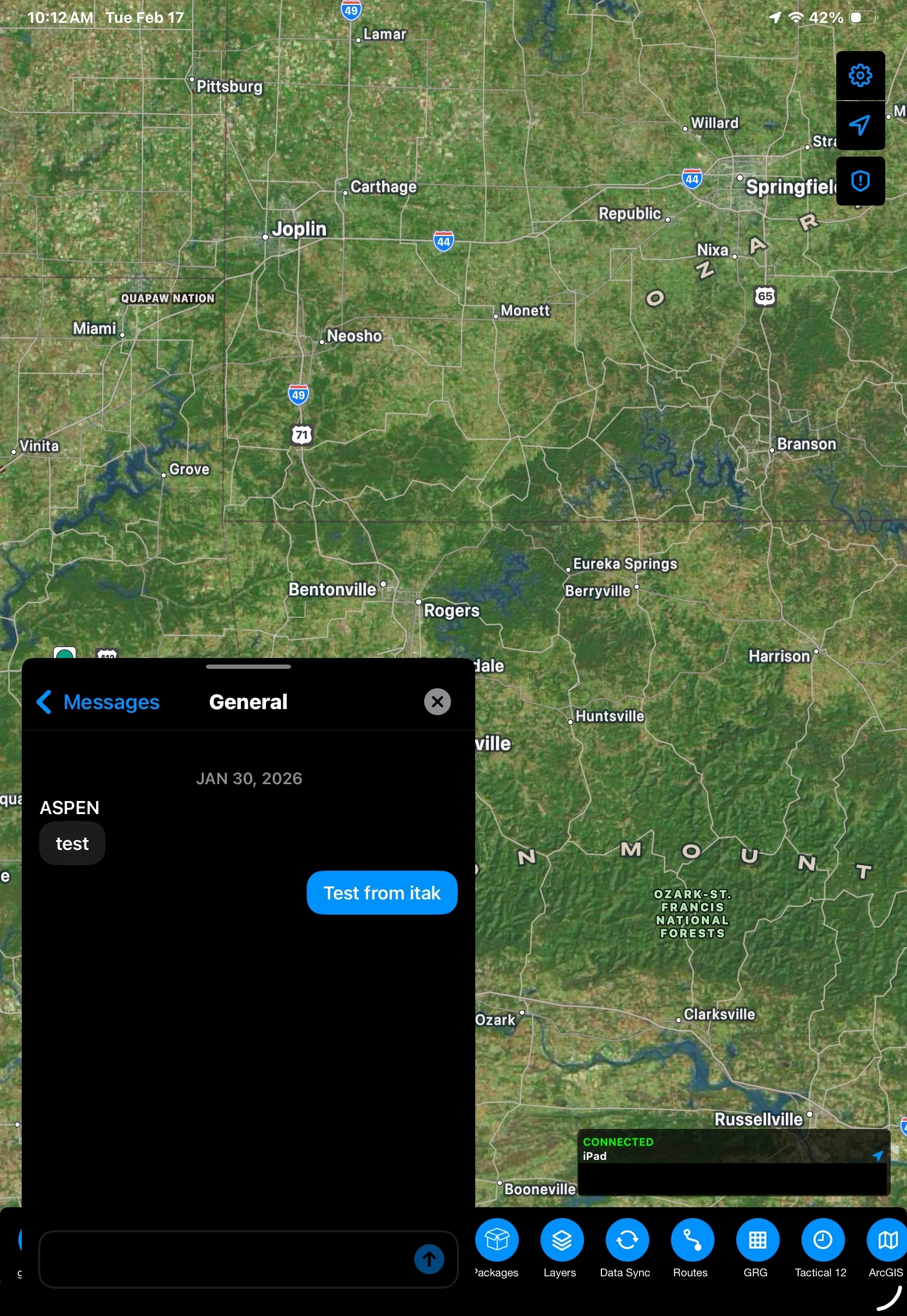
<h4 class="anchor anchorTargetStickyNavbar_aXF4" id="geochat-messaging">GeoChat Messaging<a href="https://meshtastic.org/blog/tak-server-integration-ios/#geochat-messaging" class="hash-link" aria-label="Direct link to GeoChat Messaging" title="Direct link to GeoChat Messaging" translate="no">​</a></h4>
<p>Send and receive text messages between TAK clients through the mesh. Whether you're coordinating a search grid or checking in with base camp, messages flow seamlessly across the mesh network into your connected TAK clients.
<img decoding="async" loading="lazy" alt="TAK integration example showing GeoChat message" src="https://meshtastic.org/assets/images/tak-example-aed489da2fd99b6beaa66c7d0396e5af.webp" width="1668" height="2420" class="img_jOZt"></p>
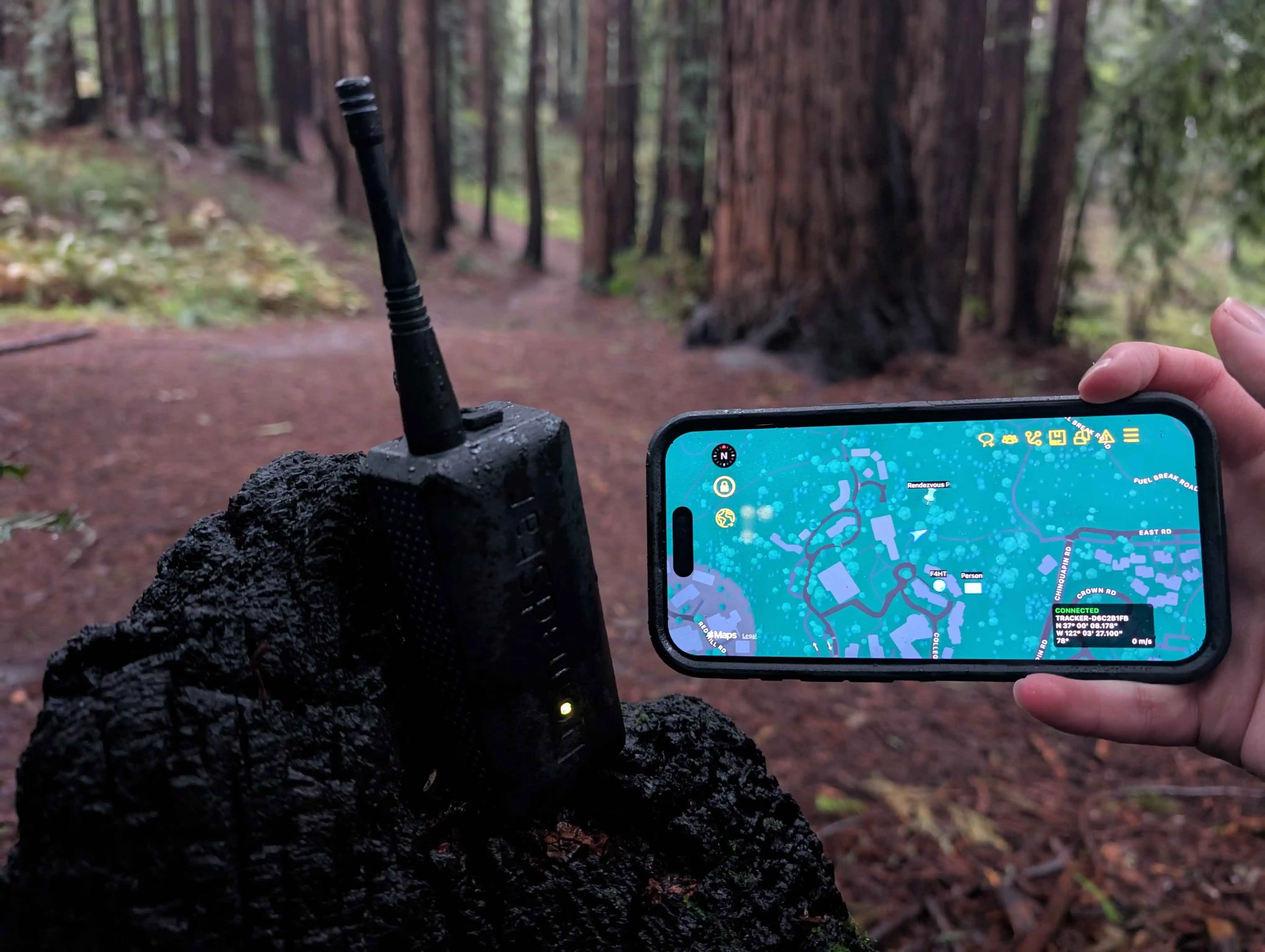
<h4 class="anchor anchorTargetStickyNavbar_aXF4" id="markers--points-of-interest">Markers / Points of Interest<a href="https://meshtastic.org/blog/tak-server-integration-ios/#markers--points-of-interest" class="hash-link" aria-label="Direct link to Markers / Points of Interest" title="Direct link to Markers / Points of Interest" translate="no">​</a></h4>
<p>Drop a marker in iTAK or TAK Aware for a found item, hazard, or rally point—it propagates through the mesh to all connected TAK clients automatically.</p>
<p><img decoding="async" loading="lazy" alt="TAK Aware display showing mesh integration" src="https://meshtastic.org/assets/images/tak_aware_woods-3c6b64e532c0bccb5465595c4666b67d.webp" width="4080" height="3072" class="img_jOZt"></p>
<h2 class="anchor anchorTargetStickyNavbar_aXF4" id="getting-started">Getting Started<a href="https://meshtastic.org/blog/tak-server-integration-ios/#getting-started" class="hash-link" aria-label="Direct link to Getting Started" title="Direct link to Getting Started" translate="no">​</a></h2>
<div class="theme-admonition theme-admonition-warning admonition_akZI alert alert--warning"><div class="admonitionHeading_XVL2"><span class="admonitionIcon_fpNp"><svg viewBox="0 0 16 16"><path fill-rule="evenodd" d="M8.893 1.5c-.183-.31-.52-.5-.887-.5s-.703.19-.886.5L.138 13.499a.98.98 0 0 0 0 1.001c.193.31.53.501.886.501h13.964c.367 0 .704-.19.877-.5a1.03 1.03 0 0 0 .01-1.002L8.893 1.5zm.133 11.497H6.987v-2.003h2.039v2.003zm0-3.004H6.987V5.987h2.039v4.006z"></path></svg></span>Bandwidth and Encryption</div><div class="admonitionContent_Fakr"><p>The TAK integration generates more traffic than typical Meshtastic usage.
Consider using a higher bandwidth preset like <strong>Short Fast</strong> or <strong>Short Turbo</strong> for optimal performance, especially when sharing frequent position updates or markers.
Additionally, all TAK data is broadcast through your primary channel, so ensure your mesh is configured with a private channel and encryption enabled to protect your sensitive situational awareness data.</p></div></div>
<!--$--><video style="display:block;width:315px;height:560px" src="/img/blog/start-tak-server.mp4" controls=""></video><!--/$-->
<ol>
<li class="">Update your node's firmware to the latest version using the <a href="https://flasher.meshtastic.org/" target="_blank" rel="noopener noreferrer" class="">Web Flasher</a></li>
<li class="">Update to the latest <a href="https://msh.to/ios" target="_blank" rel="noopener noreferrer" class="">Meshtastic iOS app</a> from the App Store</li>
<li class="">Setup your primary channel. This is the channel your node will use to communicate with the mesh network</li>
<li class="">Configure your LoRa configuration settings to a higher bandwidth preset like <strong>Short Fast</strong> or <strong>Short Turbo</strong> for optimal performance with TAK integration</li>
<li class="">Configure your TAK settings in the app (Settings → Scroll to the bottom: TAK Server) and start the TAK Server</li>
<li class="">Connect iTAK or TAK Aware to the Meshtastic app's local TAK endpoint by downloading the Data Package from the app and importing it into your TAK client</li>
<li class="">Go off-grid with full situational awareness!</li>
</ol>
<h2 class="anchor anchorTargetStickyNavbar_aXF4" id="whats-next">What's Next<a href="https://meshtastic.org/blog/tak-server-integration-ios/#whats-next" class="hash-link" aria-label="Direct link to What's Next" title="Direct link to What's Next" translate="no">​</a></h2>
<p>This is just the beginning. We're working on a second iteration of Meshtastic's native TAK protocol layer, bringing even tighter integration and wire optimization to the ecosystem. Stay tuned for more updates as we continue bridging these two powerful platforms.</p>]]></content>
        <author>
            <name>TheBentern</name>
            <uri>https://github.com/thebentern</uri>
        </author>
        <author>
            <name>Nick</name>
            <uri>https://github.com/niccellular</uri>
        </author>
        <category label="Meshtastic" term="Meshtastic"/>
        <category label="iOS" term="iOS"/>
        <category label="TAK" term="TAK"/>
        <category label="iTAK" term="iTAK"/>
        <category label="ATAK" term="ATAK"/>
        <category label="integration" term="integration"/>
        <category label="situational awareness" term="situational awareness"/>
    </entry>
    <entry>
        <title type="html"><![CDATA[Zero-Cost Hops for Favorite Routers]]></title>
        <id>https://meshtastic.org/blog/zero-cost-hops-favorite-routers/</id>
        <link href="https://meshtastic.org/blog/zero-cost-hops-favorite-routers/"/>
        <updated>2025-11-17T09:00:00.000Z</updated>
        <summary type="html"><![CDATA[Stretch your mesh by stretching each hop by using zero-cost hops]]></summary>
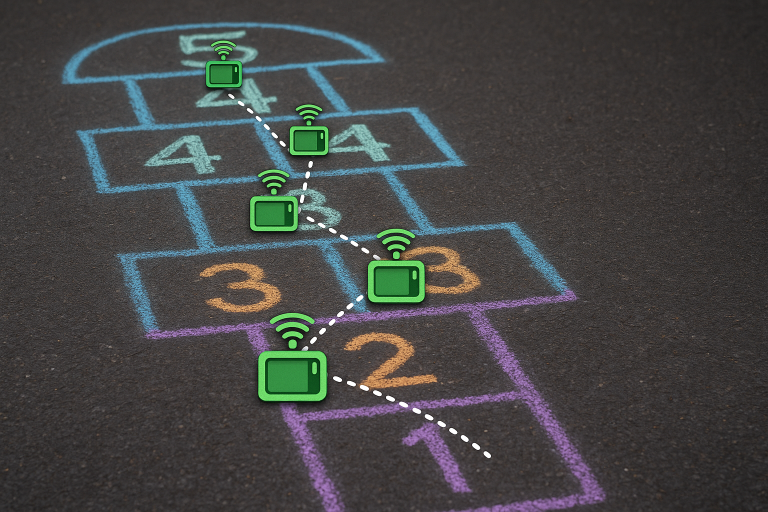
        <content type="html"><![CDATA[<p>What if messages could traverse your mesh infrastructure in a single hop?<br>
<!-- -->What if you could bridge two cities 600 miles apart via LoRa and <em>still</em> have hops to spare?<br>
<!-- -->What if a faster preset requires twice as many hops to reach your friends, but you don't have hops to spare?</p>
<p>That’s exactly what <strong>Zero-Cost Hops</strong> unlocks for your mesh.</p>
<!-- -->
<p><img decoding="async" loading="lazy" alt="Blursed image of a hopscotch game with multiple 3s and 4s written on the squares" src="https://meshtastic.org/assets/images/zero_cost_hopscotch-d37d0ea2146c46f30f72e4af6b73ec91.png" width="768" height="512" class="img_jOZt"></p>
<h2 class="anchor anchorTargetStickyNavbar_aXF4" id="tldr">TL;DR<a href="https://meshtastic.org/blog/zero-cost-hops-favorite-routers/#tldr" class="hash-link" aria-label="Direct link to TL;DR" title="Direct link to TL;DR" translate="no">​</a></h2>
<p>This feature improves message reach by preserving hops remaining between favorited routers.</p>
<h2 class="anchor anchorTargetStickyNavbar_aXF4" id="why-does-this-matter">Why does this matter?<a href="https://meshtastic.org/blog/zero-cost-hops-favorite-routers/#why-does-this-matter" class="hash-link" aria-label="Direct link to Why does this matter?" title="Direct link to Why does this matter?" translate="no">​</a></h2>
<ul>
<li class="">The faster presets like <code>SHORT_FAST</code> and <code>SHORT_TURBO</code> trade range for speed. In dense metro deployments that means you can burn through the 7-hops quickly.</li>
<li class=""><strong>Zero-Cost Hops</strong> turns a mesh of well-placed infrastructure routers into a single hop leaving more hops for the first and last mile.</li>
<li class="">For well managed networks, this could allow for communication between cities, or even countries, while staying within the 7 hop limit.</li>
<li class="">Helps prevent <code>CLIENT_BASE</code> from becoming the last hop of a packet, so messages don’t die on the roof before reaching your indoor nodes.</li>
</ul>
<h2 class="anchor anchorTargetStickyNavbar_aXF4" id="when-do-zero-cost-hops-apply">When Do Zero-Cost Hops Apply?<a href="https://meshtastic.org/blog/zero-cost-hops-favorite-routers/#when-do-zero-cost-hops-apply" class="hash-link" aria-label="Direct link to When Do Zero-Cost Hops Apply?" title="Direct link to When Do Zero-Cost Hops Apply?" translate="no">​</a></h2>
<p>A hop is preserved if <strong>all</strong> of these are true:</p>
<ol>
<li class="">Node role is <code>ROUTER</code>, <code>ROUTER_LATE</code>, or <code>CLIENT_BASE</code>.</li>
<li class="">Not the very first hop of the packet.</li>
<li class="">Previous relay is in your <em>favorites</em> <strong>and</strong> is <code>ROUTER</code> or <code>ROUTER_LATE</code>.</li>
</ol>
<p>Miss any one of those and the hop meter ticks down as usual.</p>
<h2 class="anchor anchorTargetStickyNavbar_aXF4" id="what-it-doesnt-touch">What It <em>Doesn’t</em> Touch<a href="https://meshtastic.org/blog/zero-cost-hops-favorite-routers/#what-it-doesnt-touch" class="hash-link" aria-label="Direct link to what-it-doesnt-touch" title="Direct link to what-it-doesnt-touch" translate="no">​</a></h2>
<ul>
<li class=""><code>CLIENT_BASE</code> rebroadcast rules stay exactly the same. <code>CLIENT_BASE</code> uses <code>from</code>/<code>to</code>, while Zero-Cost Hops uses <code>relay_node</code>.<!-- -->
<ul>
<li class="">Favoriting a router <strong>does not</strong> cause CLIENT_BASE nodes to rebroadcast all packets.</li>
</ul>
</li>
<li class="">Maximum Hop limit is still 7.</li>
</ul>
<h2 class="anchor anchorTargetStickyNavbar_aXF4" id="favorite-detection-and-implementation">“Favorite” Detection and implementation<a href="https://meshtastic.org/blog/zero-cost-hops-favorite-routers/#favorite-detection-and-implementation" class="hash-link" aria-label="Direct link to “Favorite” Detection and implementation" title="Direct link to “Favorite” Detection and implementation" translate="no">​</a></h2>
<p>To keep the protobufs small and memory efficient, the node matches the <strong>relay_node</strong> against your favorites list and verifies the node is infrastructure.</p>
<p>With only 8 bits to work with in relay_node, there is a chance of collisions.</p>
<ul>
<li class="">The odds any one favorite collides with a random node is possible and increases as favorites increase.</li>
<li class="">Colliders still need to be <em>within range</em> of the router to matter.</li>
<li class="">Deduplication avoids loops.</li>
<li class="">Accidental collisions are rare and harmless.</li>
</ul>
<p>Probability of a collision in a sample environment:</p>
<table><thead><tr><th>Total Nodes</th><th>Routers<br>(3% of Total Nodes)</th><th>Favorite Routers Within Range<br>(20% of Routers)</th><th>Collision Chance</th></tr></thead><tbody><tr><td>10</td><td>0.3 (≈1)</td><td>1</td><td>~0.4 %</td></tr><tr><td>50</td><td>1.5 (≈2)</td><td>1</td><td>~0.4 %</td></tr><tr><td>100</td><td>3</td><td>1</td><td>~0.4 %</td></tr><tr><td>200</td><td>6</td><td>2</td><td>~0.8 %</td></tr><tr><td>400</td><td>12</td><td>3</td><td>~1.2 %</td></tr><tr><td>800</td><td>24</td><td>5</td><td>~2.0 %</td></tr><tr><td>1000</td><td>30</td><td>6</td><td>~2.3 %</td></tr></tbody></table>
<p><em>Note: "Total Nodes" is the network size; collision probability is calculated based on the number of favorite routers within range, not all nodes divided by 256. For example, with 1000 total nodes and 6 favorite routers, the chance a random relay_node matches a favorite within range is about 2.3%.</em></p>
<p>Chances of a collision here is rare.</p>
<h2 class="anchor anchorTargetStickyNavbar_aXF4" id="two-quick-scenarios">Two Quick Scenarios<a href="https://meshtastic.org/blog/zero-cost-hops-favorite-routers/#two-quick-scenarios" class="hash-link" aria-label="Direct link to Two Quick Scenarios" title="Direct link to Two Quick Scenarios" translate="no">​</a></h2>
<h3 class="anchor anchorTargetStickyNavbar_aXF4" id="1-metro-simple-example-downtown">1. Metro Simple Example Downtown<a href="https://meshtastic.org/blog/zero-cost-hops-favorite-routers/#1-metro-simple-example-downtown" class="hash-link" aria-label="Direct link to 1. Metro Simple Example Downtown" title="Direct link to 1. Metro Simple Example Downtown" translate="no">​</a></h3>
<p><strong>Setup</strong></p>
<ul>
<li class="">Routers <strong>R1</strong> and <strong>R2</strong> use the <code>ROUTER</code> role and are favorited (to each other).</li>
<li class="">Sender uses the <code>CLIENT</code> role and wants to chat with a friend in the next town.</li>
</ul>
<p><strong>Path</strong></p>
<p><code>CLIENT → R1 → R2 → CLIENT</code></p>
<p><strong>Hop Route</strong> starting at 4 maximum hops</p>
<table><thead><tr><th>Hop</th><th>Action</th><th>Counter</th><th>Hops Remaining</th></tr></thead><tbody><tr><td>CLIENT → R1</td><td>normal</td><td>–1</td><td>3</td></tr><tr><td>R1 → R2</td><td><strong>zero-cost</strong></td><td>0</td><td>3</td></tr><tr><td>R2 → CLIENT</td><td>normal</td><td>–1</td><td>2</td></tr></tbody></table>
<p><strong>Result:</strong> A hop is saved between R1 and R2 leaving an extra hop in case it is needed.</p>
<h3 class="anchor anchorTargetStickyNavbar_aXF4" id="2-home-base-hill-top-backbone">2. Home Base, Hill-Top Backbone<a href="https://meshtastic.org/blog/zero-cost-hops-favorite-routers/#2-home-base-hill-top-backbone" class="hash-link" aria-label="Direct link to 2. Home Base, Hill-Top Backbone" title="Direct link to 2. Home Base, Hill-Top Backbone" translate="no">​</a></h3>
<p><strong>Setup</strong></p>
<ul>
<li class="">Roof nodes use the <code>CLIENT_BASE</code> role and have favorited the local <code>ROUTER</code> nodes.</li>
<li class="">Each hilltop uses the <code>ROUTER</code> role and favorites each other.</li>
<li class="">All other nodes use the <code>CLIENT</code> role.</li>
</ul>
<p><strong>Hop Route</strong> starting at 7 maximum hops</p>
<table><thead><tr><th>Hop</th><th>Path</th><th>Action</th><th>Counter Change</th><th>Hops Remaining</th></tr></thead><tbody><tr><td>1</td><td>Handheld CLIENT → Roof CLIENT_BASE</td><td>normal</td><td>–1</td><td>6</td></tr><tr><td>2</td><td>Roof CLIENT_BASE → Hilltop ROUTER</td><td>normal</td><td>–1</td><td>5</td></tr><tr><td>3</td><td>Hilltop ROUTER → Midway ROUTER</td><td><strong>zero-cost</strong></td><td>0</td><td>5</td></tr><tr><td>4</td><td>Midway ROUTER → Remote ROUTER</td><td><strong>zero-cost</strong></td><td>0</td><td>5</td></tr><tr><td>5</td><td>Remote ROUTER → Remote CLIENT_BASE</td><td><strong>zero-cost</strong></td><td>0</td><td>5</td></tr><tr><td>6</td><td>Remote CLIENT_BASE → Outpost CLIENT</td><td>normal</td><td>–1</td><td>4</td></tr><tr><td>7</td><td>Outpost CLIENT → Friend of Friend CLIENT</td><td>normal</td><td>–1</td><td>3</td></tr><tr><td>8</td><td>Friend of Friend CLIENT → Friend CLIENT</td><td>normal</td><td>–1</td><td>2</td></tr></tbody></table>
<p>This demonstrates the ability to go beyond the 7 hop protocol limit</p>
<h2 class="anchor anchorTargetStickyNavbar_aXF4" id="how-to-put-it-to-work">How to Put It to Work<a href="https://meshtastic.org/blog/zero-cost-hops-favorite-routers/#how-to-put-it-to-work" class="hash-link" aria-label="Direct link to How to Put It to Work" title="Direct link to How to Put It to Work" translate="no">​</a></h2>
<ol>
<li class="">
<p><strong>Assign roles deliberately</strong></p>
<ul>
<li class=""><code>ROUTER</code> for high mountaintop sites.</li>
<li class=""><code>ROUTER_LATE</code> for filling in the gaps.</li>
<li class=""><code>CLIENT_BASE</code> at home; favorite your handhelds.</li>
</ul>
</li>
<li class="">
<p><strong>Curate your favorites</strong><br>
<!-- -->Mutually favorite all the infrastructure router nodes and add them to your <code>CLIENT_BASE</code> roof node as favorites.</p>
</li>
<li class="">
<p><strong>Test and trace</strong><br>
<!-- -->Run a traceroute before/after favoriting. Watch hops vanish.</p>
</li>
</ol>
<div class="theme-admonition theme-admonition-tip admonition_akZI alert alert--success"><div class="admonitionHeading_XVL2"><span class="admonitionIcon_fpNp"><svg viewBox="0 0 12 16"><path fill-rule="evenodd" d="M6.5 0C3.48 0 1 2.19 1 5c0 .92.55 2.25 1 3 1.34 2.25 1.78 2.78 2 4v1h5v-1c.22-1.22.66-1.75 2-4 .45-.75 1-2.08 1-3 0-2.81-2.48-5-5.5-5zm3.64 7.48c-.25.44-.47.8-.67 1.11-.86 1.41-1.25 2.06-1.45 3.23-.02.05-.02.11-.02.17H5c0-.06 0-.13-.02-.17-.2-1.17-.59-1.83-1.45-3.23-.2-.31-.42-.67-.67-1.11C2.44 6.78 2 5.65 2 5c0-2.2 2.02-4 4.5-4 1.22 0 2.36.42 3.22 1.19C10.55 2.94 11 3.94 11 5c0 .66-.44 1.78-.86 2.48zM4 14h5c-.23 1.14-1.3 2-2.5 2s-2.27-.86-2.5-2z"></path></svg></span>tip</div><div class="admonitionContent_Fakr"><p>Design your mesh where all routers are favorited if bandwidth allows. It leaves as many hops as possible for scenic routing at the edge of the mesh.</p></div></div>
<h2 class="anchor anchorTargetStickyNavbar_aXF4" id="safety-nets-still-apply">Safety Nets Still Apply<a href="https://meshtastic.org/blog/zero-cost-hops-favorite-routers/#safety-nets-still-apply" class="hash-link" aria-label="Direct link to Safety Nets Still Apply" title="Direct link to Safety Nets Still Apply" translate="no">​</a></h2>
<ul>
<li class="">Early/default/late timing is still in effect.</li>
<li class="">Packet deduplication works as expected.</li>
<li class="">Most impactful with nodes in high places, so abuse is unlikely with well managed networks.</li>
</ul>
<h2 class="anchor anchorTargetStickyNavbar_aXF4" id="faq">FAQ<a href="https://meshtastic.org/blog/zero-cost-hops-favorite-routers/#faq" class="hash-link" aria-label="Direct link to FAQ" title="Direct link to FAQ" translate="no">​</a></h2>
<p><strong>Can I raise the hop limit beyond seven?</strong><br>
<!-- -->Nope, it's still seven. You just get more mileage out of each hop.</p>
<p><strong>Won’t this flood the mesh?</strong><br>
<!-- -->Not likely for well managed networks.</p>
<p><strong>Do I need firmware changes?</strong><br>
<!-- -->Not for clients. Only ROUTER, ROUTER_LATE, and CLIENT_BASE nodes need to be upgraded to at least 2.7.11 to support this feature.</p>
<p><strong>Does <code>CLIENT_BASE</code> count as infrastructure?</strong><br>
<!-- -->For incoming favorited traffic from routers, yes. This avoids messages dying on the roof before reaching your indoor nodes.</p>
<p><strong>Does traceroute still work?</strong><br>
<!-- -->Zero-cost hops have no effect on traceroute other than traceroute itself is limited to 7 hops.</p>
<h3 class="anchor anchorTargetStickyNavbar_aXF4" id="real-world-example">Real-world example<a href="https://meshtastic.org/blog/zero-cost-hops-favorite-routers/#real-world-example" class="hash-link" aria-label="Direct link to Real-world example" title="Direct link to Real-world example" translate="no">​</a></h3>
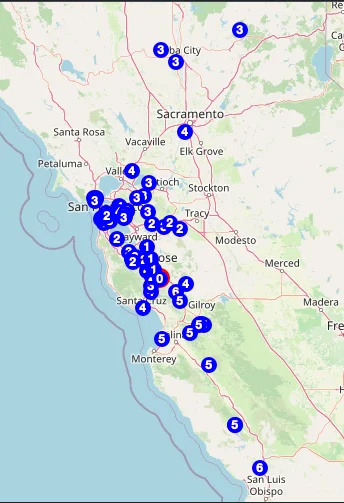
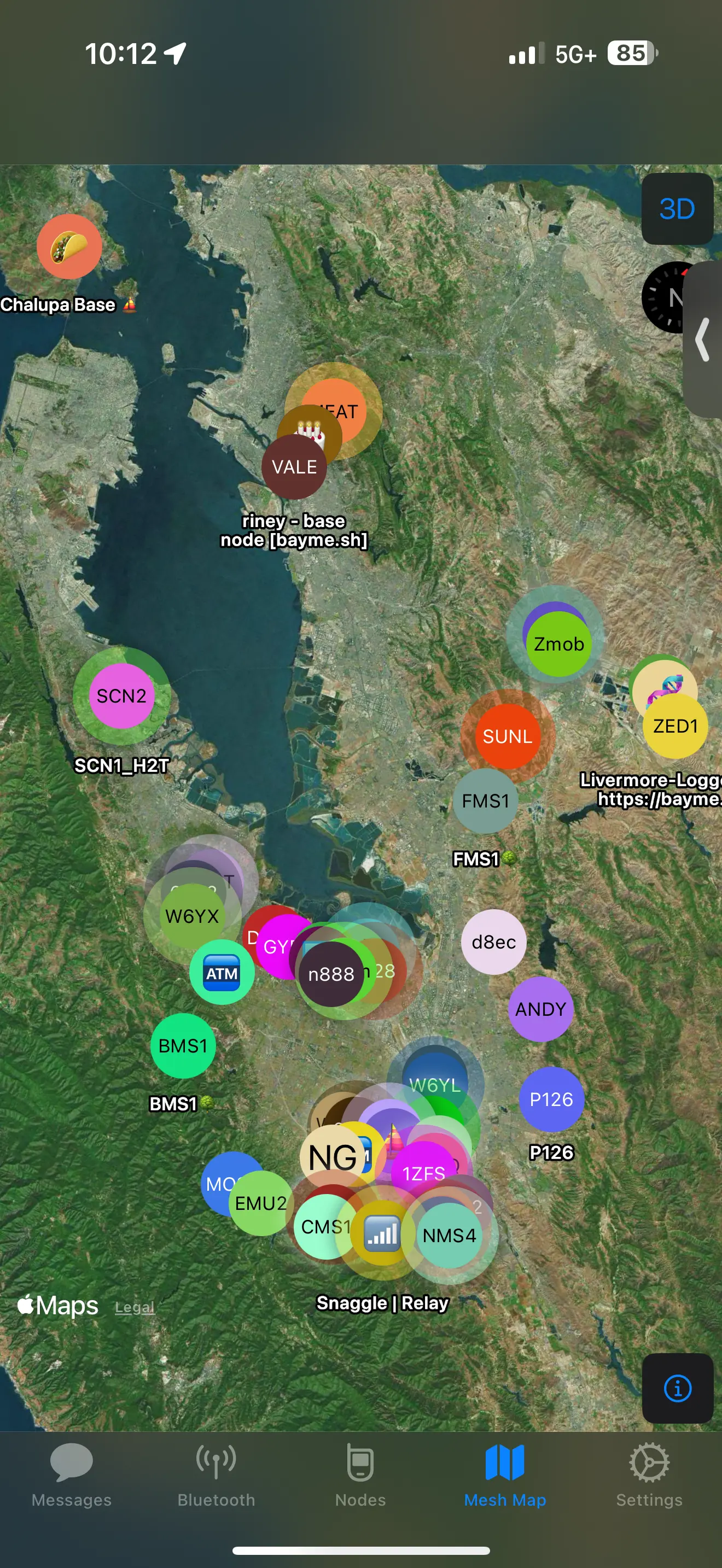
<p>For Bay Mesh, there are over 700 nodes between Tahoe and San Luis Obispo. With careful placement of routers it is possible to have messages span over 300 miles that can only be accomplished on LoRa using zero-cost hops given the terrain and distance.</p>
<p>Using <a href="https://github.com/pablorevilla-meshtastic/meshview" target="_blank" rel="noopener noreferrer" class="">Meshview</a> hosted by <a href="https://meshview.bayme.sh/" target="_blank" rel="noopener noreferrer" class="">bayme.sh</a> you can see the zero-cost hops in action between San Francisco, San Luis Obispo, and Tahoe.</p>
<p><img decoding="async" loading="lazy" alt="Zero-cost hops mesh view" src="https://meshtastic.org/assets/images/zero_cost_meshview-8d36c09a1f576738b3174749ee02d06f.webp" width="344" height="503" class="img_jOZt"></p>
<h2 class="anchor anchorTargetStickyNavbar_aXF4" id="ready-to-experiment">Ready to Experiment?<a href="https://meshtastic.org/blog/zero-cost-hops-favorite-routers/#ready-to-experiment" class="hash-link" aria-label="Direct link to Ready to Experiment?" title="Direct link to Ready to Experiment?" translate="no">​</a></h2>
<p>Pick two or three strategic infrastructure nodes and favorite them to each other mutually.
Watch as hops are not consumed between the routers.
Do the same for your roof <code>CLIENT_BASE</code> node and receive more messages than before.</p>
<p>Happy meshing. May your friends always be within range.</p>]]></content>
        <author>
            <name>Clive Blackledge</name>
        </author>
        <category label="Meshtastic" term="Meshtastic"/>
        <category label="routing" term="routing"/>
        <category label="favorites" term="favorites"/>
        <category label="infrastructure" term="infrastructure"/>
        <category label="hop limit" term="hop limit"/>
    </entry>
    <entry>
        <title type="html"><![CDATA[Demystifying ROUTER_LATE]]></title>
        <id>https://meshtastic.org/blog/demystifying-router-late/</id>
        <link href="https://meshtastic.org/blog/demystifying-router-late/"/>
        <updated>2025-09-25T19:21:00.000Z</updated>
        <summary type="html"><![CDATA[What is the purpose of the ROUTER_LATE role, and when should it be used?]]></summary>
        <content type="html"><![CDATA[<p>Since the last <a class="" href="https://meshtastic.org/blog/choosing-the-right-device-role/">guide on choosing the right role</a>, a new role -
ROUTER_LATE - has been added. What exactly does this role do, when should it be
used, and how does it fit into the overall picture of how a Meshtastic network
operates?</p>
<p>Meshtastic has a large number of device roles, each designed for a different
purpose. While the default CLIENT is a good start for simpler meshes without
complex obstacles to work around, for larger meshes with more complex routing
needs it's important to select the right role to ensure that the overall mesh
is robust, does not get overloaded, and ensures the reliable transit of packets
to where they need to go.</p>
<!-- -->
<h2 class="anchor anchorTargetStickyNavbar_aXF4" id="what-is-the-purpose-of-router_late">What is the purpose of ROUTER_LATE?<a href="https://meshtastic.org/blog/demystifying-router-late/#what-is-the-purpose-of-router_late" class="hash-link" aria-label="Direct link to What is the purpose of ROUTER_LATE?" title="Direct link to What is the purpose of ROUTER_LATE?" translate="no">​</a></h2>
<p>ROUTER_LATE is designed as an infrastructure role for serving parts of larger
or more complex meshes that do not have visibility to existing ROUTER sites.
This could be e.g. a cluster of nodes on the other side of a hill, at the
bottom of a canyon, or otherwise blocked by some significant obstacle. It is a
mandatory-rebroadcast role, meaning that it will always rebroadcast any packet
that it hears (provided that the hop limit for that packet has not been
exceeded).</p>
<p>It is intended to be deployed in sites that do not have the very large coverage
footprint typically suited to ROUTER nodes. Sites that are critical for
reliable passage of traffic, but known to not be optimally sited for serving
the overall mesh, should use ROUTER_LATE.</p>
<p>It is <em>not</em> intended as a rooftop node to extend the range of devices inside
your house. Using it in this manner may be great for <em>you</em>, but because
ROUTER_LATE will rebroadcast every single packet that it can, it can add
significantly to the overall airtime use in your area. Too much of this can
rapidly lead to a degraded or unusable mesh due to congestion, which causes
collisions and packet loss. Please refrain from using infrastructure roles in
locations where they are not genuinely warranted, especially on meshes that use
a slower modulation (e.g. LONG_FAST).</p>
<p>If you need a rooftop node for some reason, please look into the new
CLIENT_BASE role, which is designed for that purpose.</p>
<h2 class="anchor anchorTargetStickyNavbar_aXF4" id="rebroadcast-timing-and-how-router_late-works">Rebroadcast timing, and how ROUTER_LATE works<a href="https://meshtastic.org/blog/demystifying-router-late/#rebroadcast-timing-and-how-router_late-works" class="hash-link" aria-label="Direct link to Rebroadcast timing, and how ROUTER_LATE works" title="Direct link to Rebroadcast timing, and how ROUTER_LATE works" translate="no">​</a></h2>
<p>Due to the extremely limited bandwidth available, Meshtastic networks do not
utilise complex routing algorithms that rely on additional communication
between nodes. There is no equivalent to protocols such as OSPF, BGP etc. from
the IP networking world (see <a class="" href="https://meshtastic.org/blog/why-meshtastic-uses-managed-flood-routing/">here</a> for why). Instead, Meshtastic uses a
combination of role selection, random delays, and timing based on the signal
strength of a received packet to ensure that any given packet will be more
likely to take a more efficient path across the network, while minimising
unnecessary rebroadcasts that can add to congestion on the single frequency
that is shared by the entire mesh.</p>
<p>Any packet that is received with a remaining hop limit greater than zero is
eligible for rebroadcast. Packets with a hop limit of zero are discarded after
processing, and are not rebroadcast at all.</p>
<h3 class="anchor anchorTargetStickyNavbar_aXF4" id="contention-windows">Contention Windows<a href="https://meshtastic.org/blog/demystifying-router-late/#contention-windows" class="hash-link" aria-label="Direct link to Contention Windows" title="Direct link to Contention Windows" translate="no">​</a></h3>
<p>Meshtastic has three different 'contention windows' in which a packet may be
sent. These windows can be best thought of as slices of time since the packet
was received. They do not overlap.</p>
<table><thead><tr><th>Window</th><th>Duration</th><th>Roles</th><th>Description</th></tr></thead><tbody><tr><td>Early</td><td>Very short</td><td>ROUTER, REPEATER, CLIENT_BASE*</td><td>The first timeslot in which packets may be rebroadcast. Preempts other rebroadcasting, and can cause non-infrastructure roles to cancel their own rebroadcast.</td></tr><tr><td>Default</td><td>Normal</td><td>All non-early roles</td><td>The second timeslot, in which all rebroadcasts take place by default unless a node is using a specific role which causes it to use another window.</td></tr><tr><td>Late</td><td>Normal</td><td>ROUTER_LATE</td><td>The final timeslot, in which ROUTER_LATE will rebroadcast if it hears another node rebroadcasting the packet before it.</td></tr></tbody></table>
<p>With the exception of ROUTER_LATE, all roles will only perform rebroadcasting
within the window to which their role relates. ROUTER_LATE is a special case:
under normal circumstances, it will behave identically to a CLIENT, and will
attempt to rebroadcast within the default contention window, using the same
timing behaviour as CLIENT. However, if it hears another node rebroadcasting
the packet first (in <em>any</em> prior window), then it will defer its own
rebroadcast of that packet to the late contention window instead. Within that
late window, it will still use the same timing behaviour as CLIENT.</p>
<p>This has the effect of ensuring that ROUTER_LATE will politely 'give way' to
other nodes, thereby preserving the normal routing behaviour of the mesh. Other
than the obviously higher airtime used, the impact of deploying a ROUTER_LATE
node is identical to as if a CLIENT were deployed at that location.</p>
<p>*CLIENT_BASE will only rebroadcast in the early window if the packet is to or
from a favourite node. In all other situations, it will behave the same as a
regular CLIENT, and use the normal window.</p>
<h3 class="anchor anchorTargetStickyNavbar_aXF4" id="random-timing-and-snr-bias">Random timing and SNR bias<a href="https://meshtastic.org/blog/demystifying-router-late/#random-timing-and-snr-bias" class="hash-link" aria-label="Direct link to Random timing and SNR bias" title="Direct link to Random timing and SNR bias" translate="no">​</a></h3>
<p>Within each contention window, a random delay is added before rebroadcasting a
packet. That delay is then modified based on the signal-to-noise ratio (SNR) of
the packet when it was received, with packets having a worse SNR (which
typically corresponds to a worse or more distant link) ending up with a shorter
delay, and high quality signals having a longer delay.</p>
<p>The purpose of this is to ensure that, when a packet is heard by multiple other
nodes, they mostly do not try to transmit at the same time, and that nodes
which are further away are given 'first dibs' at rebroadcasting. While SNR is
not an ideal proxy for distance, it does have a rough correlation, and will
result - on average - in packets travelling further with each hop than they
would using random timing alone.</p>
<h3 class="anchor anchorTargetStickyNavbar_aXF4" id="rebroadcast-cancellation--move-to-late-contention-window">Rebroadcast cancellation / move to late contention window<a href="https://meshtastic.org/blog/demystifying-router-late/#rebroadcast-cancellation--move-to-late-contention-window" class="hash-link" aria-label="Direct link to Rebroadcast cancellation / move to late contention window" title="Direct link to Rebroadcast cancellation / move to late contention window" translate="no">​</a></h3>
<p>In order to ensure that the single, shared frequency is not overloaded, all
roles other than ROUTER, REPEATER, and ROUTER_LATE (and CLIENT_BASE when the
packet is to or from a favourite node) will cancel rebroadcasting and discard
the packet if they hear another node rebroadcasting it.</p>
<p>ROUTER_LATE will, instead of cancelling its rebroadcast, defer it to the late
contention window if it hears another node rebroadcasting the packet.</p>
<h3 class="anchor anchorTargetStickyNavbar_aXF4" id="when-packets-are-dropped">When packets are dropped<a href="https://meshtastic.org/blog/demystifying-router-late/#when-packets-are-dropped" class="hash-link" aria-label="Direct link to When packets are dropped" title="Direct link to When packets are dropped" translate="no">​</a></h3>
<p>While ROUTER_LATE will normally rebroadcast everything it hears, there are some
specific exceptions:</p>
<ol>
<li class="">If the packet arrives with a hop limit of zero. These packets are considered to have reached the end of the line, and are not supposed to be passed on any further.</li>
<li class="">If the TX (transmit) queue is full, and another packet arrives that is both eligible for rebroadcast, and has a higher priority than the lowest-priority packet in the TX queue, then the lowest-priority packet in the queue is discarded. This typically happens on busy meshes, or meshes that use a slower modulation configuration. ROUTER_LATE is particularly prone to this, because it stores deferred packets in the TX queue while waiting for the opportunity to transmit them during the late contention window.</li>
</ol>
<h2 class="anchor anchorTargetStickyNavbar_aXF4" id="frequently-asked-questions">Frequently asked questions<a href="https://meshtastic.org/blog/demystifying-router-late/#frequently-asked-questions" class="hash-link" aria-label="Direct link to Frequently asked questions" title="Direct link to Frequently asked questions" translate="no">​</a></h2>
<h3 class="anchor anchorTargetStickyNavbar_aXF4" id="why-cant-i-use-this-on-my-roof">Why can't I use this on my roof?<a href="https://meshtastic.org/blog/demystifying-router-late/#why-cant-i-use-this-on-my-roof" class="hash-link" aria-label="Direct link to Why can't I use this on my roof?" title="Direct link to Why can't I use this on my roof?" translate="no">​</a></h3>
<p>Because ROUTER_LATE tries to rebroadcast everything it hears, it adds a notable
amount of traffic to the single, shared frequency used by the mesh. This can
cause problematic congestion, collisions, and lost packets. If the overall
traffic volume gets too high, it can significantly impact the performance of
the mesh, sometimes to the point of rendering it unusable.</p>
<p>If you insist on using this role as a roof node <em>anyway</em>, then please closely
monitor the ChUtil (shared airtime use) and AirTXUtil (airtime used by just
this node) stats on your node. If ChUtil gets higher than 25%, or AirUtilTX
higher than around 7-8%, please cease using this role in order to preserve
overall functionality of the mesh.</p>
<p>Please note that ROUTER and REPEATER are also unsuitable for rooftop use (in
fact, even more so because they preempt other nodes). These roles are intended
for very well-sited infrastructure only.</p>
<h3 class="anchor anchorTargetStickyNavbar_aXF4" id="why-did-my-packet-go-via-a-regular-client-instead-of-the-router_late-node">Why did my packet go via a regular CLIENT, instead of the ROUTER_LATE node?<a href="https://meshtastic.org/blog/demystifying-router-late/#why-did-my-packet-go-via-a-regular-client-instead-of-the-router_late-node" class="hash-link" aria-label="Direct link to Why did my packet go via a regular CLIENT, instead of the ROUTER_LATE node?" title="Direct link to Why did my packet go via a regular CLIENT, instead of the ROUTER_LATE node?" translate="no">​</a></h3>
<p>Because ROUTER_LATE is a 'polite' rebroadcaster, if another CLIENT node is more
favourably located at that particular point in time, or simply wins the random
timing race, it may rebroadcast the packet first. The ROUTER_LATE will still
rebroadcast, but you may not notice, as the packet may have already arrived at
its destination via another path first.</p>
<h3 class="anchor anchorTargetStickyNavbar_aXF4" id="why-did-my-packet-go-via-a-router-or-repeater-node-instead-of-the-router_late-one-in-my-area">Why did my packet go via a ROUTER or REPEATER node, instead of the ROUTER_LATE one in my area?<a href="https://meshtastic.org/blog/demystifying-router-late/#why-did-my-packet-go-via-a-router-or-repeater-node-instead-of-the-router_late-one-in-my-area" class="hash-link" aria-label="Direct link to Why did my packet go via a ROUTER or REPEATER node, instead of the ROUTER_LATE one in my area?" title="Direct link to Why did my packet go via a ROUTER or REPEATER node, instead of the ROUTER_LATE one in my area?" translate="no">​</a></h3>
<p>ROUTER and REPEATER nodes preempt all other roles for rebroadcasting. If there
is one in range, packets will go via that node before anything else. If ROUTER
or REPEATER nodes are deployed in suboptimal locations, this can result in hop
limits being reached prematurely.</p>
<h3 class="anchor anchorTargetStickyNavbar_aXF4" id="why-cant-i-see-the-router_late-node-in-my-traceroute-result">Why can't I see the ROUTER_LATE node in my traceroute result?<a href="https://meshtastic.org/blog/demystifying-router-late/#why-cant-i-see-the-router_late-node-in-my-traceroute-result" class="hash-link" aria-label="Direct link to Why can't I see the ROUTER_LATE node in my traceroute result?" title="Direct link to Why can't I see the ROUTER_LATE node in my traceroute result?" translate="no">​</a></h3>
<p>See the two above answers.</p>
<h3 class="anchor anchorTargetStickyNavbar_aXF4" id="why-is-traffic-via-a-router_late-node-slow">Why is traffic via a ROUTER_LATE node slow?<a href="https://meshtastic.org/blog/demystifying-router-late/#why-is-traffic-via-a-router_late-node-slow" class="hash-link" aria-label="Direct link to Why is traffic via a ROUTER_LATE node slow?" title="Direct link to Why is traffic via a ROUTER_LATE node slow?" translate="no">​</a></h3>
<p>Because ROUTER_LATE will defer rebroadcasting packets if it hears another node
rebroadcasting them first, this can result in additional delays. This is
particularly noticeable on slower modulation settings (e.g. LONG_FAST), where
such delays can become quite substantial.</p>
<h3 class="anchor anchorTargetStickyNavbar_aXF4" id="why-is-traffic-that-should-go-via-a-router_late-node-going-missing">Why is traffic that should go via a ROUTER_LATE node going missing?<a href="https://meshtastic.org/blog/demystifying-router-late/#why-is-traffic-that-should-go-via-a-router_late-node-going-missing" class="hash-link" aria-label="Direct link to Why is traffic that should go via a ROUTER_LATE node going missing?" title="Direct link to Why is traffic that should go via a ROUTER_LATE node going missing?" translate="no">​</a></h3>
<p>The shared frequency used by the mesh in your area is likely busy, and as a
result the ROUTER_LATE is dropping low-priority packets when its transmit queue
is full.</p>
<p>Note that some operations on the mesh can generate a large number of packets in
a very short space of time, so the queue can easily go from empty to full in
the space of just a few seconds.</p>
<h3 class="anchor anchorTargetStickyNavbar_aXF4" id="i-run-a-router-or-repeater-in-a-suboptimal-location-should-i-change-it-to-router_late">I run a ROUTER or REPEATER in a suboptimal location. Should I change it to ROUTER_LATE?<a href="https://meshtastic.org/blog/demystifying-router-late/#i-run-a-router-or-repeater-in-a-suboptimal-location-should-i-change-it-to-router_late" class="hash-link" aria-label="Direct link to I run a ROUTER or REPEATER in a suboptimal location. Should I change it to ROUTER_LATE?" title="Direct link to I run a ROUTER or REPEATER in a suboptimal location. Should I change it to ROUTER_LATE?" translate="no">​</a></h3>
<p>If your node <em>must</em> rebroadcast in order for nodes within its coverage area to
communicate with the rest of the mesh properly, then use ROUTER_LATE. If this
is a rooftop node, please use CLIENT_BASE or CLIENT instead.</p>
<h3 class="anchor anchorTargetStickyNavbar_aXF4" id="my-node-is-the-only-router-around-but-it-isnt-at-10000ft-altitude-should-i-change-it-to-router_late">My node is the only ROUTER around, but it isn't at 10,000ft altitude. Should I change it to ROUTER_LATE?<a href="https://meshtastic.org/blog/demystifying-router-late/#my-node-is-the-only-router-around-but-it-isnt-at-10000ft-altitude-should-i-change-it-to-router_late" class="hash-link" aria-label="Direct link to My node is the only ROUTER around, but it isn't at 10,000ft altitude. Should I change it to ROUTER_LATE?" title="Direct link to My node is the only ROUTER around, but it isn't at 10,000ft altitude. Should I change it to ROUTER_LATE?" translate="no">​</a></h3>
<p>If your node's coverage footprint is genuinely excellent, please keep it as
ROUTER. ROUTER will preempt all other roles, and is effectively asserting that
it is the best path for all traffic within range.</p>
<p>Please note that ROUTER and REPEATER nodes will cause all rebroadcast roles
other than ROUTER, REPEATER, ROUTER_LATE and CLIENT_BASE (for packets to / from
favourite nodes only) within their coverage area to cancel their own
rebroadcasts - so only deploy ROUTER nodes in locations that are <em>actually</em>
properly suited to that behaviour.</p>
<h3 class="anchor anchorTargetStickyNavbar_aXF4" id="my-node-in-location-can-receive-but-nobody-hears-me-when-i-transmit-should-i-deploy-a-router_late-to-help">My node in $LOCATION can receive, but nobody hears me when I transmit. Should I deploy a ROUTER_LATE to help?<a href="https://meshtastic.org/blog/demystifying-router-late/#my-node-in-location-can-receive-but-nobody-hears-me-when-i-transmit-should-i-deploy-a-router_late-to-help" class="hash-link" aria-label="Direct link to My node in $LOCATION can receive, but nobody hears me when I transmit. Should I deploy a ROUTER_LATE to help?" title="Direct link to My node in $LOCATION can receive, but nobody hears me when I transmit. Should I deploy a ROUTER_LATE to help?" translate="no">​</a></h3>
<p>No. In this case, please deploy a CLIENT node nearby. This node will
rebroadcast all packets from those nodes which have not made it out via another
path, but will not unnecessarily consume airtime by repeating packets that
those clients can already hear just fine.</p>
<p>This scenario is quite common for devices with a compromised internal antenna
(e.g. T1000-E).</p>
<h3 class="anchor anchorTargetStickyNavbar_aXF4" id="should-i-put-a-router_late-on-my-vehicle">Should I put a ROUTER_LATE on my vehicle?<a href="https://meshtastic.org/blog/demystifying-router-late/#should-i-put-a-router_late-on-my-vehicle" class="hash-link" aria-label="Direct link to Should I put a ROUTER_LATE on my vehicle?" title="Direct link to Should I put a ROUTER_LATE on my vehicle?" translate="no">​</a></h3>
<p>In most situations, no. However it can occasionally be appropriate if your
vehicle is serving as a relay for e.g. a hiking party that cannot see the rest
of the mesh otherwise, and you need to deploy temporary infrastructure coverage
for the area in which they are hiking.</p>
<p>If you do deploy a ROUTER_LATE on your vehicle for such a purpose, please
remember to switch it back to a more appropriate role after your temporary
activity is done.</p>
<p>If you wish to have a rebroadcasting node on your vehicle specifically to serve
your own node while you are inside nearby buildings, please use CLIENT (if you
can receive but not transmit) or CLIENT_BASE (if your node needs assistance in
both directions).</p>
<h3 class="anchor anchorTargetStickyNavbar_aXF4" id="will-a-router_late-permanently-installed-on-my-vehicle-help-the-mesh">Will a ROUTER_LATE permanently installed on my vehicle help the mesh?<a href="https://meshtastic.org/blog/demystifying-router-late/#will-a-router_late-permanently-installed-on-my-vehicle-help-the-mesh" class="hash-link" aria-label="Direct link to Will a ROUTER_LATE permanently installed on my vehicle help the mesh?" title="Direct link to Will a ROUTER_LATE permanently installed on my vehicle help the mesh?" translate="no">​</a></h3>
<p>No. Please don't do this - ROUTER_LATE is not intended as a mobile role, and
using it in that manner will usually cause more problems than it solves.</p>]]></content>
        <author>
            <name>Steve Gilberd</name>
            <uri>https://github.com/erayd</uri>
        </author>
        <category label="Meshtastic" term="Meshtastic"/>
        <category label="devices" term="devices"/>
        <category label="roles" term="roles"/>
        <category label="routing" term="routing"/>
        <category label="infrastructure" term="infrastructure"/>
    </entry>
    <entry>
        <title type="html"><![CDATA[...That one time at DEF CON!]]></title>
        <id>https://meshtastic.org/blog/that-one-time-at-defcon/</id>
        <link href="https://meshtastic.org/blog/that-one-time-at-defcon/"/>
        <updated>2025-08-12T19:00:00.000Z</updated>
        <summary type="html"><![CDATA[A recap of the Meshtastic DEF CON deployment, including a vulnerability demonstration and the project's response.]]></summary>
        <content type="html"><![CDATA[<p>This year marked the second time we have deployed an event-specific Meshtastic firmware at <a href="https://defcon.org/" target="_blank" rel="noopener noreferrer" class="">DEF CON</a>, and the first time we have partnered with the event organizers and community groups such as <a href="https://darknet-ng.network/" target="_blank" rel="noopener noreferrer" class="">Darknet-NG</a> and the <a href="https://lonelyhackers.club/" target="_blank" rel="noopener noreferrer" class="">Lonely Hackers Club</a> to create and roll it out. While the official numbers are not yet available, many attendees reported seeing more than 2,000 individual nodes connected during the event, with thousands of messages, including a healthy share of Rickrolls and even full Bee Movie scripts, flowing across both public and private channels throughout Las Vegas. This marks the largest known Meshtastic network to date.</p>
<!-- -->
<p>The goal of this custom firmware and DEF CON deployment was two-fold: to push the boundaries of what Meshtastic can do, and to advance the project by stress-testing it in a large-scale, high-traffic environment. As “real-world” as 2,000 nodes in a convention center in Las Vegas can be, it provided a unique opportunity to see how the system performs under extreme conditions.</p>
<p>True to the DEF CON spirit, attendees put the network through its paces and uncovered bugs across nearly every platform including Android, iOS, firmware, and hardware. These ranged from emoji rendering quirks to full app crashes. What makes this community so valuable is that many of these discoveries came with clear technical descriptions and even proposed solutions, helping us improve Meshtastic for everyone.</p>
<h2 class="anchor anchorTargetStickyNavbar_aXF4" id="details-on-this-vulnerability">Details on This Vulnerability<a href="https://meshtastic.org/blog/that-one-time-at-defcon/#details-on-this-vulnerability" class="hash-link" aria-label="Direct link to Details on This Vulnerability" title="Direct link to Details on This Vulnerability" translate="no">​</a></h2>
<p>During DEF CON, a security researcher replayed modified NodeInfo messages at scale. This technique is only possible when the pre-shared key is known by an attacker. This style of attack is possible against an ad-hoc network like Meshtastic, due to the network operating without a centralized identity authority. This was the first time that this type of attack had been observed on an active Meshtastic network and reported to the project’s development team.</p>
<p>Due to its ad-hoc design, Meshtastic operates using the Trust on First Use (ToFU) model. The first time a device sees a NodeInfo packet from a given peer, it trusts that information. Meshtastic has an additional challenge, that individual nodes are all memory constrained. This means that the Firmware can only keep track of the node information of around 100 nodes at a time. DEF CON had over 2000 nodes present, so an individual node simply cannot retain the entire database.</p>
<p>As more nodes are seen, the old nodes cycle out of the database. When this happens, the firmware can accept and store a spoofed NodeInfo. This is a known limitation, and is mitigated by the favorites system and additional checks via the mobile clients. When a node is marked as a favorite, it is never cycled out of the NodeDB. Nodes are automatically favorited when a DM is sent to that node, or when users share contacts via QR code.</p>
<!--$?--><template id="B:0"></template><!--/$-->
<p>Mobile clients provide one additional layer of protection, by storing a complete copy of the NodeDB. When a new NodeInfo is received with a changed public key, the mobile apps will flag the discrepancy and inform the user via the red warning notice on the interface. This worked as intended on the technical side, but we learned that there is some user-experience work to be done here.</p>
<p><img decoding="async" loading="lazy" alt="Meshtastic Ninja" src="data:image/webp;base64,UklGRpIcAABXRUJQVlA4IIYcAACw0gCdASo3BGABPpFIn0ylpCKioJFJCLASCWlu4XSg9/5lobfOv0//L/4bt4/2niH5L/entb8bN//sP1NflH37/ZexP+o/4fh7wDvy7+gf7nfywBfXnzmPuPOT9G/0XsAeYPhcUDPKF/1fNX9f+emFl6wgFVF20IRWFa/LCqi7aEIrCtflhVRdtCEVhWvywortn7iSEcb4pNwIeu/LVcioMPy1XIqDD8tVyKgw/LVcioMPy1XIqDD8tVyKgw/LVcioMPy1XH5bxe6fYffLHmTdxSjFU3m83m83m83m83m83m83m83m83m83m83m83m83m83m83aUE6uCt6Ekcy58rZbLV2EOc7k8yhsIe5uSmvtQmjUAnogVr8sKqLtoQisK1+WFVF20IRWFa/LDBat0Due7oZEZdffKrs5P3Sr0CPFsCvJkQCqi7aEIqrWFmsiyNZ0stQNO+SKZwxNBuWl2hCKwrX5Y5ZKHNUKDE7oUlFP9mCNWlWDSC7yGj7UElUUwwX6Fe7X/yENogVlfoxhIlI2lF8b9I8Ah4HuB/I9pU77ucSq8OgAGFgdEWw1K9HU/UzKRqNsjPfCX3bqWvz+nob/YHdNiG+4LlKk8Tvn4dVgNRfTU4l9Ouf/2dHp4W5EGHmjCbf4/B9YfGZfOOO6xd/wd3NyRqzoanRZiH95nALoKmMJ7exLBLrg5rHpGkg+xbz8jDRMpSWsW9WlzczGGS+jBu6MPlbFoKrtYiGPV4uJIK0Ojk5+odLFoYX/1LjL6tLVLMF52be1XxtJGES5Bo3ncDUZLxnIqPNDAyHtbQfcaGw0TrhWPcQDRY9sROC3FKpSaOoqAen5DhxkXmxOCECugSQ/1U0IjcnNbrVl36VUK4SsnQDKLtoGGFK56S/qQ8ejGjWWS4XUaBvLty68AHVvIfAjIKjBnBinS8ZwTgYl6RbwdA4RVXaHNCZp1GQGSDy7cSWbwMAy326U/lirtf4plfg22hfvfTxasRVpQI0dXw7iPWiVIgokC2qsANjInr05HR/zMHxm068KZVyt7JJQLr1GGOa6GP9nZdAalS1Fx1UEfaKvZB+Ab0GCHe5Qaj0o3dEypKPezieL0ACBtH36goTqcc5O9lzjtWQPbshCKRUmOH+1I/OdZdoQiUwK8XXXQIASRliKN4TW8EEkr2zk0P0+Ty0BrKu2A6aymQjpk+KRKYQE/hQkLrT3AqvrMuxSGf8RlvSwN2XtsP0YhNfpko7VQYbVEoYEdaprXrsK7mlaUreWFVF253zarbVsIbFj+q6YhsNhsNhsNhsNglwtabaEIrCtflhVRpGIRWFa/LCqi7aEIsVMdh2EMW6GZ6qou2hCKwrX5YVUXbQhFYVr8sKqLtoQislxmWP8H94eGgQK1+WFVF20IRWFa/LCqi7aBks++xTL+w/BjQWxRyaJJHQBa1FjDbdcphv6EwhJNE7mwX2LgKCbZTkbCIcHKpIbBiiM1dJ5iBArX5YVUXbQhFYVr8sKqLtoQisK1+PSx8ktRklyXf8qdsyt8g40BQBX9FMMs8RBFKdqhBnzbr1dTFevesGB6h9liJMvCR7x8CjDAHA0ngM5QW4zLH+D+8OqwrX5YVUXbQhFYVr8sKqLtoQeVxg/G5qWgeVqnOjAWUG1THtzJmX7eLAUzzvJM4zcZ1qRCyQZnhD2UFhkyTGxjM3be6BhVRdtCEVhWvywqou2hCKwrX5YVUXcaWJlqHuqi/Nrp3LtCEVhWvywqou2hCKwrX5YVUXbQhFYVr8sKqLtuZvp2qKA1pFS+8tadfYokxTXCoXJJAH6Q76h7lJOeKDkhChWihYYgBKEzncHbPGAkQedsVldnHwf3h1WFa/LCqi7aEIrCtflhVRdtCEWLDQRgnrvgicW/RfPZcY+tscnuUsNY5txGNzgsmigiCoIHCF4x2xjiRQGavLiBpD0r3bdxkEivSzyDqMAoH/i6sP+HnsEwuzf20Ak56My6S8Gy7QhFYVr8sKqLtoQisK1+WFVF20IRWSvS+4xd84cV5+YEj5g8K7D6kUki3xdtCEVhWvywqou2hCKwrX5YVUXbQhFZLgPp1akrlhVRdtCEVhWvywqou2hCKwrX5YVUXbQhFYVr8sFuXPmHZauM1iJklyrCtflhVRdtCEVhWvywqou2hCKwrX5YVUXbQhE5gkaUXlxA/+jOTI5d8Um4EPXflquRUGH5arkVBh+Wq5FQYflquRUGH5arkVBh+Wq5FQYflquRUGH5angALMAAD+/1dZmxAAAAAAHUS9Zh66BE0HMxk+okDd1dMR4dcSIDOgjk/NLOL9q4XJ/KJWFZOUIEXuO/MCT+USzMcyIQIvdo392wBfefyiVhWTlCBF7jvzAk/lErCooIEXu0b+7YAvvVvWAhYVk5QgRe478wJP5RKwqKCBF7tG/u2AL71b1gIWFZbCL0zE6HTbf3DUagMlspqDYFCpFlRn/nD9J7fHgGSMAAAAAAAAAAAAAq70CCTeR+92JSLBn9rQgJvlHIjKcKeqKlDb8uSe16XfD+HXE3UMgNOvD6lDcbs39X3szYx1pOrmLL9C1ldTyPwveY+757hNotEwdeLwQGzJTs4PqrNnpk3jFrBLBQwJD+MouoY53sSBdCVPWqPnIeH9k6xfAAAADLhQKhL5Eld5XL0dCzGqq92eiW0d4dx1HvzwaFPUeFzr5kKGIEALlHEQA3xwxAJjDlQNUCA371N2dzr7EdbwLiEGOverBixhjwJJHk5VJZFrfzEbLN8SbxJ+EB0bvkXwV2GCgzk/D93TqAxWVe8AznrtImZ3YKRcUGvejRoR9s9lYUOjh605hpM7iwkQoemOAsquUaArri4xI2EM1epP9tSefvFG8w/DVh4WFRAbFBdNzKYPQuw34i3ZcSON56iQG2MTQxmedRC9yDVMmEDGRZiD+bSfEveHso97ZOIiKgxC8VerHo2mCzqvqimbGK8YRkAvZgfdz3femmq1lGKdVYKZoFZJ00mdTDWfzPkkQTtwAKgaIN4iwowq2UbhAdKu/oO/5OUaZ9lys/sHmKXBIzm49SSJ1M5aTKDg3onX1L2V8FDhlbqlXibPjfiREHjTEksuYo/woyO7bD1HagHdI4uiygWkwbNIDs5Fd+Ea3p2t01E58HPTT5Kty3Ztm79nSEkq3VKfGPFlJpRmf2XGmZUKmY5fBWiusz5iAgBtq2IaVULGTctjIBMHy06z7r5ByIIRwRPcGZVdSUGVUqWI6aIVhHI+60Pf2sqqwNkuBSKsOlikpNx9bR1cuMsHt8sKPtO1Sy21sZQkso6mcCO1HV1A/+pl6/1LVyZL9ajxjQTX92/a/M1d6r2jH+Fhj7xrR0724B+AV7vj9oaiP/6GOLS4rbShI8YujryCZEd4dwybj3o3m+tBlZ2CFGVw4Mo7sXKN0P1Di4/bhoUydPFQ2dAursfXsVqUN1NgM7Ku+WbMS5WjaGOYWW81avEO+Cp0f3nKqsdqiKyvnJ4iAy8COGrnK5vMPXyuy4aE+cBjjLgXhg54TomRugdTljPGD3EYtfxhK/DSVJ8xYvbI1To489+cgzfO3X9Yfdb302cq8UHBQxe3gmZm1tU2aoOVpLv+ID/53NhFO4Ldp6kJeodAjWoEEWrwbzLP0M8OqCw8u9NQ0GHPC6eShY6YML5M4mZdh1OVVtoV7O2UIbv6NnR6xntQqFOO8h31tR3fisG06SGnfzx8j2Pg1Iy4mcF8N3QmzAqc93EwzYpzVu3/aIp+n8XXP2CeZ+LnkvQ+EcxotnQDYWFeUdVsMj8uEUQAth3vgwMw1F6tJTC2iCBqYRTI2mS1SG+LFq5efPgMY1vYMi/IopTvxtbiimSJqqXcHCI03eO7BOKBfZe7DU2MBYM6IAUoGrJC7/yh6smFLORTyfdhrERvXQ816t1SfjdIyazCQMShSoliqdn6pi9oGFyRmenLRfJX83ckPcISDuJgjBx8Kv8+1sFNhOuxup326n/KDCUDzFtzwWDOr2tClldWHnY9MOKG768R9iNqd0ntSMARCIRnw2V4Z6K52fV5LYqHiW8vJkCaNSi5RBR7Ur+nBPsExXbyeYvydiYbtPmA6HSkp0/N+15TTRVZywTnc6CgT1chnVPbB7W/gonoMMn8exf3p/JPCfnszCS35MTO+C3NKi5KLlfj/898h2yy5ebEIaaIXHgF1pb0doxP8ZfrBLipk/KPhfOC46ug5eHZDct+L07yERbTNOlq4hos0kE6aaSfvLssUP5bXATRCCWJt3/FSCH06VjXNRdHVxmT7R6tSe3hY2OZboXYvV0ZDQbbH0xu6d9LEh/4QkF0eOESaEsM9HIPitl5kD8F5NTAtJ57pEXW2keXD8Ia0ay1PrdvI43dI4alJC0x70Ja45V5E0o67ZLyzdDip28RGFAux+EKr0rkX23f1brznL1OSXJwR0YL1MVT8hEzzct6gLWn1ZMbNpZfRnBrROhTCDMpFcDgY98k7hT+zxgTPj2dyiNEmrhxEg3pTJ4kdKZCFb2fe65YLuusxVsq/7wv9cHFP9xjiE2Az9riKBuJ+apunvyKUt7r4VaHsLl6Uc+Gf1Iqq4YfMszRoVu8IOp3/FMMi5Yw7Yxf8XHZbLvkEhQJD5qufD688V0oac0SzZroB4sY2Ve+A4B1d/O6DxAMu6m6Zud7VTdGLqBxzq/dHykWt8xgYgsouxEmmzPL5092ZY2i4XRmlz+4PHupfGnMP1RjoB+G2E/HBRj+13hs6hZOpvF9IZqoa+OE96IiTxWAyW4lTrLvcxNdk7el+GGMNTcLKTrQsyfIOy4A+dE0TiY8pTAdWM1y/JhWey6Dpu5xMPzd/n3YhVtl/P4qZHhkf8nkwVl5XjyOsoEGFMpLSBLZz7uJh+1TXpWyhp6wdePD0pY2ik/Ocd5QyS0mOq/MUCl3M2bpy0v/2q/Qqx/qrTwFyYNAXHg/jSeKWv+j4j5IF3RBl30fnS4YJcI/q9v3VedfyvBfByi/grwcqtcKNcOFvM2MSV0o0GZAo7KUy+AOGIBhCKioSJnBmHoYMDM79QM2N1ajdBb7JC+WCrDUrzR0VKeQ32K6nj8dGvi6X6U4N5Sb+I8XvLQPHojHtDwgurkEM1NBpw+J0D/iPYX7Fcqbc8VTmeLnhy3aewpgayriuS/1WXxQ1x8a+hChdXHFUDwV/dYaUzBR6hqveAbqIxGVVQ2tOUD1tNw5oDRZ6LPh5YveGUTe6CX+nA8MQKj9TZF+l0/SVL0FGSkQ+KLOp+CRRv/DXgDMlPI0WaweG/ADhL5hxt9+EUiYqGB9zBYGxhJmf+5kiyfe99AyxyGEle/aw4rssykZVJFFTgPFpe9VtE6XwdTt4J6ysmMjOmfURG+67PnrqUjfoENZT+KsKX3Rrb+oscs1Q06ApWPEFK3fsoWwibWq752GMcU3PZM5eCil1CGzxh/2iBAu/cWOQ0HE+k3BgZknlDrQVamsblk4eAC5LYc1S4Ww6gKFY1GbBEVLOLrOT3PJtZUxoTRPTWYz9bDuUU1VNaxj8dy/8W4P/PoF6veY41/JmlqQSa30byBimS9XQb+tm0MMMuhbS6SiW92JiZFxZXiWX6zBhdFBni96XiO+HniBk5WhOFoZFvNTYtP9alc0T/7I93vXd2B4d3MYC3uQBiRhHDc+4L4lxGRx/IbKWq5FX+8CM2Fyq+PpoyiuhT7gjVkXg2L3FSXAUUvlegTCN+Gc3fuSxaxe8ZUNbQoLD4i2j7w3gLuX34zsNA/xDUCCUVcGT4qN/Syxli7AnmKgDqNLEwcPzBxRBoJKEwz25BDQhzU22ks3WNvLIkEFi48eGmlXVBiq9uhgXrTHeX/pjIyTx+9/U0k2KyTnOyDCfxuo10cqch7Oul05D6YN4hsQHN93yKF64k1anjTklbTkNqxAswrW/FJ2I5pCP/ytwZ+Mt0cGA4oat+ThlaYpZr3H3o7YtP0XIObf+RiT2ETmMw4JoGjlODUoQ9J7XcECVVn6KxRK6V+Lk5XzOjjCsK8Ytsj04gxqSbB5fKzYrGWsLOyeYPozGdCsPao4V5Q04TydMZwzQXgB7jSX29GpJxEQBwBfLx1uKBisXlerjwlZGuO+phzY7MDMIHKgzoIsZrqmsX4M727ch3rsNOY7l+mXdbwt2zR4imZAGKQeypvivt5VCber3PjnbHaBPdWz1i4yhkwZsH/wjOAupN9faPZ+g36/232CRPVLL8AdnrPho8kLpdvRXB+BjrMoImIfgfyqY8HP9XqzAU2iORZxz4YKdnoQG8ML7yIgNeAk2NS3yckGfDMeSTWygE1AR2rLGoA0ZyCOLcbqiz5JJV3pWdzZBStYjYGNvPektmufuvca5djK/dN2PMGt5y9BSdOV2aYyWpWN6zrmikSAz5u42oYfmEwrztpdkewJVmgqL8sEdRmW6Sb4YLBzCLz2GmeRy74WtrpD+UX1pNDpEPB+iCsLgU7p59m9jLIkccq7GYBKdJYDf1iQEzTp+GoWmzZctaqLL+Mee/TQdtHpgZsHHYlz6t0dtyBKCEltBdcXtV3hxogKzJYeBDVyEYwWXvlsTWvdVeZxmtijExMoqAR6ETNxgZUrSCBYpA1oIOGLKgQiZk19fjF/wpZAXblmgUIdDn6Wwccu/+dvofsVbofpyoJSyCDrt5Q9etqvS3PCIhUtBpT4M94Xxfd36jsDgABdf2q9wJulNAcdtyYB+EEPLgEZsT0YIqcUAACq742HrZv89wGdN55m4VkPxM4jZiN/6qINXXZeuiYd38pF4vvyOZ4XkEIquhHpxogAAAAUvc2BPAeAiXAAAAAKQPfxAAAADqHSeVClKNW6mp1Rt/s1FqD3Ov3WkZ1IYdsqbiNWhONhwtGmY2WMHaYOlOF16xfJUAT9Qgbb5SXYFUVrwjyQV4myvLW8woVzPkeHURX3hS6dRSpiLD+2uHTbwjrBlqB6jhEHFz3QN67N0bngbRNPDH+2VILlGSZtKVD4YSNycdxN9stEAACNo+xIdZ5jgK/cD2t4XEBibsgUnEbVoBALlH1oEp1ivl3dbntwGpgtyln6IWMbxfHekfzQ5Rdi8Gk72FtVSQQuA5O4CHmO3IttonT11lreWGjGPmlxtQWipgszjT8h59WGdLFxwoMxx/yDpOfz4kBKweOhSw8NHgYZ40uTYsWggJZ4IjaW2zqADhnAJaV0+CUhr8uW6le73LhXJ4nKdHkxVvBGDiNeofvqxmJYCAvUYtBR9OM1tkzSPYmiUxevAj/dQaFqqevyFrUbpVLSdgL/IJY9DEoF39XfucQZldBRrX64ppcr9mQntWcrAXRIxtutRQc76aS9I0GWXlkICWfGCqk2GqJjUno0R78vhAAAAOcOyjS8GkdxseZPOrNxGD5ly0zeLkMNYQM5zJCtDWFeotEY/inYVuuMaMYcJsPlSJcpip6V1X1sIztkPJxiCwLWZkSXD3EFX2j3YhB1k/ZNssqJtpiF//3T8c2ga5fg9qn2vW+g96OlnGc97NuRj6wavLTTAGD+2LfNzT1pCfZF5YydCv+pW9gN2erR/tJZSknMQdd/2se8eiUrTN4+OcrEMXeAeDH6Lei6kdOU7uPvdc5lD9ArZ6KT6E6yFcpvD7Of3sL/1fwXvZQJvxzjiVK8Fdoo6TXKcMZk2y0GbdeTJIMkBkurypl0nor3nGwX7r1kcXZLxlUfDCubvX/0T2ES0py2WSP6gB6vKw8lNF7vQIDU5316x42r7423ImtLGmYbFTrLjqWvxtPwiEASIRN4pQyrCIHJGD4ZY+1mx7UuNBnD5WzNb75Sv9akPFHyB5eyNhvKNYR83SFeSkNaeS5uGBxo0QW1u1LJmzCZ/g7fE3vX6LQWyOuxnaBXTu7Uojc/ggxNvj6GJ4KTug1m+xQjHih6FdST2ptK5wAAACzpilkBfxN/Vh8txANUmkg8gq+HSp4rentyI4hUlET3xnOxnQ/9Ml3bVvDi1vA1gOncxZbje21p8kLSyxxdyKLIrw0v0JmEMQCLxUUzjrC0QbObv3CpQykmOhUvAU854FFxHv+5Awu11FcpuElhHL9xj6s8FgQoDw5NnPHMHeF5F3HivzoMFEB5Tx/E6EH2V3AJRtVE1GQxFrAM7XFPRAaKrdHC+2ApmwRB518HwcKcbf3EH9GjiODDzZ+L6oMAAAAAAWalGmAAAAAEJVzFW8Kfcgi/R46p4geShrlkPK9K6z9LFU1uiu7agYTdQxtu+9mpzvgt2yB2gcPc3jy+dNUi5Afb+CcT9t+5+XPD5dC7yAle2X7rNKw+IiS1VoIVrhc30jwmu3ArFma3JirjUqiG/oQKoII7ElSPnEomUY/fjN13yRQovSEpt/GtXMw8qjQ08DPWRbiy8CwPztGRxfiPD7MK7imCgwD1yDwNQaLZHvFV5Kxc9qVnEOq+q0dapGKfj/Bv71u/nrn3X6tnWVR/0EHU8DMlZBoyaOWBuQfknkXWB4ZFzZYSHESn85aQYc8Ljl7gzwbDT107H7cU2SfXuJMjGFNimECNQoVarVwhQIgXhilYaXtE/yA9k+nzHrJkx5jlpxhqou94wpCuCY0hy4mtjK33S1OVgd+tqfzH8yhIfG7VglBHEhf/aYWMb/D2cpubW0Q2GZnru14eO+lmK7Zh2OSkIGTTBc4znixPa8DiQS+9X0yN8mZ66YF8qluXcQHRXQL92GzfPxAK3YhkJ8fgCTaRpE8J7kv12ow2VAtygSAAAAUge/v/x++W/afa8Q8+cz32b2WYC5hFeVZsdwT+11R6EoC9lLgPicZ2hut9hy1mIjeBdS0WGfuQxZskD8UkTY37Rkm+gMqkNSoNClR6E3aa3/12flSfgK4BsRc09+0Sfl5tFEf0arSEookBAYUj7WQ+gHBw7cM8dOjXBoXJqrt+3jOO1ZqJC64cm6NMiVBb+mLCFc76WVcMPUITPXsk4k2M/+XgvcpyV6a3khN4DKT8JH98vDfy+N9dzqtd/NFXg9o2EgXt4PJoHAwnEKiIA/3+eFmORZnvxjbj9NqrjoIMIhdKI7kNhumGgIm44KKgII1yc7hYyV7QrlpZAa7CZKbdvPv4l0+ErFQNn0S1n85ct8HU+/6QW66ADzv5Y8YSqCLJT17CFIaZGeqIyxTuR7j4v+8zv/Zr48qjJJ/l6aBLYmdYj0CCNQRpWhUe18wnRw01y8wvLPOdmZFKGNkjLMsCCS9VIFFCJD/UQGqL2WO5rC3UvS6dbVSdxv+IkvbynMLvYbPS4C4EQte+23r8RLCb+bfgxZx/wT0AjDTtAPAsViKTLjaIfjJdb0R5QjWntvghR0l4fhyApS0Ql9vKzodj8lOOpNqx3qQtPWjFrTqkJtZjBNW/4HahgxmEr9aYmiMm/WdgXB6hBMmKh9R4VqcIsjfK7/7kueYxCDMX63cqKhabN5D7DsTBh1ViFapogM2nLLtXcdnQk2Fiw/IEoLBBY+7/lwwuXBjQoVPlt7kvVzPOfxNnDVR3S5fHuffW9CaDKNHoepnIE0VmX2B5EJDbT6a5KsxUQGAAAAEM9zh1FBwXOCH4Ql5R3nWSeQ7OGCUekAhgwqLP2kxA++wvdCQEz8ppQqAAAACNyUz0gaYAAAAAAF2O8MwxWevRe/wPAAAAACpC8KnmcGRfcIrdrCkJQpGHzgFIJVU1VHi7gLbxCqWlpaWlpaWlpaWlpaWlpaWlpaWlpaWlpaWlpZ3MmfGznTgQAAA=" width="1079" height="352" class="img_jOZt"></p>
<p>An issue that needs further attention is that Meshtastic channels that use pre-shared keys do not have message verification. An attacker could inject messages that appear to come from other users if they have knowledge of the pre-shared channel key.</p>
<p>Another noted issue is that a spoofed NodeInfo packet, that uses the correct Public Key and Node Number, can overwrite other details of that node on everyone else’s NodeDB. This is how node lists were showing nodes with the Ninja emoji <strong>🥷</strong> , which was a fun and DEF CON-appropriate way to demonstrate.</p>
<p>The demonstration uncovered an additional vulnerability; The Meshtastic firmware stores a copy of its own NodeInfo on its local NodeDB. When a spoofed packet is received that has the local node’s Node Number, that copy can be partially overwritten. The node itself will then display this spoofed information in a connected client. This is limited to fields like the node Longname and Shortname, and a few other metadata elements (<strong>not</strong> including the public key). However, upon reboot, this data would be re-set to the correct owner information stored in firmware.</p>
<p>A few notes/corrections about some of the research that was released publicly:</p>
<ol>
<li class="">Public keys are not automatically updated when a new NodeInfo packet is received. They are immutable in the NodeDB for as long as the Node exists in the NodeDB.</li>
<li class="">Direct Messages are encrypted and signed using AES-CCM, based on the public key received on the initial nodeinfo exchange. Unless the attacker has knowledge of a node’s private keys or is able to completely control the initial NodeInfo exchange, there is no currently known technique to intercept and decrypt a 2-way DM conversation.</li>
</ol>
<h2 class="anchor anchorTargetStickyNavbar_aXF4" id="addressing-findings">Addressing Findings<a href="https://meshtastic.org/blog/that-one-time-at-defcon/#addressing-findings" class="hash-link" aria-label="Direct link to Addressing Findings" title="Direct link to Addressing Findings" translate="no">​</a></h2>
<p>The corrupted NodeInfo display vulnerability has been addressed via a targeted patch, which prevents packets impersonating the local node being processed by the NodeInfoModule. There’s a whole host of additional hardening fixes coming that will address the broader attack vector, of how a node handles spoofed packets that seem to originate from itself.</p>
<p>Beyond this vulnerability, It was particularly interesting to see the packet spoofing technique deployed in the wild. There are user experience fixes being considered, like the option for the mobile client to re-deploy trusted keys to the locally-connected device.</p>
<p>This year’s DEF CON deployment has brought into focus the need for signed messaging in PSK Channels as well as extended identity verification functionality. This would give Meshtastic users the tools to positively prove that a message was sent by the user it claims. Message signing has long been a goal of the project, but cryptographic signatures are often expensive in both device resources and bandwidth usage. The project is currently making progress on this front and will continue to implement feedback from the community to meet its goals.</p>
<h2 class="anchor anchorTargetStickyNavbar_aXF4" id="building-a-resilient-mesh-ecosystem">Building a Resilient Mesh Ecosystem<a href="https://meshtastic.org/blog/that-one-time-at-defcon/#building-a-resilient-mesh-ecosystem" class="hash-link" aria-label="Direct link to Building a Resilient Mesh Ecosystem" title="Direct link to Building a Resilient Mesh Ecosystem" translate="no">​</a></h2>
<p>Meshtastic is developed without a singular use case, and the project has been careful to not endorse its use for sensitive communications. The project has bolstered its routing protocols to the point of usability in a 2000+ person mesh, and has moved to focus on other aspects such as security, identity, and the applied cryptography required to meet these new needs. PKI was implemented less than a year ago, and the concept of a large/open/city scale mesh was not the original goal of the project, but one we as a community are excited for and working to better support.</p>
<p>The Meshtastic project appreciates the effort of the researchers and has created some action items to address what was observed:</p>
<ol>
<li class="">Solicit the help of applied-cryptography professionals to determine the best way to implement a (for example) space-constrained signing schema for various message types.</li>
<li class="">Implement and document a recommended workflow for manual identity verification.</li>
<li class="">Implement and document a centralized VDP so that reporting can be done responsibly.<!-- -->
<ol>
<li class="">A VDP with Intigriti was created for this DEF CON and the project will implement a more permanent solution. Also, vulnerability reporting continues to be enabled on the project’s key GitHub repositories.</li>
</ol>
</li>
</ol>
<p>If you are an applied crypto person with a soft spot for LoRa, come hang out with us <a href="https://msh.to/discord" target="_blank" rel="noopener noreferrer" class="">on discord.</a></p>
<p>We're very happy with the outcomes of the Meshtastic DEF CON deployment, and will continue to develop the project to work towards a functional, free, and open source mesh.</p>
<h2 class="anchor anchorTargetStickyNavbar_aXF4" id="tldr">TL;DR<a href="https://meshtastic.org/blog/that-one-time-at-defcon/#tldr" class="hash-link" aria-label="Direct link to TL;DR" title="Direct link to TL;DR" translate="no">​</a></h2>
<p>TL;DR: At DEF CON, a researcher demonstrated a way to forge node information under certain conditions, causing downstream issues in channel messaging. Encrypted DMs and private keys were not compromised. The specific issue has already been patched, and the event highlighted areas for future improvements, including user experience, identity verification, and message signing.</p>
<h2 class="anchor anchorTargetStickyNavbar_aXF4" id="addendum">Addendum<a href="https://meshtastic.org/blog/that-one-time-at-defcon/#addendum" class="hash-link" aria-label="Direct link to Addendum" title="Direct link to Addendum" translate="no">​</a></h2>
<p><em>Updated 8/18/2025</em></p>
<p>The attack demonstrated at DEF CON has overlap with issues responsibly reported through GitHub's security advisories, which will become public soon. The fact that Nodes can cycle out of the database is <a class="" href="https://meshtastic.org/docs/about/overview/encryption/limitations/">a known limitation</a> of the resource constrained hardware that Meshtastic uses. Our existing protections, such as the favorite system and the expanded node database on mobile clients, were demonstrated as invaluable at DEF CON. That is directly because of researchers that have worked to improve the Meshtastic security model.</p>
<p>This year's DEF CON is the first time such an attack has been demonstrated in the wild against a large public mesh. In an effort to not minimize that demonstration, this blog post unintentionally minimized the existing research around spoofing attacks against NodeInfo and other packet types. This was not done intentionally, and our apologies to the researchers that were inadvertently slighted.</p>]]></content>
        <author>
            <name>Meshtastic Team</name>
            <uri>https://meshtastic.org</uri>
        </author>
        <category label="meshtastic" term="meshtastic"/>
        <category label="defcon" term="defcon"/>
        <category label="event" term="event"/>
        <category label="firmware" term="firmware"/>
        <category label="security" term="security"/>
    </entry>
    <entry>
        <title type="html"><![CDATA[Updates to Supported Hardware]]></title>
        <id>https://meshtastic.org/blog/updates-to-supported-hardware/</id>
        <link href="https://meshtastic.org/blog/updates-to-supported-hardware/"/>
        <updated>2025-08-02T12:00:00.000Z</updated>
        <summary type="html"><![CDATA[A new approach to streamline supported devices, reduce maintenance overhead, and improve long-term sustainability for the Meshtastic project.]]></summary>
        <content type="html"><![CDATA[<p>As the Meshtastic project continues to grow, so does the number of supported hardware devices. While this growth is exciting and shows just how far the project has come, it also brings new challenges.</p>
<p>Supporting a wide range of hardware requires a significant amount of resources. This includes developer time for maintenance and bug fixes, GitHub runners to build firmware, server space to store hundreds of binaries, and space in the flasher and documentation. All of these factors contribute to increased complexity, making it harder for users to find the hardware they are looking for.</p>
<!-- -->
<p>With new devices actively being developed for Meshtastic by several manufacturers, managing this ecosystem efficiently has become a top priority.</p>
<h2 class="anchor anchorTargetStickyNavbar_aXF4" id="a-collaborative-path-forward">A Collaborative Path Forward<a href="https://meshtastic.org/blog/updates-to-supported-hardware/#a-collaborative-path-forward" class="hash-link" aria-label="Direct link to A Collaborative Path Forward" title="Direct link to A Collaborative Path Forward" translate="no">​</a></h2>
<p>We’ve been working closely with hardware manufacturers to determine a sustainable strategy for hardware support. These conversations focused on identifying which devices each manufacturer intends to actively support moving forward. This has been a collaborative process, and we appreciate their participation and feedback.</p>
<p>From these discussions, we’ve created a new system that classifies devices into two categories:</p>
<ul>
<li class=""><strong>Officially Supported</strong></li>
<li class=""><strong>Community Supported</strong></li>
</ul>
<h2 class="anchor anchorTargetStickyNavbar_aXF4" id="officially-supported-devices">Officially Supported Devices<a href="https://meshtastic.org/blog/updates-to-supported-hardware/#officially-supported-devices" class="hash-link" aria-label="Direct link to Officially Supported Devices" title="Direct link to Officially Supported Devices" translate="no">​</a></h2>
<p>Devices in this category are those that manufacturers have chosen to support through participation in the Meshtastic Backer and Partner programs. These devices receive official support from the core Meshtastic team and are included in all key tooling: the Web Flasher, documentation, client apps, and other areas.</p>
<p>This list is not static. As manufacturers release new hardware or choose to end support for specific models, the list of officially supported devices may change.</p>
<h2 class="anchor anchorTargetStickyNavbar_aXF4" id="community-supported-devices">Community Supported Devices<a href="https://meshtastic.org/blog/updates-to-supported-hardware/#community-supported-devices" class="hash-link" aria-label="Direct link to Community Supported Devices" title="Direct link to Community Supported Devices" translate="no">​</a></h2>
<p>Devices that are no longer actively supported by the manufacturer or do not have backing through our support programs will move to the <strong>Community Supported</strong> category.</p>
<p>Here’s what that means:</p>
<ul>
<li class="">Firmware for these devices will continue to be built and made available through GitHub releases.</li>
<li class="">The core Meshtastic team will no longer provide direct support for these devices.</li>
<li class="">Support will be provided by the community.</li>
<li class="">Some devices will be removed from the Web Flasher, though this will happen gradually to give the community time to adjust.</li>
<li class="">Devices will be moved to a new Community Supported section in the documentation.</li>
<li class="">In the client apps, devices will be labeled as either officially or community supported. Community Supported devices will no longer display device images.</li>
</ul>
<h2 class="anchor anchorTargetStickyNavbar_aXF4" id="why-this-matters">Why This Matters<a href="https://meshtastic.org/blog/updates-to-supported-hardware/#why-this-matters" class="hash-link" aria-label="Direct link to Why This Matters" title="Direct link to Why This Matters" translate="no">​</a></h2>
<p>We understand this is a significant change, but it is a necessary one. Meshtastic currently supports over 100 devices. While this level of choice is valuable, it has made long-term sustainability difficult. Several hardware partners have already committed to releasing new devices this year, which will only increases the challenge if we do not take steps now to streamline support.</p>
<p>The number of devices impacted by this first transition is relatively small and consists primarily of older or legacy models. However, this list will evolve as we continue collaborating with manufacturers on their upcoming devices. We will do our best to make these transitions clear and manageable for everyone involved.</p>
<h2 class="anchor anchorTargetStickyNavbar_aXF4" id="thank-you">Thank You<a href="https://meshtastic.org/blog/updates-to-supported-hardware/#thank-you" class="hash-link" aria-label="Direct link to Thank You" title="Direct link to Thank You" translate="no">​</a></h2>
<p>We appreciate the continued support from our community and hardware partners. This update is part of our ongoing effort to ensure the long-term health and scalability of the Meshtastic project.</p>]]></content>
        <author>
            <name>Meshtastic Team</name>
            <uri>https://meshtastic.org</uri>
        </author>
        <category label="meshtastic" term="meshtastic"/>
        <category label="hardware" term="hardware"/>
        <category label="support" term="support"/>
        <category label="firmware" term="firmware"/>
    </entry>
    <entry>
        <title type="html"><![CDATA[Meshtastic 2.7 Preview: UI Overhaul - Introducing BaseUI! + New Input Support + TFT Unification]]></title>
        <id>https://meshtastic.org/blog/meshtastic-2-7-preview/</id>
        <link href="https://meshtastic.org/blog/meshtastic-2-7-preview/"/>
        <updated>2025-06-21T07:30:00.000Z</updated>
        <summary type="html"><![CDATA[Meshtastic 2.7 is here with a complete redesign of the standard UI, Introducing BaseUI! New input support on native linux, and the ability to switch between UIs on supported hardware.]]></summary>
        <content type="html"><![CDATA[<p>Meshtastic 2.7 Preview is here! This release marks not only the biggest overhaul to our default UI in over four years, but also its official renaming: introducing <strong>BaseUI</strong>. We've rebuilt and rebranded the interface from the ground up, making it more intuitive, more capable including new standalone features, and easier to use on a wider range of devices. This release also brings Linux-native joystick support and the ability to switch between interfaces, BaseUI and Meshtastic UI (MUI) on supported TFT screens.</p>
<!-- -->
<h2 class="anchor anchorTargetStickyNavbar_aXF4" id="what-does-preview-mean">What Does Preview Mean?<a href="https://meshtastic.org/blog/meshtastic-2-7-preview/#what-does-preview-mean" class="hash-link" aria-label="Direct link to What Does Preview Mean?" title="Direct link to What Does Preview Mean?" translate="no">​</a></h2>
<p>As with our previous tech previews, 2.7 is not quite production-ready. We're sharing it now to gather feedback, identify bugs, and make adjustments before final release. If you're a tinkerer, a tester, or just excited to see what's next then go ahead and flash it and let us know how it goes!</p>
<h2 class="anchor anchorTargetStickyNavbar_aXF4" id="whats-new-in-27">What's New in 2.7<a href="https://meshtastic.org/blog/meshtastic-2-7-preview/#whats-new-in-27" class="hash-link" aria-label="Direct link to What's New in 2.7" title="Direct link to What's New in 2.7" translate="no">​</a></h2>
<h3 class="anchor anchorTargetStickyNavbar_aXF4" id="introducing-baseui-a-name-and-look-long-overdue">Introducing <strong>BaseUI</strong>: A Name (and Look) Long Overdue<a href="https://meshtastic.org/blog/meshtastic-2-7-preview/#introducing-baseui-a-name-and-look-long-overdue" class="hash-link" aria-label="Direct link to introducing-baseui-a-name-and-look-long-overdue" title="Direct link to introducing-baseui-a-name-and-look-long-overdue" translate="no">​</a></h3>
<p>For years, the default Meshtastic interface on OLED screens and basic TFTs didn’t have a name. It was just... the UI. But with the rise of more advanced interfaces like MUI and InkHUD, and now with a complete redesign, it’s time it had one of its own: <strong>BaseUI</strong>.</p>
<p>But don't worry, this isn't just a rebrand, it’s a full revamp! The new BaseUI is more intuitive, more capable, and much easier to navigate across screen sizes and input types giving new life to some of the more basic devices in the Meshtastic ecosystem.</p>
<p>Highlights:</p>
<ul>
<li class=""><strong>Set Region &amp; Timezone On-Device</strong>: Configure the basics directly on the device now!</li>
<li class=""><strong>Digital Clock</strong>: Shows the current time based on your 12/24-hour preference.</li>
<li class=""><strong>Favorites</strong>: Favorited nodes now appear as a dedicated icon in the menu bar, making it easier to access your most important connections.</li>
<li class=""><strong>Auto-Hiding Menu Bar with Action Menus</strong>: A new menu bar (that hides when not being used) appears at the bottom of the screen when navigating between views making it more intuitive for users to know what each view means. Many menu items also include action menus for quick access to common tasks:<!-- -->
<ul>
<li class=""><strong>Home</strong>: Open the action menu to sleep the screen or send a new preset (canned) message.</li>
<li class=""><strong>Messages</strong>: Open the action menu to dismiss the most recent message or reply using preset (canned) messages.</li>
<li class=""><strong>Position</strong>: Open the action menu to enable or disable GPS directly on the device.</li>
<li class=""><strong>LoRa</strong>: Open the action menu to quickly select your LoRa region (Region can be set on freshly flashed/wipe devices as well).</li>
<li class=""><strong>System</strong>: Open the action menu to enable/disable beeps, or configure them for notifications or system events only.</li>
<li class=""><strong>Digital Clock</strong>: Open the action menu to set your preferred time zone from a list of the most common options.</li>
<li class=""><strong>Favorites</strong>: Open the action menu on a favorite node to send a preset (canned) message to it.</li>
</ul>
</li>
</ul>
<p>Here's a video of the new BaseUI in action:</p>
<!--$?--><template id="B:0"></template><!--/$-->
<p>Huge shout to the team that worked on BaseUI, including <a href="https://github.com/xaositek" target="_blank" rel="noopener noreferrer" class="">@JasonP</a>, <a href="https://github.com/xaositek" target="_blank" rel="noopener noreferrer" class="">@HarukiToreda</a>, <a href="https://github.com/tropho23" target="_blank" rel="noopener noreferrer" class="">@tropho</a>, <a href="https://github.com/jp-bennett" target="_blank" rel="noopener noreferrer" class="">@jp-bennett</a>, and <a href="https://github.com/thebentern" target="_blank" rel="noopener noreferrer" class="">@thebentern</a>.</p>
<h3 class="anchor anchorTargetStickyNavbar_aXF4" id="linux-joystick-support">Linux Joystick Support<a href="https://meshtastic.org/blog/meshtastic-2-7-preview/#linux-joystick-support" class="hash-link" aria-label="Direct link to Linux Joystick Support" title="Direct link to Linux Joystick Support" translate="no">​</a></h3>
<p>Meshtastic on Linux, or meshtasticd, now supports joysticks. This feature was added for the <a href="https://www.waveshare.com/1.44inch-lcd-hat.htm" target="_blank" rel="noopener noreferrer" class="">Waveshare 1.44" LCD HAT</a>, but should also work with other compatible joystick hats. You can use a joystick to navigate the UI, like BaseUI, on your meshtasticd device.</p>
<h3 class="anchor anchorTargetStickyNavbar_aXF4" id="ui-switching-mui-or-baseui">UI Switching: MUI or BaseUI<a href="https://meshtastic.org/blog/meshtastic-2-7-preview/#ui-switching-mui-or-baseui" class="hash-link" aria-label="Direct link to UI Switching: MUI or BaseUI" title="Direct link to UI Switching: MUI or BaseUI" translate="no">​</a></h3>
<p>You can now quickly switch between BaseUI and MUI on supported devices. No more separate firmware versions! This flexibility lets you choose the best interface for your needs at any time.</p>
<p>For example, since MUI does not support a concurrent BLE connection, you can switch to BaseUI to connect with the client app and make additional configuration changes not available in MUI, or for any other reason you might prefer the client experience over the standalone MUI interface or if you prefer to run the BaseUI for a specific reason.</p>
<h3 class="anchor anchorTargetStickyNavbar_aXF4" id="key-verification">Key Verification<a href="https://meshtastic.org/blog/meshtastic-2-7-preview/#key-verification" class="hash-link" aria-label="Direct link to Key Verification" title="Direct link to Key Verification" translate="no">​</a></h3>
<p>A new "Key Verification" feature has been introduced in the firmware. This allows users to select another node and initiate a verification process which will provide a six-digit code that will be entered into a client, and both devices will receive a confirmation code. This proves these devices are communicating with each other using their respective keys.</p>
<p>Future updates may extend this feature to support re-keying between nodes.</p>
<p>Initial support for this feature has been added in the firmware, but further support in the clients will be needed and is planned for a future release.</p>
<h2 class="anchor anchorTargetStickyNavbar_aXF4" id="flashing-the-27-preview">Flashing the 2.7 Preview<a href="https://meshtastic.org/blog/meshtastic-2-7-preview/#flashing-the-27-preview" class="hash-link" aria-label="Direct link to Flashing the 2.7 Preview" title="Direct link to Flashing the 2.7 Preview" translate="no">​</a></h2>
<p>Meshtastic 2.7 is available now in the <a href="https://flasher.meshtastic.org/" target="_blank" rel="noopener noreferrer" class="">Meshtastic Web Flasher</a> under the "Preview" section.</p>
<p>⚠️ <strong>Preview releases may require a full device wipe. Be sure to back up your config and keys before flashing.</strong></p>
<h2 class="anchor anchorTargetStickyNavbar_aXF4" id="help-us-make-it-better">Help Us Make It Better<a href="https://meshtastic.org/blog/meshtastic-2-7-preview/#help-us-make-it-better" class="hash-link" aria-label="Direct link to Help Us Make It Better" title="Direct link to Help Us Make It Better" translate="no">​</a></h2>
<p>We’d love your feedback. Whether you're testing on a classic T-Beam, a touchscreen device, or a Linux-native setup—tell us what’s working, what’s not, and what you'd like to see next. Join the conversation on <a href="https://discord.com/invite/ktMAKGBnBs" target="_blank" rel="noopener noreferrer" class="">Discord</a> or <a href="https://www.reddit.com/r/meshtastic/" target="_blank" rel="noopener noreferrer" class="">Reddit</a>, and help shape the final release of 2.7.</p>]]></content>
        <author>
            <name>Crichton</name>
            <uri>https://github.com/rcarteraz</uri>
        </author>
        <category label="meshtastic" term="meshtastic"/>
        <category label="2.7" term="2.7"/>
        <category label="BaseUI" term="BaseUI"/>
        <category label="preview release" term="preview release"/>
    </entry>
    <entry>
        <title type="html"><![CDATA[A Major Solution to a Miner Problem]]></title>
        <id>https://meshtastic.org/blog/a-major-solution-to-a-miner-problem/</id>
        <link href="https://meshtastic.org/blog/a-major-solution-to-a-miner-problem/"/>
        <updated>2025-05-10T12:00:00.000Z</updated>
        <summary type="html"><![CDATA[Breathe new life into abandoned LoRa crypto mining hardware by converting it into a powerful Meshtastic nodes]]></summary>
        <content type="html"><![CDATA[<p>As the network crypto mining landscape has evolved, thousands of LoRa-based mining devices sit unused in closets and drawers around the world. These once-coveted pieces of hardware—designed for LoRa-based cryptocurrency mining networks—represent both wasted resources and untapped potential. What if there was a way to repurpose this hardware for something genuinely useful?</p>
<p>These abandoned mining devices can be easily repurposed and transformed into powerful Meshtastic nodes, giving them a new life.</p>
<!-- -->
<h2 class="anchor anchorTargetStickyNavbar_aXF4" id="the-rise-and-fall-of-lora-crypto-mining">The Rise and Fall of LoRa Crypto Mining<a href="https://meshtastic.org/blog/a-major-solution-to-a-miner-problem/#the-rise-and-fall-of-lora-crypto-mining" class="hash-link" aria-label="Direct link to The Rise and Fall of LoRa Crypto Mining" title="Direct link to The Rise and Fall of LoRa Crypto Mining" translate="no">​</a></h2>
<p>In the early 2020s, a wave of excitement swept through the technology world as certain projects promised to create wireless networks using LoRa technology by using cryptocurrency mining to incentivize the crowd-sourced formation of that network. Thousands of enthusiasts purchased dedicated mining hardware (essentially LoRa gateways with blockchain capabilities) to participate in building these networks.</p>
<p>Fast forward to today, and many of these miners sit unused due to diminishing returns on mining rewards and the general volatility of cryptocurrency markets or simply loss of interest.</p>
<p>The result? Thousands of perfectly functional devices collecting dust.</p>
<h2 class="anchor anchorTargetStickyNavbar_aXF4" id="the-hardware-gold-mine">The Hardware Gold Mine<a href="https://meshtastic.org/blog/a-major-solution-to-a-miner-problem/#the-hardware-gold-mine" class="hash-link" aria-label="Direct link to The Hardware Gold Mine" title="Direct link to The Hardware Gold Mine" translate="no">​</a></h2>
<p>Most LoRa-based miners generally share a common architecture that makes them excellent candidates for conversion:</p>
<ul>
<li class="">Linux-based boards with ample processing power (often based on Raspberry Pi or similar SoCs)</li>
<li class="">Adequate power management systems</li>
<li class="">Often include Ethernet and/or Wi-Fi connectivity</li>
<li class="">Robust enclosures already designed for environmental exposure</li>
</ul>
<p>While they were built for mining cryptocurrency, these devices contain many of the essential components needed for a linux based Meshtastic node.</p>
<h2 class="anchor anchorTargetStickyNavbar_aXF4" id="benefits-of-conversion">Benefits of Conversion<a href="https://meshtastic.org/blog/a-major-solution-to-a-miner-problem/#benefits-of-conversion" class="hash-link" aria-label="Direct link to Benefits of Conversion" title="Direct link to Benefits of Conversion" translate="no">​</a></h2>
<ol>
<li class=""><strong>Environmental Impact</strong>:
Repurposing existing hardware reduces electronic waste and extends the useful life of these devices.</li>
<li class=""><strong>Cost Effectiveness</strong>:
Converting a miner you already own can be significantly cheaper than purchasing a new dedicated Meshtastic device.</li>
<li class=""><strong>Robust Hardware</strong>:
Many mining devices were built with 24/7 outdoor operation in mind and include features that make them ideal for reliable mesh network nodes.</li>
</ol>
<h2 class="anchor anchorTargetStickyNavbar_aXF4" id="the-problem-and-the-conversion-process">The Problem and the Conversion Process<a href="https://meshtastic.org/blog/a-major-solution-to-a-miner-problem/#the-problem-and-the-conversion-process" class="hash-link" aria-label="Direct link to The Problem and the Conversion Process" title="Direct link to The Problem and the Conversion Process" translate="no">​</a></h2>
<h3 class="anchor anchorTargetStickyNavbar_aXF4" id="the-problem">The Problem<a href="https://meshtastic.org/blog/a-major-solution-to-a-miner-problem/#the-problem" class="hash-link" aria-label="Direct link to The Problem" title="Direct link to The Problem" translate="no">​</a></h3>
<p>The primary issue with converting mining hardware into a Meshtastic node is that the LoRa concentrator modules used in many miners are not compatible with the Meshtastic firmware per se. They are specifically designed for LoRaWAN applications, with a fixed number of channels and predefined bandwidth allocations. However, this problem can be solved by using a different LoRa module that is compatible with the Meshtastic firmware, such as the Semtech SX1262 or LR11XX series.</p>
<h3 class="anchor anchorTargetStickyNavbar_aXF4" id="conversion-overview">Conversion Overview<a href="https://meshtastic.org/blog/a-major-solution-to-a-miner-problem/#conversion-overview" class="hash-link" aria-label="Direct link to Conversion Overview" title="Direct link to Conversion Overview" translate="no">​</a></h3>
<p>The conversion process generally involves:</p>
<ol>
<li class=""><strong>Software replacement</strong> - Flashing RaspberryPI OS (Lite) to replace the mining software and installing Meshtasticd</li>
<li class=""><strong>Hardware modifications</strong> - Minor adaptations to support the Meshtastic feature set</li>
<li class=""><strong>Configuration</strong> - Setting up the node for integration onto the mesh</li>
</ol>
<p>We'll explore each of these steps in detail.</p>
<h2 class="anchor anchorTargetStickyNavbar_aXF4" id="step-by-step-guide-converting-a-miner">Step-by-Step Guide: Converting a Miner<a href="https://meshtastic.org/blog/a-major-solution-to-a-miner-problem/#step-by-step-guide-converting-a-miner" class="hash-link" aria-label="Direct link to Step-by-Step Guide: Converting a Miner" title="Direct link to Step-by-Step Guide: Converting a Miner" translate="no">​</a></h2>
<p>Many miners use a microSD card, but some may have special MMC storage cards. In some cases, the eMMC storage may be preferred due to its robust design.</p>
<p><img decoding="async" loading="lazy" alt="MMC" src="https://meshtastic.org/assets/images/emmc-a59b1da443c956d26e9524348182c3dd.webp" width="3024" height="4032" class="img_jOZt"></p>
<h3 class="anchor anchorTargetStickyNavbar_aXF4" id="1-software-replacement">1. Software Replacement<a href="https://meshtastic.org/blog/a-major-solution-to-a-miner-problem/#1-software-replacement" class="hash-link" aria-label="Direct link to 1. Software Replacement" title="Direct link to 1. Software Replacement" translate="no">​</a></h3>
<ul>
<li class=""><strong>Backup</strong>: Before starting, back up any important data from the miner.</li>
<li class=""><strong>Flash SD/MMC</strong>: Image Raspberry Pi OS (Lite) onto the device's storage option. We used Raspberry Pi Imager for ease of use and pre-configuration of network settings.</li>
</ul>
<p><img decoding="async" loading="lazy" alt="Raspberry PI Imager" src="https://meshtastic.org/assets/images/rpi_imager-54a25a40f5b6c92e4869b6e77ed9fe16.webp" width="698" height="530" class="img_jOZt"></p>
<h3 class="anchor anchorTargetStickyNavbar_aXF4" id="2-hardware-modifications">2. Hardware Modifications<a href="https://meshtastic.org/blog/a-major-solution-to-a-miner-problem/#2-hardware-modifications" class="hash-link" aria-label="Direct link to 2. Hardware Modifications" title="Direct link to 2. Hardware Modifications" translate="no">​</a></h3>
<ul>
<li class=""><strong>Remove the LoRa Concentrator</strong>: If the miner has a dedicated LoRa concentrator module, remove it. This may involve desoldering or disconnecting it from the main board.</li>
<li class=""><strong>Install Compatible LoRa Module</strong>: Replace the removed concentrator with a compatible module like the Semtech SX1262 or LR11XX series. Depending on the miner hardware, this may be possible using either a Raspberry Pi HAT or a USB LoRa device (typically using a CH341 chip). In our case, we used an open-source USB device developed by the hardware community: The <a href="https://oshwlab.com/mtnmesh/meshtoad-v1-2" target="_blank" rel="noopener noreferrer" class="">Mesh Toad</a>.</li>
</ul>
<p><img decoding="async" loading="lazy" alt="Miner with LoRa module" src="https://meshtastic.org/assets/images/miner_opened-43dc8ccc9af5ab96448894f56cbe3cc3.webp" width="3024" height="4032" class="img_jOZt"></p>
<h3 class="anchor anchorTargetStickyNavbar_aXF4" id="3-configuration">3. Configuration<a href="https://meshtastic.org/blog/a-major-solution-to-a-miner-problem/#3-configuration" class="hash-link" aria-label="Direct link to 3. Configuration" title="Direct link to 3. Configuration" translate="no">​</a></h3>
<ul>
<li class="">Power on the device and ensure it boots into the Raspberry Pi OS.</li>
<li class="">Connect to the device via SSH.
<img decoding="async" loading="lazy" alt="Neofetch" src="https://meshtastic.org/assets/images/neofetch-00dfef9fc84bb5ec37acd153e7a28549.webp" width="1324" height="685" class="img_jOZt"></li>
<li class="">Follow the <a href="https://meshtastic.org/docs/software/linux/installation/?os=debian" target="_blank" rel="noopener noreferrer" class="">Meshtastic installation guide</a> to install Meshtasticd.</li>
<li class="">Once installed, run <code>sudo nano /etc/meshtasticd/config.yaml</code> and set the parameters for your LoRa device, a MAC address or MAC address source, and any other parameters for your setup.
<img decoding="async" loading="lazy" alt="config.yaml" src="https://meshtastic.org/assets/images/config_yaml-a9a95b6ec5b107840a60491d109f1087.webp" width="1738" height="1016" class="img_jOZt"></li>
<li class="">Run <code>sudo systemctl start meshtasticd</code> to start the Meshtastic daemon.</li>
<li class="">Run <code>sudo apt install pipx</code> and <code>pipx install meshtastic</code> to install the Meshtastic CLI.</li>
<li class="">Use the Meshtastic CLI to configure the LoRa radio region and set the node name - In this case we ran <code>meshtastic --set lora.region US --set-owner "The People's Node" --set-owner-short "🎈"</code></li>
<li class="">Enjoy your success!</li>
</ul>
<p><img decoding="async" loading="lazy" alt="The People&amp;#39;s Node Node" src="https://meshtastic.org/assets/images/peoples_node-2835ea924a7f4300771813483f94a1a7.webp" width="1320" height="2234" class="img_jOZt"></p>
<p><img decoding="async" loading="lazy" alt="Deployed Node" src="https://meshtastic.org/assets/images/miner_deployed-4db4ec9d413f71094666e42a0db232da.webp" width="2932" height="4357" class="img_jOZt"></p>
<h3 class="anchor anchorTargetStickyNavbar_aXF4" id="challenges-and-considerations">Challenges and Considerations<a href="https://meshtastic.org/blog/a-major-solution-to-a-miner-problem/#challenges-and-considerations" class="hash-link" aria-label="Direct link to Challenges and Considerations" title="Direct link to Challenges and Considerations" translate="no">​</a></h3>
<p>While conversion is feasible for many devices, there are some challenges to be aware of:</p>
<ul>
<li class="">Some miners may use proprietary hardware that makes conversion difficult</li>
<li class="">This could void the warranty on the product you purchased</li>
<li class="">Varying levels of technical expertise required</li>
</ul>
<h2 class="anchor anchorTargetStickyNavbar_aXF4" id="summary">Summary<a href="https://meshtastic.org/blog/a-major-solution-to-a-miner-problem/#summary" class="hash-link" aria-label="Direct link to Summary" title="Direct link to Summary" translate="no">​</a></h2>
<p>As the hardware landscape continues to evolve, repurposing unused mining hardware for Meshtastic represents a sustainable and practical solution that benefits both individual owners and the broader Meshtastic community.</p>
<p>By breathing new life into these devices, we're not just solving a "miner" problem — we're contributing to a major solution for off-grid communication.</p>
<p><strong>Have you converted a miner to run Meshtastic? Share your experience in the comments!</strong></p>]]></content>
        <author>
            <name>TheBentern</name>
            <uri>https://github.com/thebentern</uri>
        </author>
        <category label="meshtastic" term="meshtastic"/>
        <category label="hardware" term="hardware"/>
        <category label="walkthrough" term="walkthrough"/>
        <category label="upcycle" term="upcycle"/>
        <category label="repurposing" term="repurposing"/>
        <category label="ewaste" term="ewaste"/>
        <category label="lora" term="lora"/>
    </entry>
    <entry>
        <title type="html"><![CDATA[Is LongFast Holding Your Mesh Back? Better LoRa Presets for Bigger Meshtastic Networks]]></title>
        <id>https://meshtastic.org/blog/why-your-mesh-should-switch-from-longfast/</id>
        <link href="https://meshtastic.org/blog/why-your-mesh-should-switch-from-longfast/"/>
        <updated>2025-04-22T12:00:00.000Z</updated>
        <summary type="html"><![CDATA[Improve your local mesh network by moving away from the default LongFast preset to higher bandwidth options]]></summary>
        <content type="html"><![CDATA[<p>If your local Meshtastic network has grown beyond just a handful of nodes and you're starting to experience issues like delayed message delivery, network congestion, or inconsistent results, the problem might be your LoRa radio preset. Specifically, you may have outgrown the default preset: LongFast.</p>
<p>While LongFast is an excellent general-purpose preset for many users, it may not be the optimal choice for larger or denser meshes. In this post, we will explain why switching to higher bandwidth presets might significantly improve your network's performance.</p>
<!-- -->
<h2 class="anchor anchorTargetStickyNavbar_aXF4" id="understanding-lora-presets">Understanding LoRa Presets<a href="https://meshtastic.org/blog/why-your-mesh-should-switch-from-longfast/#understanding-lora-presets" class="hash-link" aria-label="Direct link to Understanding LoRa Presets" title="Direct link to Understanding LoRa Presets" translate="no">​</a></h2>
<p>Meshtastic devices use LoRa (Long Range) radio to communicate, balancing three key factors: range, speed, and reliability. These factors are controlled through settings like bandwidth, spreading factor, and coding rate, which are conveniently bundled into "presets."</p>
<p>The <strong>default</strong> preset, LongFast, uses 250 kHz bandwidth with a spreading factor of 11. This configuration provides excellent range out of the box but comes at the cost of relatively slow data transmission (about 1 kbps).</p>
<p>Here's how some of the presets compare on paper:</p>
<table><thead><tr><th>Preset</th><th>Bandwidth (kHz)</th><th>SF</th><th style="text-align:right">Data Rate (kbps)</th><th>Link Budget</th><th>Best For</th></tr></thead><tbody><tr><td><strong>LongFast</strong></td><td><strong>250</strong></td><td><strong>11</strong></td><td style="text-align:right"><strong>1.07</strong></td><td><strong>153dB</strong></td><td><strong>Default</strong></td></tr><tr><td>MediumSlow</td><td>250</td><td>10</td><td style="text-align:right">1.95</td><td>150.5dB</td><td>Better speed</td></tr><tr><td>MediumFast</td><td>250</td><td>9</td><td style="text-align:right">3.52</td><td>148dB</td><td>Fast with good range</td></tr><tr><td>ShortSlow</td><td>250</td><td>8</td><td style="text-align:right">6.25</td><td>145.5dB</td><td>Fast with moderate range</td></tr><tr><td>ShortFast</td><td>250</td><td>7</td><td style="text-align:right">10.94</td><td>143dB</td><td>Very fast, shorter range</td></tr><tr><td>ShortTurbo</td><td>500</td><td>7</td><td style="text-align:right">21.88</td><td>140dB</td><td>Maximum speed, minimum range</td></tr></tbody></table>
<h2 class="anchor anchorTargetStickyNavbar_aXF4" id="the-problem-with-longfast-in-large--dense-networks">The Problem with LongFast in Large / Dense Networks<a href="https://meshtastic.org/blog/why-your-mesh-should-switch-from-longfast/#the-problem-with-longfast-in-large--dense-networks" class="hash-link" aria-label="Direct link to The Problem with LongFast in Large / Dense Networks" title="Direct link to The Problem with LongFast in Large / Dense Networks" translate="no">​</a></h2>
<p>While LongFast offers great range, it has drawbacks that become increasingly problematic as your mesh grows:</p>
<ol>
<li class=""><strong>Increased Airtime</strong>: LongFast messages stay "on the air" longer than some of the faster presets, consuming precious channel time. With slower data rates, each transmission occupies the channel longer, preventing other nodes from transmitting during this window.</li>
<li class=""><strong>Higher Collision Probability</strong>: When multiple nodes try to transmit in a busy network, the chance of packet collisions increases dramatically with slower presets because each transmission blocks the channel for longer.</li>
<li class=""><strong>Reduced Throughput</strong>: The combination of the aforementioned factors leads to lower effective throughput across your entire mesh, even though LongFast seems like it should deliver messages reliably. In a larger or denser network, this can result in service interruption and frustrations for users.</li>
</ol>
<h2 class="anchor anchorTargetStickyNavbar_aXF4" id="benefits-of-higher-bandwidth-presets">Benefits of Higher Bandwidth Presets<a href="https://meshtastic.org/blog/why-your-mesh-should-switch-from-longfast/#benefits-of-higher-bandwidth-presets" class="hash-link" aria-label="Direct link to Benefits of Higher Bandwidth Presets" title="Direct link to Benefits of Higher Bandwidth Presets" translate="no">​</a></h2>
<p>Switching to higher bandwidth presets like MediumSlow, MediumFast, ShortSlow, or even ShortFast offers a number of advantages:</p>
<ol>
<li class=""><strong>Reduced Airtime</strong>: Messages are transmitted faster, freeing up the channel for other nodes to communicate.</li>
<li class=""><strong>Lower Collision Probability</strong>: With shorter transmission times, there's less chance that two nodes will try to transmit simultaneously.</li>
<li class=""><strong>Better Scalability</strong>: Higher bandwidth presets are designed to handle more nodes and higher message volumes, making them more suitable for larger deployments. In dense networks, the improved throughput often more than compensates for the slightly reduced range, resulting in better overall message delivery.</li>
<li class=""><strong>Lower Latency</strong>: Messages travel through the mesh more quickly, reducing delays that can be frustrating for users.</li>
</ol>
<blockquote>
<p>SDR Waterfall plot of packets on a few different presets (left to right): LongFast, MediumFast, ShortFast <img decoding="async" loading="lazy" alt="Presets" src="https://meshtastic.org/assets/images/sdr_presets-29a2ce5837a343d0d9a7a97cae8b79a2.webp" width="1481" height="863" class="img_jOZt"></p>
</blockquote>
<h2 class="anchor anchorTargetStickyNavbar_aXF4" id="when-should-you-switch">When Should You Switch?<a href="https://meshtastic.org/blog/why-your-mesh-should-switch-from-longfast/#when-should-you-switch" class="hash-link" aria-label="Direct link to When Should You Switch?" title="Direct link to When Should You Switch?" translate="no">​</a></h2>
<p>You should perhaps consider moving away from LongFast if your mesh has:</p>
<ul>
<li class=""><strong>More than 60 nodes</strong>, especially if they are in relatively close proximity</li>
<li class=""><strong>High message volume</strong> from many users or automated systems</li>
<li class=""><strong>An Urban / suburban deployments</strong> where maximizing range is less important than throughput</li>
<li class=""><strong>Experienced message delays</strong> or inconsistent delivery due to congestion</li>
</ul>
<h3 class="anchor anchorTargetStickyNavbar_aXF4" id="recommended-alternatives">Recommended Alternatives<a href="https://meshtastic.org/blog/why-your-mesh-should-switch-from-longfast/#recommended-alternatives" class="hash-link" aria-label="Direct link to Recommended Alternatives" title="Direct link to Recommended Alternatives" translate="no">​</a></h3>
<h4 class="anchor anchorTargetStickyNavbar_aXF4" id="for-extremely-dense-networks">For Extremely Dense Networks<a href="https://meshtastic.org/blog/why-your-mesh-should-switch-from-longfast/#for-extremely-dense-networks" class="hash-link" aria-label="Direct link to For Extremely Dense Networks" title="Direct link to For Extremely Dense Networks" translate="no">​</a></h4>
<p><strong>ShortFast</strong> or <strong>ShortSlow</strong> - These presets offer the highest data rates, dramatically reducing channel congestion. While the range is shorter, urban deployments typically have nodes close enough together that this might not be a significant problem.</p>
<h4 class="anchor anchorTargetStickyNavbar_aXF4" id="for-dense-urban--suburban-networks">For Dense Urban / Suburban Networks<a href="https://meshtastic.org/blog/why-your-mesh-should-switch-from-longfast/#for-dense-urban--suburban-networks" class="hash-link" aria-label="Direct link to For Dense Urban / Suburban Networks" title="Direct link to For Dense Urban / Suburban Networks" translate="no">​</a></h4>
<p><strong>MediumFast</strong> or <strong>MediumSlow</strong> - These presets strike an excellent balance between range and speed, offering 3-4 times the data rate of LongFast while still maintaining respectable range.</p>
<h2 class="anchor anchorTargetStickyNavbar_aXF4" id="making-the-change">Making the Change<a href="https://meshtastic.org/blog/why-your-mesh-should-switch-from-longfast/#making-the-change" class="hash-link" aria-label="Direct link to Making the Change" title="Direct link to Making the Change" translate="no">​</a></h2>
<p>Switching presets is straightforward but requires updating all nodes in your mesh:</p>
<ol>
<li class=""><strong>Web UI</strong>: Navigate to Radio &gt; LoRa and change the "Modem Preset" dropdown</li>
<li class=""><strong>Meshtastic CLI</strong>: Use the command <code>meshtastic --set lora.modem_preset MEDIUM_FAST</code> or similar</li>
<li class=""><strong>Android/iOS App</strong>: Go to Settings &gt; Radio &gt; LoRa &gt; Modem Preset</li>
</ol>
<p>Remember: All nodes in your mesh should use the same preset in order to remain in the network.</p>
<p>Please review the <a class="" href="https://meshtastic.org/docs/configuration/radio/lora/">LoRa Config</a> page for more information.</p>
<h3 class="anchor anchorTargetStickyNavbar_aXF4" id="real-world-success">Real-World Success<a href="https://meshtastic.org/blog/why-your-mesh-should-switch-from-longfast/#real-world-success" class="hash-link" aria-label="Direct link to Real-World Success" title="Direct link to Real-World Success" translate="no">​</a></h3>
<p>Many larger Meshtastic deployments have seen substantial improvements after switching from LongFast, one of those is the Meshtastic Bay Area Group:</p>
<h4 class="anchor anchorTargetStickyNavbar_aXF4" id="meshtastic-bay-area-group">Meshtastic Bay Area Group<a href="https://meshtastic.org/blog/why-your-mesh-should-switch-from-longfast/#meshtastic-bay-area-group" class="hash-link" aria-label="Direct link to Meshtastic Bay Area Group" title="Direct link to Meshtastic Bay Area Group" translate="no">​</a></h4>
<p>Meshtastic Bay Area Group is a community mesh in the San Francisco Bay Area that switched their preset over to MediumSlow. Here's their testimonial on this change:</p>
<p>Our mesh of over 150 nodes is currently thriving after switching to the MediumSlow preset which has proven to be extremely beneficial. It started as an experiment to escape the saturated default LongFast channel that had a lot of nodes using old firmware or misconfigured nodes spamming the mesh.</p>
<p>Here’s what makes it work:</p>
<ol>
<li class="">
<p><strong>Intentional coordination</strong>: Our switch to MediumSlow was carefully planned. Node roles were thoughtfully assigned, timers tuned, and the network structure optimized for coverage and reliability. Regular coordination—on and off the mesh—means issues are quickly identified and resolved. The human layer behind the tech is a key part of our success</p>
</li>
<li class="">
<p><strong>Less background clutter:</strong> MediumSlow isn’t the default preset, so we avoid the legacy traffic clutter from years of LongFast usage. That alone makes a huge difference in network clarity.</p>
</li>
<li class="">
<p><strong>Modern firmware and best practices across all nodes:</strong> Since the migration was recent and deliberate, nearly every device is running up-to-date firmware, reducing bugs and improving consistency. We stick to good practices in settings and attempt to reduce any unnecessary traffic that would not provide a positive impact.</p>
</li>
<li class="">
<p><strong>Strategic node placement:</strong> We reserve router mode for high-elevation nodes, ensuring wide coverage without unnecessary redundancy. Altitude matters—and we use it to our advantage. We sometimes place 2 routers at opposite ends of a given area, to provide high likelihood of line-of-sight.</p>
</li>
<li class="">
<p><strong>Embrace curiosity and experimentation:</strong> We often test limits, run experiments and generally "try things" to learn and test assumptions. This ensures that the mesh performance and behavior is understood and changes are backed by impact and repeatable science.</p>
</li>
</ol>
<p><img decoding="async" loading="lazy" alt="Meshtastic Bay Are Group Mesh" src="https://meshtastic.org/assets/images/baymesh-e9e46abc9a698ddbc69ae0b562096939.webp" width="1320" height="2868" class="img_jOZt"></p>
<h4 class="anchor anchorTargetStickyNavbar_aXF4" id="wellington-region-mesh-new-zealand">Wellington Region Mesh (New Zealand)<a href="https://meshtastic.org/blog/why-your-mesh-should-switch-from-longfast/#wellington-region-mesh-new-zealand" class="hash-link" aria-label="Direct link to Wellington Region Mesh (New Zealand)" title="Direct link to Wellington Region Mesh (New Zealand)" translate="no">​</a></h4>
<p>This mesh is a medium sized mesh covering several hundred km² of mixed urban, suburban and rural areas across the lower North Island of New Zealand, and part of the top of the South Island. The population is spread throughout complex terrain that can make providing good coverage difficult. We migrated the entire mesh from LONG_FAST to SHORT_FAST over the course of a week, at the end of August 2024.</p>
<p>By Q3 2024, our mesh had grown to over 150 active nodes, and was experiencing significant problems with congestion. We were operating on the default LONG_FAST preset at this time, in order to help encourage adoption, but the amount of traffic on the network was rendering it unusable, with observed channel utilisation peaks at busy sites hitting over 65%. This was largely composed of nodeinfo, location, and telemetry updates from clients. Most features, including text messaging, were extremely unreliable - and bursts of traffic could cause the whole thing to melt down for a while. Our mesh has thankfully never experienced the problems with rogue routers that have been observed elsewhere, due to good (and early) coordination between our high site operators to ensure comprehensive coverage from the start. However, due to our topography, we do require an above-average number of routers in order to ensure that the populated areas are adequately covered, and these routers were competing with each other for the limited airtime.</p>
<p>We started out by temporarily moving a couple of key high sites to SHORT_FAST for a brief two-hour test, in order to get a quick initial idea of how feasible a move to a faster preset was likely to be. We also investigated MEDIUM_FAST, but ultimately decided that SHORT_FAST would be a better bet as a long term decision, provided it was workable. Migrating the mesh seemed likely to be a big job, and we didn't want to have to do it all over again at a later date if we compromised on something that was still too slow to cope with future growth. This initial test went well.</p>
<p>Once the concept was proven, we organised a test day where we moved all key high sites in the region across to SHORT_FAST for 24 hours, in order to allow region-wide experimentation with a fully contiguous mesh. This was advertised in advance via social media, and on the mesh itself. The test day went well, and proved that SHORT_FAST still had a sufficiently good link budget that all but a few very marginal links would continue to work. This also allowed us to verify that our assumptions on the sequencing of high site changes were correct, to ensure that we could do the whole thing via remote admin - thus allowing the migration to be rapidly implemented, and easily able to be rolled back in case of problems.</p>
<p>At the end of August, we initiated a migration of the entire mesh to SHORT_FAST, using the default frequency for that preset (this means that users only needed to change a single setting away from the defaults in order to connect to our mesh). The move was advertised via social media, and aggressive spamming of the LongFast public chat channel with both explanatory text, and a web link to a page with more detailed information about the move and resources where users could obtain assistance. On August 31st, all key high sites were simultaneously moved to SHORT_FAST, and temporary additional LONG_FAST routers were colocated at critical sites so that we could continue to spam the LONG_FAST public channel in order to ensure all users were aware of the change. By the following weekend, almost all users had updated their node settings, and all but two of the temporary LONG_FAST routers were decommissioned. These two were left in place for another three months in order to notice any stragglers who may need a hand - thankfully there were only a handful of these remaining.</p>
<p>Performance on SHORT_FAST has been extremely good, with very reliable performance, including for our longest permanent link (254km between two key high sites). Packets reliably transit across the entire mesh without issue, rapidly. The reduced latency has also made for a much nicer user experience.</p>
<p>One other significant benefit of the faster mode has been the ability to use some of the additional headroom in the channel to better serve urban blackspot areas (obstructed from our main routers by terrain) which were unfeasible to cover prior to the move. From December 2024 onwards, we deployed several ROUTER_LATE nodes to cover these areas - these nodes guarantee that our former black spots now have a path out to the wider mesh, and have proven to be extremely helpful.</p>
<h3 class="anchor anchorTargetStickyNavbar_aXF4" id="getting-others-to-switch--dealing-with-fomo">Getting others to switch / Dealing with FOMO<a href="https://meshtastic.org/blog/why-your-mesh-should-switch-from-longfast/#getting-others-to-switch--dealing-with-fomo" class="hash-link" aria-label="Direct link to Getting others to switch / Dealing with FOMO" title="Direct link to Getting others to switch / Dealing with FOMO" translate="no">​</a></h3>
<p>If you're in a community or group where others are still using LongFast, consider sharing your experiences and the benefits you've seen. You can also help them understand the trade-offs involved in switching presets.
This can be a great opportunity to educate others about the importance of network optimization and how it can lead to a better experience for everyone.
For those who are hesitant to switch, remind them that the default LongFast setting is not a one-size-fits-all solution. Encourage them to experiment with different presets and find what works best for their specific deployment.</p>
<p>Some groups that have switched to a higher-bandwidth preset have left a bot on the LongFast preset to send messages redirecting those who haven't switched yet to the new channel. This allows for a transition and ensures that no one is left out of the new network while they consider the change.</p>
<h2 class="anchor anchorTargetStickyNavbar_aXF4" id="why-doesnt-meshtastic-just-change-the-default-preset">Why doesn't Meshtastic just change the default preset?<a href="https://meshtastic.org/blog/why-your-mesh-should-switch-from-longfast/#why-doesnt-meshtastic-just-change-the-default-preset" class="hash-link" aria-label="Direct link to Why doesn't Meshtastic just change the default preset?" title="Direct link to Why doesn't Meshtastic just change the default preset?" translate="no">​</a></h2>
<p>The Meshtastic project initially focused on the original use-case of small private outdoor mesh networks, not the large public meshes that exist today. LongFast remains the default because it offers a good balance of range and speed for many users, particularly beginners and smaller networks. As networks grow larger and denser, however, this preset becomes less optimal for the reasons we've explored above.
Changing the default preset would also break discovery of existing nodes, as they would be on different channels. This would lead to confusion and frustration for users who are not aware of the change. For Meshtastic 3.0, we are considering a new default preset that is more suitable for increasingly popular larger networks, but this is still in the works.</p>
<h2 class="anchor anchorTargetStickyNavbar_aXF4" id="so-long-longfast">So long, LongFast!<a href="https://meshtastic.org/blog/why-your-mesh-should-switch-from-longfast/#so-long-longfast" class="hash-link" aria-label="Direct link to So long, LongFast!" title="Direct link to So long, LongFast!" translate="no">​</a></h2>
<p>While LongFast is an excellent default setting that balances range and speed for small to medium-sized networks, larger or denser deployments often benefit significantly from switching to higher bandwidth presets.</p>
<p>The slightly reduced theoretical range is usually offset by improved reliability, lower latency, and better overall user experience, especially in scenarios where nodes are relatively close together.</p>
<p>If your mesh has grown beyond a handful of nodes or you're experiencing congestion-related issues, it's worth experimenting with alternative presets to find the optimal configuration for your mesh.</p>
<p><strong>What settings are you using for your mesh? Share your experiences in the comments or on our community forums!</strong></p>]]></content>
        <author>
            <name>TheBentern</name>
            <uri>https://github.com/thebentern</uri>
        </author>
        <category label="meshtastic" term="meshtastic"/>
        <category label="lora" term="lora"/>
        <category label="configuration" term="configuration"/>
        <category label="optimization" term="optimization"/>
    </entry>
    <entry>
        <title type="html"><![CDATA[Meshtastic 2.6 Preview: MUI and Next-Hop Routing are here!]]></title>
        <id>https://meshtastic.org/blog/meshtastic-2-6-preview/</id>
        <link href="https://meshtastic.org/blog/meshtastic-2-6-preview/"/>
        <updated>2025-02-26T12:00:00.000Z</updated>
        <summary type="html"><![CDATA[Meshtastic version 2.6 preview is here! This has been 1.5 years in the making and includes the first release of our brand new UI for standalone devices, MUI, as well as an all new routing algorithm for Direct Messages. Plus more!]]></summary>
        <content type="html"><![CDATA[<p>Meshtastic 2.6 Preview is here! This has been 1.5 years in the making and includes the first release of our brand new UI for standalone devices, Meshtastic UI or MUI for short. We're also rolling out an all new routing algorithm for Direct Messages. Plus more! We're super excited about this preview and it's probably our most feature-packed release since 2.0 back in November 2022. We can't wait to hear what you think!</p>
<!-- -->
<h2 class="anchor anchorTargetStickyNavbar_aXF4" id="what-does-preview-mean">What Does Preview Mean?<a href="https://meshtastic.org/blog/meshtastic-2-6-preview/#what-does-preview-mean" class="hash-link" aria-label="Direct link to What Does Preview Mean?" title="Direct link to What Does Preview Mean?" translate="no">​</a></h2>
<p>This is a preview release, which means it's not quite ready for general use. Think of it as pre-alpha. We're making it available to gather feedback from the community, uncover any hidden bugs, and thoroughly test everything before the full release. If you're feeling adventurous and want to help us improve the latest features, give it a try! If you'd rather wait for a more polished version, that's okay too. The full release is coming soon.</p>
<h2 class="anchor anchorTargetStickyNavbar_aXF4" id="key-features-in-26">Key Features in 2.6<a href="https://meshtastic.org/blog/meshtastic-2-6-preview/#key-features-in-26" class="hash-link" aria-label="Direct link to Key Features in 2.6" title="Direct link to Key Features in 2.6" translate="no">​</a></h2>
<h3 class="anchor anchorTargetStickyNavbar_aXF4" id="next-hop-routing-for-dms">Next-Hop Routing for DMs<a href="https://meshtastic.org/blog/meshtastic-2-6-preview/#next-hop-routing-for-dms" class="hash-link" aria-label="Direct link to Next-Hop Routing for DMs" title="Direct link to Next-Hop Routing for DMs" translate="no">​</a></h3>
<p>After almost 1.5 years of preparation, implementation, simulations and real-life testing, we’re happy to announce a more efficient routing protocol for direct messages. Since the approach is backwards compatible, you can safely update only part of your mesh, but the more nodes are updated, the more you will benefit from it.</p>
<p>In a <a href="https://meshtastic.org/blog/why-meshtastic-uses-managed-flood-routing/" target="_blank" rel="noopener noreferrer" class="">previous blog post</a> we have explained why Meshtastic uses a “managed flooding” approach, but we stated that especially for direct messages, an improvement could be made. We’ve also looked into different approaches for routing broadcast messages (see for example <a href="https://github.com/meshtastic/firmware/pull/5697" target="_blank" rel="noopener noreferrer" class="">this proposal</a>), but it has been proven hard to beat the current method in various topologies, and there is only little that can be done without breaking changes.</p>
<p>In order to implement the new next-hop router for direct messages, several measures had to be taken in order to make it backwards compatible, limit routing control overhead and memory usage. Furthermore, we need to make sure it still works well in real-life conditions, like with mobile nodes, asymmetric links and packet loss that may happen anywhere on the route, especially when traffic increases.</p>
<p>Since we had two unused bytes left in the unencrypted Meshtastic header, we are now using them to denote the current relayer of the packet and the node we think should relay our packet - the next-hop. Initially, a message directed to a single destination will use the managed flooding approach. We’ll then keep track of the node(s) that are trying to relay the packet for us. If upon a successful delivery, a response comes back (e.g., a NodeInfo response, acknowledgment or traceroute) and the node that relays this towards you was also (one of) the node(s) that relayed the original packet, it will be denoted as next-hop from now on. This means that instead of letting all nodes try to relay the packet, only the node for which the next-hop byte matches will. Note that this is determined per hop, so if there is an asymmetric link or a node on older firmware in between, managed flooding will be used on this hop. When a node moves, or RF conditions change, it might be the next-hop is not valid anymore. Therefore, a node will always fall back to managed flooding at the last retransmission attempt if it doesn’t hear its next-hop relay.</p>
<blockquote><div align="center"><img src="https://meshtastic.org/img/blog/NextHopRouting.webp" alt="Next-Hop Routing"><p>Visualization of how next-hop routing for DMs works in Meshtastic.</p></div></blockquote>
<p>Special thanks to <a href="https://github.com/GUVWAF" target="_blank" rel="noopener noreferrer" class="">@GUVWAF</a> for their work on this feature.</p>
<h3 class="anchor anchorTargetStickyNavbar_aXF4" id="meshtastic-ui-mui-a-new-standalone-experience">Meshtastic UI (MUI): A New Standalone Experience<a href="https://meshtastic.org/blog/meshtastic-2-6-preview/#meshtastic-ui-mui-a-new-standalone-experience" class="hash-link" aria-label="Direct link to Meshtastic UI (MUI): A New Standalone Experience" title="Direct link to Meshtastic UI (MUI): A New Standalone Experience" translate="no">​</a></h3>
<p>After a year of development, including a major tooling change along the way, we are excited to introduce the preview release of Meshtastic UI (MUI), a brand-new interface for standalone Meshtastic devices. MUI provides a seamless touchscreen experience, allowing you to interact with your Meshtastic network without needing a phone app.</p>
<p>This release is the result of 12 months of coding, with 12,000 lines of handwritten code and 50,000 lines of generated code, successfully ported to 10 different devices. MUI is also accessible to a global audience, having been translated into 18 languages.</p>
<p>While this is an exciting milestone, MUI is still in development. We're actively working on adding more features, improving performance, and making everything work even better.</p>
<h4 class="anchor anchorTargetStickyNavbar_aXF4" id="supported-devices">Supported Devices<a href="https://meshtastic.org/blog/meshtastic-2-6-preview/#supported-devices" class="hash-link" aria-label="Direct link to Supported Devices" title="Direct link to Supported Devices" translate="no">​</a></h4>
<p>MUI is compatible with a range of devices, including:</p>
<ul>
<li class=""><strong>Standalone LoRa Devices with ESP32-S3 and a TFT Display</strong>: LilyGo T-Deck, Seeed SenseCAP Indicator, unPhone, PICOmputer, Elecrow 5"/7" (experimental)</li>
<li class=""><strong>CYD-style Devices with ESP32-S3 Connected via Serial to any LoRa Device</strong>: T-HMI, Mesh-Tab, "Replicator" (ESP-4848S040), Makerfabs 4"</li>
<li class=""><strong>Embedded Linux Devices with SPI/I2C and GPIOs</strong>: Raspberry Pi, Milk-V, or LuckFox with TFT SPI and LoRa hat</li>
<li class=""><strong>Linux Native Setups</strong>: PC with Meshstick or SIMRadio simulation using X11 MUI</li>
</ul>
<h4 class="anchor anchorTargetStickyNavbar_aXF4" id="features">Features<a href="https://meshtastic.org/blog/meshtastic-2-6-preview/#features" class="hash-link" aria-label="Direct link to Features" title="Direct link to Features" translate="no">​</a></h4>
<p>MUI is packed with powerful tools to make managing your Meshtastic network easier:</p>
<ul>
<li class=""><strong>Dashboard Screen</strong> - Displays device status at a glance, including new messages, the number of detected nodes, date and time, radio settings, GPS, sound, Wi-Fi, and MQTT. Quick functions are accessible through intuitive icons.</li>
<li class=""><strong>Node List</strong> - View, filter, and highlight nodes in your network.</li>
<li class=""><strong>Chat Window</strong> - Send and receive messages with persistent message history.</li>
<li class=""><strong>Dynamic Position Map</strong> - Pan and zoom with customizable map styles for better network visualization. A <a href="https://github.com/meshtastic/device-ui/tree/master/maps" target="_blank" rel="noopener noreferrer" class="">starter set of map tiles for Earth is available in three different styles</a>. Simply unzip and transfer the folder to your SD card. The included tiles cover zoom levels 1-6, but if you need higher zoom levels, you will need to download additional tiles. We’ll provide more details on how to do that soon.</li>
<li class=""><strong>Basic Device Configuration</strong> - Quickly set up and adjust basic settings without the need for the Meshtastic app.</li>
<li class=""><strong>Handy Tools</strong> - Includes a mesh scanner, signal meter, traceroute, statistics, and packet log.</li>
<li class=""><strong>Bluetooth Programming Mode</strong> - Easily update and configure devices wirelessly using Bluetooth.</li>
</ul>
<blockquote><div align="center"><img src="https://meshtastic.org/img/blog/t_deck_mui_map.webp" alt="Meshtastic UI (MUI) with Map View" width="50%" height="auto"><p>New Meshtastic UI (MUI) interface for standalone devices showing the Map View.</p></div></blockquote>
<p>MUI represents a major step forward in Meshtastic's on-device UI, providing a more intuitive and user-friendly experience for standalone devices. We're excited to see how the community uses MUI and look forward to your feedback as we continue to improve and expand its capabilities.</p>
<p>Meshtastic UI can be flashed by toggling the "Meshtastic UI" option in the <a href="https://flasher.meshtastic.org/" target="_blank" rel="noopener noreferrer" class="">Meshtastic Web Flasher.</a></p>
<p>Special thanks to <a href="https://github.com/mverch67" target="_blank" rel="noopener noreferrer" class="">@mverch67</a> for their work on this feature.</p>
<h3 class="anchor anchorTargetStickyNavbar_aXF4" id="inkhud">InkHUD<a href="https://meshtastic.org/blog/meshtastic-2-6-preview/#inkhud" class="hash-link" aria-label="Direct link to InkHUD" title="Direct link to InkHUD" translate="no">​</a></h3>
<p>MUI isn't the only UI we're launching with 2.6! We're also introducing InkHUD, a new heads-up display for Meshtastic e-ink devices. InkHUD is a simple yet powerful interface designed to keep your Meshtastic network at your fingertips. With an always-on, eInk-powered dashboard, it provides real-time network monitoring and useful insights while using minimal power. InkHUD delivers a seamless, at-a-glance experience without the need for a phone app, ensuring you always have the most important information readily available.</p>
<blockquote><div align="center"><img src="https://meshtastic.org/img/blog/inkHUD.webp" alt="InkHUD in Action!" width="50%" height="auto"><p>New InkHUD interface for Meshtastic e-ink devices.</p></div></blockquote>
<p>Special thanks to <a href="https://github.com/todd-herbert" target="_blank" rel="noopener noreferrer" class="">@todd-herbert</a> for their work on this feature.</p>
<p>Features:</p>
<ul>
<li class=""><strong>One-Button Navigation</strong> - Easily navigate menus and settings with a simple single-button interface.</li>
<li class=""><strong>Real-Time Multi-Node Monitoring</strong> - Keep track of multiple nodes and network activity at a glance.</li>
<li class=""><strong>Threaded Message View</strong> - Follow conversations directly on the device without having to open your phone app.</li>
<li class=""><strong>Non-Intrusive Notifications</strong> - Get alerts and direct messages without interrupting your current screen.</li>
<li class=""><strong>Customizable Displays</strong> - Choose and arrange the information that matters most with configurable applet and split-screen layouts.</li>
<li class=""><strong>Persistent Display</strong> - Keep key data visible at all times without the energy drain of traditional screens.</li>
</ul>
<p>Currently Supported Devices for InkHUD:</p>
<ul>
<li class=""><a class="" href="https://meshtastic.org/docs/hardware/devices/heltec-automation/vision-master/?heltec=vision_master_e290">Heltec Vision Master E290</a></li>
<li class=""><a class="" href="https://meshtastic.org/docs/hardware/devices/heltec-automation/vision-master/?heltec=vision_master_e213">Heltec Vision Master E213</a></li>
<li class=""><a class="" href="https://meshtastic.org/docs/hardware/devices/heltec-automation/lora32/?heltec=paper-v1.1">Heltec Wireless Paper</a></li>
<li class=""><a class="" href="https://meshtastic.org/docs/hardware/devices/lilygo/techo/">LilyGo T-Echo</a></li>
</ul>
<p>InkHUD can be flashed by toggling the "InkHUD" option in the <a href="https://flasher.meshtastic.org/" target="_blank" rel="noopener noreferrer" class="">Meshtastic Web Flasher.</a></p>
<h3 class="anchor anchorTargetStickyNavbar_aXF4" id="other-notable-features">Other Notable Features<a href="https://meshtastic.org/blog/meshtastic-2-6-preview/#other-notable-features" class="hash-link" aria-label="Direct link to Other Notable Features" title="Direct link to Other Notable Features" translate="no">​</a></h3>
<h4 class="anchor anchorTargetStickyNavbar_aXF4" id="improved-device-state-file-management">Improved Device State File Management<a href="https://meshtastic.org/blog/meshtastic-2-6-preview/#improved-device-state-file-management" class="hash-link" aria-label="Direct link to Improved Device State File Management" title="Direct link to Improved Device State File Management" translate="no">​</a></h4>
<p>Meshtastic 2.6 introduces a more reliable way to handle device state and node data by separating them into distinct files. Previously, both were stored together, meaning that a single flash memory issue could result in data loss or system instability.</p>
<p>By keeping device state and the node database separate, Meshtastic ensures that essential system data remains intact even if there’s a problem with the node database. This change improves data integrity, reduces the risk of corruption, and makes recovery easier in the event of a filesystem issue or unexpected power loss.</p>
<h4 class="anchor anchorTargetStickyNavbar_aXF4" id="meshtastic-over-lan-udp--now-on-esp32">Meshtastic over LAN (UDP) – Now on ESP32<a href="https://meshtastic.org/blog/meshtastic-2-6-preview/#meshtastic-over-lan-udp--now-on-esp32" class="hash-link" aria-label="Direct link to Meshtastic over LAN (UDP) – Now on ESP32" title="Direct link to Meshtastic over LAN (UDP) – Now on ESP32" translate="no">​</a></h4>
<p>Meshtastic 2.6 adds support for meshing over a local network (LAN) using UDP, currently available for ESP32 devices on WiFi. This feature allows nodes to communicate over a standard network connection, extending your mesh without relying solely on RF signals. This can be especially useful in locations where RF coverage is limited or when you want to bridge multiple Meshtastic networks over existing infrastructure.</p>
<p>Once enabled, nodes automatically discover and connect to each other over the local network with minimal setup. While this feature is still in the experimental phase, we plan to expand support to additional platforms in future releases. Technical documentation is in progress, and we welcome feedback from the community to help refine it.</p>
<h4 class="anchor anchorTargetStickyNavbar_aXF4" id="optimized-lora-slot-time-calculation">Optimized LoRa Slot-Time Calculation<a href="https://meshtastic.org/blog/meshtastic-2-6-preview/#optimized-lora-slot-time-calculation" class="hash-link" aria-label="Direct link to Optimized LoRa Slot-Time Calculation" title="Direct link to Optimized LoRa Slot-Time Calculation" translate="no">​</a></h4>
<p>Meshtastic 2.6 includes improvements to LoRa slot-time calculations, making packet transmission more efficient. By reducing slot time, more slots become available within the same rebroadcast window, lowering the chance of packet collisions and improving overall network performance.</p>
<h2 class="anchor anchorTargetStickyNavbar_aXF4" id="flash-the-meshtastic-26-preview">Flash The Meshtastic 2.6 Preview<a href="https://meshtastic.org/blog/meshtastic-2-6-preview/#flash-the-meshtastic-26-preview" class="hash-link" aria-label="Direct link to Flash The Meshtastic 2.6 Preview" title="Direct link to Flash The Meshtastic 2.6 Preview" translate="no">​</a></h2>
<p>🚨 <strong>Flashing the 2.6 Preview Requires a Device Wipe: Back Up Your Config/Keys</strong> 🚨</p>
<p>Now, because we don't want anyone accidentally flashing this preview release to their devices, we've made it just a little harder to flash... in a fun way! It is available to flash via the <a href="https://flasher.meshtastic.org/" target="_blank" rel="noopener noreferrer" class="">Meshtastic Web Flasher</a> but you have to enter the special <strong>code</strong> first. Now, of course we're not going to tell you the code but it shouldn't be too hard to figure out. Here's a hint:</p>
<blockquote><div align="center"><img src="https://meshtastic.org/img/blog/nes_controller.webp" alt="8-bit NES Controller" width="50%" height="auto"><p>A new firmware preview, ready to flash—guarded gently by gaming past. Think NES, think <b>Konami's</b> name, enter the legend to unlock your claim.</p></div></blockquote>
<p>Don't ruin the fun!</p>
<h2 class="anchor anchorTargetStickyNavbar_aXF4" id="give-us-your-feedback">Give Us Your Feedback<a href="https://meshtastic.org/blog/meshtastic-2-6-preview/#give-us-your-feedback" class="hash-link" aria-label="Direct link to Give Us Your Feedback" title="Direct link to Give Us Your Feedback" translate="no">​</a></h2>
<p>We're excited to hear what you think of Meshtastic 2.6 Preview! If you run into any issues, have questions, or just want to share your thoughts, please join us on the <a href="https://discord.com/invite/ktMAKGBnBs" target="_blank" rel="noopener noreferrer" class="">Meshtastic Discord</a> or the <a href="https://www.reddit.com/r/meshtastic/" target="_blank" rel="noopener noreferrer" class="">Meshtastic Subreddit</a>. Your feedback is invaluable and will help us make the full release even better. Thank you for being a part of the Meshtastic community!</p>]]></content>
        <author>
            <name>Crichton</name>
            <uri>https://github.com/rcarteraz</uri>
        </author>
        <category label="meshtastic" term="meshtastic"/>
        <category label="2.6" term="2.6"/>
        <category label="preview release" term="preview release"/>
        <category label="MUI" term="MUI"/>
        <category label="next-hop routing" term="next-hop routing"/>
    </entry>
    <entry>
        <title type="html"><![CDATA[Meshtastic Designer – A New Customization Tool for RAKwireless Hardware]]></title>
        <id>https://meshtastic.org/blog/rakwireless-meshtastic-designer/</id>
        <link href="https://meshtastic.org/blog/rakwireless-meshtastic-designer/"/>
        <updated>2025-02-01T12:00:00.000Z</updated>
        <summary type="html"><![CDATA[Meshtastic Designer is here! A new tool to easily configure and visualize your Meshtastic setup using RAKwireless WisBlock hardware.]]></summary>
        <content type="html"><![CDATA[<p>Meshtastic nodes built with RAKwireless hardware are already easy to get started with, thanks to available starter kits. But what if you need a more specialized setup for your project? Like a network of sensors for environmental monitoring, or an enclosure for outdoor deployment?</p>
<!-- -->
<p>That’s where Meshtastic Designer comes in. This new web-based tool from RAKwireless makes it easy to configure and visualize your WisBlock-based Meshtastic setup before you buy, ensuring you get the right hardware for your specific use case. Whether you’re optimizing for long-range communication, off-grid power, or specialized sensor deployments, Meshtastic Designer helps you configure the right setup with confidence.</p>
<blockquote>
<p><a href="https://www.rakwireless.com/en-us/meshtastic-designer/?utm_source=website_partner&amp;utm_medium=organic&amp;utm_campaign=rak_meshtastic_collab" target="_blank" rel="noopener noreferrer" class=""><img decoding="async" loading="lazy" alt="Meshtastic Designer" src="https://meshtastic.org/assets/images/meshtastic-designer-7d53adc335bfd9c4eb15a162bb206d85.png" width="1200" height="630" class="img_jOZt"></a></p>
</blockquote>
<h2 class="anchor anchorTargetStickyNavbar_aXF4" id="built-for-the-meshtastic-community">Built for the Meshtastic Community<a href="https://meshtastic.org/blog/rakwireless-meshtastic-designer/#built-for-the-meshtastic-community" class="hash-link" aria-label="Direct link to Built for the Meshtastic Community" title="Direct link to Built for the Meshtastic Community" translate="no">​</a></h2>
<p>RAKwireless recognizes that Meshtastic is a powerful tool for data transmission, enabling applications like remote sensor management, environmental monitoring, and innovative off-grid communication networks. For them, the Meshtastic community was the natural starting point for this new tool.</p>
<p>Seeing the projects built by the community, they understood how the flexibility of WisBlock modules has expanded what’s possible within the Meshtastic ecosystem, inspiring countless creative applications. A common example is the deployment of solar-powered nodes for remote, off-grid communication. However, they also recognized the challenges users faced when designing these projects—the trial and error of selecting the right hardware, ensuring compatibility, and optimizing for specific needs.</p>
<p>Meshtastic Designer was created to solve these challenges, making it easier for users to confidently configure WisBlock-based Meshtastic setups without the guesswork. Instead of manually checking compatibility or testing different configurations after you purchase your hardware, you can quickly build and refine your setup before ordering.</p>
<h2 class="anchor anchorTargetStickyNavbar_aXF4" id="how-it-works">How It Works<a href="https://meshtastic.org/blog/rakwireless-meshtastic-designer/#how-it-works" class="hash-link" aria-label="Direct link to How It Works" title="Direct link to How It Works" translate="no">​</a></h2>
<p>Meshtastic Designer walks you through selecting WisBlock modules compatible with Meshtastic, ensuring everything works together. The tool provides a 3D visualization of your setup and gives suggestions for relevant components and highlights any incompatibilities (e.g., sensors not compatible with selected slots).</p>
<p>Once you're happy with your design, you can:</p>
<ul>
<li class="">Share your configuration with others using a link or QR code</li>
<li class="">Export your setup details to help assist enclosure design, layout planning, or other customizations</li>
<li class="">Purchase the exact WisBlock modules you've selected directly through the tool</li>
</ul>
<blockquote>
<p><a href="https://news.rakwireless.com/meshtastic-designer-for-building-custom-meshtastic-devices/" target="_blank" rel="noopener noreferrer" class=""><img decoding="async" loading="lazy" alt="Meshtastic Designer Screenshot" src="https://meshtastic.org/assets/images/meshtastic-designer-screenshot-a33f64d15091acd28d01866f0bb0f903.webp" width="1631" height="811" class="img_jOZt"></a><br>
<!-- -->For a full breakdown of its features, and how it works, click the image to view RAKwireless’s official blog post</p>
</blockquote>
<h2 class="anchor anchorTargetStickyNavbar_aXF4" id="get-started-with-meshtastic-designer">Get Started with Meshtastic Designer<a href="https://meshtastic.org/blog/rakwireless-meshtastic-designer/#get-started-with-meshtastic-designer" class="hash-link" aria-label="Direct link to Get Started with Meshtastic Designer" title="Direct link to Get Started with Meshtastic Designer" translate="no">​</a></h2>
<p>If you’re looking to build a Meshtastic setup with WisBlock hardware, try Meshtastic Designer today.</p>
<div class="indexCtasBody"><a href="https://www.rakwireless.com/en-us/meshtastic-designer/?utm_source=website_partner&amp;utm_medium=organic&amp;utm_campaign=rak_meshtastic_collab" target="_blank" rel="noopener noreferrer" class="button button--outline button--lg cta--button"><p>Try Meshtastic Designer Today!</p></a></div>]]></content>
        <author>
            <name>Crichton</name>
            <uri>https://github.com/rcarteraz</uri>
        </author>
        <category label="meshtastic" term="meshtastic"/>
        <category label="customization" term="customization"/>
        <category label="rakwireless" term="rakwireless"/>
        <category label="meshtastic designer" term="meshtastic designer"/>
        <category label="wisblock" term="wisblock"/>
    </entry>
    <entry>
        <title type="html"><![CDATA[Meshtastic Site Planner, an Open Source Tool to Optimize Your Mesh Deployments]]></title>
        <id>https://meshtastic.org/blog/meshtastic-site-planner-introduction/</id>
        <link href="https://meshtastic.org/blog/meshtastic-site-planner-introduction/"/>
        <updated>2025-01-17T12:00:00.000Z</updated>
        <summary type="html"><![CDATA[Learn to use the new Meshtastic Site Planner, a free and open-source utility that lets you run advanced physics models to quickly plan the best placements for your Meshtastic nodes.]]></summary>
        <content type="html"><![CDATA[<p>A well-placed Meshtastic device can have incredible range, but planning the best deployment often requires software which is proprietary, expensive, and difficult to use. <a href="https://site.meshtastic.org/" target="_blank" rel="noopener noreferrer" class="">The Meshtastic Site Planner</a> is a new, open-source tool that allows you to easily run accurate predictions of your device range in different locations. This tool builds on sophisticated and proven radio propagation models and creates a modern, intuitive application that everyone can freely use.</p>
<!-- -->
<h2 class="anchor anchorTargetStickyNavbar_aXF4" id="predicting-range-️">Predicting Range ⛰️📡<a href="https://meshtastic.org/blog/meshtastic-site-planner-introduction/#predicting-range-%EF%B8%8F" class="hash-link" aria-label="Direct link to Predicting Range ⛰️📡" title="Direct link to Predicting Range ⛰️📡" translate="no">​</a></h2>
<h3 class="anchor anchorTargetStickyNavbar_aXF4" id="terrain-and-why-it-matters">Terrain and Why It Matters<a href="https://meshtastic.org/blog/meshtastic-site-planner-introduction/#terrain-and-why-it-matters" class="hash-link" aria-label="Direct link to Terrain and Why It Matters" title="Direct link to Terrain and Why It Matters" translate="no">​</a></h3>
<p>Terrain is the number one limitation for Meshtastic signals. Whether you're trying to chat with friends, plan radio deployments for disaster recovery, or even break records set from the edge of space (<a href="https://meshtastic.org/docs/overview/range-tests/" target="_blank" rel="noopener noreferrer" class="">range tests</a>), the terrain is ultimately the upper limit on range. The best way to increase it is to move your antenna higher, which can mean using the local terrain or placing nodes on towers. Some of the most impressive mesh networks use both approaches to transmit over long distances, but predicting the expected coverage can still be challenging.</p>
<p>The key is having software that knows the elevation of the terrain around your location and can also simulate effects like signal attenuation through air and scattering by obstacles. Before now, these calculations relied on hard to use software. The terrain datasets were also massive (terabytes of images) and not simple to interpret.</p>
<p>The Meshtastic Site Planner solves these problems by building on SPLAT!, a program written by amateur radio operator John Magliacane (KD2BD). Terrain data is automatically streamed as needed, so you don't need to find and store datasets on your computer. The models, optional settings, and data processing are handled behind a modern web UI that produces beautiful simulation maps showing where your signals can be received.</p>
<h3 class="anchor anchorTargetStickyNavbar_aXF4" id="radio-waves-and-obstacles">Radio Waves and Obstacles<a href="https://meshtastic.org/blog/meshtastic-site-planner-introduction/#radio-waves-and-obstacles" class="hash-link" aria-label="Direct link to Radio Waves and Obstacles" title="Direct link to Radio Waves and Obstacles" translate="no">​</a></h3>
<p>Besides terrain, obstructions like buildings, trees, and even weather can block or weaken radio signals. These obstacles scatter and absorb energy, reducing the strength of the signal before it reaches your receiver. How can you ensure your signal gets through without needing detailed maps of every obstacle?</p>
<p>Fortunately, the Site Planner solves this by allowing you to input the average height of obstructions (called "clutter"). These models use decades of research to forecast how far reliable signals can travel based on environmental conditions. By selecting a reliability threshold (e.g., 90 percent), you can ensure your node has a high likelihood of covering the predicted range.</p>
<p>This approach is widely used in professional radio planning for cell towers, broadcast systems, and microwave internet links. The Meshtastic Site Planner brings this capability to your mesh network. Simply enter the average height of obstacles in your area—such as 10 meters for an urban environment—and the software handles the rest.</p>
<p>By accounting for obstacles, the Site Planner creates realistic coverage maps, helping you optimize placement and ensure consistent connectivity in challenging environments.</p>
<h3 class="anchor anchorTargetStickyNavbar_aXF4" id="antennas-and-sensitivity">Antennas and Sensitivity<a href="https://meshtastic.org/blog/meshtastic-site-planner-introduction/#antennas-and-sensitivity" class="hash-link" aria-label="Direct link to Antennas and Sensitivity" title="Direct link to Antennas and Sensitivity" translate="no">​</a></h3>
<p>Terrain and obstacles aren't the only factors that limit range—signal strength also fades with distance. Once it becomes too faint, the receiver can't decode it. The Meshtastic Site Planner accounts for these limits, allowing you to create maps tailored to your hardware and channel.</p>
<ul>
<li class=""><strong>Receiver Sensitivity</strong>: Simulate based on your radio’s threshold for decoding weak signals.</li>
<li class=""><strong>Antenna Gain</strong>: Adjust for different antenna types to see how they affect coverage and range.</li>
<li class=""><strong>Cable Loss</strong>: Account for real-world inefficiencies like signal loss in cables and connectors.</li>
</ul>
<p>By customizing these parameters, the Site Planner produces accurate, realistic predictions for your specific setup, whether it's a handheld node or a high-power base station.</p>
<h2 class="anchor anchorTargetStickyNavbar_aXF4" id="using-the-link-planner">Using the Link Planner<a href="https://meshtastic.org/blog/meshtastic-site-planner-introduction/#using-the-link-planner" class="hash-link" aria-label="Direct link to Using the Link Planner" title="Direct link to Using the Link Planner" translate="no">​</a></h2>
<p>The Meshtastic Site Planner is designed for simplicity, making it accessible even if you're not a radio engineer or amateur radio operator. The default settings were carefully chosen to provide accurate predictions for your Meshtastic network right out of the box.</p>
<h3 class="anchor anchorTargetStickyNavbar_aXF4" id="getting-started">Getting Started<a href="https://meshtastic.org/blog/meshtastic-site-planner-introduction/#getting-started" class="hash-link" aria-label="Direct link to Getting Started" title="Direct link to Getting Started" translate="no">​</a></h3>
<p>Using the Meshtastic Site Planner is as easy as:</p>
<ol>
<li class=""><strong>Clicking on the Map</strong>: Choose the location of your transmitter by simply clicking on the map.</li>
<li class=""><strong>Setting Key Parameters</strong>: Enter your antenna height, select the appropriate frequency for your region (see the list here: <a href="https://meshtastic.org/docs/overview/radio-settings/" target="_blank" rel="noopener noreferrer" class="">Meshtastic Radio Settings</a>), and adjust any other settings if needed.</li>
<li class=""><strong>Running the Simulation</strong>: Hit "Run Simulation," and within seconds, you'll see a color-coded map showing the predicted signal strength over distance.</li>
</ol>
<h3 class="anchor anchorTargetStickyNavbar_aXF4" id="visualizing-coverage">Visualizing Coverage<a href="https://meshtastic.org/blog/meshtastic-site-planner-introduction/#visualizing-coverage" class="hash-link" aria-label="Direct link to Visualizing Coverage" title="Direct link to Visualizing Coverage" translate="no">​</a></h3>
<p>The output map uses colors to indicate signal strength, helping you quickly identify areas with strong or weak coverage. You can fine-tune the simulation by adjusting parameters like transmitter power, antenna gain, and clutter height to reflect your actual deployment conditions.</p>
<h3 class="anchor anchorTargetStickyNavbar_aXF4" id="simulating-multiple-radios">Simulating Multiple Radios<a href="https://meshtastic.org/blog/meshtastic-site-planner-introduction/#simulating-multiple-radios" class="hash-link" aria-label="Direct link to Simulating Multiple Radios" title="Direct link to Simulating Multiple Radios" translate="no">​</a></h3>
<p>One of the powerful new features of the Site Planner is the ability to add multiple radios to your simulation. This allows you to model overlapping coverage areas for larger networks. For example, you can simulate how two Meshtastic radios placed strategically in Calgary, Alberta, Canada, can cover the northern half of the city. By combining their coverage areas, you can ensure seamless connectivity for your mesh network.</p>
<p><img decoding="async" loading="lazy" alt="Two node mesh covering Calgary, Alberta" src="https://meshtastic.org/assets/images/siteplanner_two_sites-d45dd604515ec9b004dca1ee5d2564c1.png" width="3670" height="2046" class="img_jOZt"></p>
<h3 class="anchor anchorTargetStickyNavbar_aXF4" id="tailored-to-your-needs">Tailored to Your Needs<a href="https://meshtastic.org/blog/meshtastic-site-planner-introduction/#tailored-to-your-needs" class="hash-link" aria-label="Direct link to Tailored to Your Needs" title="Direct link to Tailored to Your Needs" translate="no">​</a></h3>
<p>Whether you're planning a small, localized deployment or a larger network spanning multiple locations, the Meshtastic Link Planner adapts to your requirements. Adjust settings, test configurations, and visualize the results—all with a few clicks.</p>
<p>With the Site Planner, optimizing your mesh network has never been easier.</p>
<h2 class="anchor anchorTargetStickyNavbar_aXF4" id="contributions-welcome">Contributions Welcome<a href="https://meshtastic.org/blog/meshtastic-site-planner-introduction/#contributions-welcome" class="hash-link" aria-label="Direct link to Contributions Welcome" title="Direct link to Contributions Welcome" translate="no">​</a></h2>
<p>Future releases will include point-to-point link quality estimates, terrain visualization, and presets tailored to specific meshtastic devices. We're actively looking for contributors to help get these implemented, so feel free to send a pull request!</p>]]></content>
        <author>
            <name>Matthew Patrick</name>
            <uri>https://github.com/mrpatrick1991</uri>
        </author>
        <category label="meshtastic" term="meshtastic"/>
        <category label="site planner" term="site planner"/>
        <category label="deployments" term="deployments"/>
    </entry>
    <entry>
        <title type="html"><![CDATA[Make Your Meshtastic Experience Stand Out with Emojis! 🖍️]]></title>
        <id>https://meshtastic.org/blog/meshtastic-emoji-short-names/</id>
        <link href="https://meshtastic.org/blog/meshtastic-emoji-short-names/"/>
        <updated>2024-12-06T12:00:00.000Z</updated>
        <summary type="html"><![CDATA[Discover how emojis can personalize your Meshtastic experience, from Short Names and waypoints to expressive OLED messages.]]></summary>
        <content type="html"><![CDATA[<p>Emojis can add a whole new level of personalization and fun to your Meshtastic devices! From customizing <code>Short Names</code> to make your nodes stand out, to marking waypoints on the map, and even displaying expressive messages on OLED screens, emojis offer countless ways to make your Meshtastic setup uniquely yours. Whether you’re adding a practical touch or just having fun, there’s something for everyone in the world of Meshtastic emojis.</p>
<!-- -->
<h2 class="anchor anchorTargetStickyNavbar_aXF4" id="personalize-your-short-name-">Personalize Your <code>Short Name</code> 🎨<a href="https://meshtastic.org/blog/meshtastic-emoji-short-names/#personalize-your-short-name-" class="hash-link" aria-label="Direct link to personalize-your-short-name-" title="Direct link to personalize-your-short-name-" translate="no">​</a></h2>
<p>You can personalize your Meshtastic devices with emojis, making them stand out in a unique and fun way! By default, the <code>Short Name</code> for your device is auto-generated using the last four characters of its MAC address. However, you can customize this <code>Short Name</code> to make it truly yours. Using emojis adds a visually distinctive touch, making it easier to identify your node at a glance!</p>
<h3 class="anchor anchorTargetStickyNavbar_aXF4" id="how-it-works-️">How It Works 🛠️<a href="https://meshtastic.org/blog/meshtastic-emoji-short-names/#how-it-works-%EF%B8%8F" class="hash-link" aria-label="Direct link to How It Works 🛠️" title="Direct link to How It Works 🛠️" translate="no">​</a></h3>
<p>Your Meshtastic device’s <code>Short Name</code> is limited to <strong>4 bytes</strong>. Many emojis are a great fit because they use only 1–4 bytes; however, some—such as certain flags or more intricate emojis—exceed the 4-byte limit and won’t work.</p>
<p>Thankfully, most Meshtastic client apps include validation to ensure you don’t accidentally use an emoji that exceeds the 4-byte limit. However, not all clients enforce this restriction directly. Regardless, the protocol enforces a strict 5-byte limit (1 byte for overhead, leaving 4 bytes for the emoji itself). If you attempt to set a larger emoji, either the client app or the firmware will prevent it from being saved.</p>
<p>To customize the <code>Short Name</code>, refer to the <a class="" href="https://meshtastic.org/docs/configuration/radio/user/#user-config-client-availability">User Config documentation</a> for instructions on where to make the change for your preferred client.</p>
<p>Once you’ve saved the changes, your device will appear with your custom emoji <code>Short Name</code> in the client applications.</p>
<blockquote>
<p><img decoding="async" loading="lazy" alt="Father_Nodes_Best Example" src="https://meshtastic.org/assets/images/2024_12-emoji-image-7-f7ca1f0d7ca989cd6233003341a94b11.webp" width="1320" height="488" class="img_jOZt"></p>
</blockquote>
<h3 class="anchor anchorTargetStickyNavbar_aXF4" id="why-use-emojis-as-your-short-name-">Why Use Emojis as Your Short Name? ✨<a href="https://meshtastic.org/blog/meshtastic-emoji-short-names/#why-use-emojis-as-your-short-name-" class="hash-link" aria-label="Direct link to Why Use Emojis as Your Short Name? ✨" title="Direct link to Why Use Emojis as Your Short Name? ✨" translate="no">​</a></h3>
<p>Customizing your <code>Short Name</code> with emojis isn’t just a quirky feature—it’s a creative way to express the purpose or personality of your device. For instance:</p>
<ul>
<li class="">If your node’s Long Name is <strong>“Crichton’s Car”</strong>, you could set the <code>Short Name</code> to 🚗.</li>
<li class="">Using a node to monitor weather conditions? 🌤️ could be a great choice.</li>
<li class="">Setting up a device for a hiking trip? Try 🥾 or 🌲.</li>
</ul>
<p>This adds both customization and a unique identity, making it easier for others to recognize your device in the network. For example, each emoji can convey the purpose or personality of the node, adding a touch of creativity to your setup.</p>
<blockquote>
<p><img decoding="async" loading="lazy" alt="Nodesferatu Example" src="https://meshtastic.org/assets/images/2024_12-emoji-image-8-4d2995bc15ef47cabff5e00670f58ed1.png" width="1320" height="903" class="img_jOZt"></p>
</blockquote>
<h3 class="anchor anchorTargetStickyNavbar_aXF4" id="get-creative-️">Get Creative! 🖌️<a href="https://meshtastic.org/blog/meshtastic-emoji-short-names/#get-creative-%EF%B8%8F" class="hash-link" aria-label="Direct link to Get Creative! 🖌️" title="Direct link to Get Creative! 🖌️" translate="no">​</a></h3>
<p>The possibilities are endless. You can pick emojis based on:</p>
<ul>
<li class=""><strong>Purpose</strong>: 📡 for a relay node, 🏠 for a home base station, or 🛶 for boating adventures.</li>
<li class=""><strong>Travel</strong>: 🛫 for air travel, ⛴️ for a cruise, or 🚂 for train adventures.</li>
<li class=""><strong>Personality</strong>: 😎 for a cool vibe, 💡 for an innovative setup, or 🧙 for something magical.</li>
</ul>
<p>The nodes list becomes much more visually engaging and easier to navigate when each node is represented by a unique emoji. It’s a fun and functional way to distinguish between devices at a glance.</p>
<blockquote>
<img src="https://meshtastic.org/img/blog/2024_12-emoji-image-10.webp" alt="Nodes List" style="max-height:400px;width:auto">
</blockquote>
<h2 class="anchor anchorTargetStickyNavbar_aXF4" id="emoji-short-names-and-waypoints-on-the-map-️">Emoji Short Names and Waypoints on the Map 🗺️<a href="https://meshtastic.org/blog/meshtastic-emoji-short-names/#emoji-short-names-and-waypoints-on-the-map-%EF%B8%8F" class="hash-link" aria-label="Direct link to Emoji Short Names and Waypoints on the Map 🗺️" title="Direct link to Emoji Short Names and Waypoints on the Map 🗺️" translate="no">​</a></h2>
<p>The fun doesn’t stop at the nodes list! On the <strong>Mesh Map</strong>, nodes with emoji <code>Short Names</code> stand out, making it easy to quickly identify them at a glance. For nodes without emojis, the alphanumeric <code>Short Name</code> will be displayed instead. Check out the example below to see how emoji <code>Short Names</code> add a visual pop to the map:</p>
<blockquote>
<img src="https://meshtastic.org/img/blog/2024_12-emoji-image-11.webp" alt="Mesh Map with Emoji Short Names" style="max-height:400px;width:auto">
</blockquote>
<p>In addition to <code>Short Names</code>, waypoints also use emojis, subject to the same 4-byte limit. Waypoints are a great way to mark specific locations on the map, like trailheads, campsites, or meeting points. By assigning an emoji to your waypoint, it becomes both functional and fun to use. For example:</p>
<ul>
<li class="">🌄 for a hill or sunrise spot.</li>
<li class="">🏞️ for a scenic view.</li>
<li class="">🍔 for a planned lunch spot.</li>
</ul>
<p>Waypoints are another creative way to make the map uniquely yours, enhancing both usability and personality. Just remember to choose emojis that fit within the 4-byte limit!</p>
<h2 class="anchor anchorTargetStickyNavbar_aXF4" id="emoji-graphics-on-oled-screens-">Emoji Graphics on OLED Screens 📟<a href="https://meshtastic.org/blog/meshtastic-emoji-short-names/#emoji-graphics-on-oled-screens-" class="hash-link" aria-label="Direct link to Emoji Graphics on OLED Screens 📟" title="Direct link to Emoji Graphics on OLED Screens 📟" translate="no">​</a></h2>
<p>In addition to displaying emoji <code>Short Names</code> and waypoints on the map, some emojis have XBM graphics support in the firmware and will display directly on Meshtastic devices with OLED screens. This feature adds a unique and expressive way to communicate with nodes.</p>
<p>The following emojis are supported and will display on the OLED screen when sent to a node:</p>
<blockquote>
<p>👍 👎 ❓ ‼️ 💩 🤣 👋 🤠 🐭 ☀️ ☔ ☁️ 🌫️ 😈 ♥️ <br>
Here's an example of how one is displayed on the OLED:</p>
<img src="https://meshtastic.org/img/blog/2024_12-emoji-image-5.webp" alt="OLED Example" style="max-height:400px;width:auto">
</blockquote>
<p>These icons are perfect for quick and fun interactions, such as confirming receipt of a message, signaling a question, or just having some lighthearted fun with your network.</p>
<h2 class="anchor anchorTargetStickyNavbar_aXF4" id="share-your-emoji-creations-">Share Your Emoji Creations! 💬<a href="https://meshtastic.org/blog/meshtastic-emoji-short-names/#share-your-emoji-creations-" class="hash-link" aria-label="Direct link to Share Your Emoji Creations! 💬" title="Direct link to Share Your Emoji Creations! 💬" translate="no">​</a></h2>
<p>We’d love to see how you’ve embraced emojis in your Meshtastic setup! Whether you’re using emojis in your <code>Short Name</code> like 🚗 or 🏠 to make your nodes stand out, adding waypoints such as 🌄 or 🍔 to mark important spots on the map, or sending fun OLED messages like 👍 or 🤣, there are countless ways to get creative.</p>
<p>Share your unique setups, use cases, and ideas in the comments below. From practical applications to playful touches, we can’t wait to see how you’re making Meshtastic even more expressive and fun! 🌟</p>
<p><em>Note: While emojis can add a creative touch, not all emojis mentioned in this blog post are guaranteed to be compatible with the 4-byte limitation enforced by the Meshtastic firmware.</em></p>]]></content>
        <author>
            <name>Crichton</name>
            <uri>https://github.com/rcarteraz</uri>
        </author>
        <category label="meshtastic" term="meshtastic"/>
        <category label="customization" term="customization"/>
        <category label="emoji" term="emoji"/>
    </entry>
    <entry>
        <title type="html"><![CDATA[Choosing The Right Device Role]]></title>
        <id>https://meshtastic.org/blog/choosing-the-right-device-role/</id>
        <link href="https://meshtastic.org/blog/choosing-the-right-device-role/"/>
        <updated>2024-11-10T12:00:00.000Z</updated>
        <summary type="html"><![CDATA[Learn how roles like Client, Router, Sensor, and Tracker affect mesh performance, and avoid common pitfalls for reliable and efficient mesh communication.]]></summary>
        <content type="html"><![CDATA[<p><em>Last updated: September 24, 2025</em></p>
<p>When setting up your Meshtastic network, configuring the correct Role for each device can be crucial for optimizing performance and ensuring reliable communication. Conversely, the pitfalls of choosing the incorrect Role can lead to congestion and poor performance on your mesh. In this post, we'll explore why you might choose certain device roles and avoid others.</p>
<!-- -->
<h2 class="anchor anchorTargetStickyNavbar_aXF4" id="what-is-a-device-role">What is a device Role?<a href="https://meshtastic.org/blog/choosing-the-right-device-role/#what-is-a-device-role" class="hash-link" aria-label="Direct link to What is a device Role?" title="Direct link to What is a device Role?" translate="no">​</a></h2>
<p>A device role in Meshtastic defines the primary function of a device within the network. Each role is tailored to specific usage and helps in managing the network and the behavior of the device more efficiently. Here are some of the common device roles to consider:</p>
<h3 class="anchor anchorTargetStickyNavbar_aXF4" id="client">Client<a href="https://meshtastic.org/blog/choosing-the-right-device-role/#client" class="hash-link" aria-label="Direct link to Client" title="Direct link to Client" translate="no">​</a></h3>
<p>The defacto role for devices is the <code>CLIENT</code> role. This is a flexible, general purpose role for devices which should serve the overwhelming majority of use cases. When in doubt about what role you should go with, simply sticking with Client is a safe bet.</p>
<p>Despite the apparent baggage of the term <em>Client</em> in some technological contexts, Clients in Meshtastic do actually repeat / route messages. Unfortunately in the past this has caused some confusion, landing some individuals to incorrectly choose the <code>ROUTER</code> role.</p>
<h3 class="anchor anchorTargetStickyNavbar_aXF4" id="client-mute">Client Mute<a href="https://meshtastic.org/blog/choosing-the-right-device-role/#client-mute" class="hash-link" aria-label="Direct link to Client Mute" title="Direct link to Client Mute" translate="no">​</a></h3>
<p>The <code>CLIENT_MUTE</code> role is similar to the <code>CLIENT</code> role but with one key difference: it does not repeat or route messages. This role is ideal for devices that are intended to be used in areas with high network traffic where additional message routing could cause congestion. By using the <code>CLIENT_MUTE</code> role, you can ensure that the device will only send and receive its own messages without contributing to network traffic.</p>
<p>This role is also highly recommended if you are a mesh enthusiast with multiple devices. Select one of your devices to be a <code>CLIENT</code> or <code>CLIENT_BASE</code> and set the rest to <code>CLIENT_MUTE</code> to keep your airtime usage more responsible.</p>
<h3 class="anchor anchorTargetStickyNavbar_aXF4" id="client-base">Client Base<a href="https://meshtastic.org/blog/choosing-the-right-device-role/#client-base" class="hash-link" aria-label="Direct link to Client Base" title="Direct link to Client Base" translate="no">​</a></h3>
<p>The <code>CLIENT_BASE</code> role is similar to <code>CLIENT</code>, but has priority in rebroadcasting messages from or to any of its favorited nodes. For mesh enthusiasts with multiple devices, this role is perfect for ensuring all your nearby nodes take full advantage of your stronger, well-positioned attic/roof “base station” node.</p>
<p>If you have an attic/roof node, set this node to <code>CLIENT_BASE</code>. Set your other nodes (typically <code>CLIENT</code> or <code>CLIENT_MUTE</code>) as favorites on the <code>CLIENT_BASE</code>.</p>
<h3 class="anchor anchorTargetStickyNavbar_aXF4" id="router-and-repeater">Router and Repeater<a href="https://meshtastic.org/blog/choosing-the-right-device-role/#router-and-repeater" class="hash-link" aria-label="Direct link to Router and Repeater" title="Direct link to Router and Repeater" translate="no">​</a></h3>
<p>The <code>ROUTER</code> role is designed for devices which are intended to primarily route messages to other devices on the mesh. This role is ONLY suitable for stationary devices placed in extremely strategic locations to act as unofficial hubs for routing packets on the mesh. Routers focus on relaying messages from other devices by <em>cutting in line</em> before other nodes have a chance to rebroadcast a message, making them key for extending the range and reliability of your mesh. Additionally Routers <em>always</em> rebroadcast, whereas most other roles potentially choose to forego rebroadcasting if they hear a neighbor rebroadcasting first.</p>
<p>Another default behavior of Routers is that the device tries to save as much power as possible by attempting to sleep as well as send telemetry packets less frequently than other devices on the mesh. This is because they are chiefly tasked with routing others' traffic rather than originating their own messages.</p>
<p>The <code>REPEATER</code> role behaves very similar to <code>ROUTER</code> in terms of becoming a preferred device for routing packets, however it goes a step further by completely turning off any broadcasted traffic such as telemetry. It only responds to other nodes packets instead of originating messages.</p>
<h4 class="anchor anchorTargetStickyNavbar_aXF4" id="what-is-a-strategic-location-anyway">What is a strategic location anyway?<a href="https://meshtastic.org/blog/choosing-the-right-device-role/#what-is-a-strategic-location-anyway" class="hash-link" aria-label="Direct link to What is a strategic location anyway?" title="Direct link to What is a strategic location anyway?" translate="no">​</a></h4>
<p>When evaluating strategic locations for these two roles, consider a tower on mountain peak rather than a tall building. By electing a device to become a Router or Repeater, you are making an implicit choice for the entire mesh to prefer that node for rebroadcasts for any direct neighbors. This strategic placement becomes crucial for ensuring that packets can be delivered to the widest possible audience. Using line of sight viewshed survey tools to determine the optimal location is recommended, but selection can best be determined by collecting some real world data on the mesh first.</p>
<p><img decoding="async" loading="lazy" alt="Router" src="https://meshtastic.org/assets/images/router_not_router-793d604ef9fe5210832949643c6e1561.png" width="610" height="607" class="img_jOZt"></p>
<h4 class="anchor anchorTargetStickyNavbar_aXF4" id="why-improperly-applying-router-and-repeater-roles-is-harmful">Why improperly applying Router and Repeater roles is harmful<a href="https://meshtastic.org/blog/choosing-the-right-device-role/#why-improperly-applying-router-and-repeater-roles-is-harmful" class="hash-link" aria-label="Direct link to Why improperly applying Router and Repeater roles is harmful" title="Direct link to Why improperly applying Router and Repeater roles is harmful" translate="no">​</a></h4>
<p>If a poor location is chosen for Routers and Repeaters, it can cause a number of issues:</p>
<ol>
<li class="">Increased rate of packet collisions</li>
</ol>
<p>Because Routers and Repeaters always rebroadcast, when too many devices are applied with these roles and the devices are direct neighbors, packets will potentially be rebroadcasted at the same time, creating higher noise levels and packet error rates. This frequently culminates in sporadic delivery failures.</p>
<ol start="2">
<li class="">Decreased overall range</li>
</ol>
<p>An improperly located router will potentially prematurely <em>hop gobble</em> any packets routing through it. This has the effect of consuming a hop in the routing of a packet before it would be able to reach more strategically located nodes. This can greatly limit range for instance, in the case of many Routers being deployed in a valley consuming all of the available hops before a packet is able to reach its destination through a more strategically node placed on a peak above the valley.</p>
<ol start="3">
<li class="">Asymmetrical links</li>
</ol>
<p>Similarly to the issue of decreased range, the same scenario can also result in asymmetrical communication, wherein a subset of the mesh can send messages to a different group, but that group is unable to reach back with responses through the improperly placed Routers' premature consumption of hops before the message is able to deliver. This phenomena can also lead to a reaction of users increasing the hop limit to compensate for the problem, which unfortunately further increases congestion by utilizing more air time.</p>
<h3 class="anchor anchorTargetStickyNavbar_aXF4" id="sensor">Sensor<a href="https://meshtastic.org/blog/choosing-the-right-device-role/#sensor" class="hash-link" aria-label="Direct link to Sensor" title="Direct link to Sensor" translate="no">​</a></h3>
<p>The <code>SENSOR</code> role is intended for devices which primarily gather and transmit sensor data. These devices still participate in routing messages for other devices, but they prioritize sending their own telemetry data to the network, even in the face of high channel utilization. This role is ideal for environmental monitoring, weather stations, or any application where the device's main function is to collect and report telemetry.</p>
<p>By using the <code>SENSOR</code> role in combination with <code>power.is_power_saving</code>, the device will attempt to sleep between intervals of sending environmental telemetry, significantly extending runtimes for devices utilizing this combination of settings.</p>
<h3 class="anchor anchorTargetStickyNavbar_aXF4" id="tracker">Tracker<a href="https://meshtastic.org/blog/choosing-the-right-device-role/#tracker" class="hash-link" aria-label="Direct link to Tracker" title="Direct link to Tracker" translate="no">​</a></h3>
<p>The <code>TRACKER</code> role is designed for devices that are primarily used for tracking the location of assets, vehicles, or individuals. Devices in this role periodically send their GPS coordinates to the network via Position packets with a higher priority, allowing for more robust location tracking. Trackers still participate in routing messages, but their main goal is to provide timely location data, even in the face of high channel utilization.</p>
<p>By using the <code>TRACKER</code> role in combination with <code>power.is_power_saving</code>, the device will attempt to sleep between intervals of sending position data, significantly extending runtimes for devices utilizing this combination of settings.</p>
<h3 class="anchor anchorTargetStickyNavbar_aXF4" id="conclusion">Conclusion<a href="https://meshtastic.org/blog/choosing-the-right-device-role/#conclusion" class="hash-link" aria-label="Direct link to Conclusion" title="Direct link to Conclusion" translate="no">​</a></h3>
<p>Choosing the right device role is crucial for the performance and reliability of your Meshtastic network. By understanding the differences between the common roles, you can optimize your network setup to meet your specific needs and ensure efficient communication across all devices. For more technical information about each role, visit the <a class="" href="https://meshtastic.org/docs/configuration/radio/device/#roles">device configuration</a> docs.</p>]]></content>
        <author>
            <name>TheBentern</name>
            <uri>https://github.com/thebentern</uri>
        </author>
        <category label="meshtastic" term="meshtastic"/>
        <category label="devices" term="devices"/>
        <category label="roles" term="roles"/>
        <category label="guide" term="guide"/>
    </entry>
    <entry>
        <title type="html"><![CDATA[Introducing Meshtastic Solutions: Supporting the Future of the Open Source Meshtastic Project]]></title>
        <id>https://meshtastic.org/blog/introducing-meshtastic-solutions/</id>
        <link href="https://meshtastic.org/blog/introducing-meshtastic-solutions/"/>
        <updated>2024-10-23T13:00:00.000Z</updated>
        <summary type="html"><![CDATA[Meshtastic Solutions is a new initiative designed to support the growth and long-term success of the open source Meshtastic project]]></summary>
        <content type="html"><![CDATA[<p>The Meshtastic Team is excited to announce Meshtastic Solutions. This new venture will support the Meshtastic open source project, as well as provide a pool of expertise for anyone building tools and systems with Meshtastic. Meshtastic Solutions will ensure the long-term health and success of the Meshtastic team and ecosystem, as well as to spur development of the Meshtastic firmware, clients, libraries, and utilities.</p>
<!-- -->
<p>This support will be fueled by partnerships with hardware vendors, many that you are familiar with, and some that are new to Meshtastic. In time, high quality devices will bear the Meshtastic seal of approval. Individual devices will be eligible for registration through Meshtastic, providing assurance of genuine hardware, as well as identity and cryptographic key attestation.</p>
<p>Meshtastic Solutions will also serve as a hub for businesses that need custom solutions or expert consultation within the Meshtastic ecosystem. Meshtastic Solutions is open for business for providing engineering, software solutions, and other support for custom use-cases. The first stage of this support is the Backer program, where existing manufacturers can financially support Meshtastic. This will be extended to include a full Partner program, offering in-depth design, close support, and device testing assistance. All with the goal of helping hardware vendors produce the best products possible for Meshtastic.</p>
<p>Meshtastic Solutions is separate from both the Meshtastic open source project, and Meshtastic LLC, the license and trademark holding entity. There will be no drastic changes to the Meshtastic project as a result of this new venture, with the exception of more development and higher quality products and solutions to choose from. This support from Backers and Partners will fuel some long-awaited milestones, including a well-tested Stable firmware release.</p>
<p>We’re looking forward to a stronger Meshtastic ecosystem that continues in the strong open source legacy the project has worked hard to foster. Follow our progress at <a href="https://meshtastic.com/" target="_blank" rel="noopener noreferrer" class="">Meshtastic.com</a>, and feel free to contact us with questions or to discuss business opportunities.</p>]]></content>
        <author>
            <name>Meshtastic Team</name>
            <uri>https://meshtastic.org</uri>
        </author>
        <category label="meshtastic" term="meshtastic"/>
        <category label="meshtastic-solutions" term="meshtastic-solutions"/>
    </entry>
    <entry>
        <title type="html"><![CDATA[Meshtastic Encryption: Evolving from Simple Messaging to a Versatile Solution]]></title>
        <id>https://meshtastic.org/blog/introducing-new-public-key-cryptography-in-v2_5/</id>
        <link href="https://meshtastic.org/blog/introducing-new-public-key-cryptography-in-v2_5/"/>
        <updated>2024-09-12T21:00:00.000Z</updated>
        <summary type="html"><![CDATA[Meshtastic's encryption has evolved, introducing our new Public Key Cryptography in v2.5.0 to enhance security in off-grid communication.]]></summary>
        <content type="html"><![CDATA[<p>Meshtastic began with a straightforward goal: to keep hiking buddies connected in the outdoors when cell service was unavailable. What started as a simple project has grown, thanks to a passionate community pushing the boundaries of what's possible. Today, Meshtastic is used in Search and Rescue operations, off-grid communication, disaster recovery, and even grid-down scenarios. Whether it's preparing for the next flood or tornado, extending communication over the Internet with MQTT, or simply enjoying an off-grid adventure, Meshtastic has become an essential tool for many.</p>
<!-- -->
<h3 class="anchor anchorTargetStickyNavbar_aXF4" id="balancing-encryption-with-practical-use">Balancing Encryption with Practical Use<a href="https://meshtastic.org/blog/introducing-new-public-key-cryptography-in-v2_5/#balancing-encryption-with-practical-use" class="hash-link" aria-label="Direct link to Balancing Encryption with Practical Use" title="Direct link to Balancing Encryption with Practical Use" translate="no">​</a></h3>
<p>For many, Meshtastic's encryption is a key part of the appeal. Over the years, the challenge has been finding a balance: implementing strong encryption without excluding low-power IoT platforms or overwhelming LoRa's limited bandwidth. Before version 2.5, encryption relied on a static pre-shared key per channel, which was quite robust. However, it had one notable limitation: Direct Messages (DMs).</p>
<p>DMs were sent using the same shared channel key, which meant that while DMs were theoretically private, they were accessible to anyone on the same channel. The honor system was the only safeguard, particularly since the default Meshtastic setup uses a publicly known encryption key, leaving DMs effectively unencrypted out of the box.</p>
<h3 class="anchor anchorTargetStickyNavbar_aXF4" id="challenges-with-remote-administration">Challenges with Remote Administration<a href="https://meshtastic.org/blog/introducing-new-public-key-cryptography-in-v2_5/#challenges-with-remote-administration" class="hash-link" aria-label="Direct link to Challenges with Remote Administration" title="Direct link to Challenges with Remote Administration" translate="no">​</a></h3>
<p>Remote administration also presented hurdles. The conventional method involved creating an "admin" channel, allowing any node on that channel to be controlled remotely. This approach had drawbacks, notably that nodes open to administering others were also vulnerable to being administered themselves.</p>
<h2 class="anchor anchorTargetStickyNavbar_aXF4" id="introducing-public-key-cryptography-pkc-to-meshtastic">Introducing Public Key Cryptography (PKC) to Meshtastic<a href="https://meshtastic.org/blog/introducing-new-public-key-cryptography-in-v2_5/#introducing-public-key-cryptography-pkc-to-meshtastic" class="hash-link" aria-label="Direct link to Introducing Public Key Cryptography (PKC) to Meshtastic" title="Direct link to Introducing Public Key Cryptography (PKC) to Meshtastic" translate="no">​</a></h2>
<p>In 2022, a user named edinnen proposed a solution with a pull request that introduced a public/private key scheme for DMs. Although the initial feedback was promising, the patch became outdated as time passed. Recently, everything aligned, and we revisited and reworked this patch, making it the foundation of Meshtastic's version 2.5 development.</p>
<p>Our new PKC implementation is now a core feature, providing each node with a unique public key generated at first boot. This key enables secure, encrypted connections between nodes and serves as a unique identifier within the mesh. It also solves the remote administration challenge—nodes can now be identified and authorized as remote administrators through their public keys.</p>
<h3 class="anchor anchorTargetStickyNavbar_aXF4" id="a-major-step-forward-in-security">A Major Step Forward in Security<a href="https://meshtastic.org/blog/introducing-new-public-key-cryptography-in-v2_5/#a-major-step-forward-in-security" class="hash-link" aria-label="Direct link to A Major Step Forward in Security" title="Direct link to A Major Step Forward in Security" translate="no">​</a></h3>
<p>With this new PKC scheme, Meshtastic offers enhanced encryption for DMs and secure remote administration for difficult-to-reach nodes. While we still caution against relying solely on Meshtastic encryption for life-or-death situations, this update marks a significant advancement in privacy and security for the mesh network.</p>
<h3 class="anchor anchorTargetStickyNavbar_aXF4" id="technical-deep-dive-the-mechanics-of-meshtastics-new-encryption">Technical Deep Dive: The Mechanics of Meshtastic's New Encryption<a href="https://meshtastic.org/blog/introducing-new-public-key-cryptography-in-v2_5/#technical-deep-dive-the-mechanics-of-meshtastics-new-encryption" class="hash-link" aria-label="Direct link to Technical Deep Dive: The Mechanics of Meshtastic's New Encryption" title="Direct link to Technical Deep Dive: The Mechanics of Meshtastic's New Encryption" translate="no">​</a></h3>
<p>At the heart of Meshtastic's new encryption system lies the X25519 elliptic curve Diffie-Hellman key exchange. This process unfolds in two key steps:</p>
<ol>
<li class="">
<p>Key Generation: Upon first boot, each device generates a random private key and derives a corresponding public key using the X25519 algorithm. This public key is then broadcast to the mesh as part of the node's regular announcements.</p>
</li>
<li class="">
<p>Secure Communication: When a node initiates a Direct Message (DM), it completes the X25519 key exchange by combining its private key with the recipient's public key. This process generates a unique shared secret, which is then used to encrypt the DM. The receiving node can independently derive the same shared secret using its private key and the sender's public key, enabling secure decryption.</p>
</li>
</ol>
<blockquote>
<p><img decoding="async" loading="lazy" alt="Meshtastic&amp;#39;s X25519 Key Exchange Process" src="https://meshtastic.org/assets/images/Meshtastic_PKC_ECDH-50c64fd014bcae6f91c1190b462eb90f.png" width="1200" height="630" class="img_jOZt"> Figure 1: Visual representation of Meshtastic's X25519 key exchange process</p>
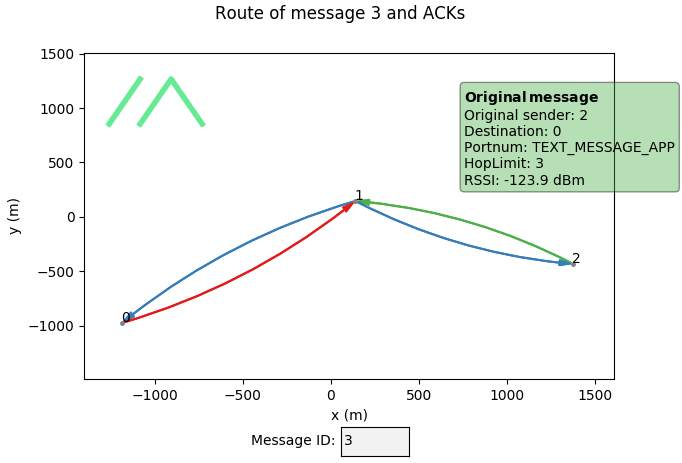
</blockquote>
<p>The encryption scheme employs AES-CCM (Counter with CBC-MAC), which provides both confidentiality and authenticity. A notable feature is the inclusion of a short Message Authentication Code, verifying the sender's identity and ensuring message integrity. To further enhance security, DM messages incorporate an additional 4 bytes of random nonce, effectively preventing potential compromises due to nonce reuse.</p>
<p>Remote administration has also seen significant improvements. Administration messages now include an 8-byte session key, set by the node being administered. This key is included in responses and must be present in any packet attempting to make changes. With a 300-second timeout, this mechanism provides robust protection against replay attacks of captured administration traffic.</p>
<h2 class="anchor anchorTargetStickyNavbar_aXF4" id="conclusion">Conclusion<a href="https://meshtastic.org/blog/introducing-new-public-key-cryptography-in-v2_5/#conclusion" class="hash-link" aria-label="Direct link to Conclusion" title="Direct link to Conclusion" translate="no">​</a></h2>
<p>Meshtastic's journey from a simple hiking communication tool to a versatile, secure mesh networking solution showcases the power of community-driven development. The introduction of our new Public Key Cryptography scheme in version 2.5 represents a significant advancement in the platform's security capabilities, addressing long-standing challenges in direct messaging and remote administration.</p>
<p>As we continue to refine and expand Meshtastic's features, we remain committed to balancing robust security with practical usability. While this update significantly enhances the platform's privacy and security, we encourage users to approach encryption with a clear understanding of its strengths and limitations, especially in critical scenarios.</p>
<p>Looking ahead, we're excited about the possibilities this new encryption framework opens up. We invite our community to explore these new features, provide feedback, and continue pushing the boundaries of what's possible with Meshtastic. Together, we're building a more secure and connected future for off-grid communication.</p>]]></content>
        <author>
            <name>Jonathan Bennett</name>
            <uri>https://github.com/jp-bennett</uri>
        </author>
        <author>
            <name>Crichton</name>
            <uri>https://github.com/rcarteraz</uri>
        </author>
        <category label="meshtastic" term="meshtastic"/>
        <category label="technical" term="technical"/>
    </entry>
    <entry>
        <title type="html"><![CDATA[Important Changes to the Meshtastic Project-Hosted MQTT Server]]></title>
        <id>https://meshtastic.org/blog/recent-public-mqtt-broker-changes/</id>
        <link href="https://meshtastic.org/blog/recent-public-mqtt-broker-changes/"/>
        <updated>2024-08-24T12:00:00.000Z</updated>
        <summary type="html"><![CDATA[Recent changes to the Meshtastic project-hosted MQTT server enhance user privacy and data protection.]]></summary>
        <content type="html"><![CDATA[<p>The Meshtastic project-hosted <a class="" href="https://meshtastic.org/docs/software/integrations/mqtt/">MQTT</a> server, which allows sharing mesh traffic over the Internet, has recently made an important change that impacts the way information is shared via MQTT: the ability to subscribe to all topics has been removed. However, users can still subscribe to regional topics, such as <code>msh/US/#</code>, to view nodes in their specific area. The MQTT functionality remains intact, public maps are still accessible, and users can continue to see nodes within their specified regions with some new changes.</p>
<!-- -->
<h2 class="anchor anchorTargetStickyNavbar_aXF4" id="understanding-the-change">Understanding the Change<a href="https://meshtastic.org/blog/recent-public-mqtt-broker-changes/#understanding-the-change" class="hash-link" aria-label="Direct link to Understanding the Change" title="Direct link to Understanding the Change" translate="no">​</a></h2>
<p>On <strong>August 21, 2024</strong>, the Meshtastic development team made the decision to remove the ability for users to subscribe to all topics.</p>
<h3 class="anchor anchorTargetStickyNavbar_aXF4" id="why-this-change-was-necessary">Why This Change Was Necessary<a href="https://meshtastic.org/blog/recent-public-mqtt-broker-changes/#why-this-change-was-necessary" class="hash-link" aria-label="Direct link to Why This Change Was Necessary" title="Direct link to Why This Change Was Necessary" translate="no">​</a></h3>
<p>The decision to restrict topic subscriptions was not made lightly. It stemmed from our observations that public mesh maps were now storing and, in some cases, tracking node positions over time. While users may have shared their position with their regional mesh, many might not have been aware that this information was being shared publicly online.</p>
<p>This data, being shared by third parties, raised significant concerns regarding personally identifiable information (PII). We recognized that users were not adequately informed about how their location data could be used, which prompted us to act swiftly.</p>
<p>We believe that while users have a responsibility to protect their information, the project also has a duty to the community to ensure that the services we provide do not contribute to potential privacy issues. This commitment is essential not only for the well-being of our community but also to protect the integrity of the Meshtastic project.</p>
<h3 class="anchor anchorTargetStickyNavbar_aXF4" id="the-benefits-of-the-change">The Benefits of the Change<a href="https://meshtastic.org/blog/recent-public-mqtt-broker-changes/#the-benefits-of-the-change" class="hash-link" aria-label="Direct link to The Benefits of the Change" title="Direct link to The Benefits of the Change" translate="no">​</a></h3>
<ol>
<li class=""><strong>Regional Information Control</strong>: By limiting topic subscriptions, we ensure that information stays within its relevant region, preventing groups from sharing data outside users' designated areas.</li>
<li class=""><strong>Improved Server Performance</strong>: With over 50% of MQTT traffic previously related to position data reporting, this change has significantly reduced server resource requirements. As a result, we have seen improvements in:<!-- -->
<ul>
<li class=""><strong>Availability</strong></li>
<li class=""><strong>Stability</strong></li>
<li class=""><strong>Reliability</strong></li>
</ul>
</li>
<li class=""><strong>Cost Efficiency</strong>: Hosting a free service comes with its own set of challenges. The reduction in traffic has led to lower hosting costs, making the service more sustainable in the long run.</li>
<li class=""><strong>Continued Success</strong>: Like the success we experienced at DEF CON 32, where we implemented previous <a href="https://x.com/TheMeshtastic/status/1811082966283735317" target="_blank" rel="noopener noreferrer" class="">traffic management policies</a>, we believe this change will further contribute to a successful MQTT server for the community.</li>
</ol>
<h3 class="anchor anchorTargetStickyNavbar_aXF4" id="new-features-implemented">New Features Implemented<a href="https://meshtastic.org/blog/recent-public-mqtt-broker-changes/#new-features-implemented" class="hash-link" aria-label="Direct link to New Features Implemented" title="Direct link to New Features Implemented" translate="no">​</a></h3>
<p>In response to community feedback, we have already enacted one of the solutions to enhance user experience. While subscribing to all topics remains disabled, we have introduced precise location filtering. This means:</p>
<ul>
<li class=""><strong>Server-Level Filtering</strong>: Only position packets with imprecise location information will be passed to the topic, ensuring that sensitive data is not exposed. <strong>Note: This filtering is only applied to the default key.</strong></li>
</ul>
<h2 class="anchor anchorTargetStickyNavbar_aXF4" id="key-takeaways">Key Takeaways<a href="https://meshtastic.org/blog/recent-public-mqtt-broker-changes/#key-takeaways" class="hash-link" aria-label="Direct link to Key Takeaways" title="Direct link to Key Takeaways" translate="no">​</a></h2>
<ul>
<li class="">The Meshtastic project has removed the ability to subscribe to all topics to ensure that information remains within relevant regions.</li>
<li class="">Users can still subscribe to regional topics to receive localized updates.</li>
<li class="">This change has improved server performance and reduced hosting costs.</li>
<li class="">Precise location filtering has been implemented to prevent sensitive data exposure.</li>
</ul>
<h2 class="anchor anchorTargetStickyNavbar_aXF4" id="conclusion">Conclusion<a href="https://meshtastic.org/blog/recent-public-mqtt-broker-changes/#conclusion" class="hash-link" aria-label="Direct link to Conclusion" title="Direct link to Conclusion" translate="no">​</a></h2>
<p>The Meshtastic project is committed to protecting user privacy while providing a reliable and efficient service. We understand that changes can be challenging, but we believe that these adjustments will ultimately benefit our community. We appreciate your understanding and support as we navigate these important changes together.</p>
<p><em>Thank you for being a part of the Meshtastic community! Your feedback is invaluable as we continue to improve our services. Feel free to use the comment section below.</em></p>]]></content>
        <author>
            <name>Crichton</name>
            <uri>https://github.com/rcarteraz</uri>
        </author>
        <category label="meshtastic" term="meshtastic"/>
    </entry>
    <entry>
        <title type="html"><![CDATA[Why Meshtastic Uses Managed Flood Routing]]></title>
        <id>https://meshtastic.org/blog/why-meshtastic-uses-managed-flood-routing/</id>
        <link href="https://meshtastic.org/blog/why-meshtastic-uses-managed-flood-routing/"/>
        <updated>2024-08-18T12:00:00.000Z</updated>
        <summary type="html"><![CDATA[Why one of the simplest solutions is best for Meshtastic]]></summary>
        <content type="html"><![CDATA[<p>Designing a low-bandwidth wireless mesh network to run on low-power microprocessors with limited memory is challenging. Arguably the simplest mesh routing protocol is Flood Routing: each radio receiving a packet will rebroadcast this again, up to a defined hop limit. Although Meshtastic is based on this strategy, there are a few subtle, but significant enhancements. Most importantly, before a node rebroadcasts, it waits a short while and listens if anyone else is already rebroadcasting. If so, it will not rebroadcast again. Therefore, “Managed Flood Routing” would be a better name. For more details on the enhancements, please review our <a href="https://meshtastic.org/docs/overview/mesh-algo/" target="_blank" rel="noopener noreferrer" class="">documentation</a>.</p>
<!-- -->
<p>Since Flood Routing is not very efficient, we realize that this approach is not perfect. The firmware has a number of measures in place to limit traffic in order not to overwhelm a mesh, but as with any RF based protocol, there are limitations to the capacity of the mesh. In attempts to enhance the efficiency, we have evaluated “smarter” routing protocols at times in the past. However, we have yet to find anything that would consistently outperform the current approach in the use-cases and scenarios Meshtastic is currently being utilized. We’ll go over several reasons for why we believe Managed Flood Routing remains a superior approach for Meshtastic.</p>
<h2 class="anchor anchorTargetStickyNavbar_aXF4" id="key-advantages-of-meshtastics-managed-flood-routing">Key Advantages of Meshtastic's Managed Flood Routing<a href="https://meshtastic.org/blog/why-meshtastic-uses-managed-flood-routing/#key-advantages-of-meshtastics-managed-flood-routing" class="hash-link" aria-label="Direct link to Key Advantages of Meshtastic's Managed Flood Routing" title="Direct link to Key Advantages of Meshtastic's Managed Flood Routing" translate="no">​</a></h2>
<ol>
<li class="">Eliminates route discovery overhead</li>
<li class="">Provides superior adaptation to dynamic network topologies</li>
<li class="">Optimized for broadcast-heavy traffic patterns common in Meshtastic</li>
<li class="">Demonstrates excellent scalability in low-bandwidth environments</li>
<li class="">Minimizes resource utilization on constrained IoT devices</li>
<li class="">Empirically validated through extensive network simulations</li>
</ol>
<h2 class="anchor anchorTargetStickyNavbar_aXF4" id="avoids-route-discovery">Avoids Route Discovery<a href="https://meshtastic.org/blog/why-meshtastic-uses-managed-flood-routing/#avoids-route-discovery" class="hash-link" aria-label="Direct link to Avoids Route Discovery" title="Direct link to Avoids Route Discovery" translate="no">​</a></h2>
<p>First and foremost, Managed Flood Routing eliminates the need for route discovery or centralized control. In traditional routing algorithms, devices rely on predefined or dynamic routes to forward messages to their destinations. With Managed Flood Routing, you can start messaging immediately after booting your device. Furthermore, route discovery and maintenance leads to overhead, which quickly becomes very significant with a low-bandwidth protocol such as LoRa. In order to maintain routes, either additional control packets are needed, or metadata has to be added to normal traffic. Either increases utilization of precious airtime. In static scenarios, this is not a significant issue, but when the topology changes often -as we discuss in the next section- the overhead quickly outweighs the benefit of a smarter routing protocol.</p>
<h2 class="anchor anchorTargetStickyNavbar_aXF4" id="seamlessly-adapts-to-network-topology-changes">Seamlessly Adapts to Network Topology Changes<a href="https://meshtastic.org/blog/why-meshtastic-uses-managed-flood-routing/#seamlessly-adapts-to-network-topology-changes" class="hash-link" aria-label="Direct link to Seamlessly Adapts to Network Topology Changes" title="Direct link to Seamlessly Adapts to Network Topology Changes" translate="no">​</a></h2>
<p>Another significant advantage of Managed Flood Routing is its ability to adapt to network topology changes. In mesh networks, devices can join or leave the network at any time, and in the case of Meshtastic, nodes are often mobile causing the network topology to change frequently. Even environmental changes such as the weather or the time of day may influence routes. Traditional routing algorithms struggle to keep up with these changes, often leading to message loss or delays. Managed Flood Routing, however, excels in such scenarios. As each device will participate in the routing when called upon, the network quickly adapts to the changes, ensuring that messages find their way to the destination even in the face of frequent topology changes.</p>
<h2 class="anchor anchorTargetStickyNavbar_aXF4" id="inefficiency-is-limited">Inefficiency is Limited<a href="https://meshtastic.org/blog/why-meshtastic-uses-managed-flood-routing/#inefficiency-is-limited" class="hash-link" aria-label="Direct link to Inefficiency is Limited" title="Direct link to Inefficiency is Limited" translate="no">​</a></h2>
<p>A routing protocol aims to deliver packets at the destination in the most efficient way possible. Indeed for packets with a single destination, a lot can be gained by choosing only one efficient route. However, for broadcasts the potential gain is limited, as it is intended to be delivered to every node in the mesh. Since the majority of packets in Meshtastic are broadcasts rather than messages targeting a specific node, a smarter protocol would have limited influence. Additionally, in a wireless medium, even if a packet is directed to a certain node, all nodes in range will witness it and during that time they cannot transmit or receive another packet, meaning that even with a <em>perfect</em> routing protocol, nodes that may not be interested in a packet will still receive it, especially if they have good receiver sensitivity, which is frequently the case for LoRa.</p>
<h2 class="anchor anchorTargetStickyNavbar_aXF4" id="provides-scalability-on-low-bandwidth-lora-transport">Provides Scalability on low-bandwidth LoRa transport<a href="https://meshtastic.org/blog/why-meshtastic-uses-managed-flood-routing/#provides-scalability-on-low-bandwidth-lora-transport" class="hash-link" aria-label="Direct link to Provides Scalability on low-bandwidth LoRa transport" title="Direct link to Provides Scalability on low-bandwidth LoRa transport" translate="no">​</a></h2>
<p>Furthermore, Managed Flood Routing is certainly scalable, because nodes that are unlikely to contribute to routing will not participate. In large-scale mesh networks, where hundreds of devices are meshing, scalability becomes a critical factor, and minimizing airtime is king. Traditional routing algorithms often struggle to handle the increasing number of devices and the associated routing overhead, due to the additional control messages required to maintain routes with highly ephemeral topologies. On the other hand, with Managed Flood Routing, new devices joining the network integrate into the routing process without any additional ceremony, contributing to the overall network resilience and message delivery efficiency.</p>
<h2 class="anchor anchorTargetStickyNavbar_aXF4" id="functions-on-resource-constrained-devices">Functions on Resource Constrained Devices<a href="https://meshtastic.org/blog/why-meshtastic-uses-managed-flood-routing/#functions-on-resource-constrained-devices" class="hash-link" aria-label="Direct link to Functions on Resource Constrained Devices" title="Direct link to Functions on Resource Constrained Devices" translate="no">​</a></h2>
<p>Finally, Managed Flood Routing minimizes footprint on very resource-constrained low power IoT devices. Traditional routing algorithms often require devices to maintain large routing tables or perform complex calculations, consuming additional RAM, flash, and valuable computational resources. Managed Flood Routing, with its simplicity and distributed nature, significantly reduces the resource overhead. Devices only need to forward messages they receive, without the need for complex computations, resulting in more device resource availability for other valuable features and improved device autonomy.</p>
<blockquote>
<p>Many decisions are based on data from <a href="https://github.com/GUVWAF/Meshtasticator" target="_blank" rel="noopener noreferrer" class="">Meshtasticator</a> simulations <img decoding="async" loading="lazy" alt="Route Plot" src="https://meshtastic.org/assets/images/route_plot-b405c3ca4e2795aa010243a1ca436f0b.png" width="682" height="463" class="img_jOZt"></p>
</blockquote>
<h2 class="anchor anchorTargetStickyNavbar_aXF4" id="considerations-and-future-directions">Considerations and Future Directions<a href="https://meshtastic.org/blog/why-meshtastic-uses-managed-flood-routing/#considerations-and-future-directions" class="hash-link" aria-label="Direct link to Considerations and Future Directions" title="Direct link to Considerations and Future Directions" translate="no">​</a></h2>
<p>While Managed Flood Routing has proven highly effective for Meshtastic, we acknowledge its limitations:</p>
<ul>
<li class="">Not optimal for all network configurations</li>
<li class="">Potential for improvement in specific unicast scenarios</li>
<li class="">Ongoing research into hybrid approaches for future implementations</li>
</ul>
<p>The current Managed Flood Routing is not perfect and success is not guaranteed, but it has been proven to be effective even in large meshes of more than 100 nodes with proper traffic control. There are trade-offs associated with any approach, and utilizing any “smarter” protocol will inevitably lead to overhead in several ways which, in our view, can quickly diminish its benefits.</p>]]></content>
        <author>
            <name>TheBentern</name>
            <uri>https://github.com/thebentern</uri>
        </author>
        <author>
            <name>GUVWAF</name>
            <uri>https://github.com/GUVWAF</uri>
        </author>
        <category label="meshtastic" term="meshtastic"/>
        <category label="technical" term="technical"/>
    </entry>
    <entry>
        <title type="html"><![CDATA[Meshtastic's Opposition to Proposed Changes on 900 MHz Band]]></title>
        <id>https://meshtastic.org/blog/meshtastic-opposition-to-nextnav-proposed-changes/</id>
        <link href="https://meshtastic.org/blog/meshtastic-opposition-to-nextnav-proposed-changes/"/>
        <updated>2024-08-13T12:00:00.000Z</updated>
        <summary type="html"><![CDATA[Why We Oppose NextNav's 900 MHz Proposal: A Threat to Open Communication Networks]]></summary>
        <content type="html"><![CDATA[<p>The Federal Communications Commission (FCC) is currently considering a proposal from NextNav that could drastically reshape the 900 MHz band. While this proposal may seem like just another routine reconfiguration, it has significant implications for a broad range of users, particularly those who rely on unlicensed spectrum for innovative, community-driven projects. At the heart of the debate lies the potential impact on open-source initiatives like Meshtastic, an open-source, decentralized communication platform that operates in the 900 MHz ISM band.</p>
<!-- -->
<p>As a community, we are raising our voices in opposition to this proposal, and here’s why we believe it’s crucial for all stakeholders, especially amateur radio operators, tech enthusiasts, and public safety advocates, to understand the ramifications of this change.</p>
<h2 class="anchor anchorTargetStickyNavbar_aXF4" id="understanding-the-900-mhz-band-and-its-importance">Understanding the 900 MHz Band and Its Importance<a href="https://meshtastic.org/blog/meshtastic-opposition-to-nextnav-proposed-changes/#understanding-the-900-mhz-band-and-its-importance" class="hash-link" aria-label="Direct link to Understanding the 900 MHz Band and Its Importance" title="Direct link to Understanding the 900 MHz Band and Its Importance" translate="no">​</a></h2>
<p>The 900 MHz band is a critical piece of spectrum used for various applications, including industrial, scientific, and medical (ISM) purposes, as well as amateur radio. It’s a unique band that supports a wide array of technologies, from garage door openers and baby monitors to more advanced uses like Meshtastic’s decentralized communication networks.</p>
<p>Meshtastic leverages LoRa (Long Range) technology to facilitate long-distance communication without relying on centralized infrastructure. This capability is especially valuable in remote areas where traditional communication networks are either unavailable or unreliable. The proposal by NextNav threatens to disrupt this delicate balance by reallocating portions of the 900 MHz band, which could severely impact these unlicensed applications.</p>
<h2 class="anchor anchorTargetStickyNavbar_aXF4" id="key-concerns-with-nextnavs-proposal">Key Concerns with NextNav’s Proposal<a href="https://meshtastic.org/blog/meshtastic-opposition-to-nextnav-proposed-changes/#key-concerns-with-nextnavs-proposal" class="hash-link" aria-label="Direct link to Key Concerns with NextNav’s Proposal" title="Direct link to Key Concerns with NextNav’s Proposal" translate="no">​</a></h2>
<h3 class="anchor anchorTargetStickyNavbar_aXF4" id="1-potential-interference-with-unlicensed-bands">1. Potential Interference with Unlicensed Bands<a href="https://meshtastic.org/blog/meshtastic-opposition-to-nextnav-proposed-changes/#1-potential-interference-with-unlicensed-bands" class="hash-link" aria-label="Direct link to 1. Potential Interference with Unlicensed Bands" title="Direct link to 1. Potential Interference with Unlicensed Bands" translate="no">​</a></h3>
<p>NextNav’s proposal suggests creating a 5-MHz uplink in the 902-907 MHz band paired with a 10-MHz downlink in the 918-928 MHz band. However, these changes could lead to significant interference with existing unlicensed, low-power devices that currently operate within these frequencies. For the Meshtastic community and others relying on these bands, the result could be a substantial degradation in network performance, especially in rural and underserved regions where alternatives are limited.</p>
<blockquote>
<p><em>“The 900 MHz band serves as a critical resource for those of us building decentralized networks. Interference from reallocated spectrum could cripple these grassroots communication efforts.”</em> – JM Casler aka MC Hamster, Meshtastic Project Lead</p>
</blockquote>
<h3 class="anchor anchorTargetStickyNavbar_aXF4" id="2-impact-on-innovation-and-open-source-projects">2. Impact on Innovation and Open-Source Projects<a href="https://meshtastic.org/blog/meshtastic-opposition-to-nextnav-proposed-changes/#2-impact-on-innovation-and-open-source-projects" class="hash-link" aria-label="Direct link to 2. Impact on Innovation and Open-Source Projects" title="Direct link to 2. Impact on Innovation and Open-Source Projects" translate="no">​</a></h3>
<p>Open-source projects like Meshtastic thrive in an environment where access to unlicensed spectrum is available for experimentation and innovation. By granting exclusive or prioritized access to these frequencies, the FCC risks stifling the creativity and diversity of applications that have historically driven advancements in wireless technology.</p>
<p>The open-source community has long been a bastion of innovation, creating technologies that benefit a wide range of users, from hobbyists to public safety officials. Restricting access to this spectrum could not only limit the development of new tools and applications but also hinder the progression of existing projects that rely on these frequencies.</p>
<h3 class="anchor anchorTargetStickyNavbar_aXF4" id="3-threat-to-public-safety-and-community-resilience">3. Threat to Public Safety and Community Resilience<a href="https://meshtastic.org/blog/meshtastic-opposition-to-nextnav-proposed-changes/#3-threat-to-public-safety-and-community-resilience" class="hash-link" aria-label="Direct link to 3. Threat to Public Safety and Community Resilience" title="Direct link to 3. Threat to Public Safety and Community Resilience" translate="no">​</a></h3>
<p>In disaster-prone or remote areas, decentralized communication networks are often the only lifeline when traditional infrastructure fails. Meshtastic’s low-power, long-range communication capabilities have proven invaluable in such situations, providing critical connectivity in times of need. By reallocating the spectrum these networks depend on, NextNav’s proposal could inadvertently weaken community resilience and public safety.</p>
<h3 class="anchor anchorTargetStickyNavbar_aXF4" id="4-equity-and-accessibility-concerns">4. Equity and Accessibility Concerns<a href="https://meshtastic.org/blog/meshtastic-opposition-to-nextnav-proposed-changes/#4-equity-and-accessibility-concerns" class="hash-link" aria-label="Direct link to 4. Equity and Accessibility Concerns" title="Direct link to 4. Equity and Accessibility Concerns" translate="no">​</a></h3>
<p>One of the most powerful aspects of the unlicensed spectrum is its ability to democratize communication. It allows small-scale operators, hobbyists, and underserved communities to build and maintain their own networks without the need for expensive licenses or subscriptions. NextNav’s proposal risks creating a barrier to entry, effectively widening the digital divide and excluding those who can’t afford to compete with larger entities for spectrum access.</p>
<h2 class="anchor anchorTargetStickyNavbar_aXF4" id="meshtastics-formal-opposition-to-nextnavs-900-mhz-proposal">Meshtastic's Formal Opposition to NextNav’s 900 MHz Proposal<a href="https://meshtastic.org/blog/meshtastic-opposition-to-nextnav-proposed-changes/#meshtastics-formal-opposition-to-nextnavs-900-mhz-proposal" class="hash-link" aria-label="Direct link to Meshtastic's Formal Opposition to NextNav’s 900 MHz Proposal" title="Direct link to Meshtastic's Formal Opposition to NextNav’s 900 MHz Proposal" translate="no">​</a></h2>
<p>As part of our commitment to protecting the interests of our community and the broader public that relies on the 900 MHz band, Meshtastic has officially filed an opposition to NextNav’s proposed changes with the FCC. This filing outlines our concerns about the potential interference and the negative impact this reallocation could have on open-source projects, innovation, and public safety.</p>
<p>We believe it's vital that the FCC hears from all stakeholders who will be affected by these changes. By formally opposing the proposal, we aim to ensure that the voices of small-scale operators, hobbyists, and underserved communities are heard.</p>
<h3 class="anchor anchorTargetStickyNavbar_aXF4" id="view-the-opposition-letter">View the Opposition Letter<a href="https://meshtastic.org/blog/meshtastic-opposition-to-nextnav-proposed-changes/#view-the-opposition-letter" class="hash-link" aria-label="Direct link to View the Opposition Letter" title="Direct link to View the Opposition Letter" translate="no">​</a></h3>
<object data="/documents/blog/Opposition_Letter.pdf" type="application/pdf" width="100%" height="600px"><p>Your browser does not support PDFs. <a href="https://meshtastic.org/documents/blog/Opposition_Letter.pdf">Download the PDF</a>.</p></object>
<p>This document details our stance and the reasons we believe the proposed changes are detrimental to the community. We encourage our readers to review the letter and consider how this issue might affect their own use of the 900 MHz band.</p>
<h2 class="anchor anchorTargetStickyNavbar_aXF4" id="key-takeaways">Key Takeaways<a href="https://meshtastic.org/blog/meshtastic-opposition-to-nextnav-proposed-changes/#key-takeaways" class="hash-link" aria-label="Direct link to Key Takeaways" title="Direct link to Key Takeaways" translate="no">​</a></h2>
<ul>
<li class=""><strong>Unlicensed Spectrum is Vital:</strong> The 900 MHz band is crucial for a wide range of applications, particularly for community-driven projects like Meshtastic that rely on this spectrum to operate effectively.</li>
<li class=""><strong>Innovation at Risk:</strong> Limiting access to unlicensed spectrum could stifle innovation within the open-source community, hindering the development of new technologies and applications.</li>
<li class=""><strong>Public Safety Concerns:</strong> Decentralized communication networks provide critical connectivity in emergencies; reallocating this spectrum could weaken these vital lifelines.</li>
<li class=""><strong>Equity and Accessibility:</strong> The unlicensed spectrum serves as a democratizing resource, and restricting access could disproportionately impact small-scale operators and underserved communities.</li>
</ul>
<h2 class="anchor anchorTargetStickyNavbar_aXF4" id="frequently-asked-questions-faq">Frequently Asked Questions (FAQ)<a href="https://meshtastic.org/blog/meshtastic-opposition-to-nextnav-proposed-changes/#frequently-asked-questions-faq" class="hash-link" aria-label="Direct link to Frequently Asked Questions (FAQ)" title="Direct link to Frequently Asked Questions (FAQ)" translate="no">​</a></h2>
<p><strong>Q1: What exactly is NextNav proposing with the 900 MHz band?</strong><br>
<!-- -->A1: NextNav is proposing to reconfigure the lower 900 MHz band by creating a 5-MHz uplink in the 902-907 MHz band paired with a 10-MHz downlink in the 918-928 MHz band, which could interfere with existing unlicensed uses of this spectrum.</p>
<p><strong>Q2: How will this proposal impact Meshtastic users?</strong><br>
<!-- -->A2: The proposal could cause significant interference with Meshtastic’s low-power, long-range communication networks, potentially degrading performance, especially in remote and underserved areas.</p>
<p><strong>Q3: Why is unlicensed spectrum important for open-source projects?</strong><br>
<!-- -->A3: Unlicensed spectrum allows for experimentation and innovation without the need for costly licenses, fostering a diverse range of applications and advancing wireless technology.</p>
<p><strong>Q4: What are the potential public safety implications of this proposal?</strong><br>
<!-- -->A4: By reallocating spectrum that decentralized networks rely on, the proposal could undermine public safety by weakening the communication networks used in emergencies.</p>
<p><strong>Q5: Who stands to lose the most if this proposal is approved?</strong><br>
<!-- -->A5: Small-scale operators, hobbyists, and underserved communities who rely on unlicensed spectrum for affordable communication solutions are likely to be the most affected.</p>
<h2 class="anchor anchorTargetStickyNavbar_aXF4" id="conclusion">Conclusion<a href="https://meshtastic.org/blog/meshtastic-opposition-to-nextnav-proposed-changes/#conclusion" class="hash-link" aria-label="Direct link to Conclusion" title="Direct link to Conclusion" translate="no">​</a></h2>
<p>The proposed changes to the 900 MHz band by NextNav could have far-reaching consequences for a wide range of users, particularly those involved in community-driven, open-source projects like Meshtastic. It’s crucial that the FCC considers these impacts and seeks a balanced approach that protects the interests of all stakeholders, ensuring that this valuable public resource remains accessible for innovation, public safety, and community resilience.</p>
<p>Let’s ensure that the airwaves remain a shared space for all, fostering innovation and supporting those who need it most. Join us in voicing our opposition to this proposal and advocating for a fair and equitable solution.</p>]]></content>
        <author>
            <name>Crichton</name>
            <uri>https://github.com/rcarteraz</uri>
        </author>
        <category label="meshtastic" term="meshtastic"/>
    </entry>
</feed>