




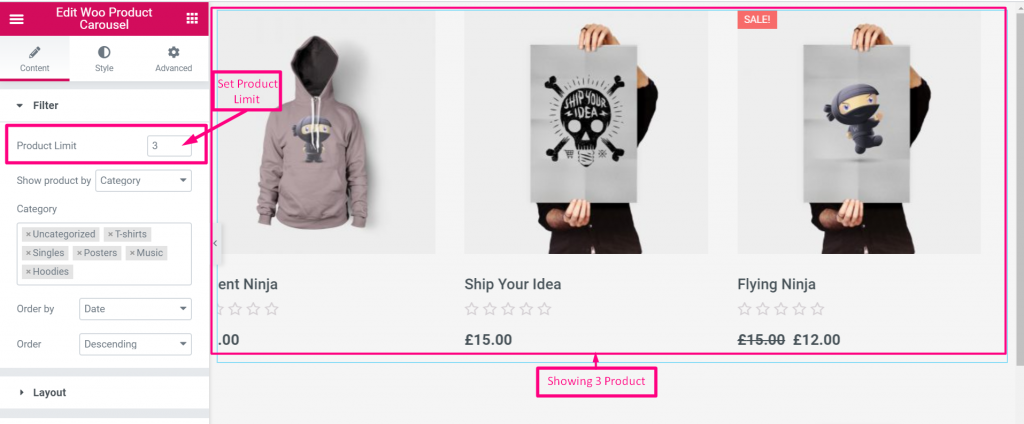
Filter #
Product Limit #
Select product limit like in what amount of product you want to showcase on your site
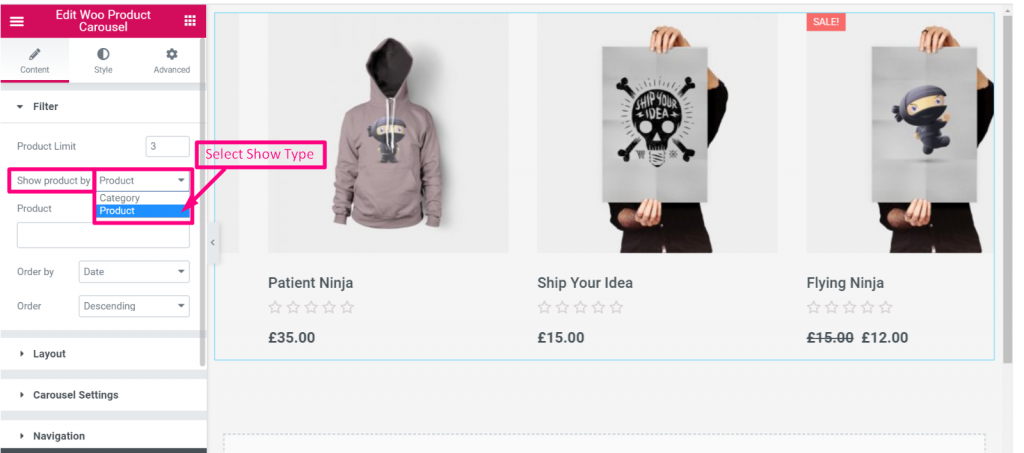
Show Product Type #
Show your product in Category wise or Product wise
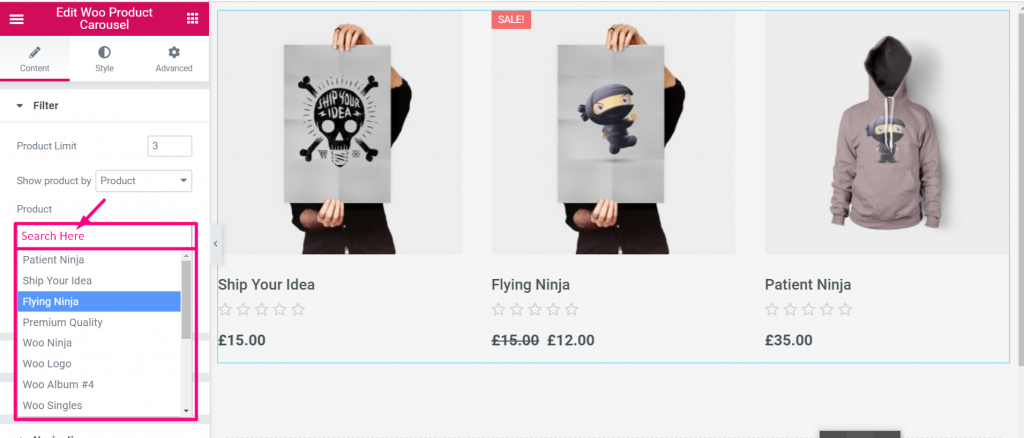
Search #
You can search your product from the selected area
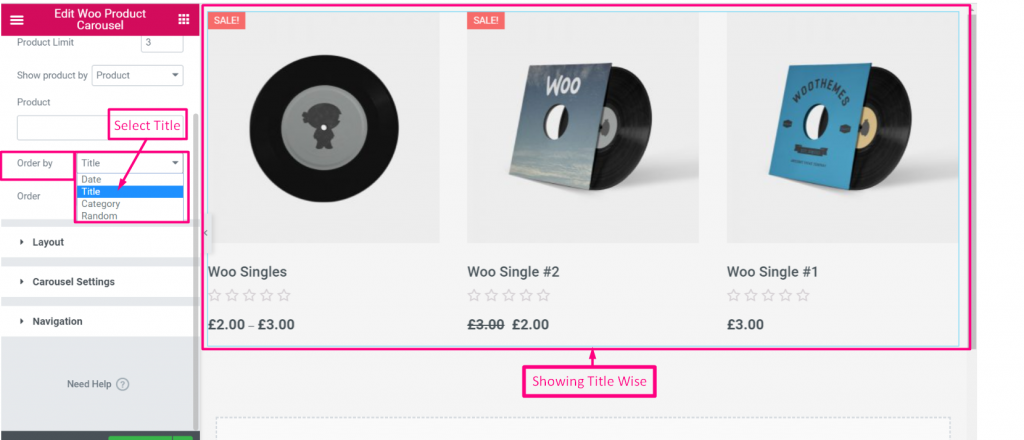
Order By #
Select Order By: Date, Title, Category or Random
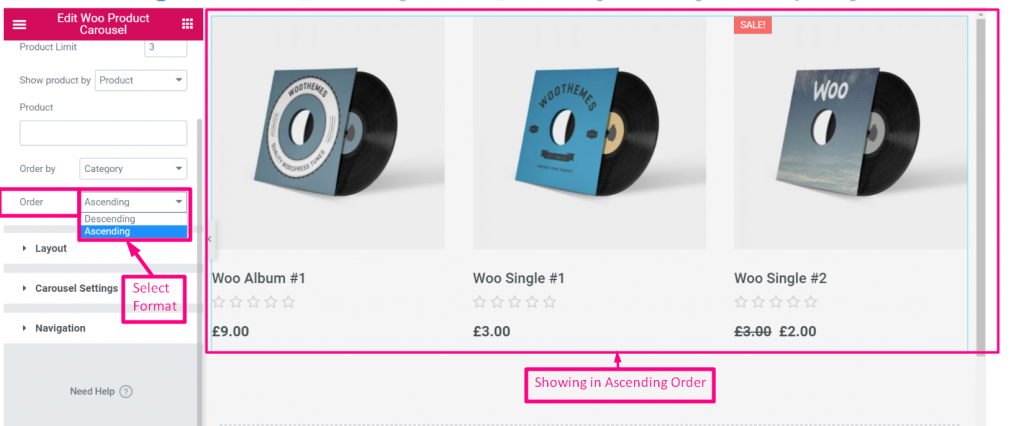
Order Format #
Select Order format Descending or Ascending
Layout #
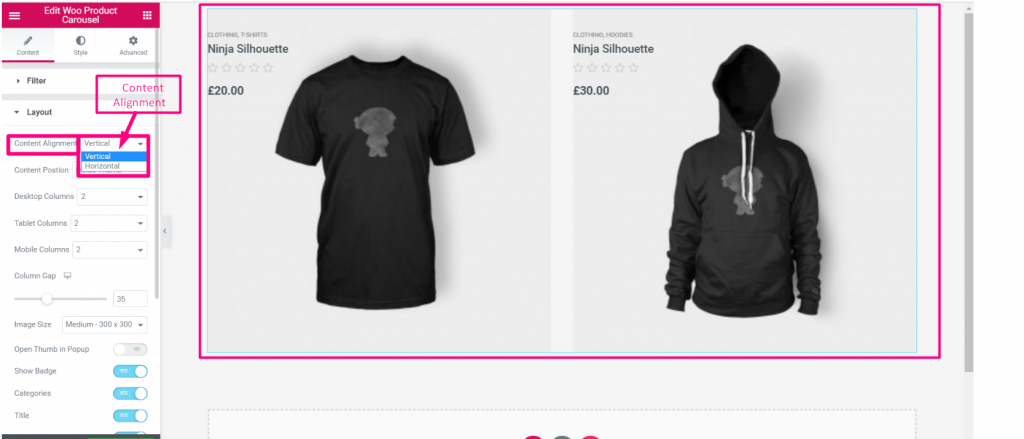
Content Alignment #
Select Alignment Vertical or Horizontal
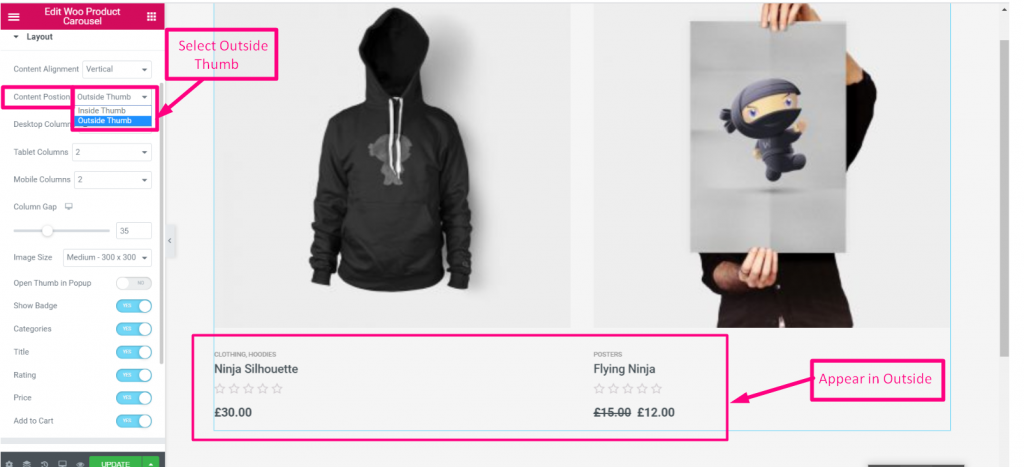
Content Position #
Select Content Position: Inside Thumb or Outside Thumb
- Select Content Alignment: Horizontal
- Enable Flip content
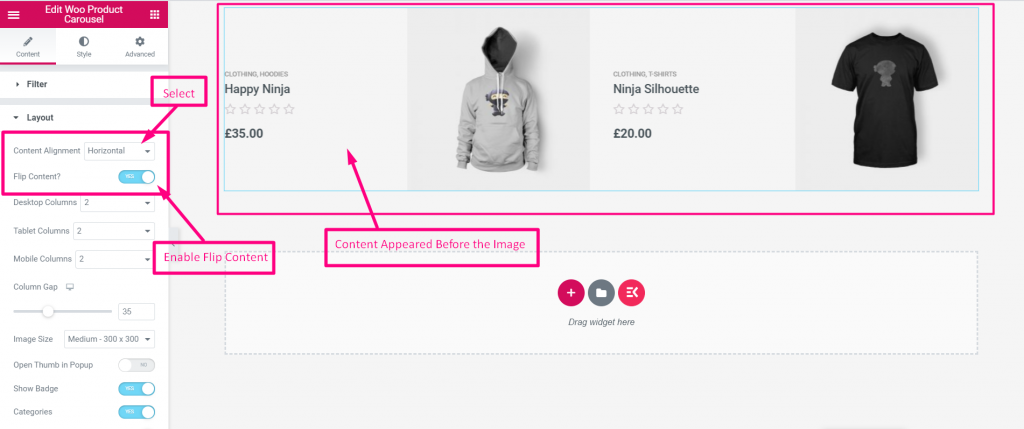
- Set Up Desktop Column
- Set Up Table Column
- Set Up Column Gap
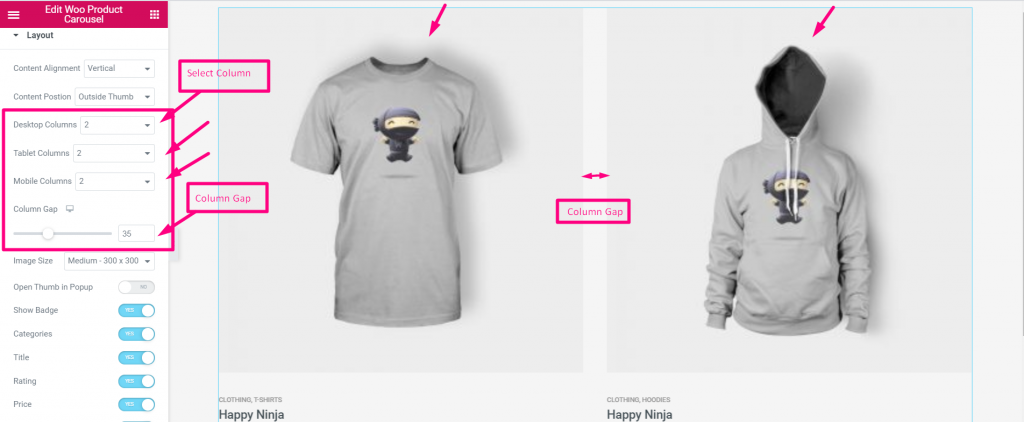
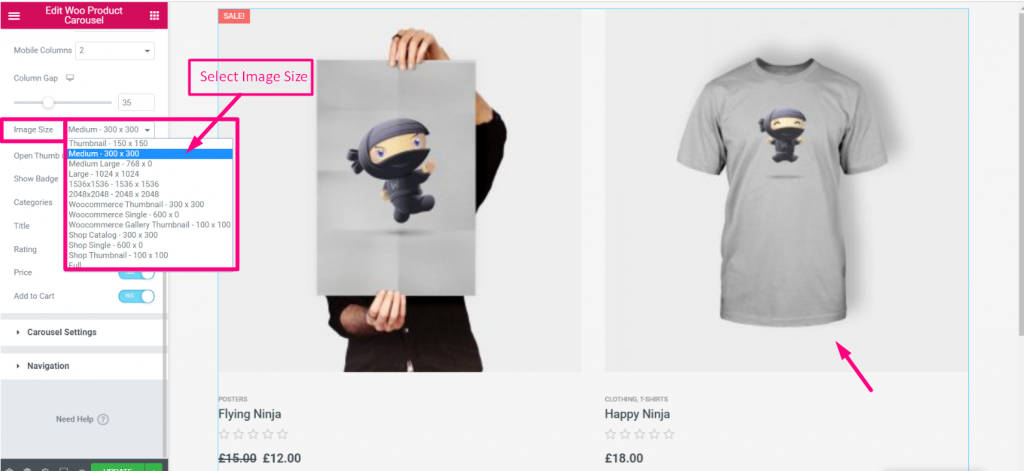
Image Size #
Select Image Size from the Drop-Down
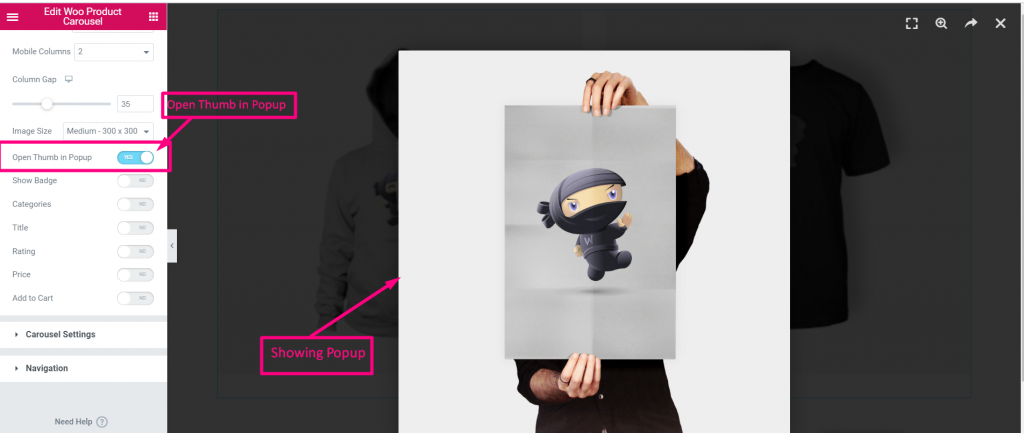
Open Thumb in Popup #
Click on the Circle to open thumb in Popup
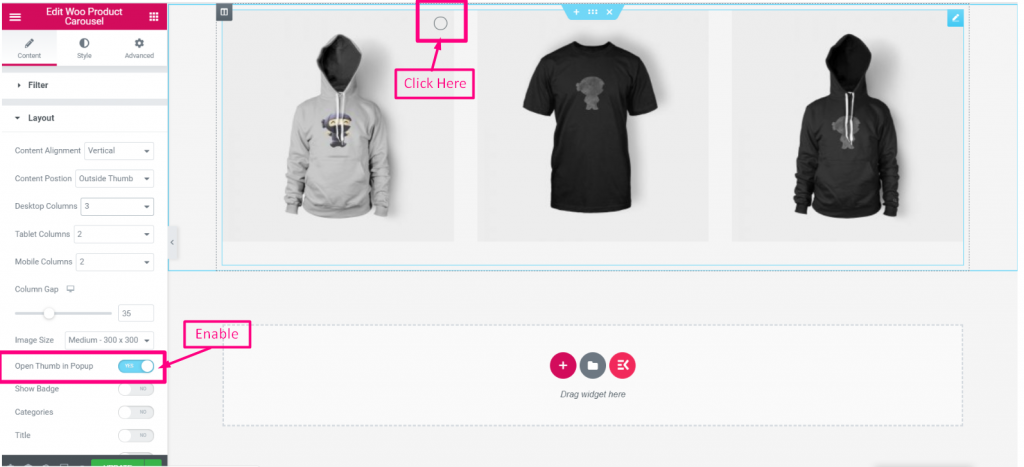
You can see the Popup Appeared Accordingly
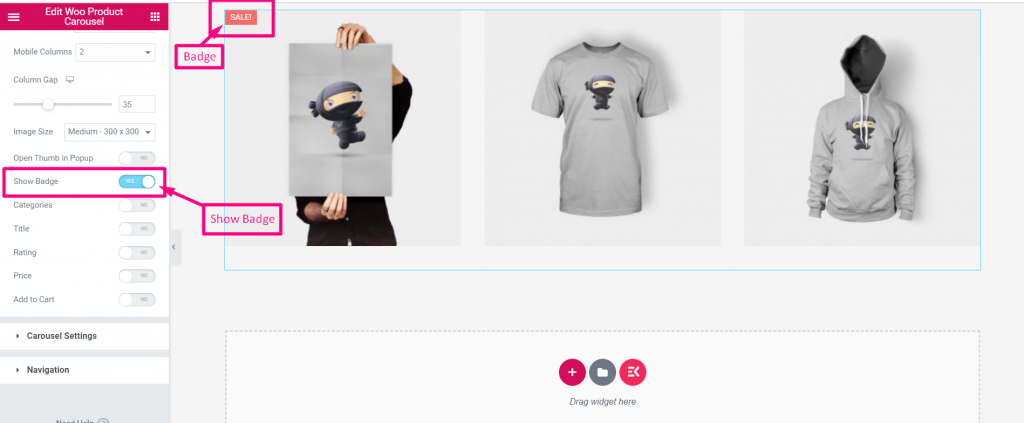
Show Badge #
Enable the toggle to show Badge in the image
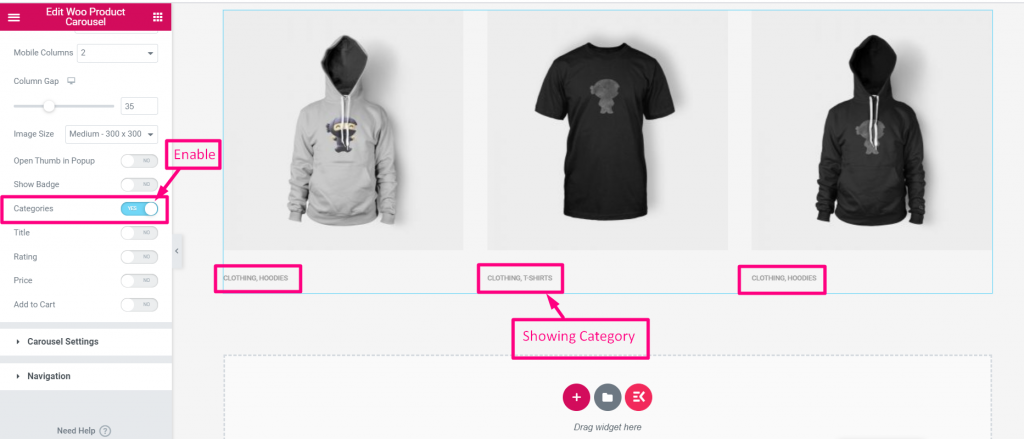
Categories #
Enable Categories to show Product image Categories
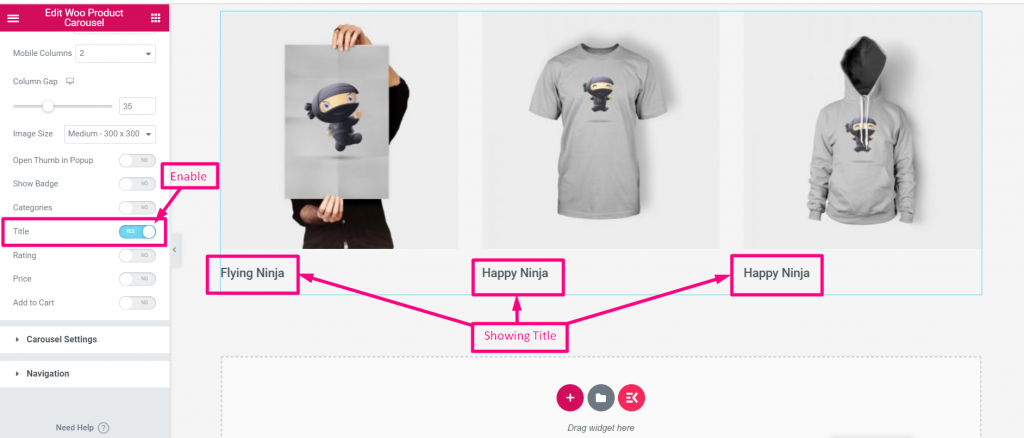
Title #
Enable Title to show Product image Title
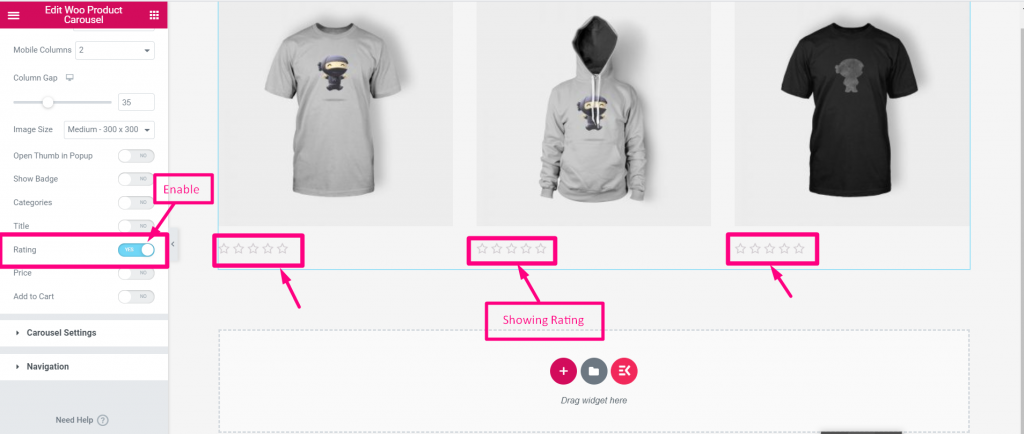
Rating #
Enable Rating to show Product Rating
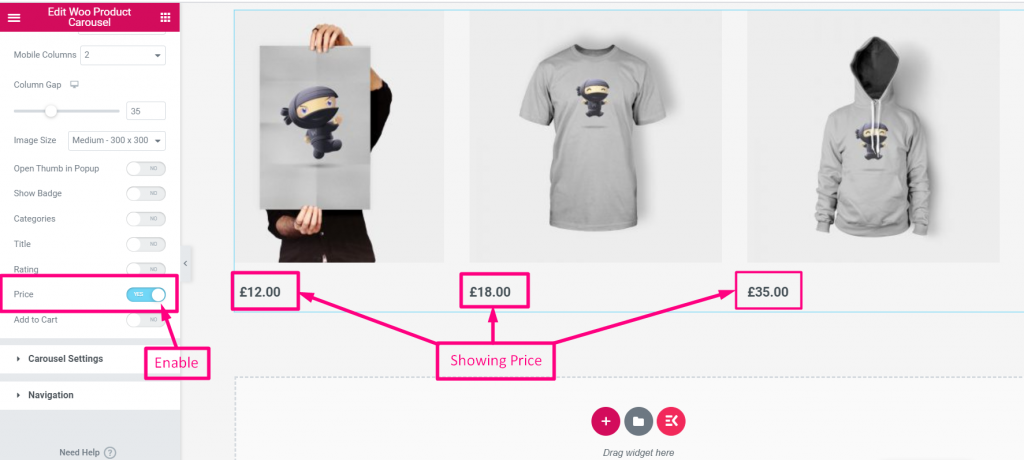
Price #
Enable Price to show exact Product Price
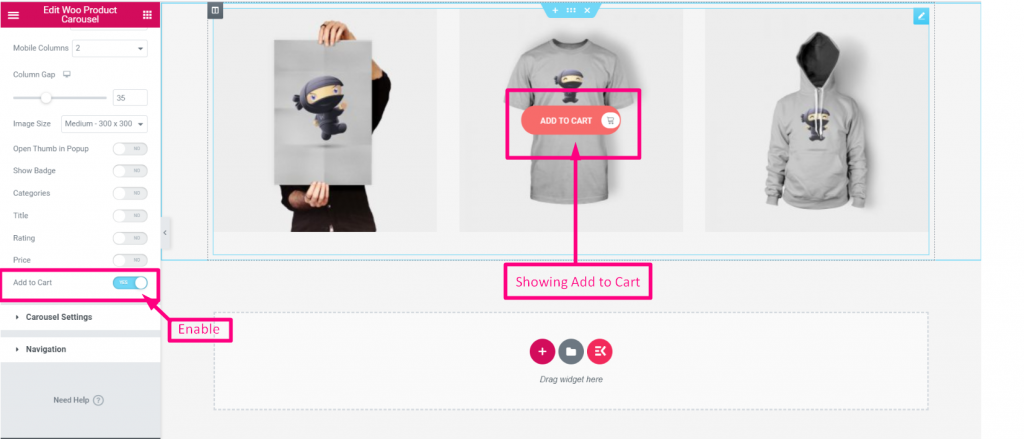
Add to Cart #
Enable Add to Cart to provide Add to Cart option in the product image
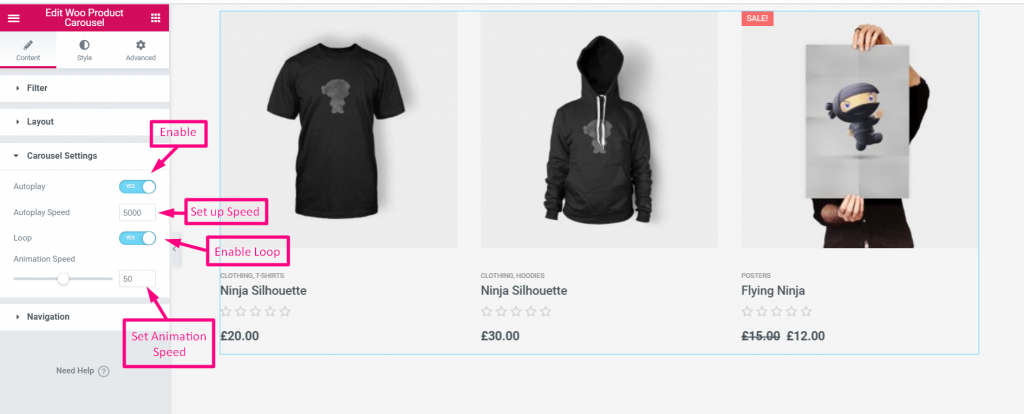
Carousel Settings #
- Enable Auto play
- Set up Speed
- Enable Loop
- Set up Animation Speed
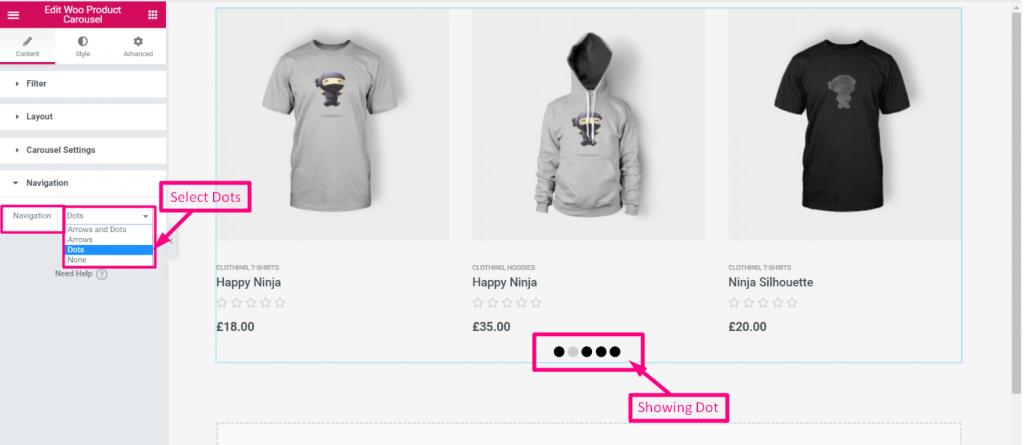
Navigation #
Select Navigation from the Drop-Down: Arrows and Dots, Arrows, Dots, None