

 Formed in 2009, the Archive Team (not to be confused with the archive.org Archive-It Team) is a rogue archivist collective dedicated to saving copies of rapidly dying or deleted websites for the sake of history and digital heritage. The group is 100% composed of volunteers and interested parties, and has expanded into a large amount of related projects for saving online and digital history.

默认情况下,新的 GitHub 应用程序拥有一个自动生成的默认肖像。 默认肖像徽章如下所示:

创建 GitHub 应用程序后,可以通过上传徽标和选择背景颜色自定义应用程序的徽章。 徽章是圆形徽章内的方形徽标图像。 您可以为徽章选择背景颜色,以便从视觉上与应用程序区分开。
徽标应为 1 MB 以下的 PNG、JPG 或 GIF 文件。 为获得最佳渲染效果,建议图像大小至少为 200px x 200px。 See "Tips for logo and badge images" for more guidance on customizing badges.
您可以导航至 https://github.com/marketplace/manage,为拥有已批准 Marketplace 列表的 GitHub 应用程序更改自定义徽章。
要创建自定义徽章:
- 在任何页面的右上角,单击您的个人资料照片,然后单击 Settings(设置)。
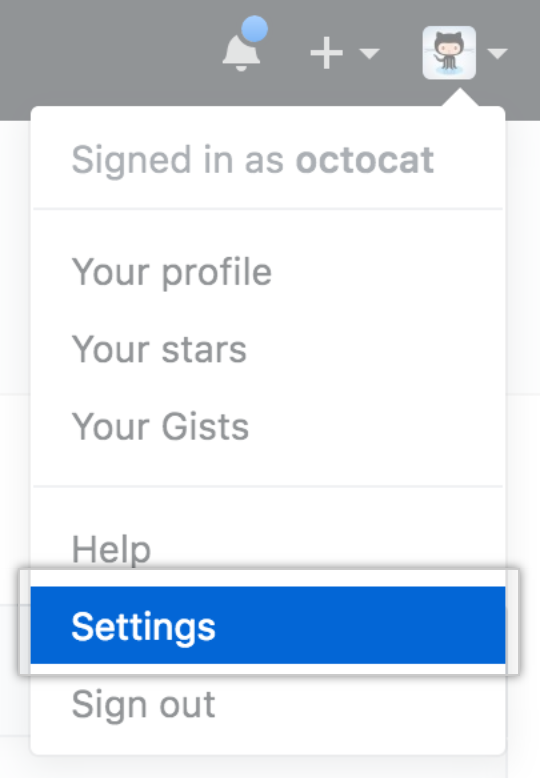
- 在左侧边栏中,单击 Developer settings。

- 在左侧边栏中,单击 GitHub Apps(GitHub 应用程序)。
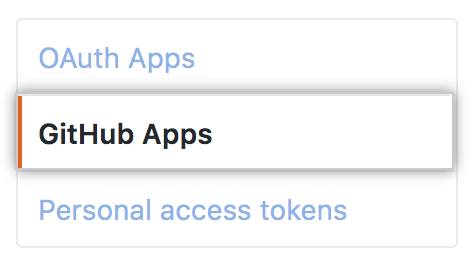
- 选择您要修改的 GitHub 应用程序。

- 在“Display information(显示信息)”中,从本地文件夹拖放图像,或单击 Upload a logo(上传徽标),从计算机选择图像。

- 裁剪图片。 完成后,单击 Set new avatar(设置新头像)。

- 在“Badge background color(徽章背景颜色)”中,输入徽章背景颜色的十六进制颜色代码。 Note: The "Badge background color" input field will only appear after you upload an application logo.

后续步骤
有关为此应用程序创建 Marketplace 列表的更多信息,请参阅“GitHub Marketplace 上的列表”。
